Bubuka
This manual provides detailed instructions for the safe and efficient operation of your KLIM Speaker Portable CD Player, Model KLIM Nomad. This device features dual stereo speakers, a rechargeable battery, support for SD/TF cards, and AUX connectivity, making it versatile for various listening environments. Please read this manual thoroughly before use and retain it for future reference.
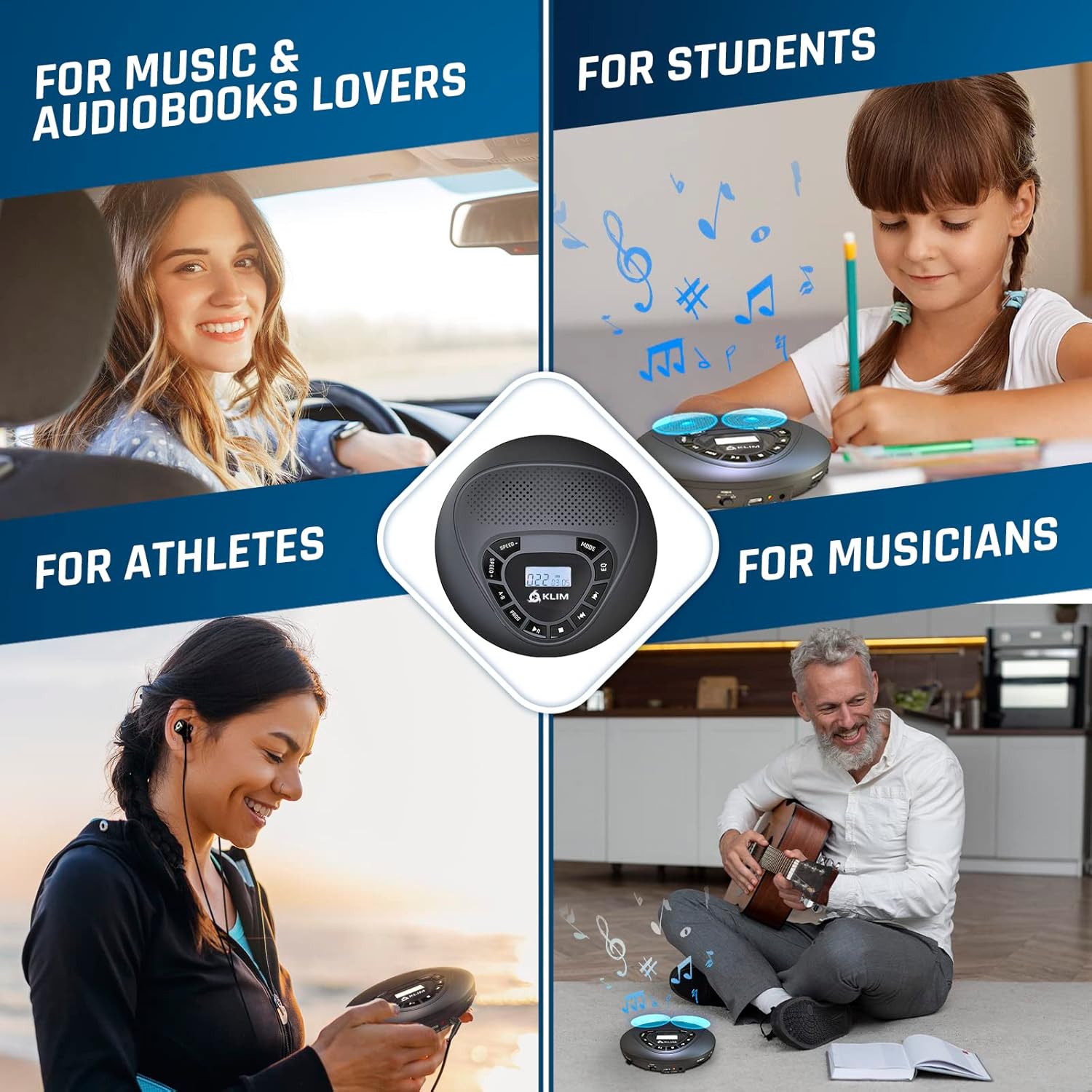
Image: The KLIM Speaker Portable CD Player is shown in various usage scenarios, highlighting its versatility for different users and activities.
Naon dina Box
Saatos ngabongkar bungkusan, pastikeun sadaya barang anu didaptarkeun di handap aya:
- KLIM Speaker CD Player
- KLIM Fusion wired earphones
- Earphone Accessories (various earbud sizes)
- Kabel Ngecas USB-C
- Mawa Kantong
- Kabel AUX

Image: The image displays the KLIM Speaker CD Player along with its included accessories: wired earphones, an AUX cable, and a USB-C charging cable.
Produk Leuwihview
The KLIM Speaker Portable CD Player is designed for high-quality audio playback from CDs, TF/SD cards, and external devices via AUX. It features built-in dual stereo speakers for shared listening and a headphone jack for private audio. The device is equipped with anti-skip/anti-shock protection for uninterrupted playback during movement.

Gambar: A jelas view of the KLIM Speaker Portable CD Player, highlighting its compact design, integrated speakers, and central control panel.
Kontrol jeung Fungsi
Familiarize yourself with the control buttons on your KLIM Speaker CD Player:

Image: A detailed diagram illustrating the various control buttons on the KLIM Speaker, including Speed, A-B Program, Program Mode, Play/Pause, Repeat/Shuffle/Intro, Equalizer, Previous/Next Track, and Stop.
| Tombol | Fungsi |
|---|---|
| LAJU +/- | Adjust playback speed. |
| AB | Set A-B repeat segment. |
| PROG | Lebetkeun mode program pikeun nyieun daptar puter khusus. |
| MUTER / Reureuh | Mimitian atanapi ngareureuhkeun playback. |
| EUREUN | Eureun playback. |
| Sateuacanna / SUSUSUSNA | Luncat ka lagu saméméhna atawa salajengna. |
| MODÉ | Cycle through repeat (one/all), shuffle, and intro play modes. |
| EQ | Select equalizer presets (Pop, Jazz, Classic, Rock, BBS). |
| JILID +/- | Adjust the volume level (located on the side). |
| TAHAN saklar | Lock buttons to prevent accidental operation (located on the side). |
Disetél
Ngecas Alat
Connect the provided USB-C charging cable to the charging port on the side of the player and plug the other end into a USB power adapter (not included) or a computer USB port. The charging indicator will illuminate. A full charge typically takes 3-4 hours.
Nyelapkeun CD
- Slide the OPEN switch on the side of the player to open the CD compartment lid.
- Carefully place a CD onto the spindle, ensuring the label side is facing up. Gently press the center of the CD until it clicks into place.
- Tutupkeun tutup kompartemen CD pageuh-pageuh nepi ka ngaklik nutup.
Using a TF/SD Card
Insert a TF (Micro SD) card (up to 32 GB) into the TF card slot on the side of the player. The player will automatically detect the card and switch to TF card playback mode. Ensure music files aya dina format anu cocog (contona, MP3).
Nyambungkeun headphone
Plug the provided KLIM Fusion wired earphones into the 3.5mm headphone jack on the side of the player for private listening. The built-in speakers will automatically mute when headphones are connected.
Nyambungkeun via AUX
Use the included AUX cable to connect the KLIM Speaker to an external audio system, such as car speakers or home stereo. Plug one end into the AUX OUT port on the player and the other end into the AUX IN port of your external device. Ensure the external device is set to AUX input mode.

Image: The KLIM Speaker is shown connected to a car's audio system via an AUX cable, demonstrating its use as a car CD player.
Parentah Operasi
Daya Hurung/Pareuman
Slide the POWER switch on the side of the player to the ON position to power on. To power off, slide the switch to the OFF position.
Playback dasar
- Pencét éta MUTER / Reureuh button to start playback. Press again to pause.
- Pencét éta EUREUN tombol pikeun ngeureunkeun playback.
- Pencét éta Sateuacanna / SUSUSUSNA tombol pikeun skip ka lagu saméméhna atawa salajengna.
- Pencét jeung tahan tombol Sateuacanna / SUSUSUSNA buttons to fast-forward or rewind within a track.
Pamilihan Mode
Pencét éta MODÉ button repeatedly to cycle through different playback modes:
- Ulang 1: Ngulang lagu ayeuna.
- Ulang Sadayana: Repeats all tracks on the CD/TF card.
- Ngacak: Maén lagu dina urutan acak.
- Intro: Muterkeun sababaraha detik mimiti unggal lagu.
Setélan ékualiser
Pencét éta EQ button repeatedly to select different equalizer presets: Pop, Jazz, Classic, Rock, and BBS (Bass Boost System).
Kontrol laju
Pencét éta LAJU +/- buttons to adjust the playback speed of the audio. This feature is useful for language learning or transcribing audio.
AB Ulang
Salila playback, pencét tombol AB button once to mark the starting point (A). Press it again to mark the ending point (B). The player will then repeatedly play the segment between A and B. Press AB a third time to cancel.
Program Play
To create a custom playback sequence:
- Dina modeu eureun, pencét éta PROG button. The display will show '00' and flash.
- Ngagunakeun éta Sateuacanna / SUSUSUSNA buttons to select your desired track.
- Pencét PROG again to confirm the track and move to the next program slot.
- Ulang deui léngkah 2 sareng 3 dugi ka sadaya lagu anu dipikahoyong diprogram.
- Pencét MUTER / Reureuh pikeun ngamimitian puteran anu diprogram.
Integrasi Média
Official Product Video: KLIM Speaker + Portable CD Player with Speakers
Video: This official product video provides a visual overview of the KLIM Speaker Portable CD Player, demonstrating its features, controls, and various uses. It showcases the device's design and functionality, including CD playback and speaker performance.
Pangropéa
- beberesih: Use a soft, dry cloth to clean the exterior of the player. For the CD lens, use a specialized CD lens cleaning kit. Do not use abrasive cleaners or solvents.
- Panyimpenan: Store the player in a cool, dry place away from direct sunlight and extreme temperatures. When not in use, store it in the provided carry pouch to protect it from dust and scratches.
- Perawatan batré: Pikeun manjangkeun umur batre, ulah miceun batre pinuh. Ngeusi batre alat sacara rutin, sanajan henteu dianggo terus-terusan.
Pamérésan masalah
| Masalah | Mungkin Cukang lantaranana | Solusi |
|---|---|---|
| Alat teu hurung. | Batré lemah atanapi saklar daya pareum. | Charge the device using the provided USB-C cable. Ensure the POWER switch is in the ON position. |
| CD teu diputer atawa skip. | CD is dirty, scratched, or incorrectly inserted. Anti-skip protection may be overwhelmed. | Clean the CD with a soft cloth. Ensure the CD is correctly seated. Avoid strong vibrations. |
| Taya sora tina speaker / headphone. | Volume too low, headphones not fully plugged in, or AUX cable issue. | Increase volume. Re-insert headphones firmly. Check AUX cable connections and external device input. |
| Kartu TF teu dikenal. | Card incorrectly inserted, incompatible format, or card capacity too large. | Re-insert TF card. Ensure music files are in MP3 format. Use cards up to 32 GB. |
spésifikasi
| Fitur | Rincian |
|---|---|
| Dimensi produk | 5.55 x 5.55 x 1.14 inci |
| Item Beurat | 8.8 ons |
| Ngaran modél | KLIM Nomad |
| Jenis Batré | 1 batré Litium Ion (kaasup) |
| Daya Tahan Batré (Earphone) | Nepi ka 12 jam |
| Battery Life (Speakers) | Nepi ka 6 jam |
| Téhnologi konektipitas | Pambantu |
| Fitur husus | Portable, Built-in Speakers, SD/TF Card Reader |
| Warna | Hideung |
Garansi sareng Rojongan
The KLIM Speaker Portable CD Player comes with a 5-year assurance from KLIM, reflecting our commitment to quality and durability. If you encounter any issues with your product, please contact KLIM customer support for assistance. You can find support information on the KLIM website or through the contact details provided with your purchase.
Additionally, if you are not satisfied with the product upon receipt, you may return it within 30 days for a refund at no extra cost, ensuring a risk-free purchase.


