
Docreate spot welder-03
Docreate 5000W Portable Mini Spot Welder Instruction Manual
Model: spot welder-03
1. Bubuka
The Docreate 5000W Portable Mini Spot Welder is a high-power, handheld device designed for precise welding of various battery types and metal sheets. Its compact and lightweight design makes it suitable for both home use and transport to different job locations.
Fitur konci:
- High Quality & Durable: Constructed with an ABS shell and anodizing technology for anti-abrasive properties and safety. Features welding pens with good conductivity and low contact resistance.
- Desain portabel: Lightweight and space-saving, allowing for easy transportation.
- Bahan awét: Capable of continuous welding for thousands of points on nickel sheets after a full charge. Solder pins are removable and replaceable for easy maintenance.
- Gampang dioperasikeun: Foot switch control enables arbitrary spot welding. Simply press the nickel belt with the soldering pens, step on the foot switch, wait approximately 0.5 seconds for output, then release.
- Aplikasi lega: Ideal for connecting nickel strips of 18650 lithium batteries, spot welding iron sheets, and stainless steel sheets. Suitable for welding 0.1-0.15mm nickel-plated steel sheet and 0.1mm pure nickel sheet.
2. Setélan
Before initial use, ensure all components are present and undamaged. The package typically includes the main spot welder unit, welding pens, a foot switch, and a power adapter.

Figure 2.1: The complete Docreate 5000W Portable Mini Spot Welder kit, including the main unit, welding pens, foot switch, and power adapter.
Connect the welding pens to the designated interfaces on the front panel of the spot welder. Ensure a secure connection for optimal performance. If using the foot switch, connect it to its dedicated port.
Gambar 2.2: Detil view of the spot welder's function panel, showing the spot welding pen interface, foot interface, charging interface, knob adjustment, indicator light, and HD digital tube display.
Before operation, ensure the unit is adequately charged. Connect the power adapter to the charging interface. The digital display will indicate the battery voltage.
3. Operasi
3.1. Power Adjustment
The spot welder features a 10-position output power adjustment knob. Rotate the knob to select the desired power level. A higher value on the knob corresponds to a higher output current, which is suitable for thicker materials.

Figure 3.1: The knob on the unit allows for fine adjustment of the output current. A larger value indicates higher output power.
3.2. Prosés las
To perform a spot weld:
- Place the two soldering pens firmly on the nickel sheet or material to be welded.
- Press the foot switch and hold it down.
- Observe the red indicator light. After it flashes quickly for 3 times, the current will be output once, and the welding process will be completed.
- Leupaskeun switch suku.

Figure 3.2: Illustration of the spot welding process using the foot switch, showing the placement of soldering pens on battery cells.
3.3. Kasaluyuan Bahan
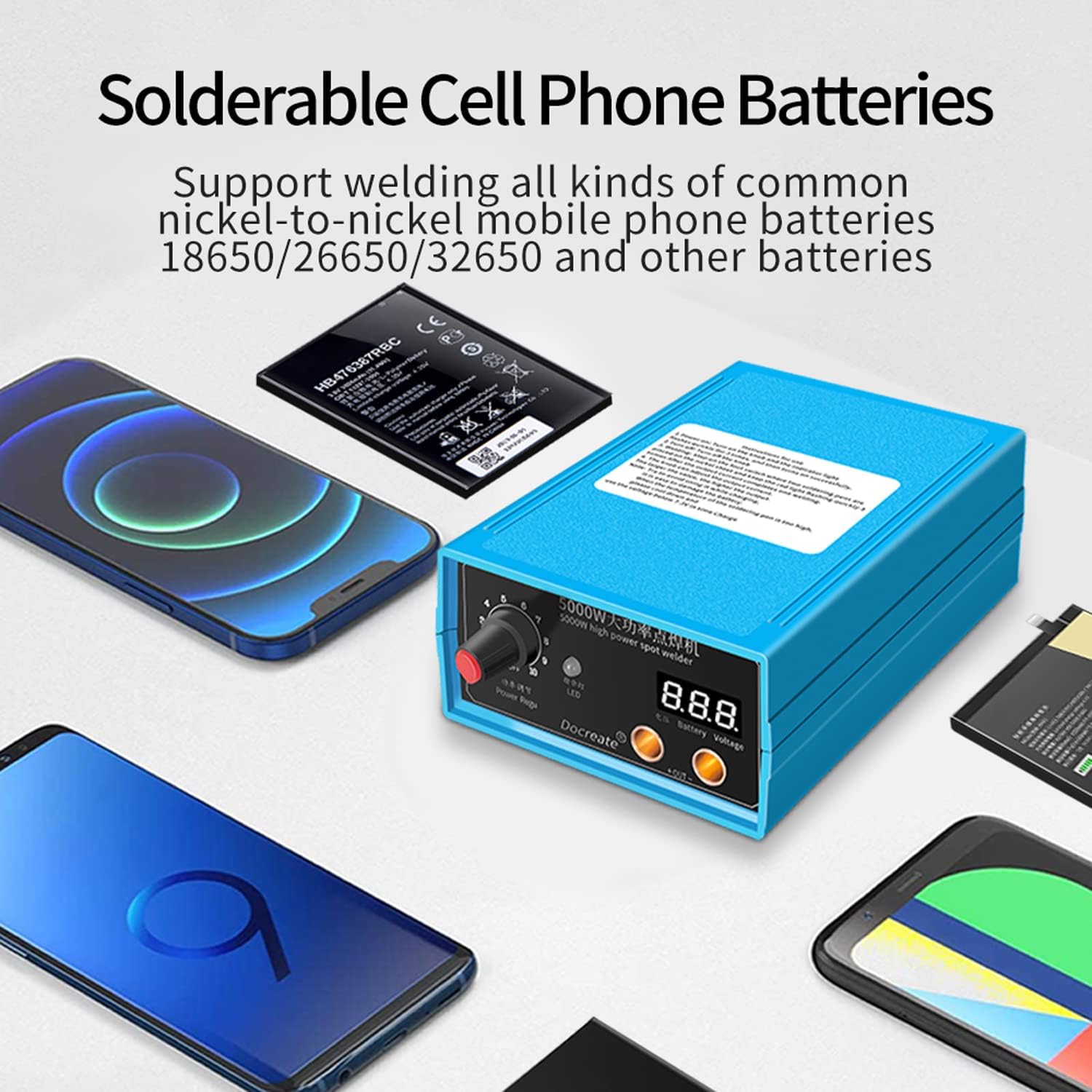
This spot welder is designed to support welding of various common nickel-to-nickel mobile phone batteries, 18650, 26650, 32650, and other cylindrical lithium batteries, as well as nickel-hydrogen and cadmium nickel batteries. It is suitable for welding 0.1-0.15mm nickel-plated steel sheets and 0.1mm pure nickel sheets.

Figure 3.3: The spot welder can be used to weld various battery types, including those found in cell phones.
3.4. Digital Display and Soldering Pins
The unit features an HD digital tube display that monitors the remaining battery power, providing real-time information during operation. The soldering pins are imported and designed to be easily disassembled and replaced, ensuring firm and beautiful solder joints.

Figure 3.4: The HD digital tube display shows the battery voltage, allowing users to monitor power levels.

angka 3.5: Tutup-up view of the soldering pins, which are designed for easy disassembly and replacement.
4. Pangropéa
To ensure the longevity and optimal performance of your Docreate Spot Welder, follow these maintenance guidelines:
- beberesih: Regularly wipe the unit and welding pens with a dry, soft cloth to remove dust and debris. Do not use abrasive cleaners or solvents.
- Panyimpenan: Store the spot welder in a cool, dry place away from direct sunlight and extreme temperatures. Ensure it is fully charged before long-term storage.
- Solder Pin Replacement: If the solder pins show signs of wear or damage, they can be easily removed and replaced. Refer to Figure 3.5 for visual guidance on the pins.
- Perawatan batré: Avoid completely discharging the internal battery. Recharge the unit promptly when the battery voltage is low as indicated on the digital display.
5. Cara ngungkulan
If you encounter issues with your spot welder, consider the following common problems and solutions:
- Inconsistent Output Power: Ensure the unit is fully charged. Verify that the power adjustment knob is set to an appropriate level for the material thickness.
- No Welding Output: Check that the welding pens are securely connected to the unit. Ensure the foot switch is fully depressed and held until the indicator light flashes as described in the operation section.
- Unit teu ngecas: Verify that the power adapter is correctly connected to both the unit and a working power outlet.
- Lasan Lemah: Increase the power setting using the adjustment knob. Ensure firm and consistent pressure is applied to the welding pens during the welding process.
- Foot Switch Issues: Ensure the foot switch cable is not damaged and is properly connected.
If problems persist after attempting these solutions, please contact Docreate customer support for further assistance.
6. Spésifikasi
| Fitur | Rincian |
|---|---|
| Produsén | Docreate |
| Item Beurat | 2.12 pon |
| Ukuran Paket | 7.68 x 5.71 x 4.29 inci |
| Nomer Modél Item | spot welder-03 |
| Warna | 5000w Spot Welder, Blue |
| Batré Kaasup? | No |
| Batré Diperlukeun? | No |
| Tanggal Kahiji Sadia | 14 Oktober 2022 |
7. Garansi jeung Rojongan
The Docreate Spot Welder comes with a standard warranty. For specific warranty terms and conditions, please refer to the documentation included with your purchase or contact Docreate customer support directly.
For any questions, technical assistance, or support inquiries regarding your spot welder, please feel free to contact Docreate customer service. Contact information can typically be found on the product packaging or the official Docreate websitus.
Ask a question about this manual
Ask about setup, troubleshooting, compatibility, parts, safety, or missing instructions. Manuals+ will review the question and use this page’s manual context to help answer it.