1. Bubuka
This manual provides essential instructions for the safe and effective use of your JVC Gumy Mini True Wireless Earbuds (Model HAA6TW). Please read this manual thoroughly before using the product and retain it for future reference.
The JVC Gumy Mini True Wireless Earbuds are designed for comfortable listening with a compact and lightweight form factor. They feature Bluetooth 5.1 connectivity, up to 23 hours of total battery life with the charging case, and IPX4 water resistance, making them suitable for various daily activities.
2. Naon dina Box
- JVC Gumy Mini True Wireless Earbuds (L/R)
- Kasus Ngecas Nirkabel
- Kabel Ngecas USB
- Multiple sizes of earpieces (S/M/L)

Image: Contents of the JVC Gumy Mini True Wireless Earbuds package.
3. Produk Langkungview

Image: JVC Gumy Mini True Wireless Earbuds (HAA6TW) in white, alongside their retail packaging.
Fitur konci:
- Desain kompak sareng ringan: Dirancang pikeun pas anu nyaman sareng aman.
- Hirup batré anu panjang: Nepi ka 23 jam total muter nganggo wadah ngecas.
- Tahan cai IPX4: Resistant to splashes and sweat, suitable for workouts and light rain.
- Kontrol Sénsor Toél: Intuitive control for music playback and calls.
- Sambungkeun Otomatis: Earbud otomatis hurung sareng nyambung ka alat anjeun nalika dicabut tina casingna.
- 3 Sound Modes: Choose between Normal, Bass, or Clear sound profiles.

Image: Illustration of the small and ultra-lightweight design of the earbuds.

Image: Earbuds demonstrating touch sensor and auto on/off functionality.

Image: Earbuds illustrating stable wireless connectivity with various devices.
4. Setelan & Pamasangan
Papasangan awal:
- Remove both earbuds from the charging case. The earbuds will automatically power on.
- The 'R' indicator on the right earbud will flash once every 5 seconds, and the 'L' indicator on the left earbud will flash repeatedly, indicating they are connected to each other and ready for pairing. A voice message will say "Pairing".
- Dina alat anjeun (smartphone, tablet, jsb.), aktipkeun Bluetooth sareng milarian alat anu sayogi.
- Select "JVC HA-A6T" from the list of available devices.
- Once connected, the 'L' and 'R' LEDs will flash every 5 seconds. The earbuds are now ready for use.
Video: Instructions on how to connect and reconnect JVC Gumy Mini True Wireless Earbuds, and how to restore them to default settings.
5. Parentah Operasi
Kontrol Toél:
The earbuds feature touch-sensitive controls for various functions. Specific actions may vary slightly depending on your device and operating system.
- Puter / Reureuh: Ketok tunggal dina boh earbud.
- Lagu salajengna: Ketok dua kali dina earbud katuhu.
- Lagu Sateuacanna: Ketok dua kali dina earbud kénca.
- Ngajawab / mungkas Telepon: Ketok tunggal dina boh earbud.
- Nolak Telepon: Pencét jeung tahan boh earbud salila 2 detik.
- Aktipkeun Asisten Sora: Ketok tilu kali dina boh earbud.
Modeu sora:
The earbuds offer three distinct sound modes to enhance your listening experience:
- Normal: pro sora saimbangfile for everyday listening.
- Bass: Bass anu ditingkatkeun pikeun sora anu langkung beunghar sareng langkung kuat.
- Hapus: Optimized for vocal clarity, ideal for podcasts or audiobooks.
To switch between sound modes, refer to your device's audio settings or the JVC app if available.

Image: Visual representation of the three available sound modes.
6. Ngecas
Ngecas Earbuds:
Place the earbuds into the charging case. The indicators on the earbuds will light up, confirming that charging has started. The earbuds will automatically power off when placed in the case.
Ngecas Kasus:
Connect the provided USB charging cable to the charging port on the case and to a USB power source. The LED indicators on the case will show the charging status. A full charge provides approximately 15.5 hours of additional battery life for the earbuds, totaling up to 23 hours of playback.
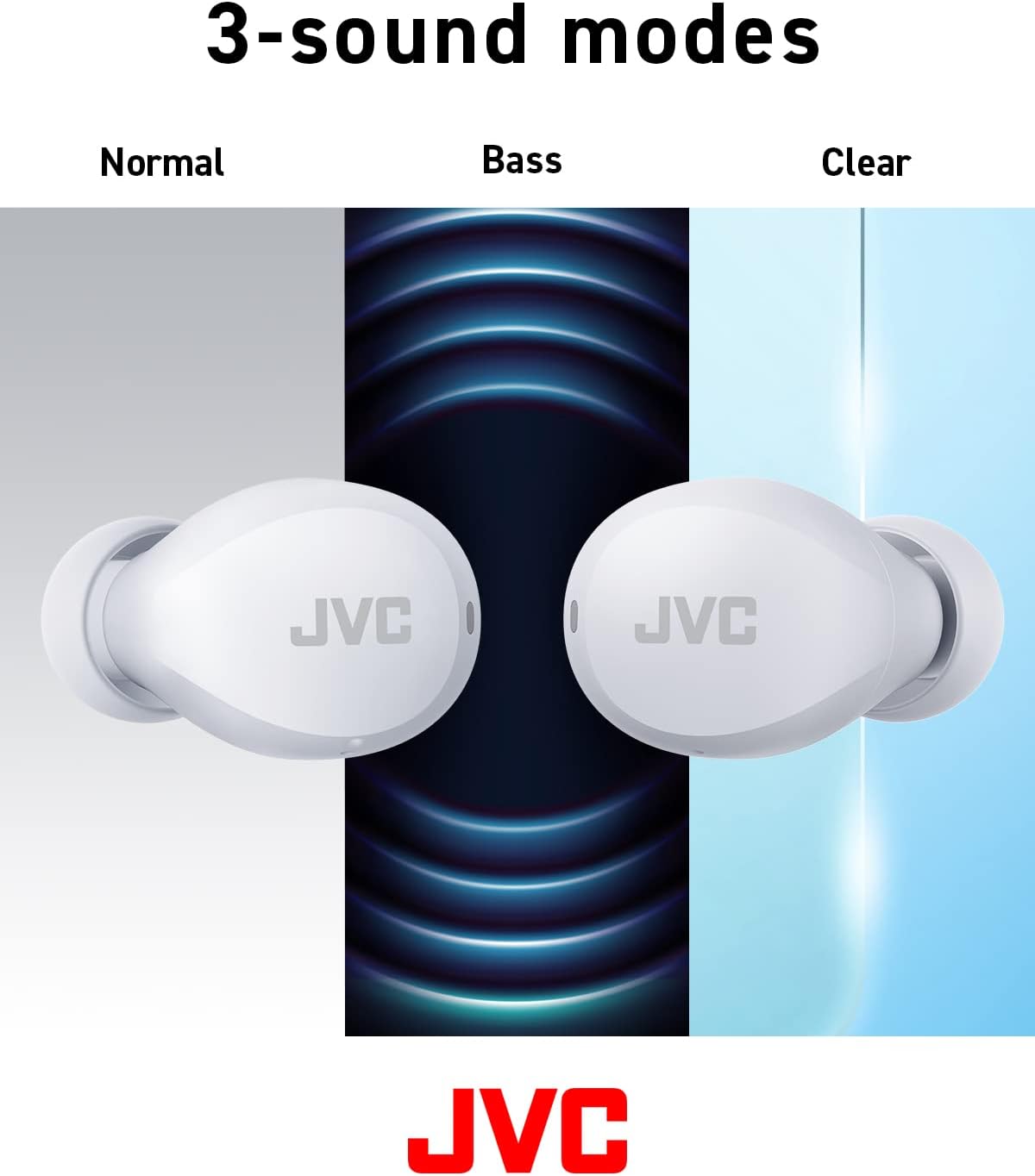
Image: Battery life breakdown for earbuds and charging case.
7. Pangropéa & Perawatan
Tahan cai (IPX4):
The JVC Gumy Mini earbuds are rated IPX4, meaning they are resistant to splashing water from any direction. This makes them suitable for use during workouts or in light rain. However, they are not designed for submersion in water. Do not expose them to strong jets of water or prolonged immersion.

Image: Earbuds demonstrating sweat and splash-proof capabilities.
beberesih:
- Lap earbud sareng wadah ngecas nganggo lawon anu lemes sareng garing.
- Ulah make cleaners abrasive, alkohol, atawa pangleyur kimiawi.
- Bersihkeun kontak pangisi daya dina earbud sareng wadahna sacara rutin pikeun mastikeun pangisian dayana leres.
8. Cara ngungkulan
Masalah umum:
- Taya Sora/Polumeu Lemah: Check device volume, earbud placement, and ensure earbuds are charged.
- Earbuds Teu Nyapasangkeun: Ensure Bluetooth is enabled on your device and the earbuds are in pairing mode. Try resetting the earbuds.
- Sambungan Intermittent: Ensure no obstructions between earbuds and device. Move closer to your device.
Restoring to Default Settings:
If you experience persistent issues, restoring the earbuds to factory default settings may resolve them. Refer to the video below for detailed instructions.
Video: Detailed guide on how to connect, reconnect, and restore JVC Gumy Mini True Wireless Earbuds to their default settings.
9. Spésifikasi
| Fitur | Spésifikasi |
|---|---|
| Ngaran modél | GUMY Mini (HAA6TW) |
| Téhnologi konektipitas | Bluetooth 5.1 |
| Panempatan Ceuli | Dina Ceuli |
| Tingkat Résistansi Cai | IPX4 (Tahan Cai) |
| Kahirupan Batré (Earbuds) | Nepi ka 7.5 Jam |
| Kahirupan Batré (kalayan Case) | Nepi ka 23 Jam |
| Tipe Supir Audio | Supir dinamis |
| Réspon Frékuénsi | 20000 Hz |
| Impedansi | 16 ohm |
| Tipe Kontrol | Kontrol Sora, Sensor Toél |
| Item Beurat | 3.36 ons |
| Komponén Kaasup | Headphones, Wireless Charging Case, Cable |
10. Jaminan & Dukungan
For warranty information and customer support, please refer to the warranty card included with your product or visit the official JVC websitus. Simpen bukti pameseran anjeun pikeun klaim garansi.


