
Bubuka
This manual provides comprehensive instructions for the installation, operation, and maintenance of your Caliber RMD805BT Car Radio Infotainment System. Please read this manual thoroughly before using the product to ensure proper operation and to prevent damage.
Émbaran Kasalametan
Salawasna perhatikeun tindakan pencegahan kaamanan ieu pikeun nyegah tatu atanapi karusakan kana unit:
- Entong ngoperasikeun unit dina cara anu ngaganggu anjeun tina nyetir. Salawasna prioritas kaamanan jalan.
- Ensure proper wiring and connections to prevent electrical shorts or fire hazards. Consult a professional for installation if unsure.
- Entong ngalaan unit ka suhu anu ekstrim, sinar panonpoé langsung kanggo waktos anu berkepanjangan, atanapi kalembaban anu kaleuleuwihan.
- Anggo ngan ukur sumber daya sareng asesoris anu ditangtukeun.
- Entong nyobian ngabongkar atanapi ngarobih unit. Rujuk sadayana jasa ka tanaga anu mumpuni.
Eusi pakét
Pastikeun yén sadaya item aya dina bungkusan:
- Caliber RMD805BT Car Radio Unit
- Power/Speaker Wiring Harness (ISO connector)
- Kadali jauh
- Pamasangan Hardware
- Manual pangguna (dokumén ieu)
Produk Leuwihview




Disetél
Pamasangan
The Caliber RMD805BT is designed for 2 DIN standard openings. Professional installation is recommended. Refer to Figure 3 for rear connections.
- Pamasangan: Secure the unit into the vehicle's 2 DIN opening using the provided mounting brackets and screws.
- Wiring: Connect the main power/speaker harness (ISO connector) to the vehicle's existing wiring. Ensure correct polarity for all connections.
- anteneu: Connect the vehicle's FM antenna to the unit's antenna input.
- Sambungan Pilihan:
- Subwoofer/Amppanguat: Connect external subwoofer or amplifier via the RCA output connectors.
- Kaméra tukang: Sambungkeun pungkur anu cocogview camera to the dedicated video input for automatic display when reversing.
- External Audio/Video: Use the auxiliary RCA inputs for other external audio/video sources.
- Cék ahir: Before fully securing the unit, perform a quick power-on test to ensure basic functionality.
Mimiti Power-On
After installation, turn on your vehicle's ignition. The unit should power on automatically or by pressing the power button. The touchscreen will display the main menu.
Ngoperasikeun
Fungsi Dasar
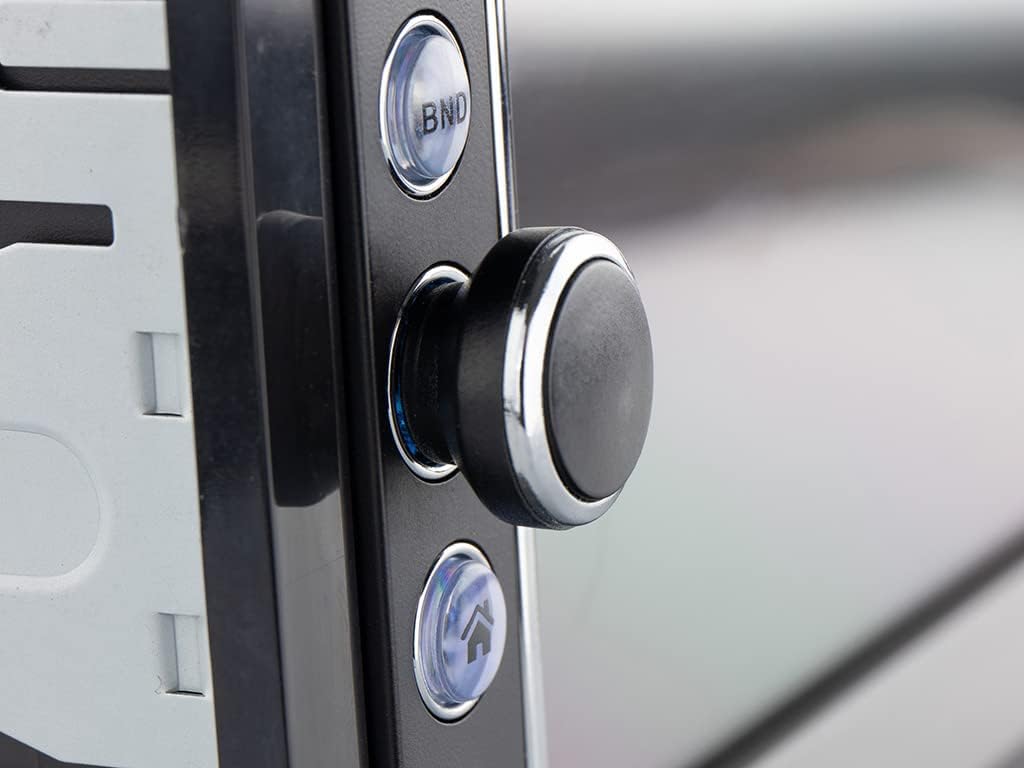
- Hurungkeun/Pareuman: Press the power button (usually the rotary knob) to turn the unit on or off.
- Kontrol volume: Puterkeun tombol pikeun ngatur polumeu.
- Pilihan Sumber: Tap the 'Mode' icon on the touchscreen or press the 'MODE' button on the remote to cycle through available sources (FM, Bluetooth, USB, SD, AV-IN).
Radio Operation (FM/RDS-EON)
- Ngepaskeun: In FM mode, use the touchscreen controls to manually tune or auto-scan for stations.
- Prasetél: Simpen stasiun karesep anjeun kana tombol anu tos disetel pikeun aksés gancang.
- RDS-EON: The unit supports RDS-EON, displaying station information, program type, and traffic announcements (TA) when available.
Konektipitas Bluetooth
- papasangan: Enable Bluetooth on your smartphone. On the RMD805BT, select the Bluetooth source. Milarian pikeun 'RMD805BT' on your phone and pair.
- Telepon Hand-Free: Once paired, you can make and receive calls directly through the unit. Use the touchscreen or remote control buttons to answer, end, or reject calls.
- Streaming Audio (A2DP): Stream music from your smartphone to the car radio. Control playback (play/pause, skip tracks) using the unit's controls or the remote.
Mirrorlink Functionality
The RMD805BT supports Mirrorlink for limited iOS and Android devices. This feature allows you to mirror your smartphone's screen onto the unit's display and control it via the touchscreen.
- Sambungan: Connect your smartphone to the unit via USB.
- Aktipkeun: Follow the on-screen prompts on both the unit and your smartphone to activate Mirrorlink.
- Kontrol: Once active, your phone's screen will appear on the RMD805BT, and you can interact with your phone's apps directly from the unit's touchscreen.
Puterkeun USB / SD
The unit supports media playback from USB sticks and SD cards (up to 32 GB).
- Selapkeun Média: Insert a USB stick into the USB port or an SD card into the SD card slot.
- Format anu Dirojong: The unit can play MP3 and WMA audio files, and display MPEG4, DivX video files, and JPEG image files.
- Napigasi: Use the touchscreen to browse folders and select files pikeun playback.
Touchscreen and Remote Control
The 6.2-inch touchscreen provides intuitive control. Alternatively, use the included remote control for convenient operation from a distance.
Pangropéa
- beberesih: Use a soft, dry cloth to clean the unit's surface and touchscreen. For stubborn marks, slightly dampen lawon jeung cai. Hindarkeun pembersih abrasive atanapi pangleyur.
- Perawatan Umum: Ensure the unit is not exposed to extreme temperatures or direct sunlight for extended periods. Keep USB and SD card slots free of dust and debris.
Pamérésan masalah
If you encounter issues with your Caliber RMD805BT, refer to the following common problems and solutions:
| Masalah | Mungkin Cukang lantaranana | Solusi |
|---|---|---|
| Taya kakuatan | Incorrect wiring; Blown fuse; Vehicle ignition off | Check power connections; Replace fuse; Turn on vehicle ignition |
| Taya sora | Volume too low; Mute activated; Speaker wiring incorrect | Increase volume; Deactivate mute; Check speaker connections |
| Bluetooth teu nyambung | Bluetooth not enabled on phone/unit; Unit not in pairing mode; Device already paired to another unit | Ensure Bluetooth is on; Put unit in pairing mode; Disconnect from other devices |
| USB/SD teu tiasa diputer | Teu dirojong file format; Corrupted media; Media not inserted correctly | Cék file formats; Try different media; Reinsert USB/SD card |
| Layar rampa teu ngaréspon | Temporary software glitch; Screen calibration issue | Restart the unit (turn off/on vehicle ignition); If persistent, consult support |
spésifikasi
| Fitur | Rincian |
|---|---|
| merek | Haliber |
| Nomer modél | RMD805BT |
| Warna | Hideung |
| Téhnologi konektipitas | Bluetooth, USB |
| Tipe Controller | Layar cabak |
| Fitur husus | Telepon bébas leungeun |
| Alat nu cocog | Speaker, Smartphone |
| Tipe Panyambung | USB Tipe A |
| Mode Kaluaran Audio | Stereo, Sakuliling |
| Konfigurasi Saluran Sakuliling Sora | 2.0 |
| Video Encoding | MPEG4, DivX |
| Max USB/SD Capacity | 32 GB |
| Daya Kaluaran | 4 x75 w |
| Battery (for remote) | 1 CR2032 (required) |
Émbaran jaminan
The Caliber RMD805BT comes with a 1-year spare parts availability guarantee from the date of purchase. For specific warranty terms and conditions, please refer to the warranty card included with your product or contact Caliber customer support.
Ngarojong
For further assistance, technical support, or service inquiries, please contact Caliber customer support through their official website or the contact information provided in your product packaging. When contacting support, please have your product model number (RMD805BT) and purchase details ready.