
Produk Leuwihview
The Andoer Portable 720P Digital Camera is a compact and versatile device designed for capturing high-quality photos and videos. Featuring an 18-megapixel image sensor and 720P high-definition video recording capabilities, it is equipped with an 8X digital zoom, anti-shake technology, and a 2.7-inch TFT display. This camera is ideal for users seeking an easy-to-use solution for documenting moments.

Gambar 1: Hareup jeung tukang view of the Andoer Portable 720P Digital Camera, showcasing desain kompak sareng layar tampilan na.
Naon dina Box
Upon unboxing your Andoer Digital Camera, please ensure all the following items are present:
- Digital Camera (Silver)
- Batré Litium Rechargeable
- Kabel Ngecas USB
- Tali pigeulang
- Kantong Bag
- Manual Pamaké (Basa Inggris)

Figure 2: Contents of the Andoer Digital Camera package, including the camera, wrist strap, carry bag, USB cable, and user manual.
Émbaran Kasalametan penting
Mangga baca sadaya pitunjuk kaamanan kalayan saksama sateuacan nganggo kaméra. Simpen buku panduan ieu kanggo rujukan ka hareup.
- Ulah ngalaan kaméra ka cai atawa beueus.
- Hindarkeun ngaragragkeun kaméra atanapi kéngingkeun dampak anu kuat.
- Jauhkeun kaméra tina sinar panonpoé langsung sareng suhu anu luhur.
- Entong nyobian ngabongkar atanapi ngalereskeun kaméra nyalira.
- Use only the specified battery and charging cable.

Figure 3: Safety warning regarding plastic packaging. Always keep plastic bags away from infants and children to prevent suffocation.
Guide Setup
1. Ngecas Batré
The camera is powered by a built-in rechargeable lithium battery. Before first use, fully charge the battery.
- Locate the battery compartment on the side or bottom of the camera.
- Insert the provided lithium battery into the compartment, ensuring correct polarity.
- Tutup panutup kompartemen batré aman.
- Connect the USB charging cable to the camera's USB port and the other end to a USB power adapter (not included) or a computer's USB port.
- Lampu indikator ngecas bakal hurung nalika ngecas sareng pareum nalika dicas pinuh.
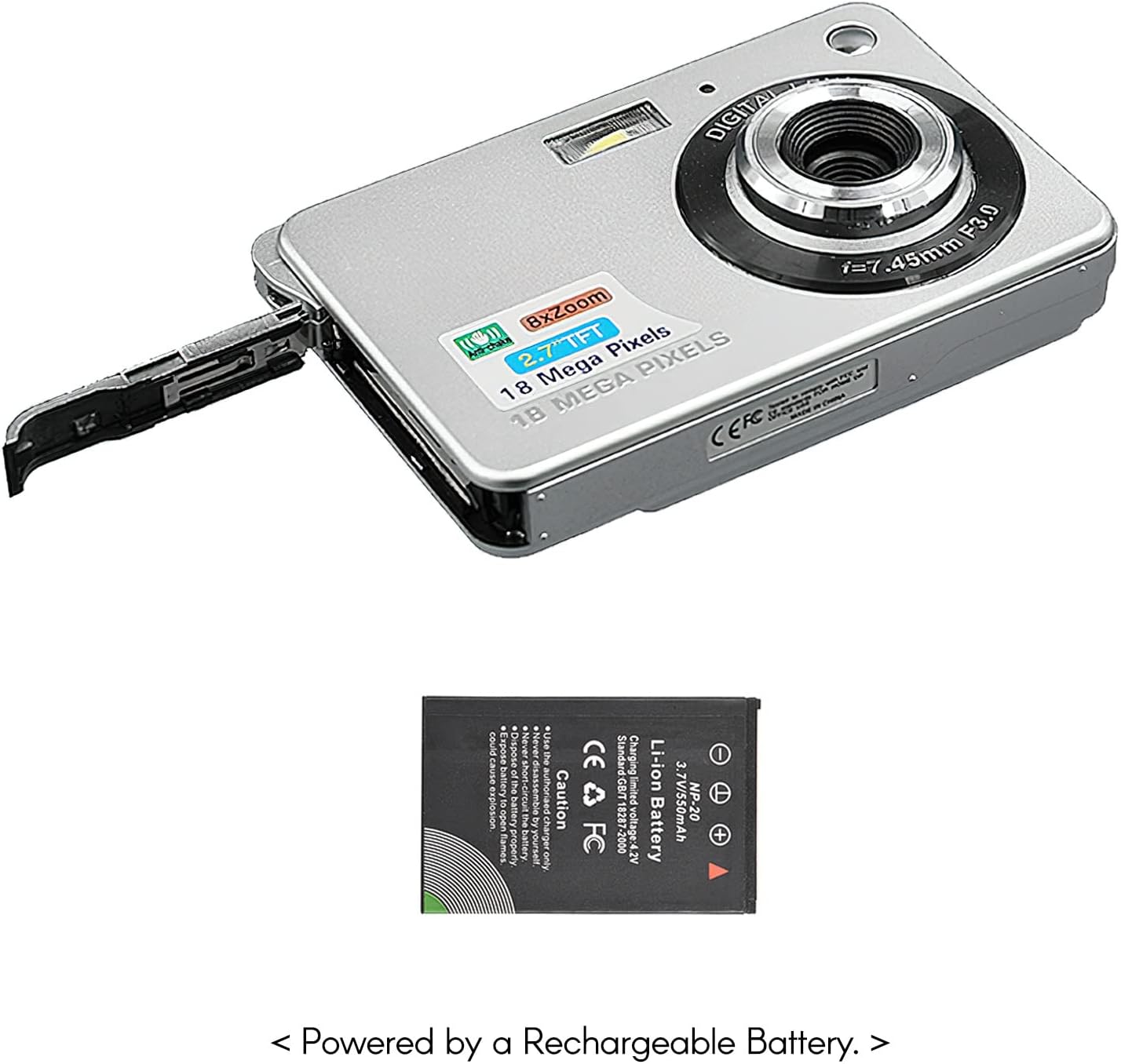
Figure 4: The camera with its battery compartment open, illustrating the placement of the rechargeable lithium battery.
2. Inserting a Memory Card (Not Included)
This camera requires an SD memory card (up to 32GB) to store photos and videos. The memory card is not included in the package.
- Pastikeun kaméra dipareuman.
- Locate the SD card slot, usually near the battery compartment.
- Insert the SD card with the metal contacts facing down (or as indicated by the slot diagram) until it clicks into place.
- Pikeun nyabut, dorong kartu ka jero dugi ka kaluar.
3. Powering on / Pareum
To power on the camera, press and hold the power button located on the top or side of the camera until the screen illuminates. To power off, press and hold the power button again until the screen turns off.
Ngoperasikeun kaméra anjeun
1. Dasar Fotografi
The camera can capture high-quality still images up to 18 Megapixels.
- Hurungkeun kaméra.
- Frame your shot using the 2.7-inch TFT display.
- Press the shutter button halfway down to focus, then press fully to take the picture.

Figure 5: The camera's display showing a captured image, demonstrating its 18 Megapixel photo capability.
2. Ngarekam Pidéo
Record videos in 720P high definition.
- Switch the camera to video mode (refer to on-screen icons or mode button).
- Press the record button (often marked with a red dot) to start recording.
- Pencét deui tombol rékaman pikeun ngeureunkeun ngarékam.

Figure 6: The camera's display showing a video playback, indicating its 720P high-definition video recording function.
3. Fungsi zum
Utilize the 8X digital zoom to get closer to your subjects.
- While in photo or video mode, use the zoom in/out buttons (often marked with 'W' for Wide and 'T' for Telephoto) to adjust the zoom level.

Figure 7: A visual comparison on the camera's screen demonstrating the effect of 8X digital zoom.
4. Layar Paparan
The camera features a 2.7-inch TFT display for framing shots, reviewing media, and navigating menus.

Figure 8: The camera's 2.7-inch LCD display showing a clear image, emphasizing its HD capability.
5. Modeu Pamandangan
Optimize your photos for different environments using various scene modes:
- Otomatis: Standard mode for general use.
- Potrét peuting: For capturing portraits in low light.
- Night Scenery: For landscapes in low light.
- Potrét: Ningkatkeun fitur raray.
- Scenery: Optimizes for wide landscape shots.
- Olahraga: For capturing fast-moving subjects.
- Pihak: Suitable for indoor events with mixed lighting.
- Pantai: Saluyukeun pikeun caang, lingkungan reflective.
- Sensitipitas luhur: For extremely low light conditions.
6. Fitur husus
The camera includes several features to enhance your photography experience:
- Anti goyang: Reduces blur caused by camera movement.
- Face Detect: Automatically detects and focuses on faces.
- Seuri Capture: Otomatis nyokot poto nalika aya seuri nu kadeteksi.
- Multi-Snapshot: Captures multiple images in quick succession.
- Timer otomatis: Options for 2, 5, or 10-second delays before taking a photo.
- Flash internal: Provides illumination in dark conditions.
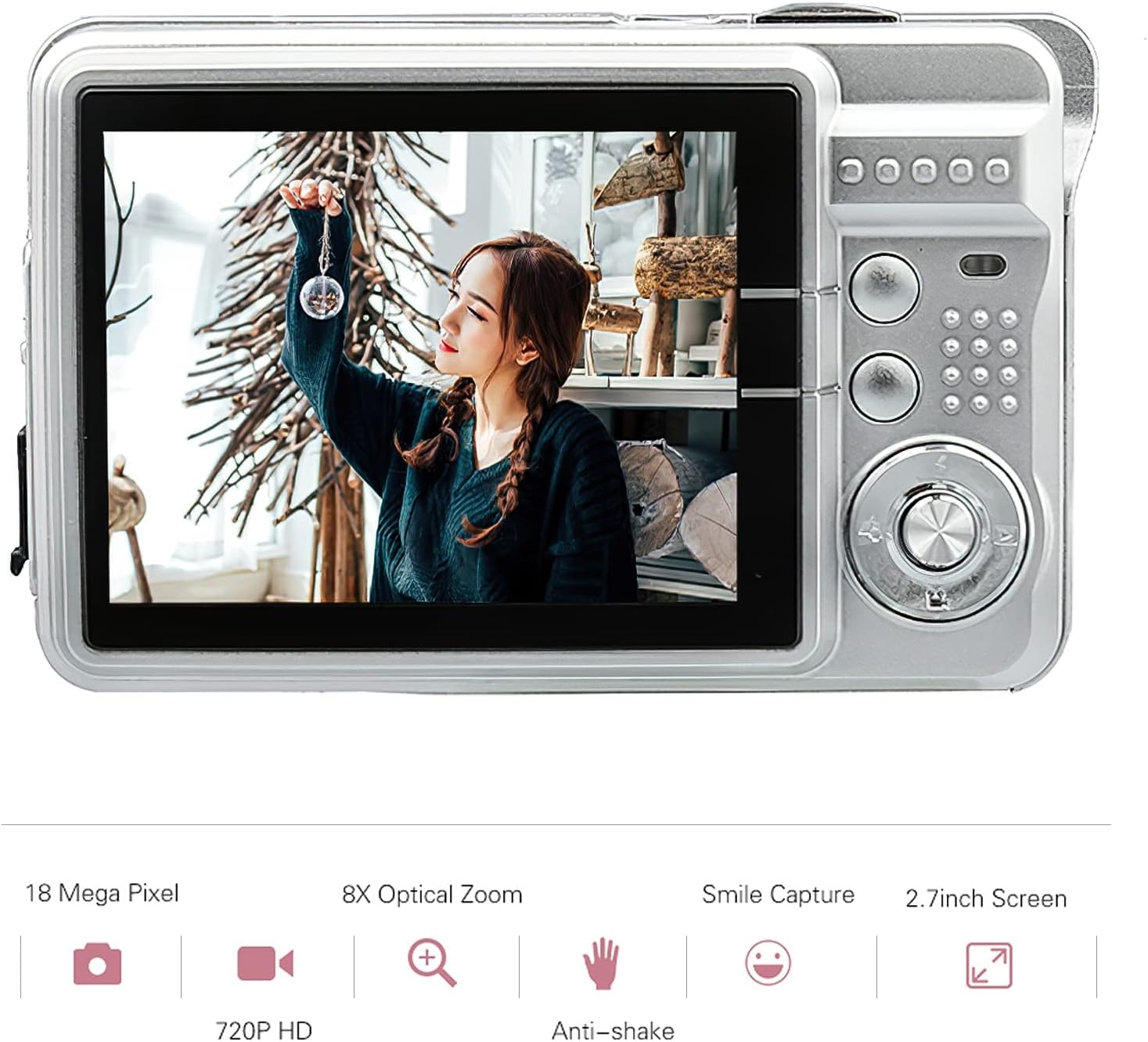
Figure 9: Visual representation of the camera's main features, including resolution, zoom, smile capture, screen size, video quality, and anti-shake.
Perawatan sareng Pangropéa
Proper care will extend the life of your Andoer Digital Camera.
Ngabersihan Kaméra
- Anggo kaén anu garing sareng lemes pikeun ngabersihan awak kaméra.
- Pikeun lénsa sareng layar, anggo lawon sareng larutan pembersih lénsa khusus. Hindarkeun bahan anu kasar.
- Ulah nganggo deterjen atanapi pelarut anu kuat.
Perawatan batré
- Hindarkeun sering-sering ngeusi batre.
- Store the camera with a partially charged battery if not used for extended periods.
- Ulah ngalaan batré ka suhu ekstrim.
Panyimpenan
- Store the camera in a cool, dry place, away from dust and direct sunlight.
- Use the provided carry bag for protection during transport.
Pamérésan masalah
Upami anjeun mendakan masalah sareng kaméra anjeun, tingal masalah sareng solusi umum ieu:
Kaméra Henteu Hurung
- Pastikeun batréna dieusi pinuh.
- Pariksa yén batréna bener diselapkeun.
- Try connecting the camera to a power source with the USB cable.
Gambar Kabur
- Pastikeun lénsa beresih jeung bébas tina smudges.
- Check lighting conditions; use flash if necessary.
- Hold the camera steady when taking pictures, or use the anti-shake feature.
Batré Teu Ngecas
- Verify the USB cable is securely connected to both the camera and the power source.
- Coba port USB atawa adaptor kakuatan béda.
- Pastikeun batréna leres dipasang dina kompartemen.
Kasalahan Kartu Mémori
- Pastikeun kartu memori diselapkeun leres.
- Try reformatting the memory card (this will erase all data).
- Tés nganggo kartu SD anu cocog sareng anu béda.
Spésifikasi teknis
| Fitur | Spésifikasi |
|---|---|
| Sénsor Gambar | Sénsor CMOS |
| tampilan | 2.7 inci TFT |
| Resolusi Gambar | 18M (4895x3672), 16M, 14M, 12M, 10M, 8M, 7M, 5M, 3M, 2M, VGA |
| Resolusi Video | 1280x720, 720x480, 640x480 VGA, 320x240 QVGA |
| Zum Digital | 8X |
| Anti Goyang | Sumuhun |
| Ngadeteksi Raray | Sumuhun |
| Seuri Capture | Sumuhun |
| Timer otomatis | Off/ 2 sec/ 5 sec/ 10 sec |
| Kakeunaan | EV-3 to EV+3 |
| Kasaimbangan Bodas | Auto/ Daylight/ Cloudy/ Incandescent/ Fluorescent |
| File Formatna | JPEG (Picture), AVI (Video) |
| Sasayogian tanaga | 1 * Lithium battery (3.7V 550mAh) |
| Sistim nu dirojong | Windows XP, VISTA, WIN7, MAC |
| Ukuran barang | 9 * 6 * 2cm (3.5 * 2.4 * 0.8in) |
| Item Beurat | 90g (3.2 oz) |
Garansi sareng Rojongan
Émbaran jaminan
Andoer products are manufactured to high quality standards. This product comes with a standard manufacturer's warranty against defects in materials and workmanship from the date of purchase. Please retain your proof of purchase for warranty claims. The warranty does not cover damage caused by misuse, accident, unauthorized modification, or normal wear and tear.
Rojongan Palanggan
For technical assistance, troubleshooting, or warranty inquiries, please contact Andoer customer support. Refer to the contact information provided on the product packaging or the official Andoer websitus pikeun saluran rojongan paling up-to-date.
Catetan: Rincian kontak khusus teu disayogikeun dina manual ieu. Mangga tingali bungkus produk atanapi produsén websitus pikeun rojongan.