Bubuka
This manual provides comprehensive instructions for the safe and effective operation of your Renkforce RF-5044476 Digital Night Vision Device. Please read this manual thoroughly before using the device and retain it for future reference.
The Renkforce RF-5044476 is a durable and robust digital night vision device featuring 10x magnification and a 25mm objective lens, designed for clear vision in low-light and complete darkness conditions.
Émbaran Kasalametan
Always observe the following safety precautions to prevent damage to the device or personal injury:
- Do not look directly at strong light sources (e.g., sun, laser) through the device, as this can cause permanent eye damage and damage to the device's sensor.
- Jauhkeun alat ieu tina suhu anu ekstrim, kalembaban, sareng lebu.
- Ulah nyobian ngabongkar atawa ngalereskeun alat sorangan. Rujuk sadayana jasa ka tanaga anu mumpuni.
- Pastikeun batréna dipasang kalayan leres numutkeun tanda polaritas. Cabut batréna upami alat moal dianggo kanggo waktos anu lami.
- Anggo ngan ukur sumber daya sareng asesoris anu ditangtukeun.
Eusi pakét
Pastikeun yén sadaya item aya dina bungkusan:
- Renkforce RF-5044476 Digital Night Vision Device
- Installation Material (as per specifications)
- Manual pangguna (dokumén ieu)
- (Catetan: Batré henteu kalebet)
Produk Leuwihview
Familiarize yourself with the components of your night vision device.

Gambar 1: Hareupeun view of the Renkforce RF-5044476, showing the objective lenses and the Renkforce logo.

Gambar 2: Top view of the device, highlighting the control buttons for power, mode, zoom, and navigation.
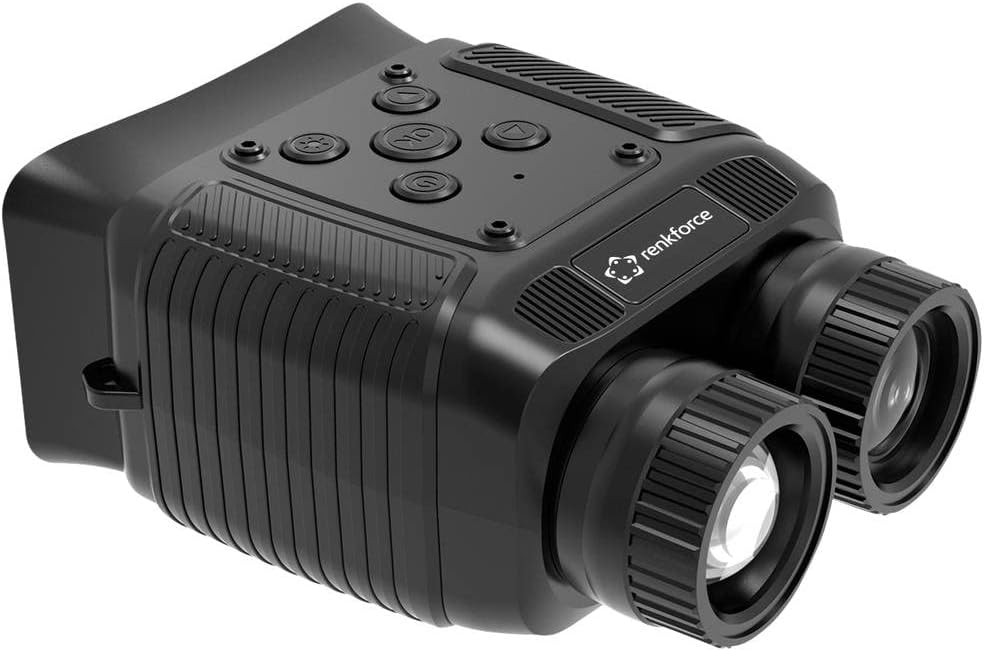
Gambar 3: Angled view of the Renkforce RF-5044476, showing the ergonomic design and textured grip areas.
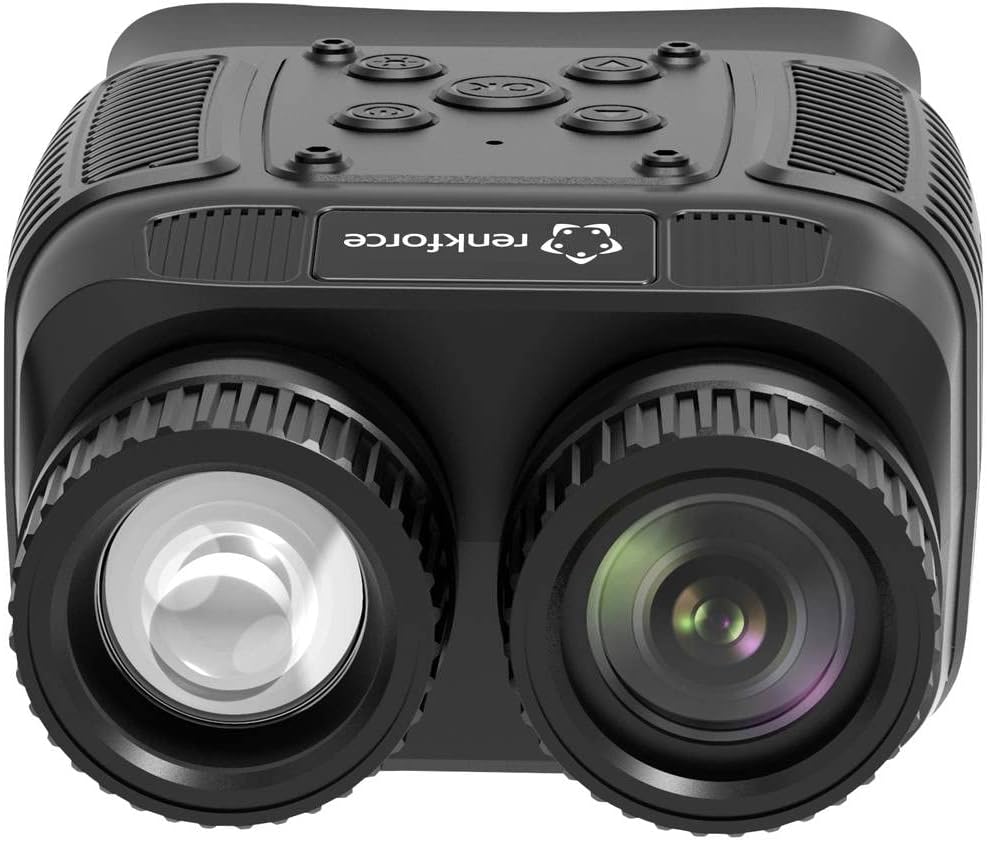
Gambar 4: Ti payun caket view emphasizing the objective lenses and their protective caps.
Komponén konci kalebet:
- Lensa Objektif: Capture light from the scene.
- Kacamata: Pikeun viewing the digital display.
- Tombol kontrol: Power, Mode, IR Level, Zoom, OK/Menu, Up/Down.
- Kompartemen batré: Houses the power source.
- Port USB: Pikeun mindahkeun data sareng ngecas (upami tiasa dianggo).
- Slot Kartu SD: For storing photos and videos.
Disetél
1. Pamasangan batré
- Locate the battery compartment cover, typically on the underside or side of the device.
- Buka panutup.
- Insert the required batteries (e.g., AA, AAA, or rechargeable pack) according to the polarity markings (+/-) inside the compartment.
- Tutup panutup kompartemen batré aman.
2. Powering on / Pareum
- Pikeun ngahurungkeun, pencét jeung tahan kenop Kakuatan tombol nepi ka layar hurung.
- Pikeun pareum, pencét jeung tahan Kakuatan button again until the display shuts down.
3. Initial Focus Adjustment
- Once powered on, look through the eyepiece.
- Rotate the eyepiece diopter adjustment ring (if present) until the on-screen text or icons appear sharp.
- Rotate the objective lens focus ring to bring distant objects into clear focus.
Ngoperasikeun
1. Dasar Viewing
Point the device towards the area you wish to observe. Adjust the focus as needed for optimal clarity.
2. Digital ngazum
The device features an 8x digital zoom. Use the Zum buttons (often marked with '+' and '-') to increase or decrease the magnification. Note that digital zoom may reduce image quality at higher levels.
3. Infrared (IR) Illuminator
Pikeun viewing in complete darkness, activate the built-in 850nm infrared illuminator. The device has 7 adjustable IR levels.
- Pencét éta IR button (often marked with a sun or IR symbol) to cycle through IR levels.
- Higher IR levels provide greater illumination range but consume more battery power.
4. Ngarékam Poto sareng Pidéo
The device supports photo and video capture with its 1.3 MP FHD CMOS sensor.
- Insert a compatible SD card into the designated slot.
- Pencét éta Modus button to switch between Photo mode and Video mode. The current mode will be indicated on the display.
- Dina modeu Poto, pencét éta OK tombol pikeun nyandak gambar.
- Dina modeu Pidéo, pencét éta OK button to start recording. Press it again to stop recording.
5. Menu Napigasi
Access the device settings via the menu.
- Pencét éta ménu button (often combined with the OK button, press and hold).
- Ngagunakeun éta Luhur/Turun navigation buttons to scroll through menu options.
- Pencét OK to select an option or enter a sub-menu.
- Pencét ménu again to exit the current menu level.
Common menu settings may include:
- Setélan Tanggal/Waktu
- Pilihan basa
- Resolusi video
- Resolusi poto
- Format kartu SD
- Setélan standar reset
Pangropéa
1. beberesih
- Use a soft, lint-free cloth to clean the exterior of the device.
- For lenses, use a specialized lens cleaning cloth and lens cleaning solution. Do not use abrasive materials or harsh chemicals.
- Gently blow off any loose dust or debris from the lenses before wiping.
2. Panyimpenan
- Simpen alat dina tempat anu tiis, garing, jauh tina sinar panonpoé langsung sareng suhu anu ekstrim.
- Upami disimpen kanggo waktos anu lami, cabut batréna pikeun nyegah bocor.
- Use the provided protective case or a padded bag to prevent scratches and impacts.
Pamérésan masalah
| Masalah | Mungkin Cukang lantaranana | Solusi |
|---|---|---|
| Alat teu hurung. | Batré lemah atanapi pareum; pamasangan batréna salah. | Ganti batré; mastikeun polaritasna bener. |
| Gambar buram atawa teu fokus. | Focus rings not adjusted; eyepiece diopter not set. | Adjust objective lens focus and eyepiece diopter. |
| Poor image quality in darkness. | IR illuminator off or set too low; too far from subject. | Increase IR level; ensure subject is within effective range. |
| Teu tiasa nyandak poto/video. | No SD card; SD card full or corrupted; incorrect mode. | Insert SD card; delete files or format card; switch to Photo/Video mode. |
spésifikasi
| Fitur | Rincian |
|---|---|
| Nomer modél | RF-5044476 |
| merek | Renkforce |
| Magnification | 10x (Optical), 8x (Digital) |
| Diaméter lénsa obyektif | 25 mm |
| Sénsor | 1.3 MP FHD CMOS |
| Illuminator Infrabeureum | 850 nm, 7 adjustable levels |
| Wengi Sawangan Sawangan | Up to 300 m (in 100% darkness) |
| tampilan | 6.1 cm (2.4") TFT IPS |
| Photo/Video Support | Sumuhun |
| Sumber Daya | Electrical operation (Batteries not included) |
| Ukuran (L x W x H) | 11.3 x 8.7 x 5.2 cm |
| Beurat | 227 gram |
| Alat nu cocog | Kaméra |
Garansi sareng Rojongan
Kasadiaan suku cadang: 1 Year (as per product information).
For technical support, warranty claims, or service inquiries, please contact your retailer or the manufacturer directly. Retain your proof of purchase for warranty validation.
Ulah nyobian ngalereskeun alat sorangan, sabab ieu tiasa ngabatalkeun garansi.


