1. Bubuka
This manual provides essential information for the safe and efficient installation, operation, and maintenance of your Sygonix SY-4998010 LED Under-Cabinet Light. Please read these instructions carefully before use and retain them for future reference.
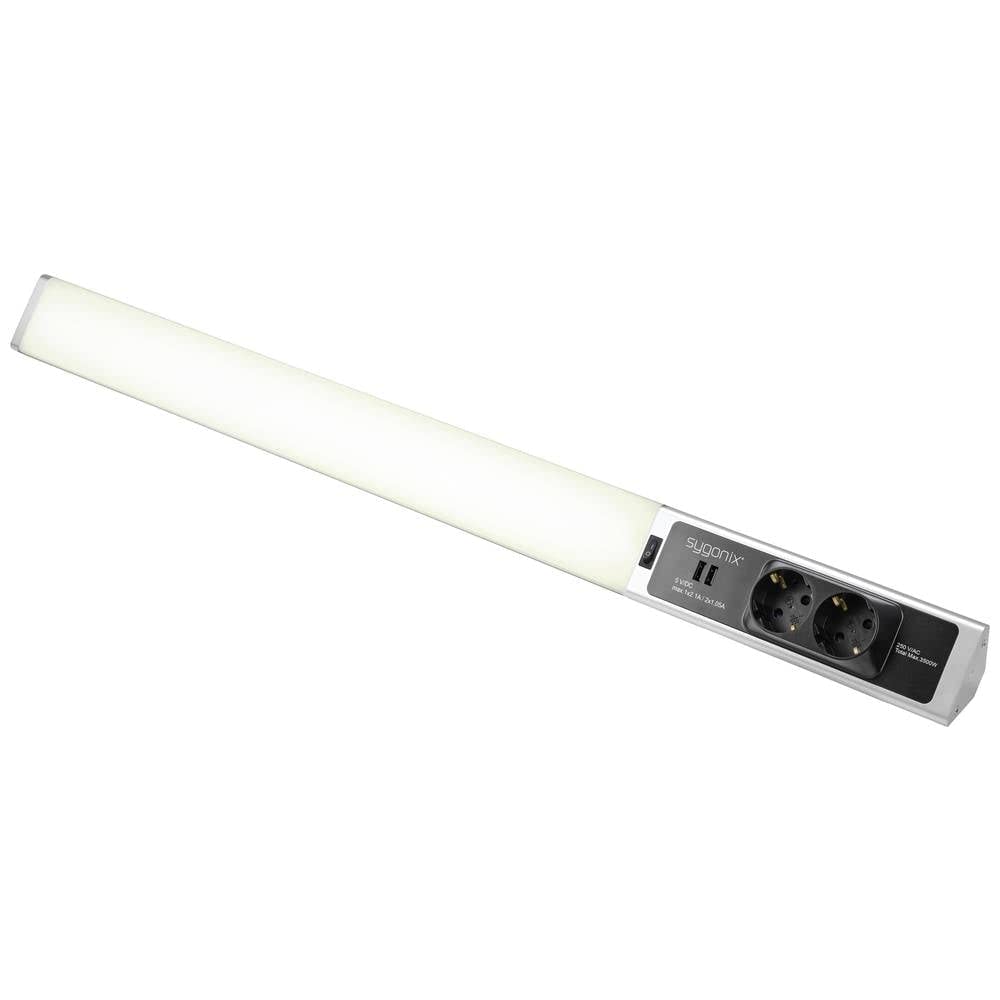
Gambar 1: Top view of the Sygonix SY-4998010 LED Under-Cabinet Light, showing the integrated power outlets and USB ports on the right side.
2. Parentah Kasalametan
Perhatikeun pancegahan kaamanan di handap ieu pikeun nyegah tatu atanapi karusakan produk:
- Pastikeun catu daya voltage matches the product's specifications (230V).
- Ulah dibuka produkna casing. Henteu aya bagian anu tiasa dilayanan ku pangguna di jero.
- Avoid direct exposure to water or high humidity. This product is designed for indoor use only.
- Ulah dipasang di deukeut sumber panas atawa dina sinar panonpoé langsung.
- Pegatkeun sambungan catu daya sateuacan beberesih atanapi ngalaksanakeun pangropéa naon waé.
- Jauhkeun tina jangkauan barudak.
- Upami kabel listrik ruksak, éta kedah digentos ku produsén, agén jasana, atanapi jalma anu mumpuni anu sami pikeun nyegah bahaya.
3. Eusi Paket
Pariksa sadaya barang aya sareng dina kaayaan anu saé:
- Sygonix SY-4998010 LED Under-Cabinet Light
- Pemasangan hardware (screws, jangkar)
- Instruksi Manual
4. Setélan
4.1 Pasang Lampu
Choose a suitable location under a cabinet or shelf. Ensure the surface is clean, dry, and capable of supporting the light's weight.
- Mark the desired mounting points using the light fixture as a template.
- Bor liang pilot di lokasi ditandaan.
- Insert wall anchors if mounting into drywall or similar material.
- Secure the light fixture to the surface using the provided screws. Ensure it is firmly attached.

Gambar 2: Sisi view of the LED light bar, illustrating its slim profile sareng titik-titik pemasangan anu poténsial.
4.2 Sambungan Listrik
Connect the light to a standard 230V AC power outlet.
- Pastikeun stop kontakna gampang diakses.
- Plug the power cable of the LED light into the wall outlet.
- The integrated power outlets and USB ports on the light fixture are now ready for use.

angka 3: Tutup-up view of the integrated 230V AC power outlets and 5V DC USB ports on the Sygonix LED light.
5. Parentah Operasi
The Sygonix LED Under-Cabinet Light is designed for simple operation.
- Hurungkeun/Pareuman: Locate the power switch on the light fixture. Toggle the switch to turn the LED light on or off.
- Using Integrated Outlets: The two integrated 230V AC outlets can be used to power other devices. Ensure the total power consumption does not exceed 3680W.
- Ngagunakeun Port USB: The two 5V DC USB ports (Type A) provide power for charging compatible devices. The maximum output is 2.4A per port, with a total maximum of 2.4A for both ports combined.
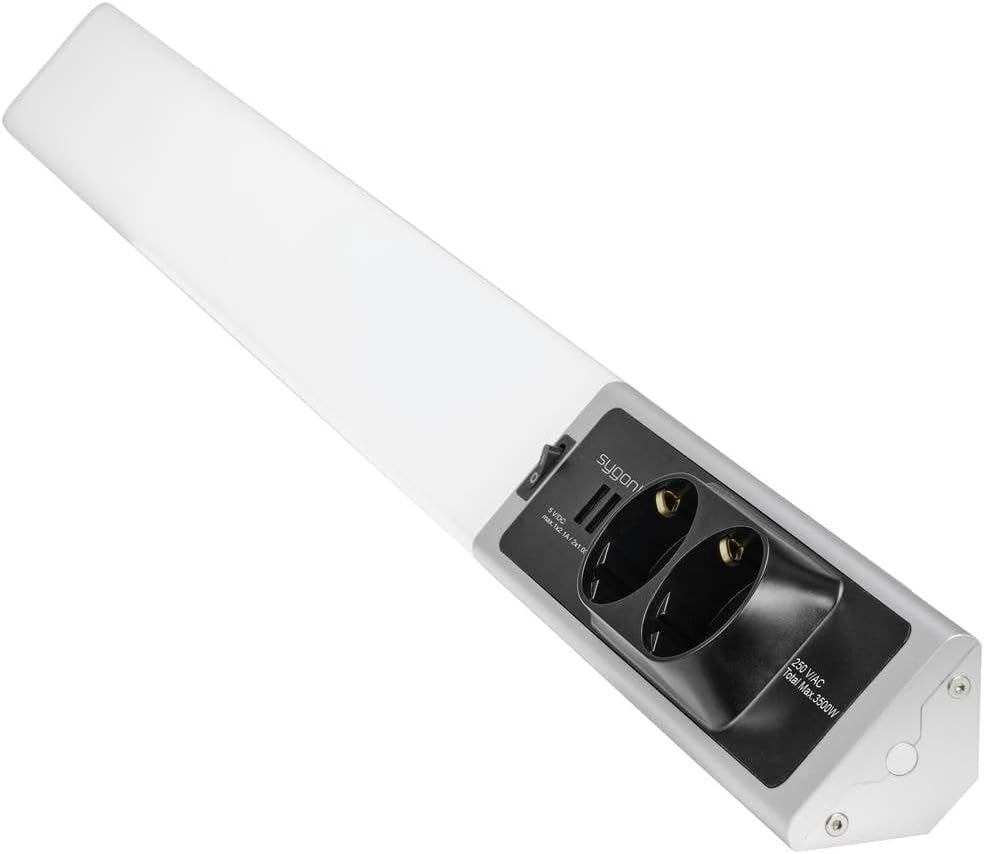
Gambar 4: Angled view of the Sygonix LED light, highlighting the light bar, power switch, and integrated outlets/USB ports.
6. Pangropéa
The Sygonix LED Under-Cabinet Light requires minimal maintenance.
- beberesih: Disconnect the power before cleaning. Wipe the surface with a soft, dry cloth. Do not use abrasive cleaners or solvents.
- LEDs: The integrated LED lights are not user-replaceable. Do not attempt to open the light fixture.
7. Cara ngungkulan
If you encounter issues with your LED Under-Cabinet Light, refer to the following table:
| Masalah | Mungkin Cukang lantaranana | Solusi |
|---|---|---|
| Lampu henteu hurung. | Taya catu daya. Pindah daya pareum. |
Check if the power cable is securely plugged in. Pastikeun stop kontak témbok boga kakuatan. Toggle the power switch to the 'On' position. |
| Outlets/USB ports not working. | Taya catu daya. Overload on outlets. |
Pariksa sambungan kakuatan. Reduce the number of devices connected or their total power consumption. |
| Cahya ngageleber. | catu daya teu stabil. Sambungan leupas. |
Pastikeun sumber kakuatan stabil. Check all connections. If flickering persists, discontinue use and contact support. |
Lamun masalah persists sanggeus nyobian solusi ieu, mangga ngahubungan rojongan customer.
8. Spésifikasi
| merek: | Sygonix |
| Jumlah modél: | SY-4998010 |
| Jenis cahaya: | SMD LED |
| kakuatan: | 18 W |
| Voltage: | 230 V |
| Warna cahaya: | Bodas Netral |
| Bahan: | alumunium |
| Ukuran produk (L x W x H): | 15 x 11 x 23 cm |
| Beurat barang: | 563 g |
| Integrated Outlets: | 2 x 230V AC (Max. 3680W total) |
| Port USB terpadu: | 2 x 5V DC (Max. 2.4A total) |
9. Garansi jeung Rojongan
Sygonix products are manufactured to high-quality standards. In the unlikely event of a defect, please refer to your purchase documentation for warranty details and contact the retailer or Sygonix customer support for assistance.
For further support or inquiries, please visit the official Sygonix websitus atanapi ngahubungan departemén layanan palanggan maranéhna.