
Bubuka
This manual provides essential information for the installation, operation, and maintenance of your Hikvision DS-2CD1043G0-IUF 4MP IP Bullet Camera. Please read it thoroughly before using the product to ensure correct and safe operation.
The Hikvision DS-2CD1043G0-IUF is a 4-megapixel IP bullet camera designed for both indoor and outdoor surveillance. It features a 2.8mm lens, built-in microphone, 30-meter night vision, and Power over Ethernet (PoE) capability for simplified installation.
Émbaran Kasalametan
- Pastikeun catu daya voltage is correct before connecting the camera.
- Do not expose the camera to extreme temperatures, dust, or moisture.
- Avoid pointing the lens directly at strong light sources.
- Use only Hikvision-approved accessories.
- Rujuk sadayana jasa ka tanaga anu mumpuni.
Eusi pakét
Pariksa sadaya barang aya sareng dina kaayaan anu saé:
- Hikvision DS-2CD1043G0-IUF IP Bullet Camera
- Pemasangan Screws sareng Colokan Tembok
- Panyambung waterproof pikeun Cable Network
- Pituduh Mimitian Gancang (upami aya)
Produk Leuwihview
The DS-2CD1043G0-IUF camera features a robust metal enclosure, suitable for various environments.
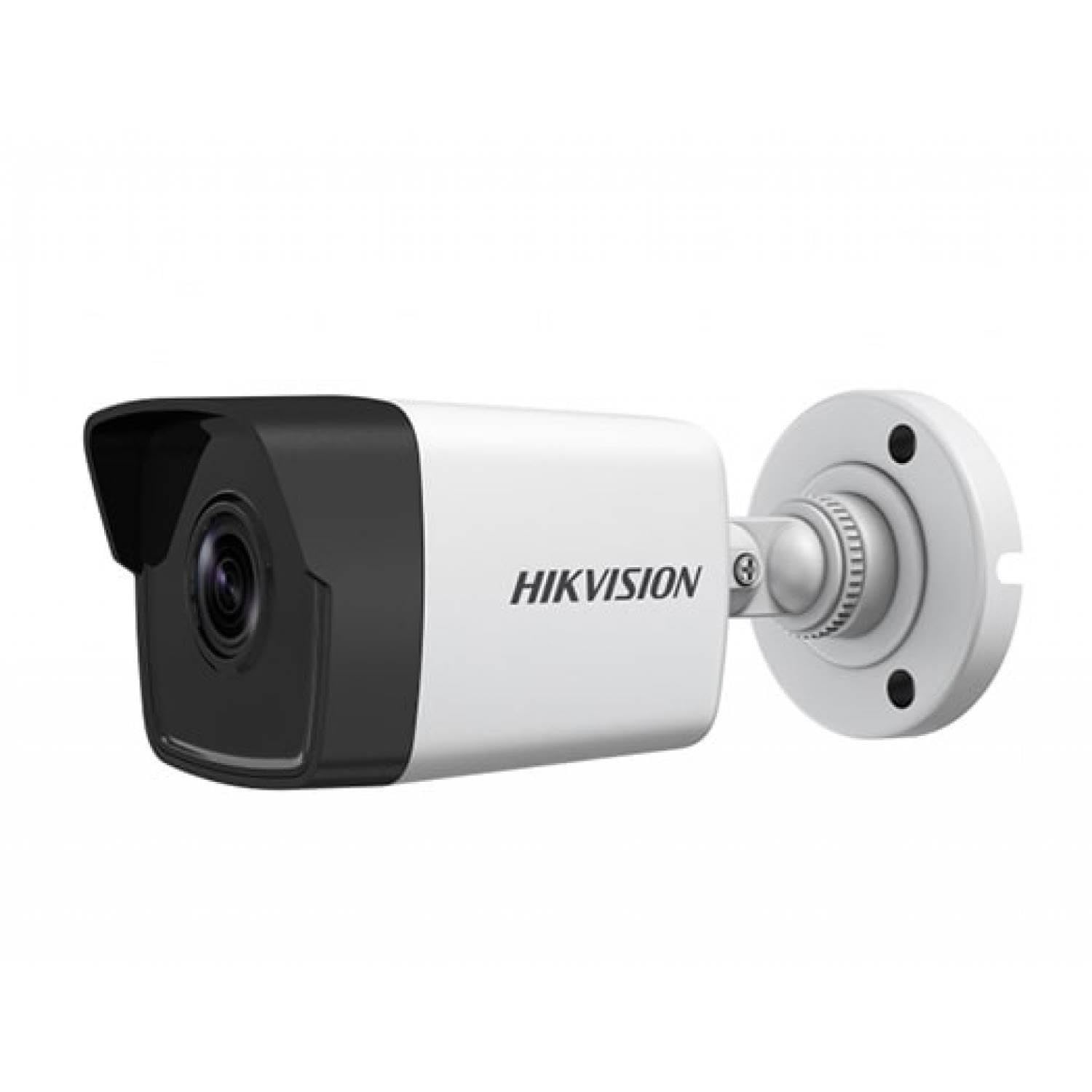
Figure 1: Hikvision DS-2CD1043G0-IUF 4MP IP Bullet Camera. This image shows the front view of the bullet-style camera, highlighting its lens and robust casing.
Komponén konci:
- Lensa: 2.8mm lénsa tetep pikeun sudut lega viewing.
- LEDs Infrabeureum: Pikeun visi peuting dugi ka 30 méter.
- Mikropon: Built-in for audio capture.
- Network Port (RJ45): Supports Power over Ethernet (PoE).
- Input kakuatan: For optional 12V DC power supply (if not using PoE).
Disetél
1. Masang kaméra
The camera is designed for both indoor and outdoor use and has an IP67 waterproof rating. Choose a suitable location that provides the desired surveillance coverage.
- Mark the positions for drilling using the provided mounting template (if included).
- Bor liang pilot sareng pasang colokan témbok upami dipasang dina pasangan bata.
- Pasangkeun dasar kaméra kana permukaan pemasangan nganggo sekrup anu disayogikeun.
- Saluyukeun sudut kaméra pikeun optimal viewing.
2. Daya sareng Sambungan Jaringan
The camera supports Power over Ethernet (PoE) for simplified installation, allowing both power and data to be transmitted over a single Ethernet cable. Alternatively, it can be powered via a 12V DC power adapter (sold separately).
- Sambungan PoE: Connect an Ethernet cable from a PoE-enabled switch or NVR to the camera's network port.
- Sambungan Non-PoE: Connect a 12V DC power adapter to the camera's power input and an Ethernet cable from your router/switch to the camera's network port.
- Use the waterproof connector for the network cable when installing outdoors to protect against moisture.
3. Konfigurasi awal
After connecting the camera, you will need to activate and configure it using the Hikvision client software or mobile application.
- Download and install the Hik-Connect app or iVMS-4200 client software on your device.
- Ensure your device is on the same local network as the camera.
- Follow the on-screen instructions in the app/software to discover and activate the camera. You will be prompted to set a strong password.
- Once activated, you can access the live view sareng ngonpigurasikeun sababaraha setélan.
Ngoperasikeun kaméra
Hirup View
Access the live video feed through the Hik-Connect app or iVMS-4200 software. This allows real-time monitoring of the camera's view.
Ngarékam
The camera can record video to a Network Video Recorder (NVR) or a MicroSD card (if supported by the specific model and installed). Configure recording schedules and modes (continuous, motion-triggered) via the client software or app.
Visi Peuting
The camera automatically switches to night vision mode in low-light conditions, utilizing its infrared LEDs to provide clear black-and-white images up to 30 meters. The "Night Color" feature, if enabled and supported, may provide enhanced color images in very low light.
Deteksi gerak
Configure motion detection settings to trigger alerts and recordings only when movement is detected within the camera's field of view. Adjust sensitivity and detection zones to minimize false alarms.
Diwangun-di Mikropon
The integrated microphone allows for audio monitoring of the surveillance area. Ensure local regulations permit audio recording before enabling this feature.
Pangropéa
beberesih
Regularly clean the camera lens and housing with a soft, dry cloth. For stubborn dirt, use a mild detergent and a damp cloth, then wipe dry. Do not use strong chemicals or abrasive cleaners.
Pembaruan firmware
Pariksa périodik resmi Hikvision website or your client software for available firmware updates. Keeping your camera's firmware up-to-date ensures optimal performance, security, and access to new features.
Pamérésan masalah
| Masalah | Mungkin Cukang lantaranana | Solusi |
|---|---|---|
| Taya gambar / feed video | No power; Network connection issue; Incorrect IP address | Check power supply/PoE connection; Verify network cable and router; Ensure correct IP settings. |
| Kualitas gambar henteu saé | Dirty lens; Insufficient lighting; Incorrect camera settings | Clean the lens; Ensure adequate lighting or enable night vision; Adjust image settings (brightness, contrast). |
| Deteksi gerak teu jalan | Detection zone not configured; Sensitivity too low; Firmware outdated | Configure detection zones; Increase sensitivity; Update firmware. |
| Cannot connect to camera via app | Network issues; Camera not activated; Incorrect login credentials | Verify network connectivity; Activate the camera; Double-check username/password. |
spésifikasi
| Fitur | Rincian |
|---|---|
| Modél | DS-2CD1043G0-IUF |
| Resolusi Capture Video | 4 MP |
| Lensa | 2.8 mm |
| Téhnologi konektipitas | Wireless (IP), Corded Electric (PoE) |
| Pamakéan jero rohangan / outdoor | Jero rohangan, Luar |
| Wengi Sawangan Sawangan | 30 méter |
| Fitur husus | Night Vision, Built-in Microphone |
| Sumber Daya | Kabel Listrik (PoE) |
| Peunteun waterproof | IP67 |
| Bahan Kandang | logam |
| Tipe Siaga | Gerak Ngan |
| Métode kontrol | App |
| Téhnologi Sénsor Poto | CMOS |
Garansi sareng Rojongan
Kanggo inpormasi garansi sareng dukungan téknis, mangga tingal Hikvision resmi websitus atanapi hubungi dealer Hikvision resmi anjeun. Simpen resi pameseran anjeun salaku bukti pameseran pikeun klaim garansi.
Sumberdaya Online: Visit the official Hikvision support page for FAQs, software downloads, and additional documentation.