1. Bubuka
Hatur nuhun pikeun meuliasing the Aiwa AW-LED55XVC-RM 55-inch Ultra HD Frameless Android TV. This television combines a stunning 4K UHD display with the versatility of the Android 9.0 operating system, offering a comprehensive entertainment experience. It features a built-in soundbar, DVB T2 digital tuner, Chromecast functionality, and multiple connectivity options. This manual provides essential information for the safe and efficient use of your new television.
2. Émbaran Kasalametan
Please read all safety instructions carefully before using the television and retain this manual for future reference. Failure to follow these instructions may result in electric shock, fire, or damage to the product.
- Sumber Daya: Pastikeun TV disambungkeun ka catu daya dina vol nu ditangtukeuntagrentang e (220 Volt).
- Ventilasi: Ulah meungpeuk bukaan ventilasi. Ngidinan spasi nyukupan sabudeureun TV pikeun aliran hawa ditangtoskeun pikeun nyegah overheating.
- Cai sareng Uap: Ulah ngalaan TV ka hujan, beueus, atawa nempatkeun objék ngeusi cairan dina atawa deukeut TV.
- beberesih: Cabut TV tina stop kontak sateuacan beberesih. Paké lawon lemes, garing. Ulah make cleaners cair atawa cleaners aerosol.
- panempatan: Place the TV on a stable, level surface or mount it securely to a wall using a VESA compatible mount (200mm x 200mm). Keep it away from direct sunlight, heat sources, and strong magnetic fields.
- Barudak: Ngawaskeun barudak pikeun mastikeun aranjeunna henteu naek atanapi maén sareng TV.
- Palayanan: Entong nyobian ngalayanan produk ieu nyalira. Rujuk sadayana ngalayanan ka tanaga jasa anu mumpuni.
3. Eusi Paket
Pastikeun yén sadaya item anu didaptarkeun di handap kalebet kana pakét anjeun. Lamun aya item nu leungit atawa ruksak, mangga ngahubungan pangecér Anjeun.
- 1 x Aiwa AW-LED55XVC-RM 55-inch Ultra HD Frameless Android TV
- 1 x Remote Control (kalayan batré)
- 1 x Kabel Listrik
- 1 x Manual Pamaké (dokumén ieu)
- 2 x TV Stands (for table mounting)
- Screws pikeun TV Stand
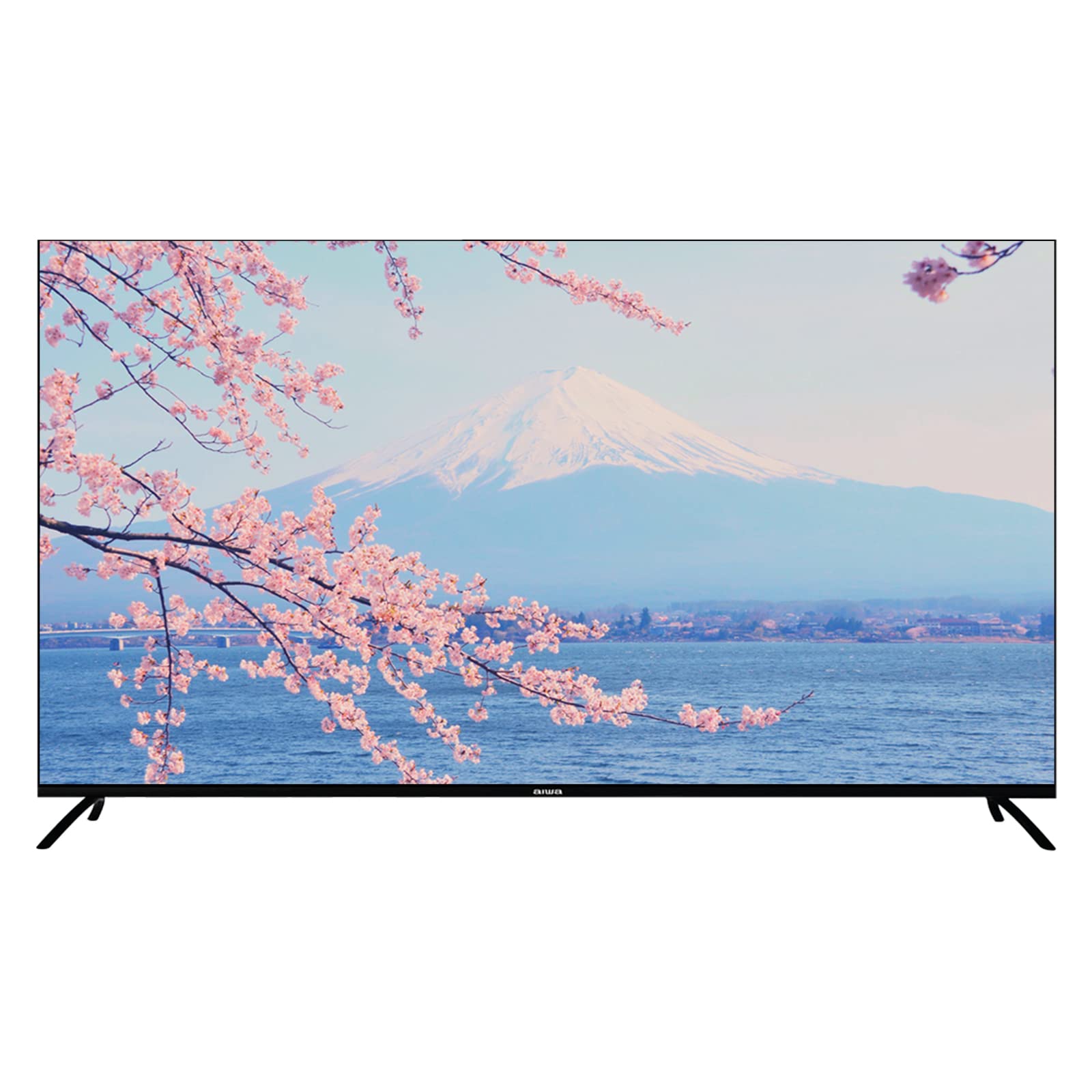
Image: Aiwa AW-LED55XVC-RM TV and included accessories. This image shows the television unit, remote control, and detachable stands.
4. Setélan
4.1 Attaching the TV Stands (Table Mount)
- Teundeun TV sacara saksama dina permukaan anu lemes sareng bersih pikeun nyegah karusakan layar.
- Sejajarkeun unggal stand jeung liang screw nu pakait dina handap TV.
- Ngamankeun nangtung ngagunakeun screws disadiakeun. Pastikeun aranjeunna tightened pageuh.
- Taliti angkat TV ka posisi tegak dina permukaan datar anu stabil.
4.2 Pamasangan Tembok (Pilihan)
This TV supports VESA standard wall mounts (200mm x 200mm). Wall mount hardware is not included. Please consult a professional for wall mounting installation to ensure safety and proper setup.
4.3 Nyambungkeun Alat éksternal
TV gaduh sababaraha palabuhan pikeun nyambungkeun alat éksternal:
- HDMI (3 palabuhan): For connecting Blu-ray players, game consoles, set-top boxes, etc. Use HDMI 2.0 compatible cables for optimal 4K performance.
- USB 2.0 (2 ports): For connecting USB storage devices (e.g., flash drives) to play media or for service updates.
- AV IN (1 port): Pikeun nyambungkeun alat nu leuwih heubeul maké video komposit jeung kabel audio stereo.
- Fibre Optic (1 port): For digital audio output to a sound system or home theater receiver.
- Antenna/Kabel Input: For connecting a DVB T2 compatible antenna for digital terrestrial television.
Gambar: Tukangeun view of the Aiwa AW-LED55XVC-RM TV. This image illustrates the location of various input/output ports such as HDMI, USB, AV IN, and Fibre Optic.
4.4 Mimiti Power-on jeung Network Setup
- Sambungkeun kabel listrik ka TV teras ka stop kontak témbok.
- Pencét tombol Daya dina kadali jauh atanapi dina TV.
- Turutan parentah dina-layar pikeun ngarengsekeun setelan awal, kaasup pilihan basa, zona waktu, jeung sambungan jaringan.
- For network connection, select your Wi-Fi network and enter the password, or connect an Ethernet cable to the LAN port (if available).
- Tune in DVB T2 channels by following the on-screen prompts for channel scanning.
5. Ngoperasikeun TV Anjeun
5.1 Panganteur TV Android
Your Aiwa TV runs on Android 9.0, providing access to a wide range of apps and services. Navigate the interface using the directional buttons and OK button on your remote control. The Home screen displays recommended content, installed apps, and input sources.
5.2 Using Chromecast
The built-in Chromecast allows you to cast content (videos, music, photos) from your compatible smartphone, tablet, or computer directly to your TV. Ensure your device and TV are connected to the same Wi-Fi network. Look for the Cast icon (example icon) within supported apps on your mobile device.
5.3 DVB T2 Digital Television
With the integrated DVB T2 tuner, you can receive free-to-air digital terrestrial television channels. After connecting an antenna and performing a channel scan during initial setup, you can access these channels via the TV's input selection or dedicated TV app.
5.4 Built-in Soundbar
The TV features a built-in soundbar with Dolby Surround System support, providing enhanced audio quality. You can adjust audio settings through the TV's sound menu to customize your listening experience.
6. Pangropéa
6.1 Ngabersihan TV
- Sok cabut TV samemeh beberesih.
- Paké lawon lemes, garing, lint bébas ngusap layar tur kabinet.
- Pikeun tanda nekad dina layar, enteng dampen lawon ku cai atawa cleaner layar husus (pastikeun éta aman pikeun layar LED) jeung usap gently. Ulah nyemprot cairan langsung kana layar.
- Ulah make cleaners abrasive, lilin, atawa pangleyur.
6.2 Apdet parangkat lunak
Your Android TV may receive software updates periodically to improve performance and add new features. Ensure your TV is connected to the internet. You can check for updates manually in the TV's settings menu (typically under "About" or "System Updates").
7. Cara ngungkulan
Upami anjeun ngalaman masalah sareng TV anjeun, tingali masalah sareng solusi umum di handap ieu sateuacan ngahubungi dukungan palanggan.
| Masalah | Mungkin Cukang lantaranana / Solusi |
|---|---|
| Taya kakuatan / TV teu hurung |
|
| Henteu aya gambar, tapi aya sora |
|
| Henteu aya sora, tapi aya gambar |
|
| Kadali jauh teu jalan |
|
| Teu bisa nyambung ka Wi-Fi |
|
8. Spésifikasi
Below are the technical specifications for the Aiwa AW-LED55XVC-RM 55-inch Ultra HD Frameless Android TV.
| Fitur | Rincian |
|---|---|
| Modél | AW-LED55XVC-RM |
| Ukuran layar | 55 inci |
| Téknologi tampilan | LED |
| Resolusi | 3840 x 2160 (4K UHD) |
| Refresh Laju | 60 Hz |
| Waktu Tanggapan | 6.5 ms |
| Sistem operasi | Android 9.0 |
| Téhnologi Tuner | DVB-T2 Digital Ready |
| Mode Kaluaran Audio | Surround (Dolby Surround System) |
| Palabuhan HDMI | 3 (HDMI 2.0) |
| palabuhan USB | 2 (USB 2.0) |
| AV IN | 1 |
| serat optik | 1 |
| VESA Distance | 200 mm x 200 mm |
| Voltage | 220 volt |
| Diménsi Produk (W x D x H) | 123.1 x 8.9 x 71.3 cm (without stand) / 123.1 x 31.3 x 79.9 cm (with stand) |
| Item Beurat | 13.3 kg |
| Fitur husus | Frameless Design, Built-in Soundbar, 10 Bit High Dynamic Range Imaging Decoder, Chromecast, Incredibly Fluid Motion |
9. Garansi jeung Rojongan
Kanggo inpormasi garansi sareng dukungan palanggan, mangga tingali kartu garansi anu kalebet dina produk anjeun atanapi kunjungi Aiwa resmi. websitus. Simpen resi pameseran anjeun salaku bukti pameseran pikeun klaim garansi.
If you require technical assistance or have questions not covered in this manual, please contact Aiwa customer service.


