1. Bubuka
Welcome to the user manual for your Yamaha TW-ES5A True Wireless Sport Earbuds. These earbuds are designed to provide high-quality audio with features tailored for an active lifestyle, including advanced noise cancellation, ambient sound modes, and a waterproof design. Please read this manual thoroughly to ensure proper use and maintenance of your device.

2. Naon dina Box
Pastikeun yén sadaya item di handap ieu kalebet dina pakét anjeun:
- TW-ES5A Earbuds (Left and Right)
- Pelindung Ngecas Case
- Kabel Ngecas USB AC
- 5 sets of Eartips (XS, S, M, L, XL)
- 4 sets of Stabilizer Ear Fins (XS, S, M, L)

3. Produk Langkungview
The Yamaha TW-ES5A earbuds are designed for comfort and performance. Familiarize yourself with the earbud and charging case components.
Desain Earbud

Each earbud features a compact design with integrated controls and a stabilizer ear fin for a secure fit during physical activity. The earbuds are lightweight, weighing approximately 0.28 ounces each.
Ngecas Case
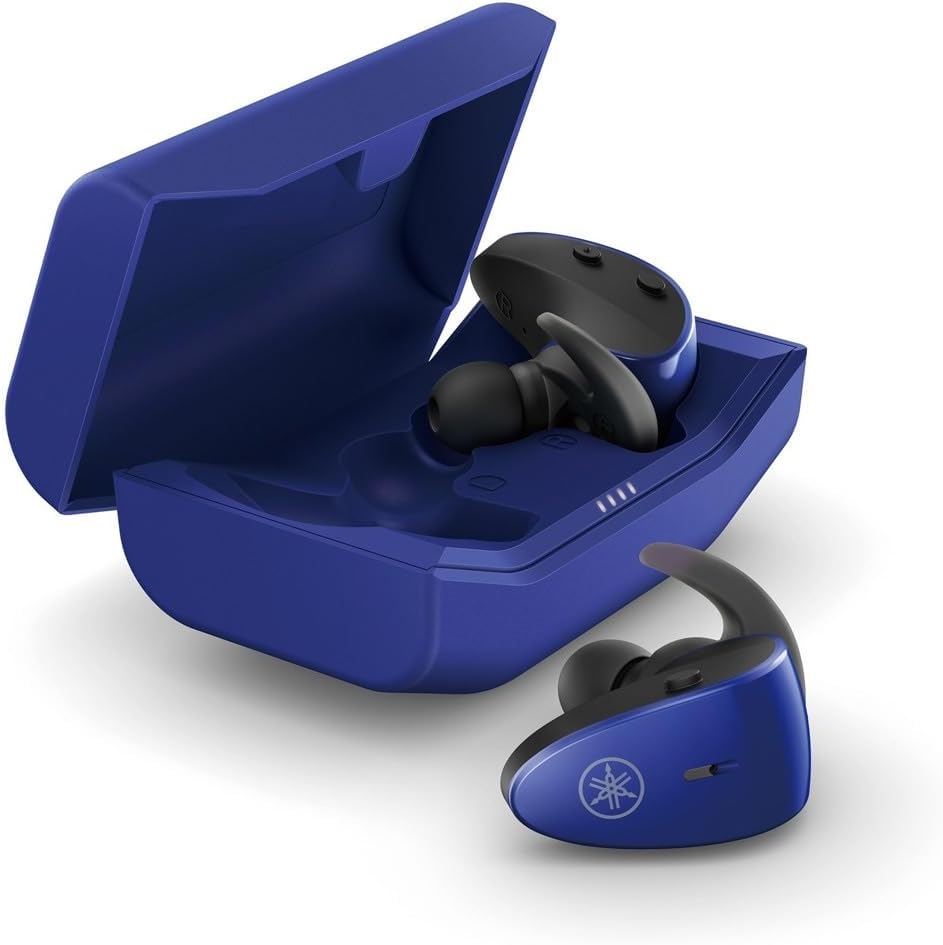
The protective charging case not only stores your earbuds but also recharges them, providing extended battery life. LED indicators on the case show the charging status.
Fitur waterproof
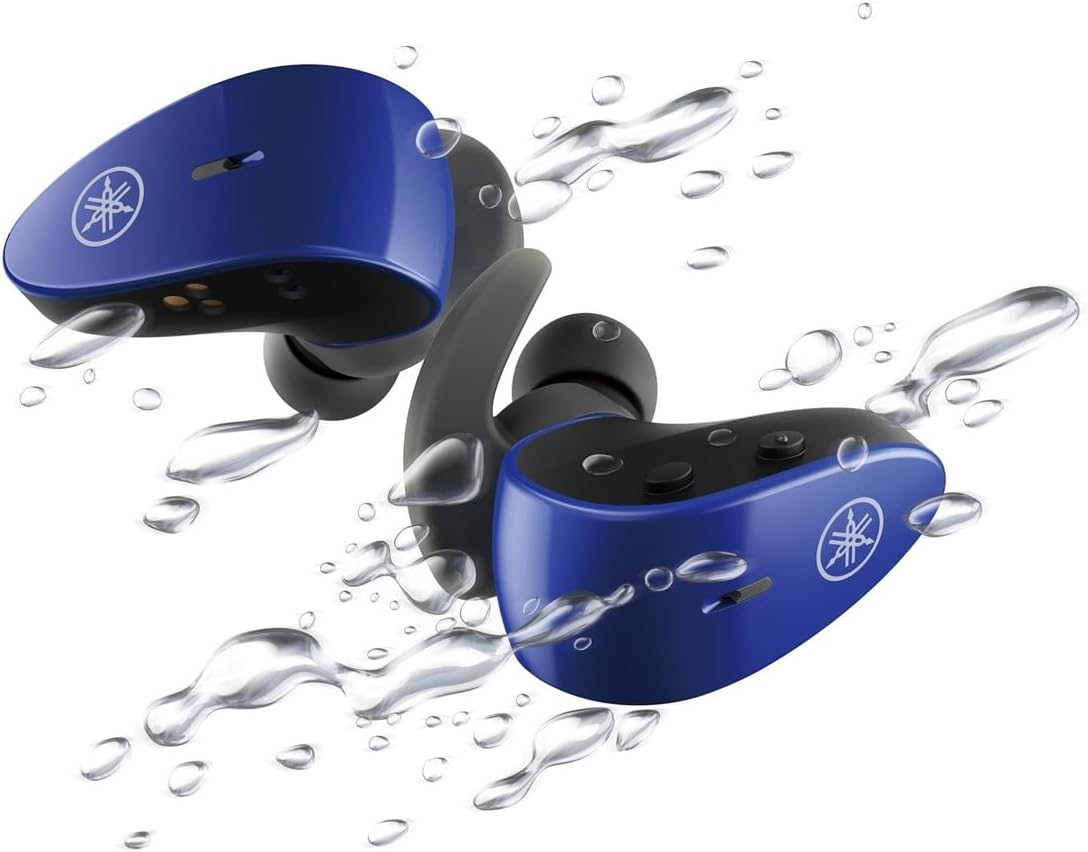
With an IPX7 waterproof rating, these earbuds are protected against immersion in water up to 1 meter for 30 minutes, making them ideal for workouts and outdoor activities.
Video Produk Resmi
4. Setélan
4.1 Ngecas Earbuds sareng Case
- Lebetkeun earbud kana wadah ngecas. Pastikeun dipasang kalayan leres; indikator LED dina earbud bakal hurung pikeun mastikeun ngecas.
- Connect the USB A-C charging cable to the charging case and then to a USB power source (e.g., computer, USB wall adapter).
- The charging case LEDs will indicate the charging status. A full charge provides up to 34 hours of total battery life (earbuds + case).
4.2 Selecting Eartips and Stabilizer Ear Fins
For optimal sound quality, comfort, and a secure fit, it is crucial to select the correct size of eartips and stabilizer ear fins.
- Eartips: Experiment with the 5 provided sizes (XS, S, M, L, XL). The correct size should create a good seal in your ear canal, blocking out external noise and providing rich bass.
- Stabilizer Ear Fins: Choose from the 4 provided sizes (XS, S, M, L). The fin should fit snugly into the concha of your ear, preventing the earbud from falling out during movement.
4.3 Nyapasangkeun Bluetooth
- Buka wadah ngecas. Earbud bakal otomatis asup kana modeu pairing (LED bakal kedip-kedip).
- Dina alat anjeun (smartphone, tablet, laptop), buka setélan Bluetooth teras aktipkeun Bluetooth.
- Milarian pikeun available devices and select "Yamaha TW-ES5A" from the list.
- Saatos nyambung, LED earbud bakal eureun kedip-kedip, sareng alat anjeun bakal mastikeun sambunganna.
- Pikeun pamakean saterasna, earbuds bakal otomatis nyambung ka alat anu dipasangkeun terakhir nalika dikaluarkeun tina wadahna.
5. Parentah Operasi
The TW-ES5A earbuds feature touch controls for various functions.
5.1 Daya Hurung/Pareuman
- Daya Hurung: Buka wadah ngecas, sareng earbuds bakal hurung sacara otomatis.
- Pareum listrik: Teundeun earbuds deui kana wadah ngecas sareng tutup tutupna. Aranjeunna bakal pareum otomatis.
5.2 Puterkeun Musik
- Puter / Reureuh: Ketok tunggal dina boh earbud.
- Lagu salajengna: Ketok dua kali dina earbud katuhu.
- Lagu Sateuacanna: Ketok dua kali dina earbud kénca.
- Volume Up: Ketok tilu kali dina earbud katuhu.
- Volume Turun: Ketok tilu kali dina earbud kénca.
5.3 Manajemén Telepon
- Ngajawab / mungkas Telepon: Ketok tunggal dina boh earbud.
- Nolak Telepon: Pencét jeung tahan boh earbud salila 2 detik.
5.4 Modeu Control Noise
The TW-ES5A offers two noise control modes:
- Ngabatalkeun Noise Aktif (ANC): Ngurangan noise ambient pikeun pangalaman déngékeun immersive.
- Sora Ambient: Allows you to hear your surroundings while listening to audio, enhancing awareness.
Ngalihkeun Modeu: Press and hold the touch control on the left earbud for 2 seconds to cycle between ANC, Ambient Sound, and Off modes.
5.5 Asistén Sora
Activate your device's voice assistant (Siri or Google Assistant) by pressing and holding the touch control on the right earbud for 2 seconds. This allows for hands-free control of your device.
6. Pangropéa
6.1 beberesih
- Bersihkeun earbud, eartip, sareng lensa kontak sacara rutin nganggo lawon anu lemes, garing, sareng henteu buluan.
- Remove eartips and wash them with mild soap and water if necessary. Ensure they are completely dry before reattaching.
- Ulah make cleaners abrasive atawa pangleyur.
6.2 Panyimpenan
- Salawasna simpen earbuds dina wadah ngecas nalika henteu dianggo pikeun ngajagi sareng tetep dicas.
- Simpen alat ieu di tempat anu tiis, garing, sareng jauh tina suhu anu ekstrim sareng sinar panonpoé langsung.
7. Cara ngungkulan
If you encounter issues with your TW-ES5A earbuds, try the following solutions:
| Masalah | Mungkin Cukang lantaranana | Solusi |
|---|---|---|
| Earbuds won't power on | batré lemah | Teundeun earbuds dina wadah ngecas tur ngecas pinuh. |
| Teu tiasa dipasangkeun sareng alat | Bluetooth off, earbuds not in pairing mode, or previously paired device interference | Ensure Bluetooth is on. Open case to enter pairing mode. Forget device on your phone and re-pair. Turn off Bluetooth on other nearby devices. |
| Teu aya sora atanapi volume handap | Volume too low, improper fit, or earbud obstruction | Increase volume on earbuds and device. Adjust eartips for a secure seal. Clean earbud mesh. |
| Kualitas telepon goréng | Microphone obstruction or environmental noise | Ensure microphone is clear. Try moving to a quieter environment. |
| Earbuds sering megatkeun sambungan | Distance from device, interference, or low battery | Keep earbuds close to your device. Avoid strong electromagnetic interference. Charge earbuds fully. |
Upami masalahna masih aya, mangga tingali bagian Garansi & Dukungan kanggo bantosan salajengna.
8. Spésifikasi
Key technical specifications for the Yamaha TW-ES5A True Wireless Sport Earbuds:
| Fitur | Rincian |
|---|---|
| Ngaran modél | TW-ES5A |
| Téhnologi konektipitas | Bluetooth 5.2, Qualcomm aptX Adaptive TrueWireless Mirroring with Clear Voice |
| Tingkat Résistansi Cai | IPX7 (Tahan cai) |
| Kontrol bising | Active Noise Cancellation, Ambient Sound |
| Kahirupan batré | Up to 34 hours total (earbuds + charging case) |
| Item Beurat | 0.28 ons (per earbud) |
| Dimensi produk | 1.32 x 2.78 x 0.67 inci |
| Tipe Supir Audio | Supir dinamis |
| Dirojong Codecs | AptX Adaptive, AAC |
| Alat nu cocog | Android, Laptops, Mac Book, Tablets, iPhone |
| Fitur husus | Android Phone Control, iOS Phone Control, Fast Charging, Microphone included, Sweatproof, Volume Control, Sports & Exercise, Lightweight, Wireless, Firm Secure Fit |
9. Jaminan & Dukungan
For detailed warranty information, product registration, and technical support, please visit the official Yamaha websitus atanapi ngahubungan layanan palanggan maranéhna. Simpen bukti pameseran anjeun pikeun klaim garansi.
Anjeun oge bisa mertimbangkeun purchasing extended protection plans for your device. Details on available protection plans can often be found at the point of purchase or on the retailer's websitus.