Produk Leuwihview
The Feit Electric 13 Inch Smart WiFi LED Coach Lantern is designed to enhance your home's exterior with both traditional aesthetics and modern smart technology. This lantern allows for control via the Feit Electric app, enabling users to manage on/off functions, set timers, and create schedules. It offers a wide spectrum of millions of RGBW colors, as well as various shades of white light, to suit any occasion or mood. Constructed with an all-bronze housing and frosted glass, it provides 500 lumens of light, ensuring adequate illumination for doorways and porches.
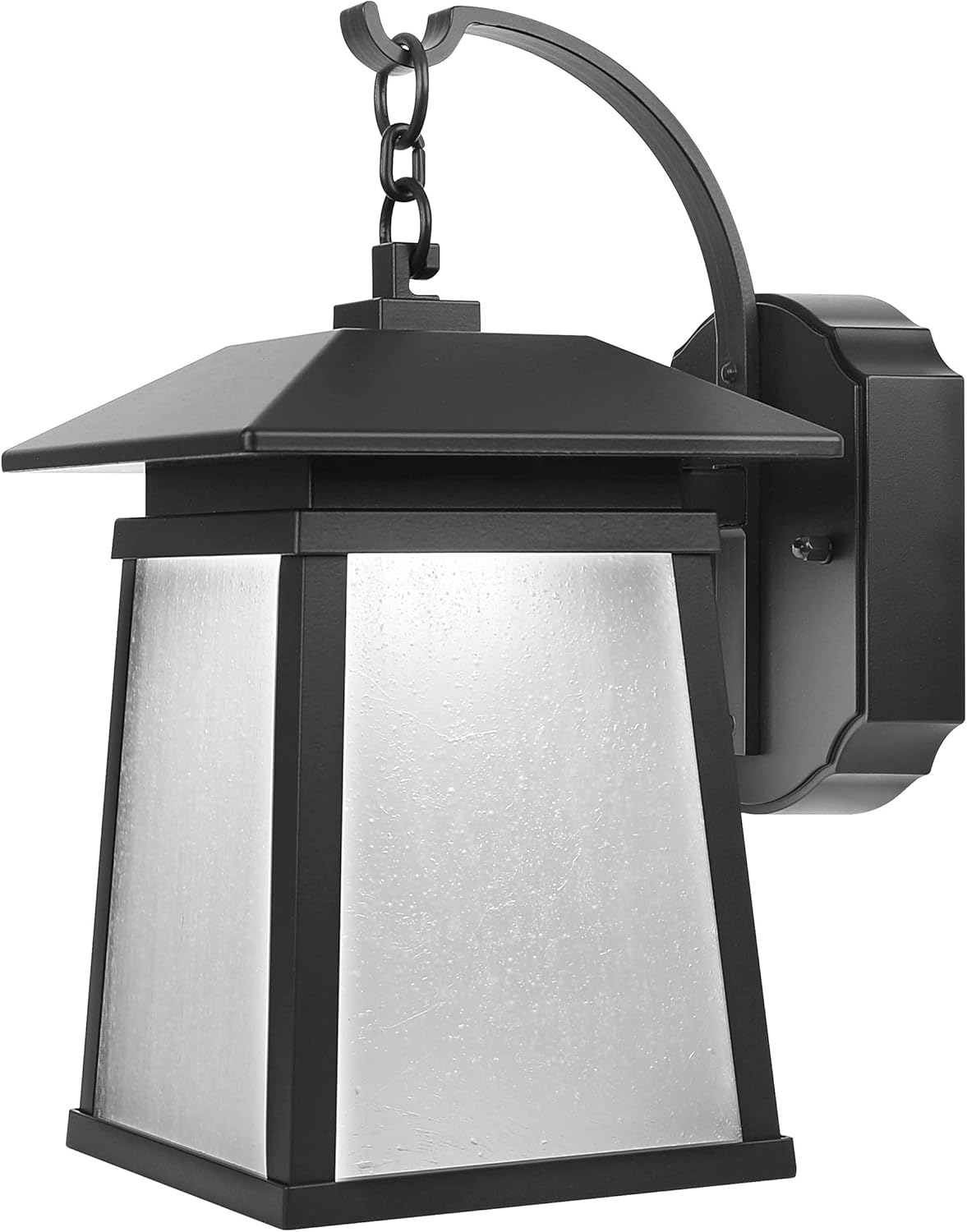
Gambar 1: Hareupeun view of the Feit Electric Smart WiFi LED Coach Lantern, showcasing its bronze finish and frosted glass panels.
Naon dina Box
Saatos muka bungkusna, mangga pastikeun sadaya komponén aya sareng henteu ruksak.
- Feit Electric 13 Inch Smart WiFi LED Coach Lantern (integrated LED)
- LED Lens (pre-installed)
- Installation Hardware (screws, wire nuts, mounting bracket) - Standard hardware for electrical fixture installation.
- Manual pangguna (dokumén ieu)
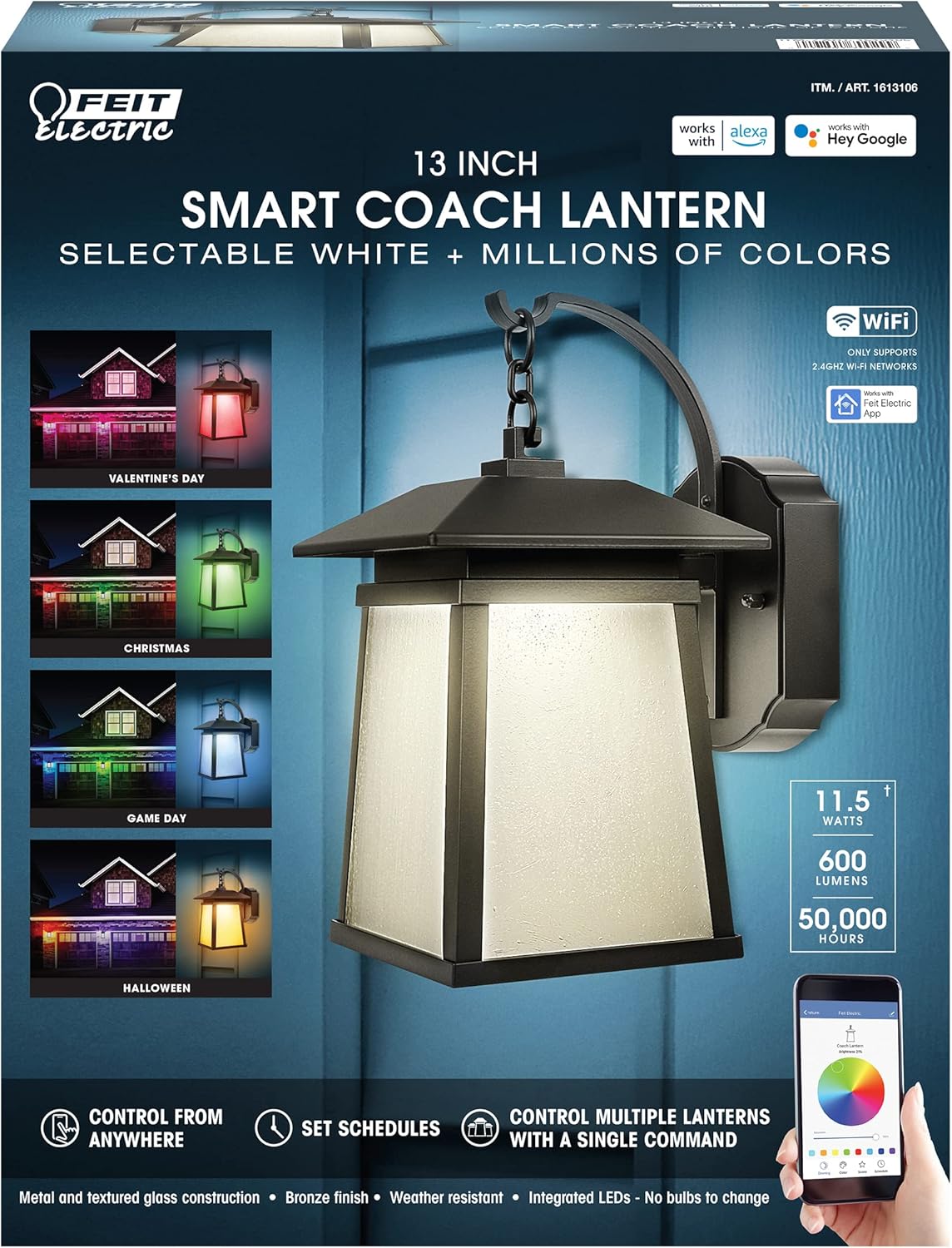
Figure 2: Product packaging highlighting key features such as Smart WiFi, RGBW colors, and compatibility with Alexa and Hey Google.
Setup sareng Instalasi
Émbaran Kasalametan
- PERHATOSAN: Résiko shock listrik. Pegatkeun sambungan kakuatan dina sekering atawa circuit breaker saméméh masang atawa ngalayanan.
- PERHATOSAN: Risk of fire. Use only in circuits rated for 120V AC.
- Taroskeun ka tukang listrik anu mumpuni upami anjeun henteu yakin kana prosés pamasangan.
- Pastikeun sadaya sambungan listrik aman sareng sasuai sareng kode listrik lokal.
Daptar pariksa Pra-Pasang
- Ensure the power is turned OFF at the circuit breaker.
- Gather necessary tools: screwdriver, wire strippers, electrical tape, ladder (if needed).
- Confirm the mounting surface is suitable for the fixture's weight and size.
Léngkah-léngkah Instalasi
- Pareuman Daya: Locate the circuit breaker controlling the outdoor lighting circuit and turn it OFF. Verify power is off using a voltage panguji.
- Hapus Perlengkapan Lama (upami aya): Carefully disconnect the wiring from the existing fixture and remove it from the mounting surface.
- Pasang Bracket Pasang: Attach the provided mounting bracket to the electrical junction box using the screws. Ensure it is securely fastened.
- Sambungan Kawat:
- Nyambungkeun hideung kawat ti fixture kana hideung (panas) kawat ti kotak simpang maké nut kawat.
- Nyambungkeun bodas kawat ti fixture kana bodas (nétral) kawat ti kotak simpang maké nut kawat.
- Nyambungkeun hejo or tambaga bulistir ground wire from the fixture to the ground wire from the junction box (or to the junction box itself if no ground wire is present).
- Secure all connections with electrical tape if desired.
- Perlengkapan Gunung: Carefully tuck the wires into the junction box. Align the fixture with the mounting bracket and secure it using the provided screws.
- Mulangkeun Daya: Hurungkeun kakuatan deui ON di circuit breaker.
Parentah Operasi
Connecting to the Feit Electric App
To unlock the full smart features of your lantern, you must connect it to the Feit Electric app.
- Unduh App: Download the Feit Electric app from the Apple App Store or Google Play Store.
- Ngadamel akun: Buka aplikasi teras jieun akun anyar atanapi lebet kana akun anu tos aya.
- Tambahkeun Alat: Tap the "+" icon in the app to add a new device. Select "Lighting" or "Outdoor Lighting" and follow the on-screen prompts.
- Mode Papasangan: Ensure your lantern is powered on. The lantern should blink rapidly to indicate it's in pairing mode. If not, turn it off and on quickly several times until it blinks.
- Nyambung ka WiFi: Enter your 2.4GHz WiFi network name and password when prompted in the app. Note: This device only supports 2.4GHz WiFi networks.
- Parantosan: Once connected, the app will confirm successful pairing, and you can rename your lantern.
App Features and Control
- Kontrol Hurung/Pareuman: Turn the lantern on or off from anywhere using the app.
- Penyesuaian Caang: Atur inténsitas cahaya ti 1% dugi ka 100%.
- Pilihan Warna: Choose from millions of RGB colors or select various shades of white (warm to cool).
- Scenes and Effects: Apply pre-set scenes or create custom lighting effects for different occasions (e.g., holidays, parties).
- Jadwal: Set daily or weekly schedules for the lantern to turn on/off automatically.
- Timer: Set countdown timers for the lantern to turn off after a specified duration.
- Kontrol Grup: Control multiple Feit Electric smart devices simultaneously by grouping them in the app.

Figure 3: Smart Coach Lanterns illuminating a home's exterior with vibrant red and purple lighting, demonstrating color-changing capabilities.
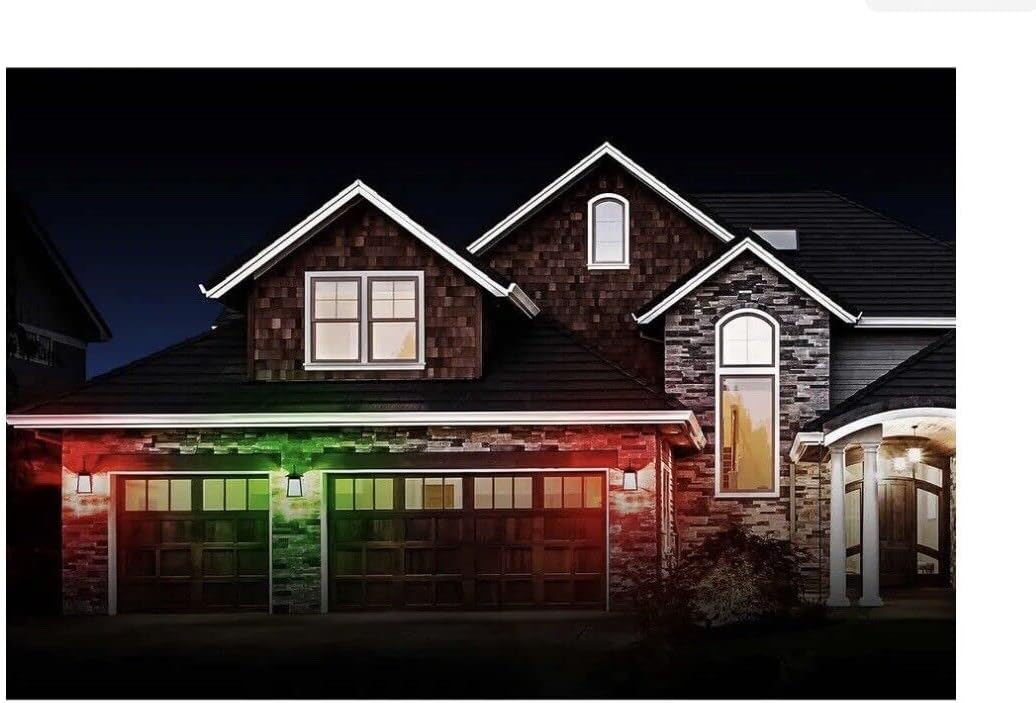
Figure 4: Smart Coach Lanterns providing festive green and red illumination to a home's facade, suitable for holiday themes.

Figure 5: Smart Coach Lanterns casting a uniform purple glow on a residential exterior, showcasing a single color option.
Integrasi Kontrol Sora
The Feit Electric Smart Coach Lantern is compatible with Amazon Alexa and Hey Google. To enable voice control:
- Link Akun: In your Alexa or Google Home app, search for the "Feit Electric" skill/action and enable it.
- Lebet: Log in with your Feit Electric app credentials when prompted.
- Panggihan Alat: Saatos disambungkeun, tanyakeun ka asistén sora anjeun pikeun "Manggihan alat" atanapi sacara manual ngamimitian milarian alat dina aplikasi.
- Paréntah sora: You can now use commands such as:
- "Alexa, turn on the [Lantern Name]."
- "Hey Google, set [Lantern Name] to blue."
- "Alexa, dim [Lantern Name] to 50%."
Pangropéa
- beberesih: To clean the lantern, ensure power is off. Use a soft, damp lawon. Ulah nganggo pembersih atanapi pangleyur anu abrasif, sabab éta tiasa ngaruksak lapisan atanapi kaca.
- LED terpadu: The LED light source is integrated and not user-replaceable. It is designed for long-term operation (up to 50,000 hours).
- Pembaruan firmware: Periodically check the Feit Electric app for firmware updates to ensure optimal performance and access to new features.
- Résistansi Cuaca: While designed for outdoor use, the lantern is not water resistant. Avoid direct exposure to high-pressure water jets.
Pamérésan masalah
| Masalah | Mungkin Cukang lantaranana | Solusi |
|---|---|---|
| Lantera teu hurung. | No power; loose wiring; faulty fixture. | Check circuit breaker. Ensure all wire connections are secure. Test power at the junction box. If issues persist, contact support. |
| Cannot connect to Feit Electric app. | Incorrect WiFi network (not 2.4GHz); incorrect password; lantern not in pairing mode; WiFi signal too weak. | Ensure you are on a 2.4GHz WiFi network. Double-check password. Cycle power to the lantern (off/on quickly 3-5 times) to enter pairing mode. Move router closer or use a WiFi extender. |
| Kontrol sora teu jalan. | Accounts not linked; device not discovered; incorrect voice command. | Verify Feit Electric skill/action is enabled and accounts are linked in Alexa/Google Home app. Ask voice assistant to "Discover devices." Use correct device name and commands. |
| Lantern disconnects frequently. | Weak WiFi signal; network interference. | Improve WiFi signal strength near the lantern. Reduce interference from other 2.4GHz devices. |
spésifikasi
| Atribut | Nilai |
|---|---|
| Nomer modél | 1613106 |
| Nomer Bagian | LAN13/RGBW/RP |
| merek | Feit Listrik |
| Ukuran (L x W x H) | 15 x 12 x 8 inci |
| Item Beurat | 4 pon |
| Tipe Sumber Cahaya | LED terpadu |
| Caang | 500 lumén |
| Pilihan Warna | RGBW (Millions of colors + Tunable White) |
| Métode kontrol | Feit Electric App, Amazon Alexa, Hey Google |
| Sumber Daya | Kabel Listrik |
| Voltage | 120 volt |
| Bahan | Aluminium, Kaca |
| Tipe rengse | Perunggu Finish |
| Pamakéan jero rohangan / outdoor | Luar |
| Tingkat Résistansi Cai | Henteu Tahan Cai |
| UPC | 017801700299 |
Garansi sareng Rojongan
For warranty information and details regarding your Feit Electric Smart WiFi LED Coach Lantern, please refer to the warranty card included with your product or visit the official Feit Electric websitus. Sarat jaminan biasana nutupan cacad dina bahan sareng pagawean dina panggunaan normal.
For technical support, troubleshooting assistance beyond this manual, or to inquire about replacement parts, please contact Feit Electric Customer Service:
- Websitus: www.feit.com
- Telepon: Tingali ka Feit Electric websitus pikeun nomer kontak ayeuna.
- Surélék: Tingali ka Feit Electric websitus kanggo email kontak ayeuna.
Mangga siapkeun nomer modél anjeun (1613106) sareng tanggal pameseran nalika ngahubungi dukungan.