Produk Leuwihview
The LoraTap ZigBee Roller Shutter Module Kit provides smart control for your roller shutters, blinds, and curtains. This kit includes a compact ZigBee roller shutter module, a portable 3-button ZigBee remote control, and a stable ZigBee 3.0 Tuya Gateway. It enables control via the Smart Life/Tuya Smart app, voice commands through Alexa or Google Assistant, and the included remote control, while retaining the functionality of your existing wall switch.
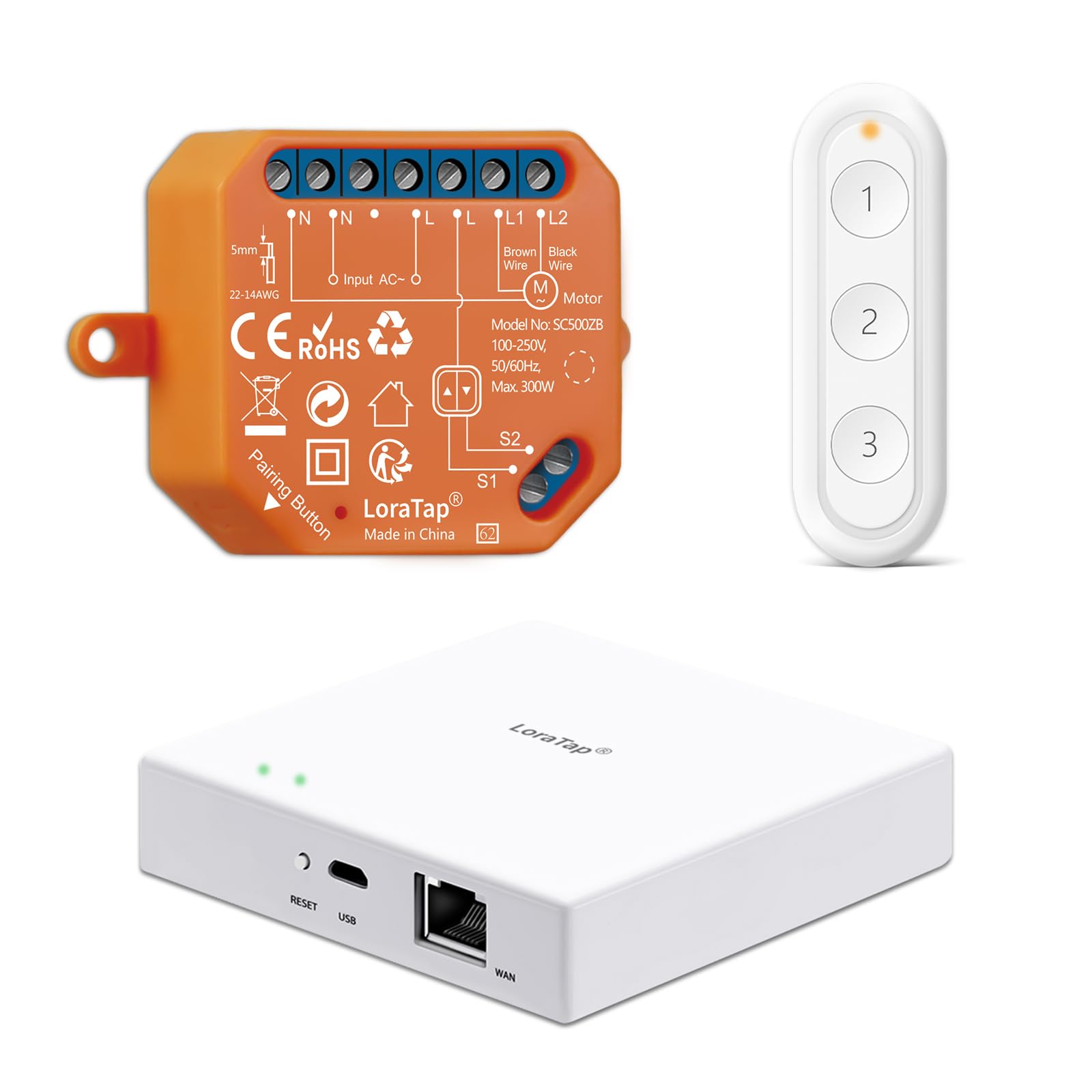
Figure 1: LoraTap ZigBee Roller Shutter Module Kit, showing the compact orange module, the white 3-button remote control, and the white ZigBee 3.0 Tuya Gateway.
Émbaran Kasalametan
WARNING: Electrical installation should only be performed by a qualified electrician. Ensure power is disconnected at the main circuit breaker before any installation or maintenance.
- Salawasna turutan kodeu listrik lokal jeung peraturan.
- Do not exceed the maximum load capacity of 300W for the roller shutter module.
- Ensure proper wiring (Phase wire and Neutral wire are required).
- Jauhkeun alat tina cai sareng lingkungan kalembaban anu luhur.
- Ulah nyobian ngabongkar atawa ngalereskeun alat sorangan.
spésifikasi
| komponén | Parameter | Nilai |
|---|---|---|
| Roller Shutter Module | Masukan Voltage | 100-250V 50/60Hz |
| Kaluaran Voltage | 100-250V 50/60Hz | |
| Wiring | Phase wire and Neutral wire | |
| Kapasitas beban | ≤ 300 W | |
| Jenis Radio | ZigBee 3.0 (2.4 GHz) | |
| Konsumsi Daya Sayaga | ≤ 0.5 W | |
| Diménsi | 48 x 47 x 22 mm | |
| ZigBee Jauh Control | Kancing | 3 customizable buttons |
| Jenis Radio | ZigBee 3.0 (2.4 GHz) | |
| Batré | Sél tombol CR2032 (kaasup) | |
| Diménsi | 90 x 30 x 10 mm | |
| ZigBee 3.0 Tuya Gateway | Kaluaran adaptor | 5V 1A |
| Jenis Radio | ZigBee 3.0 (2.4 GHz) | |
| Suhu Operasi | -10 °C ~ 55 °C | |
| Alat Max | Up to 32 ZigBee devices | |
| Operating Temperature (Module) | -25 °C ~ 50 °C | |
| Kasaluyuan Aplikasi | Hirup Pinter / Tuya Pinter | |

Figure 2: Detailed dimensions of the ZigBee Gateway (95x95x23mm), Roller Shutter Module (48x47x22mm), and Remote Control (90x30x10mm).
Setup sareng Instalasi
1. ZigBee Roller Shutter Module Installation
The ZigBee roller shutter module is designed to be compact and can be installed in most wiring boxes, including 503 boxes and behind wall switches. Ensure the main power is off before proceeding.
- Pegatkeun Daya: Turn off the main power supply to the circuit where you intend to install the module.
- Wiring: Connect the module according to the wiring diagram. The module requires both a Phase wire (L) and a Neutral wire (N) for power. Connect the motor wires to L1 and L2, and the wall switch wires to S1 and S2 if you wish to retain manual control.
- Modul Aman: Carefully place the module into the wiring box, ensuring no wires are pinched.
- Mulangkeun Daya: Once wiring is complete and secure, restore power.

Figure 3: Wiring diagram for the ZigBee Roller Shutter Module. Connect N (Neutral), L (Phase), L1 (Motor Up), L2 (Motor Down), S1 (Switch Up), S2 (Switch Down).
2. ZigBee 3.0 Tuya Gateway Setup
The wired ZigBee Hub provides a stable wireless signal for your smart devices.
- Sambungkeun Kakuatan: Plug in the ZigBee Gateway using the provided 5V 1A adapter.
- Nyambung kana Jaringan: Connect the gateway to your 2.4 GHz Wi-Fi network using an Ethernet cable to your router.
- Unduhan App: Download the "Smart Life" or "Tuya Smart" app from your smartphone's app store (available for iOS and Android).
- Add Gateway to App: Open the app, register or log in. Follow the in-app instructions to add the ZigBee Gateway. The app should automatically detect the gateway once connected to the network.
3. Pairing Devices with the App
Once the gateway is set up, you can add the roller shutter module and remote control.
- Add Module: In the Smart Life/Tuya Smart app, navigate to the gateway's interface. Tap to add new devices. The app should detect the LoraTap ZigBee Roller Shutter Module. Select it and follow the prompts to add it.
- Tambahkeun Remote Control: Similarly, add the ZigBee 3-button remote control to the app through the gateway.
- Alat-alat Tautan: Within the app, you can link the remote control to the roller shutter module or create scenes for its buttons.
Parentah Operasi
1. App Control
Control your roller shutters from anywhere using the Smart Life/Tuya Smart app on your smartphone.
- Buka/Tutup/Eureun: Use the virtual buttons in the app interface to open, close, or stop your roller shutters at any desired position.
- Scenes and Timers: Create custom scenes (e.g., "Morning Open" to open blinds at sunrise) and set schedules or timers for automatic operation.

Figure 4: App control interface for the roller shutter module, allowing users to open, close, or stop the blinds from their smartphone.
2. Kontrol sora
Integrate with Amazon Alexa or Google Assistant for convenient voice control.
- Aktipkeun Skill: In the Alexa or Google Home app, enable the "Smart Life" or "Tuya Smart" skill/action.
- Panggihan Alat: Pék tanyakeun ka asistén sora anjeun pikeun manggihan alat anyar.
- Paréntah sora: Anggo paréntah sapertos:
- "Alexa, bukakeun gordenna."
- "Hei Google, tutupkeun gordenna."
- "Alexa, stop the roller shutter."

Figure 5: Voice control in action, demonstrating compatibility with Amazon Alexa and Google Assistant for hands-free operation of roller shutters.
3. Kadali jauh
The included 3-button ZigBee remote control offers convenient local control without needing your smartphone.
- Default Functions: By default, buttons may be configured for Open, Stop, and Close.
- Adegan Pribadi: Each button can be personalized in the Smart Life/Tuya Smart app to trigger specific smart scenes. For example, one button could open the roller shutter halfway, or activate a group of smart devices.
- Desain dipasang: The remote can be mounted on a wall for easy access or used as a portable remote.
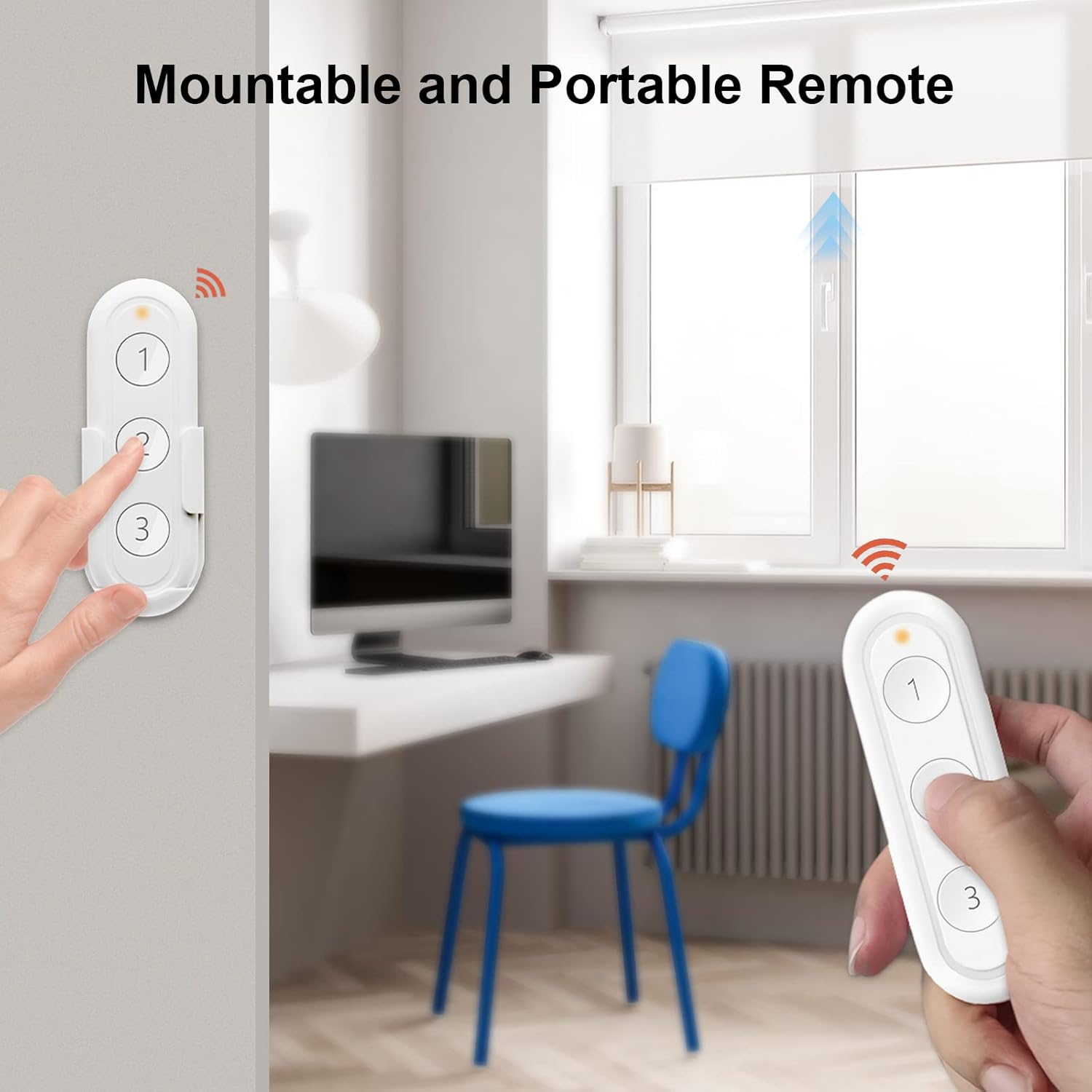
Figure 6: The LoraTap 3-button ZigBee remote control, designed for easy and personalized control of your smart devices.
Figure 7: The ZigBee remote control can be conveniently mounted on a wall or used as a portable device.
Pangropéa
- beberesih: Use a soft, dry cloth to clean the module, remote, and gateway. Do not use liquid cleaners or aerosols.
- Panggantian Batré (Remot): The remote control uses a CR2032 button cell battery. If the remote's indicator light does not illuminate or its range decreases, replace the battery. Refer to the remote's casing for battery compartment access.
- Pembaruan firmware: Periodically check the Smart Life/Tuya Smart app for firmware updates for your devices to ensure optimal performance and security.
Pamérésan masalah
- Alat Teu Ngabales:
- Check power supply to the module and gateway.
- Ensure the ZigBee Gateway is connected to your 2.4 GHz Wi-Fi network and has a stable internet connection.
- Verify that the module and remote are properly paired with the gateway and added to the Smart Life/Tuya Smart app.
- Pariksa batréna dina kadali jauh.
- Masalah pasangan:
- Ensure the device is in pairing mode (refer to specific device instructions for pairing button location).
- Make sure the device is within range of the ZigBee Gateway.
- Restart the ZigBee Gateway and try pairing again.
- Masalah Konektipitas Aplikasi:
- Pariksa sambungan internét smartphone anjeun.
- Ensure the Smart Life/Tuya Smart app is updated to the latest version.
- Balikan deui aplikasi atanapi smartphone anjeun.
- Kontrol Sora Teu Gawé:
- Confirm that the "Smart Life" or "Tuya Smart" skill/action is enabled in your Alexa/Google Home app.
- Ensure devices are discovered by your voice assistant.
- Use the correct voice commands as listed in the app or this manual.

Figure 8: The LoraTap ZigBee ecosystem demonstrating compatibility with various Smart Life app devices, all controlled via the ZigBee Gateway and remote.
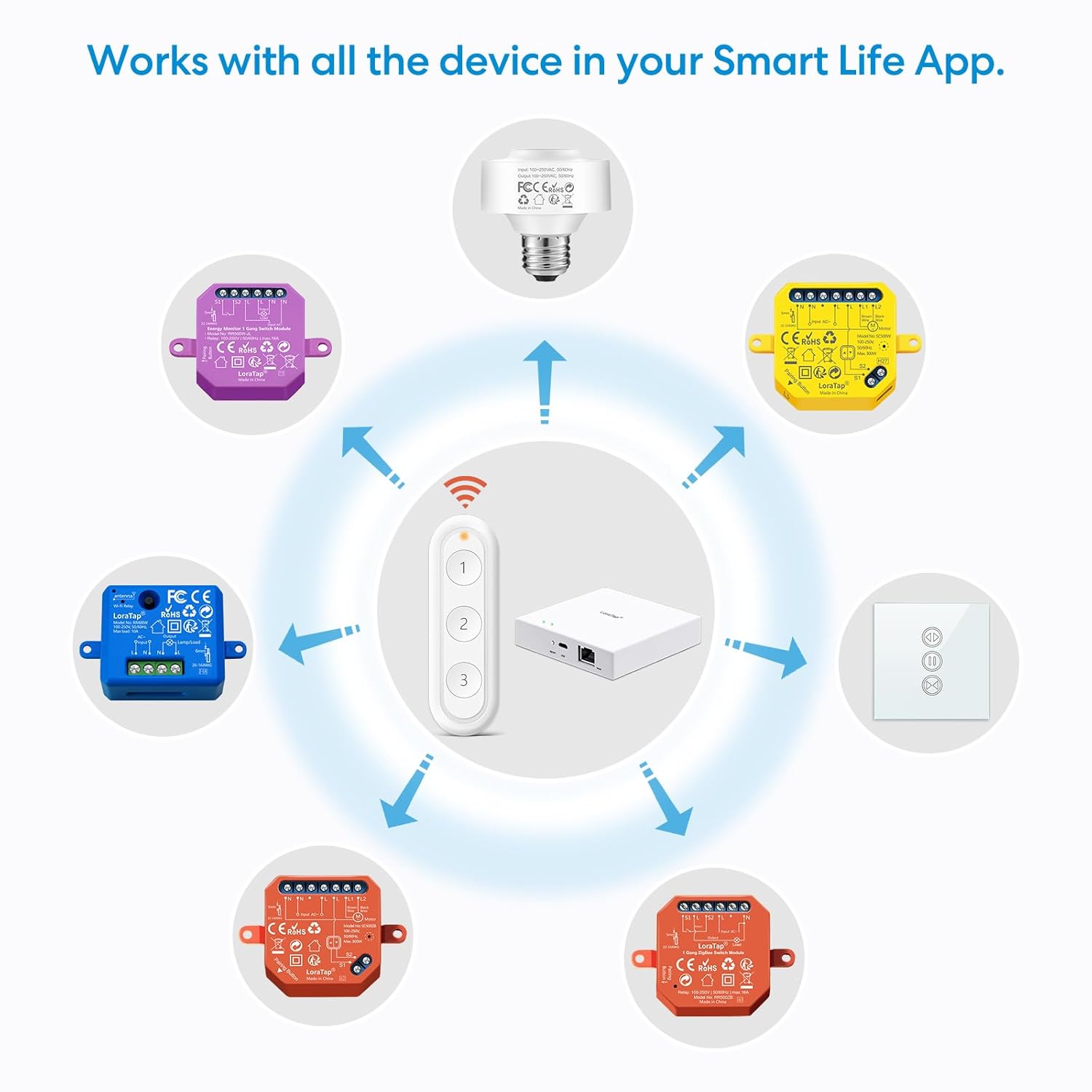
Figure 9: Communication architecture illustrating how control commands are delivered from smartphones and ZigBee remotes through the ZigBee Hub to smart devices like curtain motors and lights.
Garansi sareng Rojongan
LoraTap products are designed for reliability and performance. For specific warranty details, please refer to the warranty card included with your product or visit the official LoraTap websitus. Simpen resi pameseran anjeun salaku bukti pameseran.
For technical support, troubleshooting assistance, or further inquiries, please contact LoraTap customer service through their official website or the contact information provided in your product packaging. You can also refer to the LoraTap Store on Amazon pikeun sumber tambahan.


