1. Bubuka
The SONOFF S40 WiFi Smart Plug is a compact, ETL-certified smart outlet designed to bring convenience and energy efficiency to your home. It allows you to remotely control connected appliances, monitor energy consumption, set schedules, and integrate with popular voice assistants like Amazon Alexa and Google Home. This manual provides detailed instructions for setting up and operating your S40 Smart Plug.
2. Fitur Produk
- Kadali jauh: Hurungkeun / pareumkeun alat ti mana waé nganggo aplikasi eWeLink.
- Ngawas énergi: Track real-time power, current, voltage, jeung view 180-day energy usage data.
- Kontrol sora: Cocog sareng Amazon Alexa sareng Google Home pikeun operasi handsfree.
- Jadwal: Set countdown, single, or repeat timers to automate device operation.
- Desain kompak: Occupies minimal space on your wall outlet.
- Perlindungan Overload: Automatically powers off to prevent damage from excessive current.
- ETL Certified: Ensures safety and quality standards are met.

3. Émbaran Kasalametan
Please read and follow all safety instructions to prevent injury or damage. Ensure the device is used within its specified electrical ratings (15A, 120V). Do not disassemble or modify the device. Keep away from water and high humidity environments. This device is for indoor use only.

4. Produk Langkungview
The SONOFF S40 Smart Plug is a compact device that plugs directly into a standard wall outlet. It features a power button/indicator light on the front for manual control and status indication. The back of the plug displays important electrical specifications and certifications.

5. Setup Guide
5.1. Unduh Aplikasi eWeLink
The SONOFF S40 Smart Plug requires the eWeLink app for initial setup and smart control. Download the app from your device's app store or scan the QR code on the product packaging.
- Link Unduh: http://app.coolkit.cc/dl.html

5.2. Papasangan Parangkat
Before pairing, ensure your eWeLink app is updated to version 4.31.0 or above. The SONOFF S40 only supports 2.4GHz WiFi networks. Ensure your router has separate SSIDs for 2.4GHz and 5GHz networks, or temporarily disable the 5GHz network during pairing if you encounter issues.
- Plug the S40 Smart Plug into a power outlet.
- Press and hold the pairing button on the plug for 5 seconds until the WiFi LED indicator flashes in a pattern of two short blinks and one long blink, indicating it's in pairing mode.
- Open the eWeLink app, go to "Home", and tap the "+" icon (bottom).
- Select "Add Device" and then choose "2.4GHz WiFi Only".
- Pilih jaringan WiFi 2.4GHz anjeun sareng lebetkeun kecap akses.
- The app will search for and add the device. Once found, confirm the addition.

6. Parentah Operasi
6.1. Kadali jauh
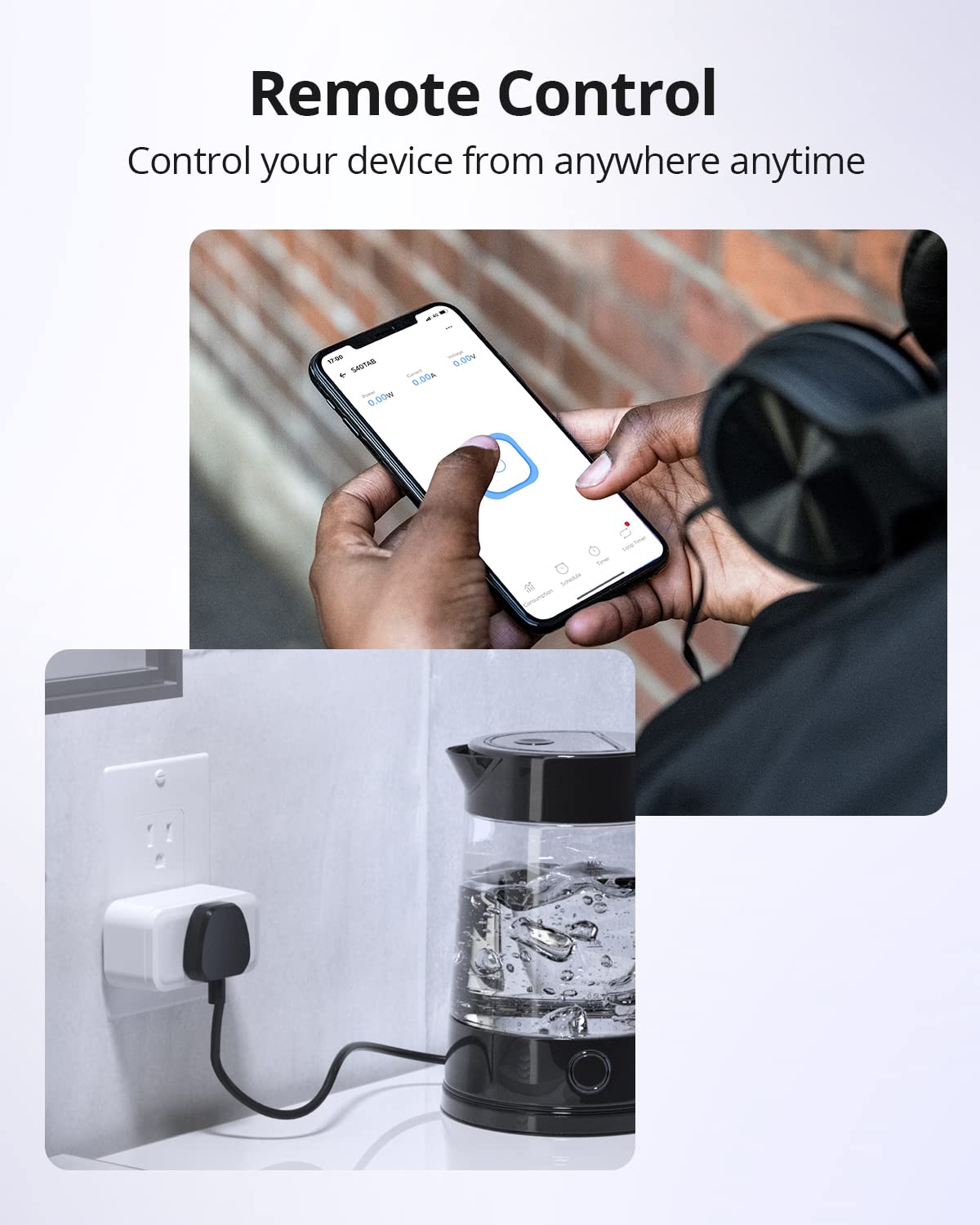
Once paired, you can control your S40 Smart Plug from anywhere using the eWeLink app. Simply tap the power icon next to the device name to toggle it on or off.
6.2. Pangimeutan énergi
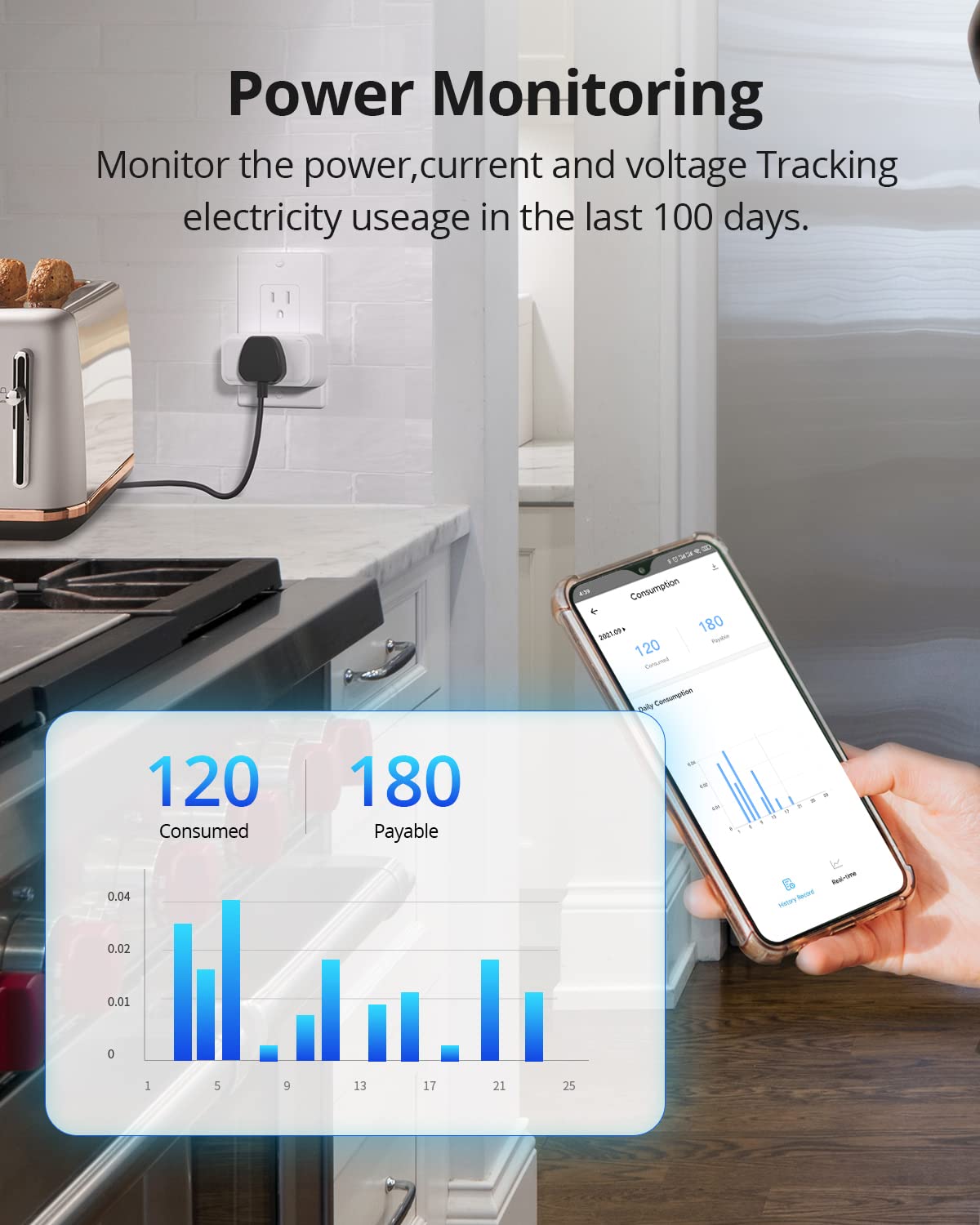
The S40 Smart Plug provides real-time energy consumption data. Within the eWeLink app, you can view current power, current, and voltage. The app also stores 180 days of daily and monthly energy usage data, allowing you to track electricity costs.
6.3. Penjadwalan sareng Timer
Automate your devices by setting schedules and timers. You can configure countdown timers, single-event timers, or recurring schedules to automatically turn your appliances on or off at specific times.

6.4. Pamaduan Kontrol Sora
The S40 Smart Plug is compatible with Amazon Alexa and Google Home, allowing for convenient voice control of your connected devices.
6.4.1. Linking with Amazon Alexa
- Log in to your Amazon Alexa app and add your Echo device.
- Log in to your eWeLink account.
- In the eWeLink app, go to "Home", tap the "+" icon, then "Link Accounts".
- Select "Amazon Alexa".
- Tap "Link with Amazon Alexa" and follow the prompts to link your accounts.
- Once linked, say "Alexa, discover devices" or use the Alexa app to discover devices.


6.4.2. Linking with Google Home
- Log in to your Google Home app and add your Google Home speaker.
- Log in to your eWeLink account.
- In the eWeLink app, go to "Home", tap the "+" icon, then "Link Accounts".
- Select "Google Home".
- Tap "Link with Google Assistant" and follow the prompts to link your accounts.
- Sync and configure your eWeLink devices within the Google Home app.

6.5. Overload Protection
The S40 Smart Plug is equipped with overload protection. If the connected appliance draws current exceeding 15A, the plug will automatically power off to prevent damage to the device and the appliance. This feature enhances safety and prolongs the lifespan of your electronics.

7. Pangropéa
To ensure optimal performance and longevity of your SONOFF S40 Smart Plug, keep it clean and free from dust. Disconnect from power before cleaning. Use a dry, soft cloth for cleaning. Avoid using harsh chemicals or abrasive materials. Regularly check for firmware updates in the eWeLink app to benefit from new features and improvements.
8. Cara ngungkulan
- Alat Offline: Ensure the plug is powered on and within range of your 2.4GHz WiFi router. Check your router settings to confirm the 2.4GHz network is active and has a stable connection.
- Gagal pasangan: Verify your WiFi network is 2.4GHz. If you have a combined 2.4GHz/5GHz network, try separating them or temporarily disabling 5GHz during pairing. Ensure the WiFi password is entered correctly. Try resetting the plug by holding the button for 5 seconds until the LED flashes as described in the pairing section.
- Masalah Kontrol Sora: Confirm that your eWeLink account is correctly linked to Amazon Alexa or Google Home. Ensure the device names are recognized by the voice assistant.
- No Energy Data: Ensure the device is connected and actively being used. Check the eWeLink app for any error messages or update the app to the latest version.
9. Spésifikasi
| Spésifikasi | Rincian |
|---|---|
| Nomer modél | S40TPB |
| Dimensi produk | 1.26 x 3 x 1.57 inci |
| Item Beurat | 11.36 ons |
| Peunteun ayeuna | 15 Amps |
| Operasi Voltage | 120 volt |
| Konéktipitas Wireless | 2.4 GHz WiFi Only |
| Sertifikasi | ETL |
| Tipe Controller | Amazon Alexa, Asisten Google, IFTTT |
| Produsén | Sonoff |
10. Garansi jeung Rojongan
Kanggo inpormasi garansi sareng dukungan téknis, mangga tingal SONOFF resmi websitus atanapi ngahubungan layanan palanggan maranéhna. Anjeun oge bisa nganjang ka Toko SONOFF di Amazon pikeun émbaran produk tambahan jeung sumber.


