
1. Bubuka
This manual provides essential information for the safe and efficient operation of your Hisense ConnectLife Smart Control 50 Pint Dehumidifier. Please read all instructions carefully before use and retain this manual for future reference.

Figure 1: Hisense ConnectLife Smart Control 50 Pint Dehumidifier.
2. Émbaran Kasalametan
Salawasna turutan tindakan pencegahan kaamanan dasar nalika nganggo alat listrik pikeun ngirangan résiko kahuruan, sengatan listrik, sareng tatu. Ieu kalebet:
- Ensure the dehumidifier is placed on a level, stable surface.
- Ulah ngajalankeun unit ku kabel ruksak atawa colokan.
- Jauhkeun unit tina cai sareng cairan sanés.
- Ulah meungpeuk inlets hawa atawa outlet.
- Cabut colokan unit sateuacan ngabersihkeun atanapi ngalakukeun perawatan naon waé.
- Perkakas ieu kanggo panggunaan padumukan wungkul.
3. Fitur Produk
The Hisense ConnectLife Smart Control Dehumidifier is designed to efficiently remove moisture from your environment. Key features include:
- Operasi sepi: Operates at 46 dB(A) on Low setting for minimal disturbance.
- Énergi Éfisién: Energy Star certified to help reduce utility costs.
- Full Tank Alert: Notifies you when the water collection bucket is full and automatically shuts off.
- Gampang dianggo: Features simple manual controls for straightforward operation.
- Kadali jauh: Compatible with the Hisense ConnectLife App for remote settings adjustment and monitoring.
- Integrasi Smart Home: Works with Hey Google and Alexa for voice control.
- Tilu Kecepatan Kipas: Auto, High, and Low settings to suit your needs.
- Pilihan Drainase Kontinyu: Allows for direct connection to a drain hose for uninterrupted operation.

Figure 2: ConnectLife App integration for smart control.
4. Setélan
- Ngabongkar bungkusan: Sacara saksama piceun dehumidifier tina bungkusanna. Nyimpen bahan bungkusan pikeun neundeun atanapi transportasi ka hareup.
- panempatan: Place the unit on a firm, level surface in an area where the temperature will not fall below 41°F (5°C). Ensure there is at least 8 inches (20 cm) of air space on all sides for proper air circulation.
- Sambungan Daya: Colokkeun kabel listrik kana stop kontak listrik grounded.
- Operasi awal: The unit is ready for operation. For optimal performance, allow the unit to stand upright for at least 24 hours before plugging it in if it was transported on its side.
5. Parentah Operasi
Kontrol Panel Langkungview
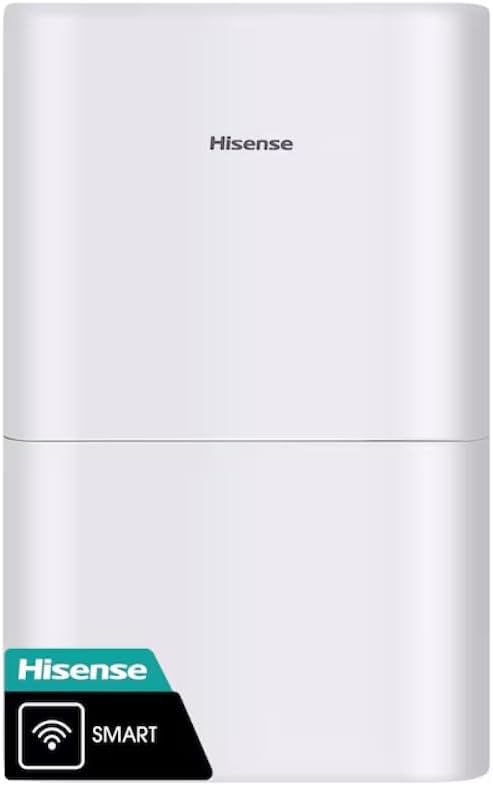
Figure 3: Dehumidifier Control Panel.
- Tombol Daya: Pencét pikeun ngahurungkeun atanapi mareuman unit.
- Tombol Mode: Cycle through operating modes: Auto Dry, Continuous, Manual Set.
- Tombol Timer: Setel timer pikeun operasi ON/OFF otomatis.
- Tombol kipas: Adjust fan speed: Auto, High, Low.
- Humidity Adjustment (+/-): In Manual Set mode, use to set desired humidity level (e.g., 30% to 80%).
- Indikator Filter Bersih: Nyaangan nalika saringan kedah dibersihkeun.
- Indikator Ember Kosong: Illuminates when the water collection bucket is full and requires emptying.
Modeu Operasi
- Otomatis garing: The unit automatically adjusts fan speed and humidity settings to maintain a comfortable humidity level.
- Terus-terusan: The unit operates continuously, regardless of the humidity level, until the bucket is full or the unit is turned off.
- Set Manual: Allows you to manually set a target humidity level. The unit will operate until this level is reached, then cycle on and off to maintain it.
ConnectLife App Control
Download the Hisense ConnectLife App from your device's app store. Follow the in-app instructions to connect your dehumidifier for remote control and monitoring. The app allows you to change settings, monitor humidity levels, and receive alerts from anywhere.
6. Pangropéa
Ngosongkeun Ember Cai
When the "Empty Bucket" indicator illuminates, the unit will stop operating. To empty:
- Gently pull out the water collection bucket from the front of the unit.
- Kalayan ati-ati bawa ember ka solokan atanapi tempat cuci piring.
- Tuang kaluar cai dikumpulkeun.
- Geserkeun ember kosong deui kana dehumidifier dugi ka ngaklik dina tempatna. Unit bakal beroperasi deui.

Figure 4: Removing the water collection bucket.
Drainase kontinyu
For continuous operation without emptying the bucket, connect a standard garden hose (not included) to the drainage port on the back of the unit. Ensure the hose is sloped downwards to allow gravity drainage and is free of kinks or obstructions.

Figure 5: Continuous drainage port.
Ngabersihan Saringan Udara
When the "Clean Filter" indicator illuminates, clean the air filter to maintain efficiency. Unplug the unit, remove the filter from the back, wash it with warm, soapy water, rinse thoroughly, and allow it to air dry completely before reinserting.

Gambar 6: Tukangeun view with air filter access.
7. Cara ngungkulan
If your dehumidifier is not operating correctly, refer to the following common issues:
- Unit teu hurung: Check if the power cord is securely plugged in. Ensure the water bucket is correctly installed and not full. Verify the room temperature is within the operating range (41°F - 90°F).
- No water collected: Check if the humidity setting is too high. Ensure the air filter is clean. Verify that the continuous drainage hose (if used) is not clogged or improperly installed.
- Unit bising: Ensure the unit is on a level surface. Check for any obstructions in the air inlets or outlets.
- "Empty Bucket" indicator remains on after emptying: Ensure the bucket is fully inserted and correctly seated.
Pikeun masalah teu katutupan di dieu, mangga ngahubungan rojongan customer.
8. Spésifikasi
| Nomer modél | DH7021W1WG |
| merek | Hisense |
| Kapasitas | 50 Pints per Poé |
| Volume tank | 50 Pén |
| Panutup Wewengkon Lantai | Nepi ka 4500 suku pasagi |
| Tingkat Noise | 46 dB(A) (Low) |
| Jumlah Speeds | 3 (Auto, High, Low) |
| Ukuran produk (D x W x H) | 10.7 "D x 15.1" W x 24.8" H |
| Bahan | palastik |
| Smart Home kasaluyuan | ConnectLife App, Hey Google, Alexa |
| Star énergi Certified | Sumuhun |
9. Garansi jeung Rojongan
Dehumidifier Hisense Ieu hadir kalawan a 1-taun jaminan kawates. For warranty claims, technical support, or service inquiries, please refer to the contact information provided in your product packaging or visit the official Hisense websitus.