1. Bubuka
This manual provides essential information for the installation, operation, and maintenance of your Axis Communications M2035-LE HDTV 1080P Surveillance Camera. Please read this manual thoroughly before using the product to ensure proper setup and functionality. Keep this manual for future reference.
2. Émbaran Kasalametan
Perhatikeun tindakan pencegahan kaamanan ieu pikeun nyegah karusakan kana produk atanapi cilaka ka diri anjeun sareng batur:
- Ensure the power source matches the camera's requirements (28 Volts, 4.2 watts).
- Do not expose the camera to extreme temperatures or humidity beyond its operating specifications.
- Hindarkeun paparan langsung ka sumber cahaya anu kuat, anu tiasa ngaruksak sénsor gambar.
- Entong nyobian ngabongkar atanapi ngarobih kaméra. Rujuk sadayana jasa ka tanaga anu mumpuni.
- Pasang kaméra sacara aman pikeun nyegah ragrag.
- Keep the camera away from water and moisture, despite its water-resistant rating (IP54).
3. Eusi Paket
Pastikeun yén sadaya item aya dina bungkusan:
- Axis M2035-LE Camera Unit
- Mounting Stand/Bracket
- Pituduh Instalasi (dokumén ieu)
- Pemasangan Hardware (screws, jangkar)
Note: Specific contents may vary slightly by region or package.
4. Produk Langkungview
The Axis M2035-LE is a compact, outdoor-ready dome surveillance camera designed for high-definition video monitoring. It features 1080p resolution, a wide viewing angle, and infrared night vision for reliable performance in various lighting conditions.
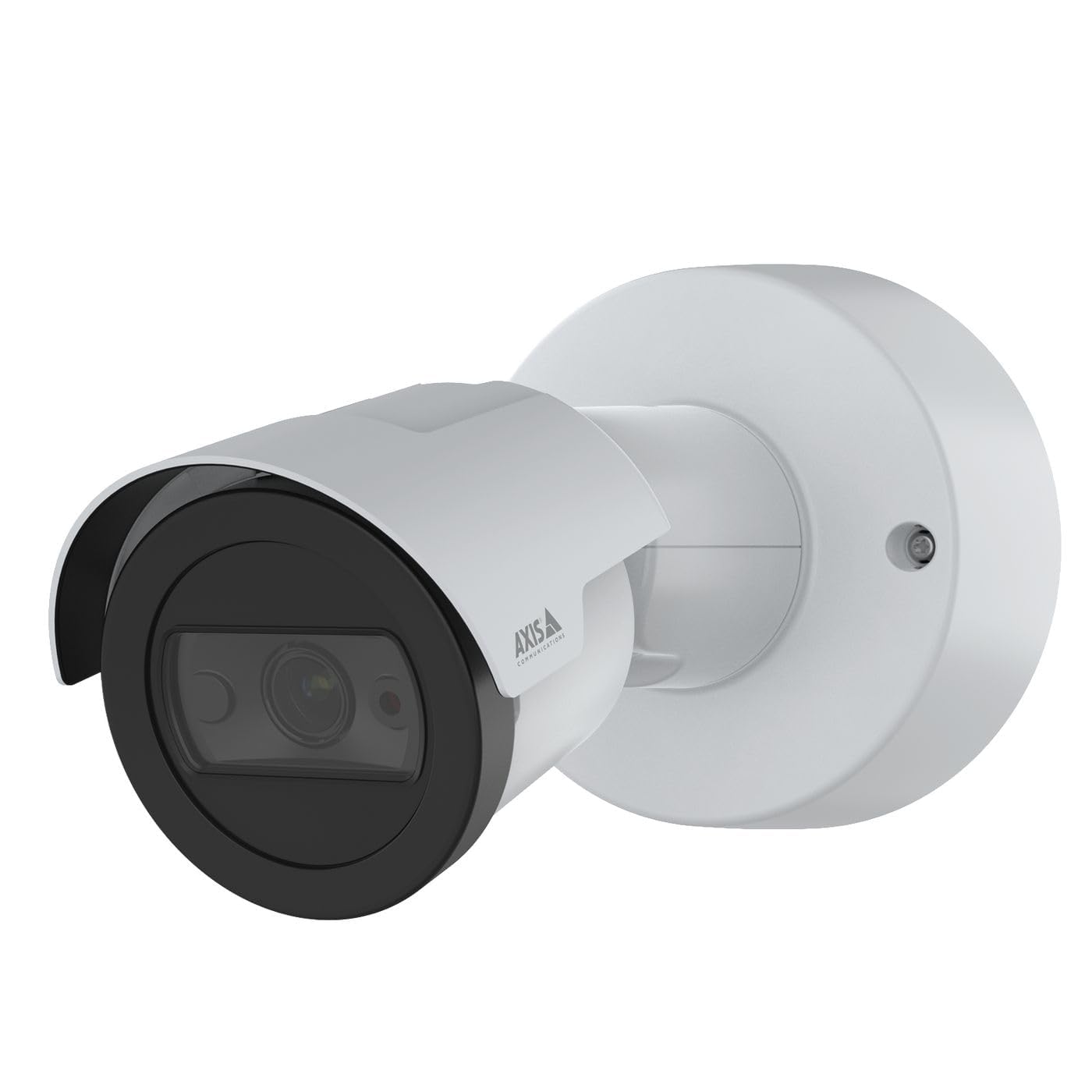
Gambar 1: Hareupeun view of the Axis M2035-LE HDTV 1080P Surveillance Camera. This image shows the compact dome design suitable for outdoor installation.
5. Setup jeung Instalasi
The Axis M2035-LE camera supports various mounting options, including table mount and recessed installation. Ensure the chosen location provides a clear field of view sareng permukaan pemasangan anu stabil.
5.1. Pamasangan Pertimbangan
- Pamakéan outdoor: The camera is designed for outdoor environments.
- kakuatan: The camera requires a 28V power supply. Ensure proper wiring and power delivery.
- Konektipitas: The camera supports Wi-Fi and Ethernet connectivity. Plan your network connection accordingly.
5.2. Table Mount Installation
- Attach the mounting stand to the camera unit using the provided screws.
- Simpen kaméra dina tempat anu datar sareng stabil.
- Sesuaikeun kaméra viewdina sudut sakumaha diperlukeun.
5.3. Recessed Mount Installation (Soffit Example)
For recessed mounting, particularly in soffits, careful planning is required to ensure sufficient depth and avoid obstructions.
- Verify Depth: Before cutting, confirm the soffit has adequate depth for the recessed mount. You can use a small pilot hole and a wire to measure the available space.
- Mark and Cut: Mark the desired location and carefully cut the opening in the soffit according to the template provided with the recessed mount kit (sold separately).
- Pasang Gunung: Secure the recessed mount bracket into the opening.
- Connect and Secure: Connect the necessary cables (power, Ethernet) and then secure the camera unit into the recessed mount.
- Saluyukeun Sudut: Adjust the camera lens to achieve the desired field of view.
6. Parentah Operasi
6.1. Initial Power-Up and Network Connection
- Sambungkeun kaméra ka catu daya.
- For initial setup, it is recommended to connect via Ethernet to your network router or switch.
- Paké Axis IP Utiliti atawa a web browser to discover the camera on your network and configure its settings.
- For Wi-Fi connectivity, configure the wireless settings through the camera's web panganteur.
6.2. Pemantauan sareng Rekaman Video
- The camera provides 1080p video resolution at 30 frames per second.
- Aksés langsung view and recording features through the camera's web antarmuka atanapi parangkat lunak manajemen vidéo (VMS) anu cocog.
- The camera is compatible with Digital Video Recorders (DVRs).
- Video capture format is MPEG-4.
6.3. Low Light and Night Vision
The M2035-LE features "Night Color" low light technology and an infrared (IR) light source for clear imaging in dark conditions.
- The camera automatically switches to night mode when ambient light is low.
- Ensure the IR illuminator is not obstructed for optimal night vision performance.
6.4. Deteksi gerak sareng Tanda
The camera supports motion-only alert types.
- Configure motion detection zones and sensitivity settings via the camera's web panganteur.
- Set up alert actions such as email notifications or recording triggers.
6.5. Kadali jauh
The camera can be controlled remotely through its web interface or compatible VMS, allowing for adjustments to settings and viewngunggah siaran langsung.
7. Pangropéa
- beberesih: Ngusap lénsa kaméra sareng awak kalayan lembut, damp lawon. Ulah make bahan kimia kasar atawa cleaners abrasive.
- Pembaruan firmware: Pariksa Komunikasi Axis sacara rutin website for firmware updates to ensure optimal performance and security. Follow the instructions provided with the firmware update.
- Pamariksaan kabel: Pariksa sadaya kabel sacara berkala pikeun tanda-tanda karusakan atanapi karusakan, khususna dina instalasi luar ruangan.
8. Cara ngungkulan
| Masalah | Mungkin Cukang lantaranana | Solusi |
|---|---|---|
| Teu aya daya/Kaméra teu hurung | Incorrect power supply; Loose connection; Power outage | Verify power adapter and connections; Check power outlet; Ensure correct voltage (28V). |
| Cannot connect to camera via network | Incorrect IP address; Network cable issue; Wi-Fi configuration error; Firewall blocking connection | Use Axis IP Utility to find camera; Check Ethernet cable; Reconfigure Wi-Fi settings; Temporarily disable firewall for testing. |
| Kualitas gambar henteu saé | Dirty lens; Insufficient lighting; Incorrect focus/settings; Network bandwidth issues | Clean the lens; Ensure adequate lighting or proper night vision settings; Adjust focus/image settings; Check network speed. |
| Deteksi gerak teu jalan | Incorrect sensitivity settings; Detection zones not configured; Obstructions in view | Adjust motion detection sensitivity; Define detection zones in settings; Clear any obstructions. |
9. Spésifikasi
| Fitur | Rincian |
|---|---|
| Nomer modél | M2035-LE |
| Pamakéan jero rohangan / outdoor | Luar |
| Téhnologi konektipitas | Ethernet, Wi-Fi |
| Resolusi Capture Video | 1080 p |
| Laju pigura | 30 pigura_per_detik |
| Viewdina Angle | 110 darajat |
| Téhnologi Lampu Lemah | Warna Peuting |
| Tipe Sumber Cahaya | Infrabeureum |
| Tipe Siaga | Gerak Ngan |
| Métode kontrol | Jauh |
| Sumber Daya | Information Not Available (Note: Requires 28V, 4.2W) |
| Voltage | 28 volt |
| Wattage | 4.2 watt |
| Bahan | logam |
| Warna | Bodas |
| Ukuran (L x W x H) | 1.1 x 9.7 x 6.5 inci |
| Item Beurat | 0.634 ons |
| Peunteun Protection Internasional | IP54 (Tahan Cai) |
| Alat nu cocog | Rékam pidéo digital |
| Téhnologi Sénsor Poto | CMOS |
| Format Capture Video | MPEG-4 |
10. Garansi jeung Rojongan
Pikeun inpo jaminan lengkep, mangga tingal resmi Axis Communications website or contact your local distributor. Technical support and additional resources can also be found on the Axis Communications support portal.
Pabrikan: AXIS
Websitus: www.axis.com


