
Bubuka
The Hyperkin X91 Ice Wired Controller is designed to provide a reliable gaming experience across multiple platforms. This controller combines a classic aesthetic with modern functionality, ensuring compatibility and performance for your gaming needs. It is officially licensed for Xbox and compatible with Xbox Series X|S, all Xbox One systems, and Windows 10/11 PCs.
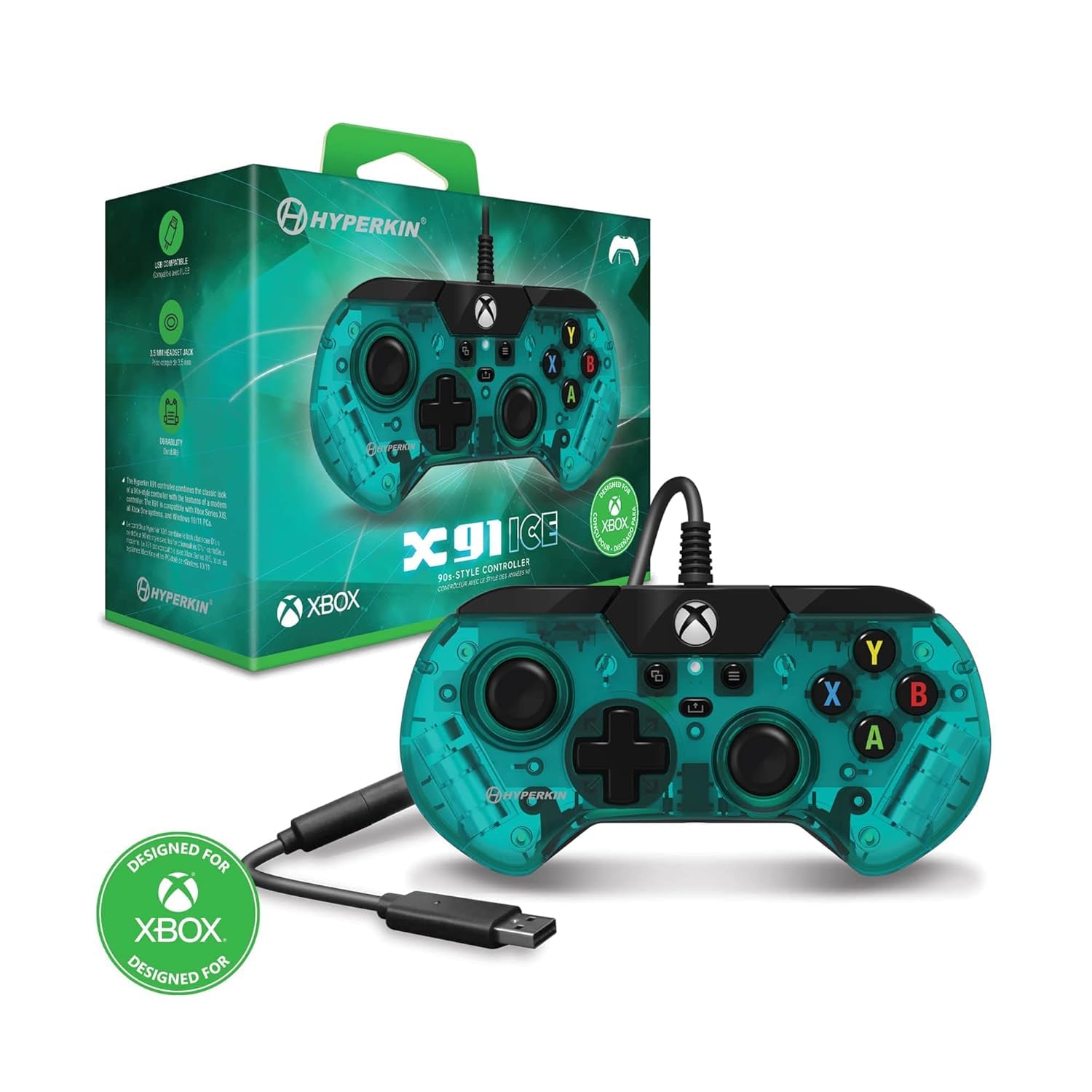
Hareupeun view of the Hyperkin X91 Ice Wired Controller in Aqua Green, showing the D-pad, analog sticks, face buttons, and Xbox button.
Fitur produk
- Retro Design with Modern Ergonomics: The controller features a sleek, smaller design reminiscent of 90s-era controllers, optimized for comfort during extended gameplay sessions.
- Precision Analog Triggers: Experience accurate and responsive control with the integrated analog triggers, essential for racing games and other titles requiring fine input.
- 3.5 mm Headset Jack: Connect your favorite gaming headset directly to the controller for immersive audio and clear communication.
- Tombol Bagikeun: Easily capture and share your gameplay moments with the dedicated Share button, compatible with Xbox Series X|S.
- Konektipitas kabel: Ensures a stable and lag-free connection with a durable USB cable.
- Eupan Balik Geter: Enhances immersion with responsive rumble features.

Image illustrating the retro design and ergonomic shape of the X91 controller.

Pahareup-hareup view highlighting the precision analog triggers (LT and RT) on the controller.

Image showing the 3.5mm headset jack located at the bottom of the controller.

Close-up of the controller's center, highlighting the Share button.
Disetél
Follow these steps to connect your Hyperkin X91 Ice Wired Controller to your gaming system or PC.
- Nyambungkeun ka Konsol/PC: Plug the USB connector of the controller's cable into an available USB port on your Xbox Series X|S, Xbox One console, or Windows 10/11 PC.
- Pangenal Sistim: Your system should automatically detect and install the necessary drivers for the controller. This may take a few moments.
- Siap dianggo: Once recognized, the controller's Xbox button will illuminate, indicating it is ready for use.
Parentah Operasi
Kadali dasar
- Tongkat analog: Use for movement and camera control.
- D-Pad: For directional input in menus or specific game actions.
- Tombol A, B, X, Y: Primary action buttons for in-game commands.
- Kancing Taktak (LB, RB): Typically used for secondary actions or menu navigation.
- Pemicu (LT, RT): Pressure-sensitive inputs for actions like acceleration, braking, or firing weapons.
- Tombol Xbox: Press to access the Xbox Guide or return to the home screen.
- View Tombol: Provides access to in-game maps, inventories, or other context-specific menus.
- Tombol Menu: Used for accessing game menus, pause options, or system settings.
Using the Share Button (Xbox Series X|S)
The Share button allows you to quickly capture screenshots and record game clips on compatible Xbox Series X|S consoles.
- Pers Tunggal: Nyokot screenshot.
- Tahan: Records a game clip of recent gameplay.
Pangropéa
Perawatan anu leres bakal manjangkeun umur controller anjeun.
- beberesih: Anggo lawon anu lemes sareng garing pikeun ngusap controller. Pikeun kokotor anu bandel, radaamp lawon bisa dipaké, mastikeun euweuh Uap asup bukaan.
- Panyimpenan: Store the controller in a clean, dry place away from extreme temperatures and direct sunlight.
- Perawatan kabel: Avoid sharply bending or twisting the USB cable. Do not pull the cable to disconnect the controller; always grasp the USB plug.
- Hindarkeun tetes: Protect the controller from impacts and drops, which can damage internal components.
Pamérésan masalah
If you encounter issues with your controller, refer to the following common solutions:
| Masalah | Solusi |
|---|---|
| Controller not recognized by system. |
|
| Tombol atawa stik analog teu ngaréspon. |
|
| Headset audio not working. |
|
spésifikasi
| Fitur | Rincian |
|---|---|
| Ngaran modél | X91 |
| Nomer modél | M02628-AG |
| merek | Hyperkin |
| Konektipitas | Kabel (USB) |
| Alat nu cocog | Xbox Series X|S, Xbox One, Windows 10/11 |
| Tipe Controller | Gamepad |
| Fitur tambahan | Ergonomic design, Rumble feedback, 3.5mm headset jack, Share button |
| Kuantitas Tombol | 16 |
| Warna | Aqua Héjo |
| UPC | 810007712642 |
Garansi sareng Rojongan
For warranty information and technical support, please refer to the official Hyperkin websitus atanapi ngahubungan layanan palanggan maranéhanana langsung. Simpen bukti pameseran anjeun pikeun klaim garansi.
Hyperkin Official Websitus: www.hyperkin.com