1. Bubuka
Thank you for choosing the LoraTap Smart WiFi Roller Shutter Module. This module is designed to integrate your traditional roller shutter motor with smart home systems, allowing for convenient control via a smartphone app, voice commands, or your existing wall switch. Please read this manual carefully before installation and use to ensure proper operation and safety.
2. Fitur Produk
- Kasaluyuan: Works seamlessly with your existing traditional roller shutter wall switch.
- Partial Control: Innovative function to set motor running time for partial opening or closing of shutters.
- Kadali jauh: Connects directly to 2.4GHz Wi-Fi for remote control via the free Smart Life app (Android/iOS), no hub required.
- Jadwal: Program precise opening and closing times using the timer function in the Smart Life app.
- Kontrol sora: Cocog sareng Amazon Alexa sareng Google Home pikeun operasi handsfree.
- Fungsi Grup: Control multiple modules simultaneously for synchronized operation of several shutters.
- Bagikeun alat: Bagikeun kadali modul sareng anggota kulawarga ngalangkungan aplikasi.
- Kasaluyuan motor: Supports 4-wire motors (2 output, 1 neutral, 1 ground) and 5-wire motors with an integrated driver.
3. Eusi Paket

Katerangan Gambar:
This image displays the items included in the product package. It shows the yellow LoraTap Roller Shutter Module, three colored cables for wiring, a small square of double-sided adhesive tape, a screwdriver, and a user guide booklet.
pakét ngawengku:
- LoraTap Smart WiFi Roller Shutter Module
- 3 x Cables for Wiring
- Pita napel dua sisi
- Obeng
- Guide pamaké
4. Spésifikasi

Katerangan Gambar:
This image illustrates the dimensions of the LoraTap Smart WiFi Roller Shutter Module. It shows the module with measurements indicating a length of 48mm, a width of 47mm, and a height of 22mm. A side view also confirms the 22mm thickness.
| Parameter | Nilai |
|---|---|
| Modél No. | SC500W |
| Modeu Operasi | HIRUP |
| Peunteun ayeuna | 10 A |
| Operasi Voltage | 100-250 Volts AC, 50/60Hz |
| Max. Beban Daya | 300W |
| Tipe Kontak | Biasana Ditutup |
| Tipe Panyambung | Terminal Blok |
| Pindah Tipe | Togél |
| Terminal | sekrup |
| Bahan | Acrylonitrile Butadiene Styrene (ABS) |
| Ukuran (L x W x H) | 48 x 47 x 22 milimeter |
5. Émbaran Kasalametan
WARNING: Risk of Electric Shock. Installation must be performed by a qualified electrician or a person with electrical knowledge. Always turn off power at the circuit breaker before installation, maintenance, or removal.
- Ensure the power supply is disconnected before handling any wiring.
- Verify that the module's specifications (voltage, current, load) are compatible with your motor and electrical system.
- Ulah ngalaan alat ka beueus atawa suhu ekstrim.
- Jauhkeun tina jangkauan barudak.
6. Pamasangan
6.1 Cék Pra-instalasi
- Confirm your roller shutter motor is compatible (4-wire or 5-wire with integrated driver).
- Ensure your electrical box has sufficient space for the module (48x47x22mm).
- Turn off the main power supply to the circuit at the circuit breaker before proceeding.
6.2 Diagram Wiring

Katerangan Gambar:
This image shows a detailed wiring diagram for the LoraTap Smart WiFi Roller Shutter Module. It illustrates connections for Input L (Live), Input N (Neutral), Output N (Neutral to motor), Output L (Live to motor), Output L1 (Motor Up), Output L2 (Motor Down), and connections for an external wall switch (S1, S2). It also shows the motor and earth wire (PE) connections.
Follow the diagram carefully for correct wiring:
- Connect the Live (L) and Neutral (N) wires from your power supply to the 'Input L' and 'Input N' terminals on the module.
- Connect the Neutral wire from your motor to the 'Output N' terminal on the module.
- Connect the Live wire from your motor to the 'Output L' terminal on the module.
- Connect the motor's 'Up' wire to the 'L1' terminal on the module.
- Connect the motor's 'Down' wire to the 'L2' terminal on the module.
- If using a traditional wall switch, connect the switch's 'Up' terminal to 'S1' and 'Down' terminal to 'S2' on the module. Ensure the switch is a momentary type or compatible with the module's input.
- Pastikeun sadaya sambungan aman sareng insulated.
6.3 Instalasi fisik

Katerangan Gambar:
This image shows the LoraTap Smart WiFi Roller Shutter Module connected and installed within a wall box, behind a traditional double-rocker wall switch. The module's compact size allows it to fit discreetly behind the existing switch, with wires neatly connected to both the module and the switch.
After wiring, carefully place the module into the wall box, ensuring no wires are pinched. Secure the traditional wall switch back into place. Restore power at the circuit breaker.
7. Configuration & Pairing
7.1 Unduh Aplikasi Smart Life
Milarian pikeun "Smart Life" in the Apple App Store or Google Play Store, or scan the QR code provided in the quick start guide (if applicable) to download and install the app.
7.2 Ngadaptar sareng Lebet
Open the Smart Life app, register a new account if you don't have one, and log in.
7.3 Tambihan Alat
- Pastikeun telepon anjeun disambungkeun ka jaringan Wi-Fi 2.4GHz.
- In the Smart Life app, tap the "+" icon in the top right corner to add a device.
- Select "Curtain Switch" or "Shutter Switch" from the device list (usually under "Electrician").
- Put the module into pairing mode: Press and hold the "Pairing Button" on the module for approximately 5 seconds until the indicator light flashes rapidly.
- Follow the on-screen instructions in the app to complete the pairing process. You will need to enter your Wi-Fi password.
- Once successfully added, you can rename the device for easier identification (e.g., "Living Room Shutter").
8. Operasi
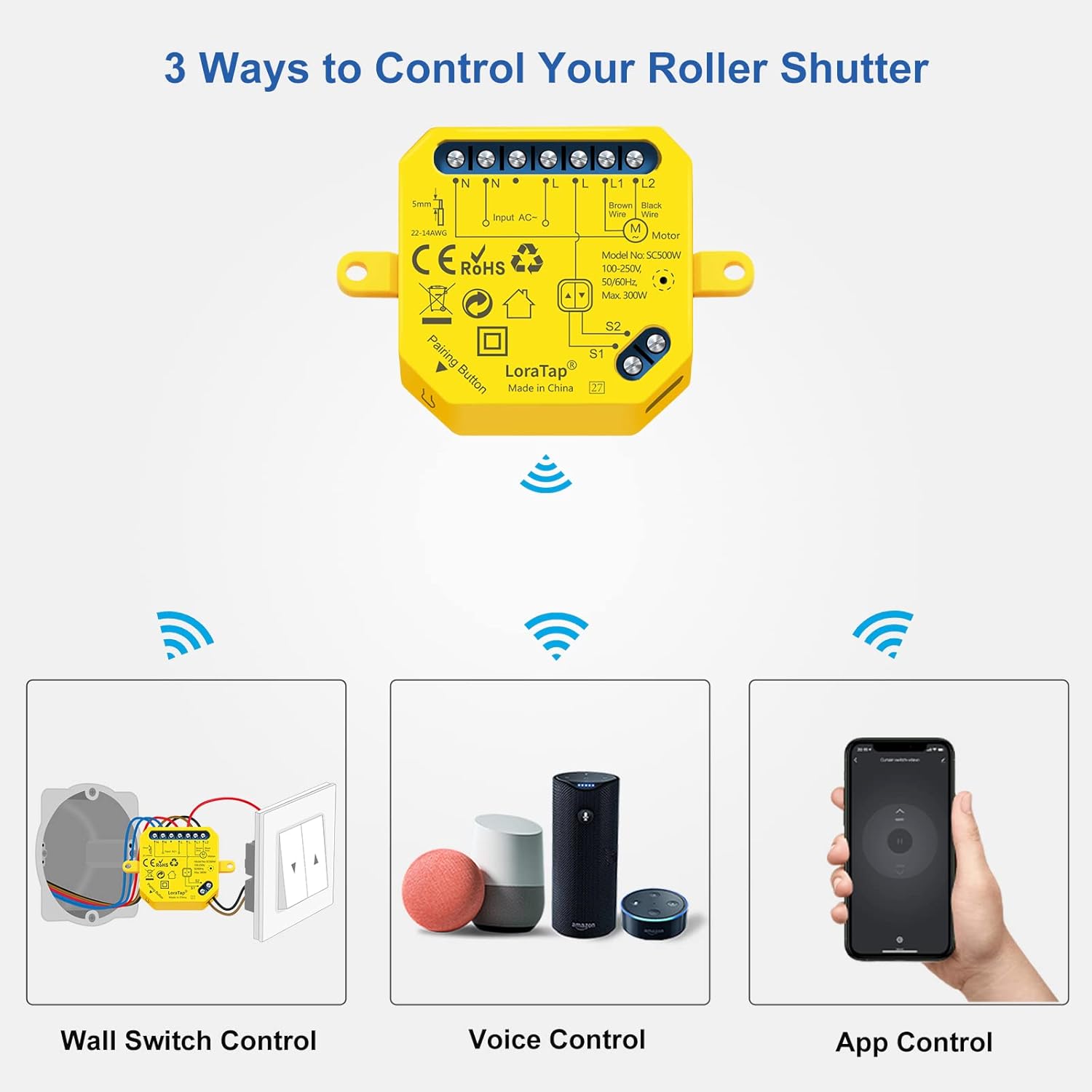
Katerangan Gambar:
This image illustrates the three primary methods for controlling the LoraTap Smart WiFi Roller Shutter Module: Wall Switch Control (showing the module connected to a traditional wall switch), Voice Control (depicting Amazon Echo and Google Home devices), and App Control (showing a smartphone with the Smart Life app interface).
8.1 App Control
Once the module is paired, you can control your roller shutter from anywhere using the Smart Life app.
- Buka/Tutup: Tap the respective buttons in the app interface to fully open or close the shutter.
- Partial Open/Close:

Katerangan Gambar:
This image shows how to set the opening and closing time for the roller shutter within the Smart Life app. It displays three smartphone screens, each showing a different duration (1 second, 70 seconds, 120 seconds) being set, corresponding to different partial opening/closing positions of the roller shutter.
In the app settings for the device, you can set the motor's running time. This allows you to achieve a specific partial open or closed position. For example, if your shutter takes 120 seconds to fully close, setting the time to 60 seconds will close it halfway.
- Timers and Schedules:
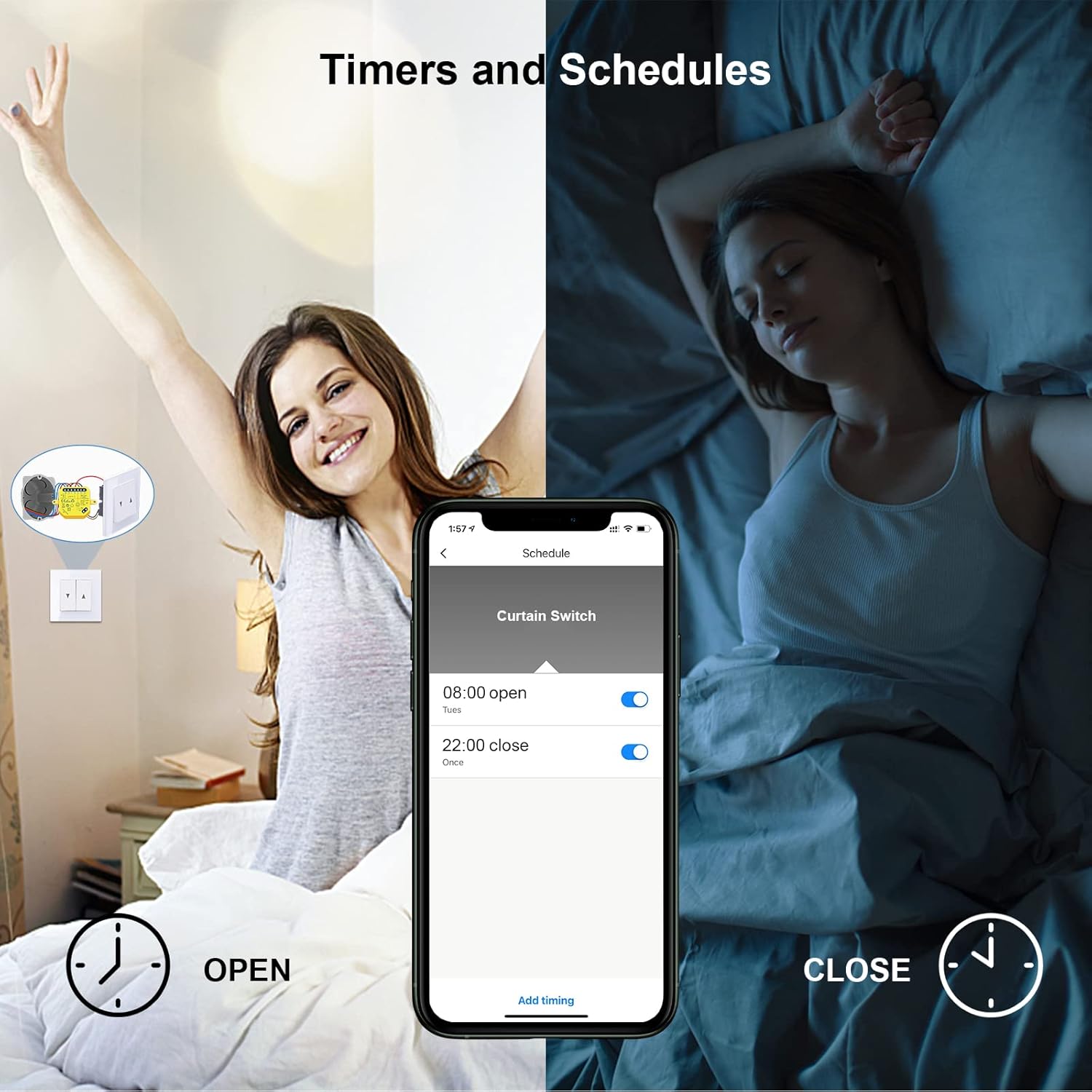
Katerangan Gambar:
This image illustrates the timer and scheduling feature within the Smart Life app. It shows a smartphone screen with a 'Schedule' interface, where a user has set the shutter to open at 08:00 and close at 22:00. The background depicts a person waking up as the shutter opens and sleeping as it closes, emphasizing the convenience of automated schedules.
Access the 'Schedule' or 'Timer' function within the device settings in the app. You can set specific times for the shutter to open or close automatically on chosen days of the week.
- Fungsi Grup:
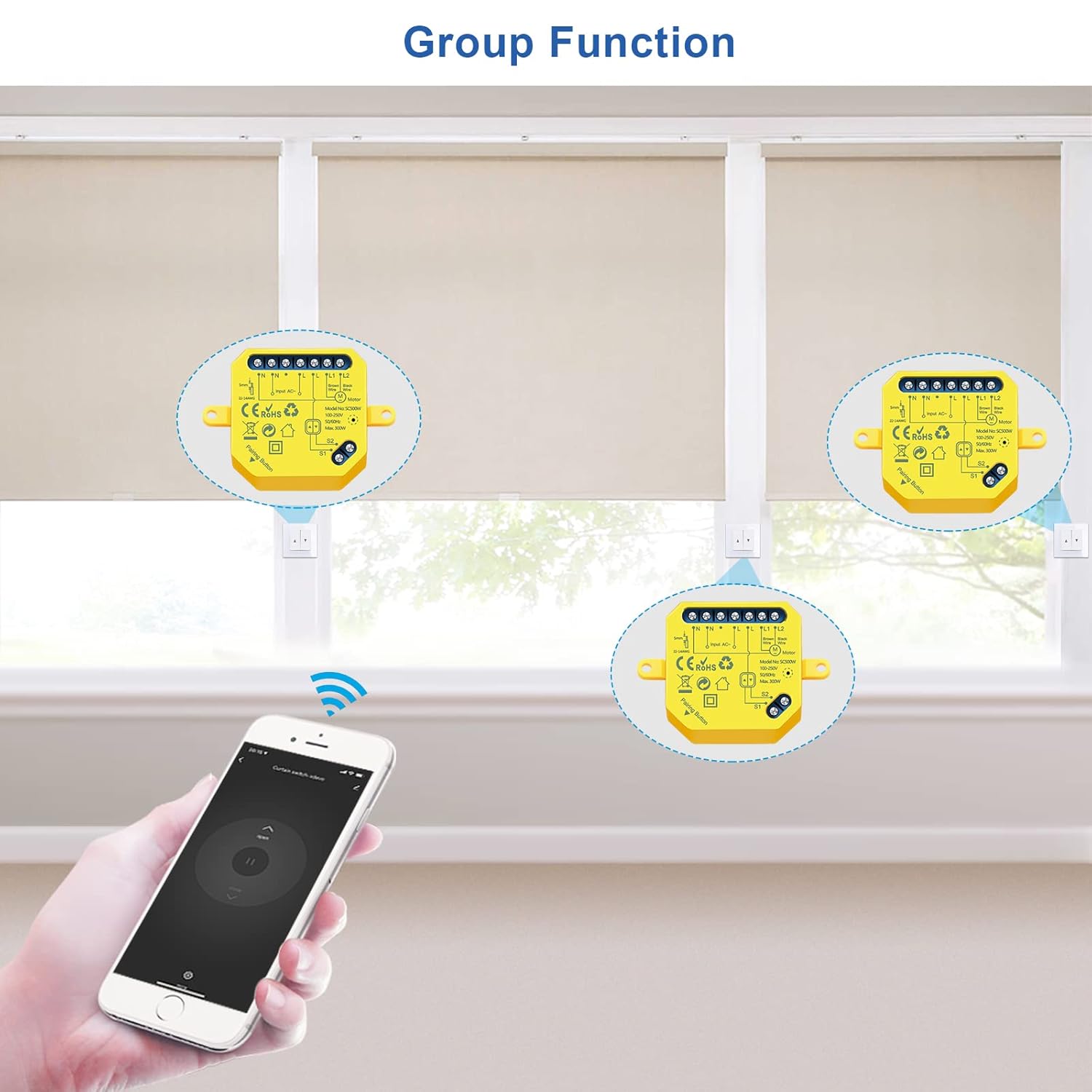
Katerangan Gambar:
This image demonstrates the 'Group Function' feature, showing three LoraTap modules installed with three separate roller shutters. A hand holding a smartphone with the Smart Life app is shown, indicating that all three shutters can be controlled simultaneously as a group from a single command in the app.
If you have multiple LoraTap modules, you can create groups in the Smart Life app to control several shutters simultaneously with a single command.
- Bagikeun alat:
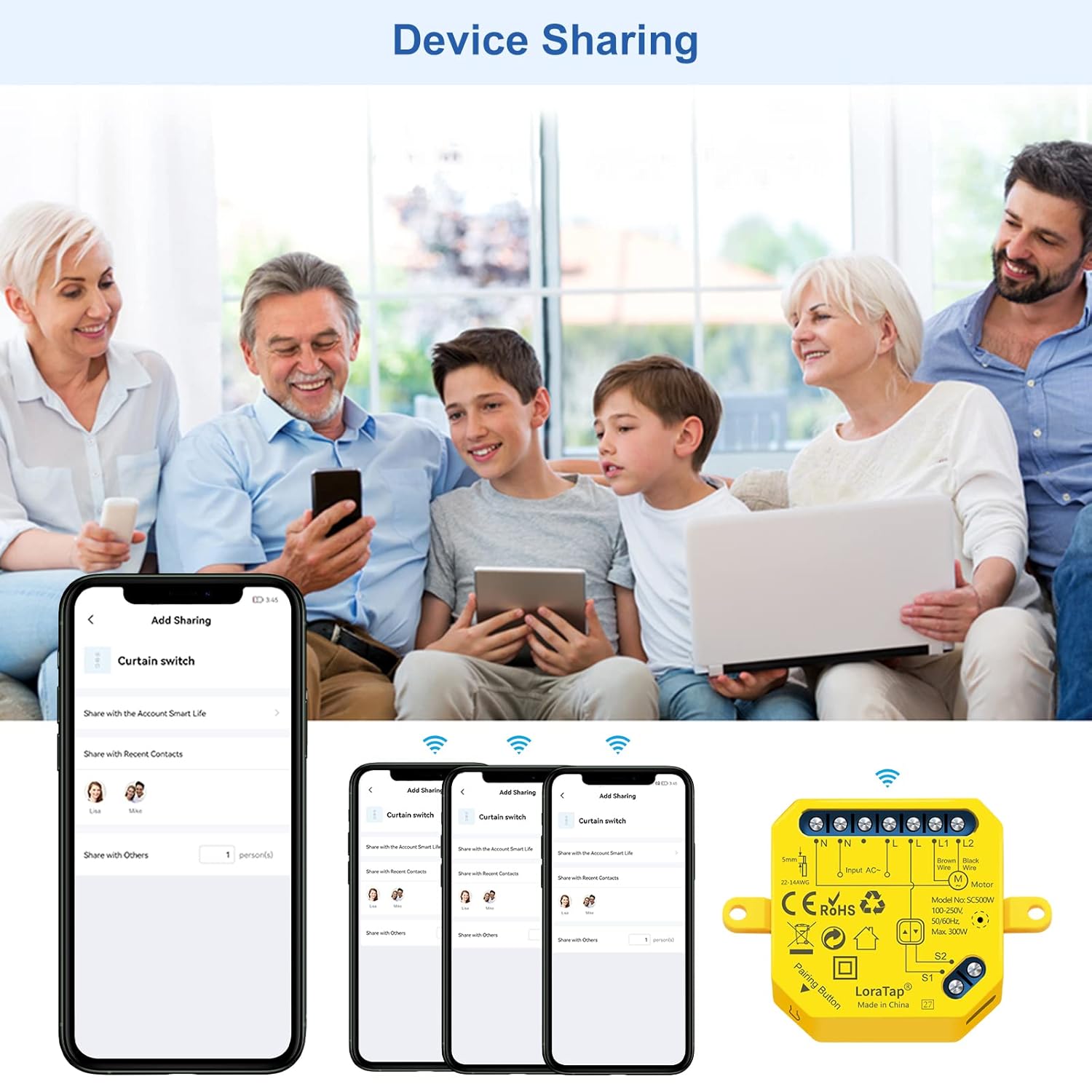
Katerangan Gambar:
This image illustrates the 'Device Sharing' feature of the Smart Life app. It shows a family using smartphones and tablets, implying shared control of smart devices. The app interface on the phone shows options to 'Add Sharing' and manage shared contacts, allowing multiple users to control the LoraTap module.
Share control of your LoraTap module with family members by inviting them through the Smart Life app's sharing feature.
8.2 Kontrol sora
To enable voice control, link your Smart Life account with Amazon Alexa or Google Home through their respective apps.
- Pikeun Amazon Alexa:
- Open the Alexa app, go to 'Skills & Games', search for 'Smart Life', and enable the skill.
- Link your Smart Life account.
- Panggihan alat.
- You can now use commands like: "Alexa, open [Device Name]", "Alexa, close [Device Name]", "Alexa, set [Device Name] to 50%" (if partial control is supported by the voice assistant).
- Pikeun Google Home:
- Open the Google Home app, tap 'Add' > 'Set up device' > 'Works with Google'.
- Milarian pikeun 'Smart Life', link your account.
- Assign devices to rooms.
- You can now use commands like: "Hey Google, open [Device Name]", "Hey Google, close [Device Name]".
8.3 Traditional Wall Switch Control
The LoraTap module is designed to work in conjunction with your existing traditional wall switch. You can continue to use the physical switch to control your roller shutter (open, stop, close) even after installing the smart module.
9. Pangropéa
The LoraTap Smart WiFi Roller Shutter Module requires minimal maintenance. Follow these guidelines:
- Keep the module and surrounding area clean and free from dust.
- Do not attempt to open or repair the module yourself. Refer to qualified personnel for any issues.
- Ensure the module is not exposed to water or excessive humidity.
10. Cara ngungkulan
- Modul teu ngaréspon:
- Check if the power supply to the module is on.
- Verify Wi-Fi connectivity. Ensure the module is within range of your 2.4GHz Wi-Fi router.
- Restart the module by turning off and on the power at the circuit breaker.
- Try re-pairing the module with the Smart Life app.
- Teu bisa nyambung ka Wi-Fi:
- Pastikeun jaringan Wi-Fi anjeun 2.4GHz. modul nu teu ngarojong jaringan 5GHz.
- Pariksa kecap akses Wi-Fi anjeun pikeun mastikeun leres.
- Move the module closer to your Wi-Fi router during pairing.
- Ensure your router is not using a hidden SSID or MAC filtering that would block new devices.
- Shutter not moving or moving incorrectly:
- Pariksa sadaya sambungan kabel aman sareng leres numutkeun diagram.
- Ensure the motor is functioning correctly when controlled by the traditional switch (if applicable).
- Check the motor's running time setting in the app for partial control issues.
- Kontrol sora teu jalan:
- Ensure your Smart Life account is correctly linked to Alexa/Google Home.
- Check the device name in the Smart Life app and use that exact name in your voice commands.
- Cobi manggihan deui alat dina aplikasi Alexa/Google Home.
11. Jaminan & Dukungan
LoraTap products come with a garansi 2 taun ti tanggal beuli. Garansi ieu nyertakeun cacad dina bahan sareng pagawean dina panggunaan normal.
Garansi henteu nutupan:
- Damage caused by improper installation or wiring.
- Karusakan anu disababkeun ku modifikasi atanapi perbaikan anu teu sah.
- Karusakan anu disababkeun ku salah guna, panyalahgunaan, atanapi kalalaian.
- Ruksakna disababkeun ku bencana alam atawa kalakuan Allah.
For technical support, warranty claims, or further assistance, please contact LoraTap customer service through the contact information provided on their official website or through your purchase platform. Please have your model number (SC500W) and proof of purchase ready.


