
1. Bubuka sarta Émbaran Kasalametan
Thank you for choosing the CLP Sotira Genuine Leather Office Chair. This manual provides essential information for the safe assembly, operation, and maintenance of your new chair. Please read it thoroughly before use and retain it for future reference.
Perhatosan Kasalametan Penting:
Do not use this chair with a weight exceeding 120 kg (approximately 265 lbs) to prevent damage or accidents. Ensure all components are securely fastened before use.
2. Produk Langkungview
The CLP Sotira office chair is designed for comfort and durability, featuring high-quality genuine leather upholstery and a stable metal frame. Its ergonomic design supports extended periods of sitting.
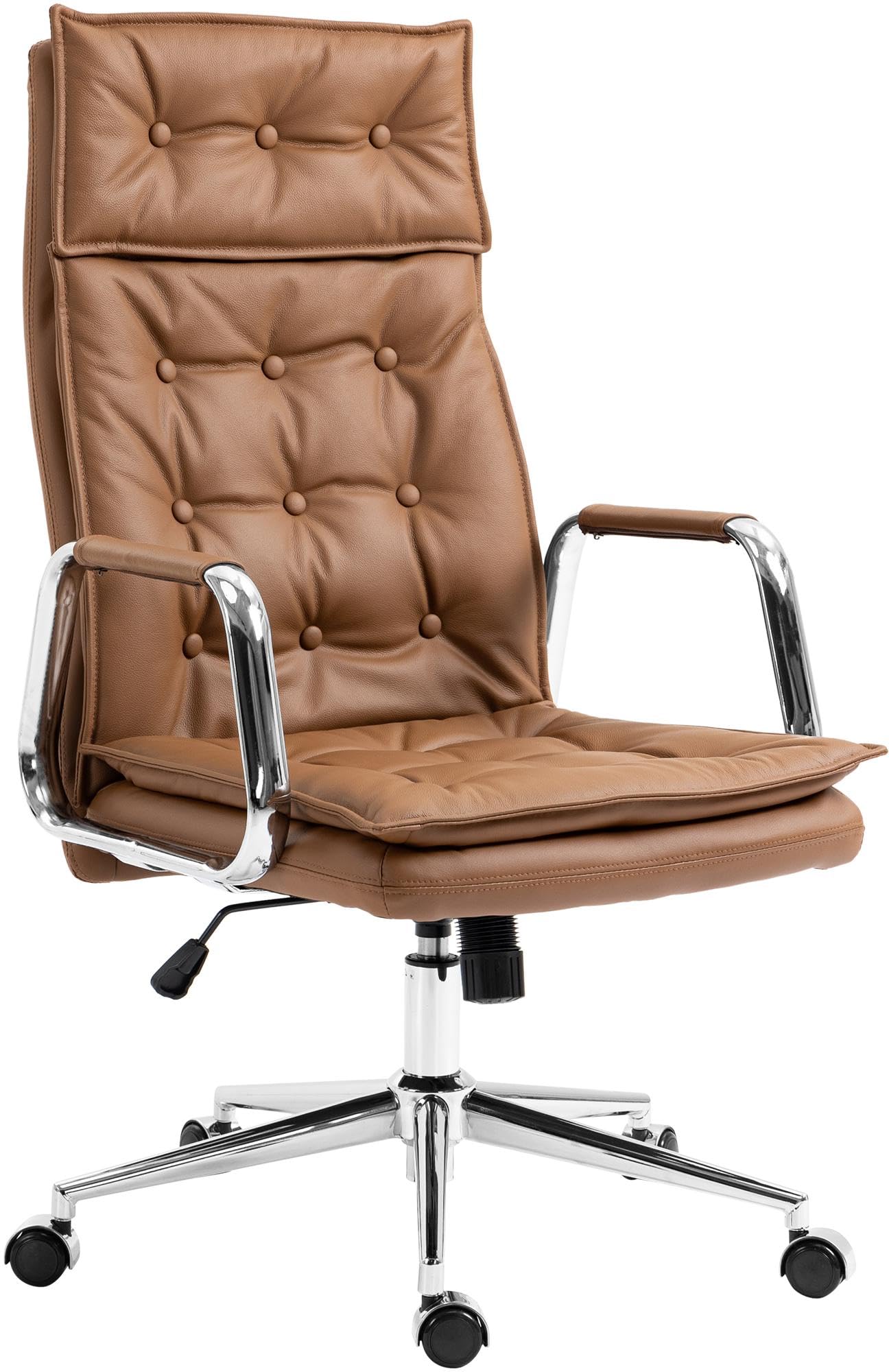
Image 2.1: The CLP Sotira Genuine Leather Office Chair, showcasing its design and light brown leather finish.
Fitur konci:
- Generously padded seat and backrest for enhanced comfort.
- Upholstered with high-quality genuine leather, known for its durability and ease of maintenance.
- Stable metal frame with smooth-rolling casters.
- Adjustable seat height and tilt mechanism.
3. Setup jeung Majelis
Assembly of the CLP Sotira office chair typically involves attaching the base, casters, gas lift, seat, backrest, and armrests. Please ensure all parts are present before beginning assembly. A Phillips head screwdriver may be required (not included).
Léngkah-léngkah Perakitan (Pituduh Umum):
- Unpack all components and verify against the parts list (if provided with your product).
- Selapkeun roda kana liang di tungtung unggal suku dasar korsi. Pencét pageuh dugi ka ngaklik kana tempatna.
- Pasangkeun tabung pengangkat gas kana liang tengah dasar korsi anu parantos dirakit.
- Attach the armrests to the seat cushion using the provided screws. Do not overtighten initially.
- Pasangkeun sandaran tonggong kana bantal korsi sareng sandaran leungeun, amankeun nganggo sekrup.
- Mount the assembled seat and backrest onto the gas lift cylinder. Ensure it is seated securely.
- Tighten all screws once the chair is fully assembled and stable.
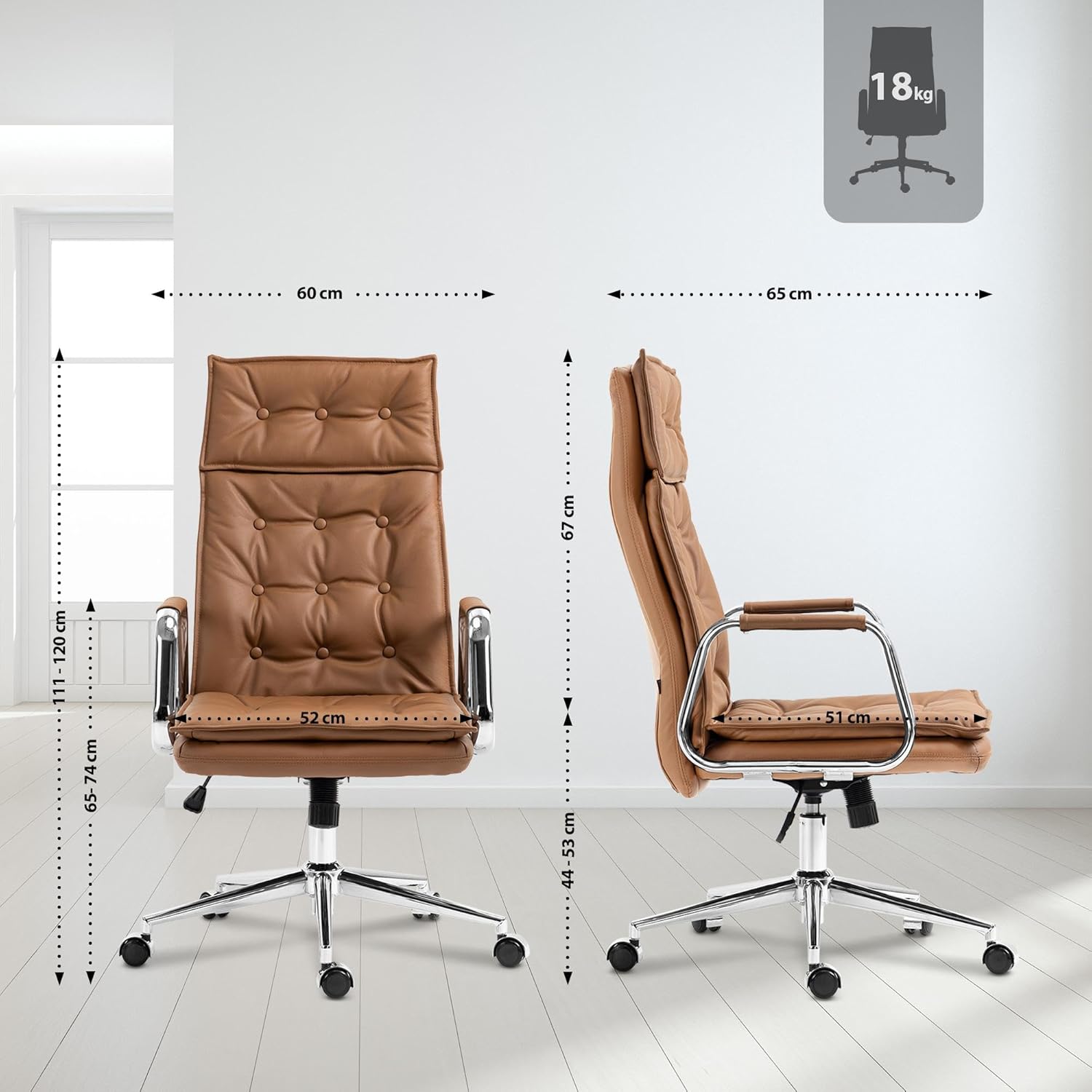
Image 3.1: Dimensional diagram of the CLP Sotira chair, useful for understanding component placement during assembly.
4. Parentah Operasi
The CLP Sotira office chair offers several adjustments to customize your seating experience.
Penyesuaian Jangkungna Korsi:
To adjust the seat height, locate the lever typically found under the right side of the seat. While seated, pull the lever up to lower the seat. To raise the seat, stand up and pull the lever up. Release the lever at the desired height.
Mékanisme Dengdekkeun:
The chair features a tilt mechanism for reclining. A lever, often located under the left side of the seat, controls the tilt lock. Pull the lever out to allow the chair to tilt. Push the lever in to lock the chair in an upright position. Some models may also have a tension knob (usually at the front under the seat) to adjust the resistance of the tilt.
5. Pangropéa
Proper maintenance will extend the life and appearance of your CLP Sotira office chair.
Parentah perawatan:
- Cleaning Leather: Clean the genuine leather upholstery with a damp cloth. For deeper cleaning, use a specialized leather cleaner according to its instructions.
- Vacuuming: Regularly vacuum the chair with an appropriate attachment to remove dust and debris from crevices.
- Hindarkeun Bahan Kimia Kasar: Do not use abrasive cleaners, solvents, or harsh chemicals, as these can damage the leather and metal finishes.
- Pariksa Fasteners: Pariksa sadaya sekrup sareng baut sacara berkala pikeun mastikeun éta pageuh. Kencengkeun deui upami diperyogikeun pikeun ngajaga stabilitas.
- Perawatan Caster: Jaga roda tetep bersih tina rambut sareng kokotor supados gerakanana lancar.

Image 5.1: Close-up of the chair's seat and armrest, illustrating the genuine leather material and chrome accents for maintenance reference.
6. Cara ngungkulan
Bagian ieu ngabahas masalah umum anu anjeun tiasa pendak sareng korsi kantor anjeun.
Masalah umum sareng Solusi:
- Korsi Wastafel atanapi Henteu Nahan Jangkungna: This usually indicates an issue with the gas lift cylinder. Contact customer support for a replacement.
- Korsi ngagerung: Check and tighten all screws, especially where the seat and backrest attach to the mechanism. A small amount of silicone lubricant can be applied to moving parts if the squeaking persists.
- Casters Teu Rolling Lancar: Remove any hair, dust, or debris wrapped around the caster wheels. If damaged, casters may need replacement.
- Korsi Karasa Teu Stabil/Oyag: Pastikeun sadaya sekrup rakitan parantos kenceng pisan. Pariksa yén lift gas parantos dipasang kalayan leres dina dasarna.
7. Spésifikasi
| Spésifikasi | Rincian |
|---|---|
| merek | CLP |
| Nomer modél | 314992 (Sotira) |
| Bahan | Genuine Leather (Seat Type: Leather), Metal (Frame Material) |
| Total Dimensions (H x W x D) | 111 - 120 cm x 60 cm x 65 cm |
| Jangkungna korsi | 46 - 55 cm |
| Seat Surface (W x D) | 52 cm x 51 cm |
| Jangkungna sandaran | 67 cm |
| Jangkungna panangan | 65 - 74 cm |
| Item Beurat | 18 kg |
| Kapasitas beban maksimum | 120 kg |
| Fitur husus | Stabil |
| Parentah perawatan | Bersih sareng iklanamp cloth and vacuum with appropriate attachment |
8. Garansi jeung Rojongan
Warranty information for the CLP Sotira office chair is typically provided at the point of purchase or included with the product packaging. Please refer to these documents for details regarding coverage and duration.
For technical support, replacement parts, or any other inquiries, please contact the manufacturer or your retailer directly. Keep your purchase receipt and model number (Sotira, Model 314992) readily available when contacting support.