Bubuka
Thank you for choosing the Max Power Portable Speaker MPD823. This high-powered PA loudspeaker system is designed to provide an immersive audio experience with its versatile features, including Bluetooth connectivity, USB input, LED lights, and a built-in rechargeable battery. This manual will guide you through the setup, operation, and maintenance of your new speaker.
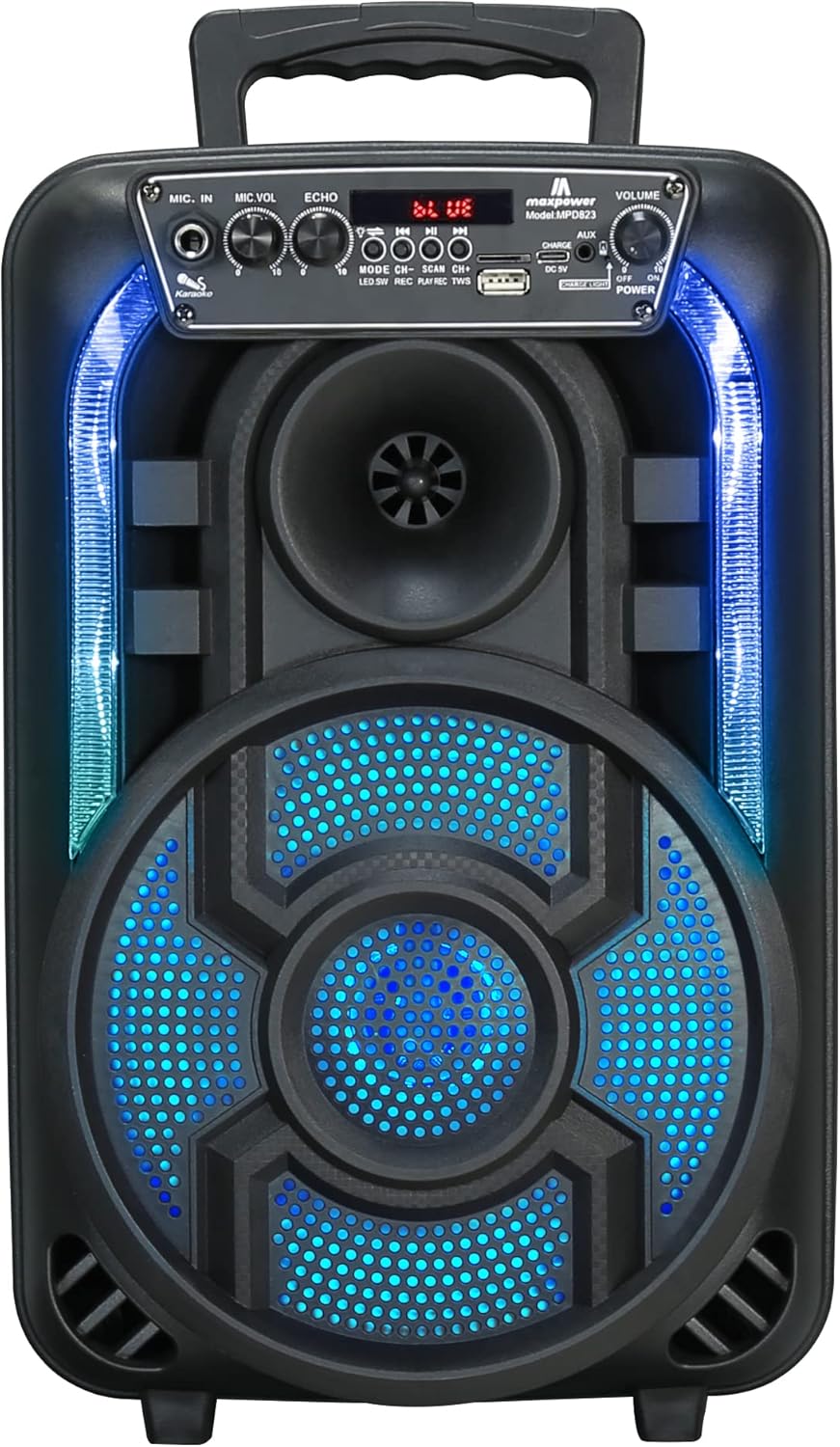
Gambar 1: Hareupeun view of the Max Power Portable Speaker MPD823, showcasing its illuminated blue LED lights and control panel.
Eusi pakét
- Max Power Portable Speaker MPD823
- Mikropon kabel
- Kadali jauh
- Charging Cable (Type C)
- Manual pamaké
Disetél
1. Ngecas Speaker
Before first use, fully charge the speaker. Connect the provided charging cable to the DC 5V input port on the speaker and the other end to a suitable power source. The charging level indicator lights will show the battery status. A full charge ensures maximum playtime.
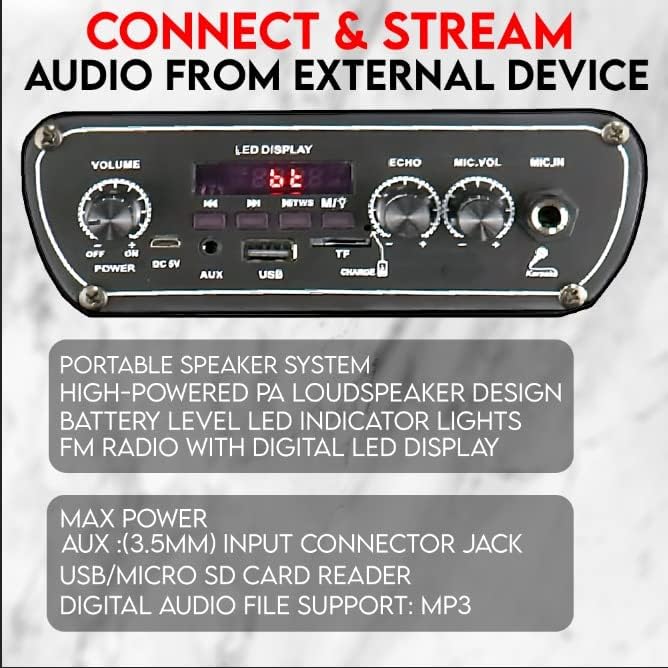
Figure 2: Detail of the speaker's control panel, highlighting the USB, AUX, and DC 5V charging input ports.
2. Powering on / Pareum
Panggihan lokasina ON/OFF switch on the control panel. Slide it to the ON position to power on the speaker. Slide it to the Pareum posisi pikeun mareuman.
Parentah Operasi
1. Konektipitas Bluetooth
The speaker is capable of connecting to Bluetooth-enabled devices such as Android mobile phones, iPads, iPhones, laptops, and tablets. The effective range for Bluetooth connection is 5-10 meters.
- Ensure the speaker is powered on and in Bluetooth mode (indicated by the LED display).
- Dina alat anjeun, aktipkeun Bluetooth sareng milarian alat anu sayogi.
- Pilih "MPD823" tina daptar alat.
- Sakali disambungkeun, anjeun bakal ngadéngé sora konfirmasi ti speaker.
2. Input USB sareng AUX
You can play audio directly from a USB drive or an external device using the AUX input.
- Input USB: Selapkeun USB flash drive nu ngandung audio MP3 files into the USB port. The speaker will automatically detect and begin playing the music.
- Input AUX: Sambungkeun alat audio éksternal (contona, smartphone, pamuter MP3) kana AUX (3.5mm) input jack using a 3.5mm audio cable (not included). Switch the speaker to AUX mode if it doesn't automatically detect the input.
3. Pamakéan Mikropon (Karaoke)
The included wired microphone allows for karaoke and public address functions.
- Connect the wired microphone to the MIC.IN port on the control panel.
- Saluyukeun MIC.VOL kenop pikeun ngatur volume mikropon.
- Ngagunakeun éta ECHO knob to add an echo effect to your voice.

Gambar 3: Leuwihview of key features including karaoke controls, auxiliary input, FM radio, and the light switch.
4. Lampu LED
The speaker features multi-color flashing DJ lights to enhance your audio experience.
- Panggihan lokasina Pindah Lampu dina panel kontrol.
- Flip the switch to turn the LED lights on or off.
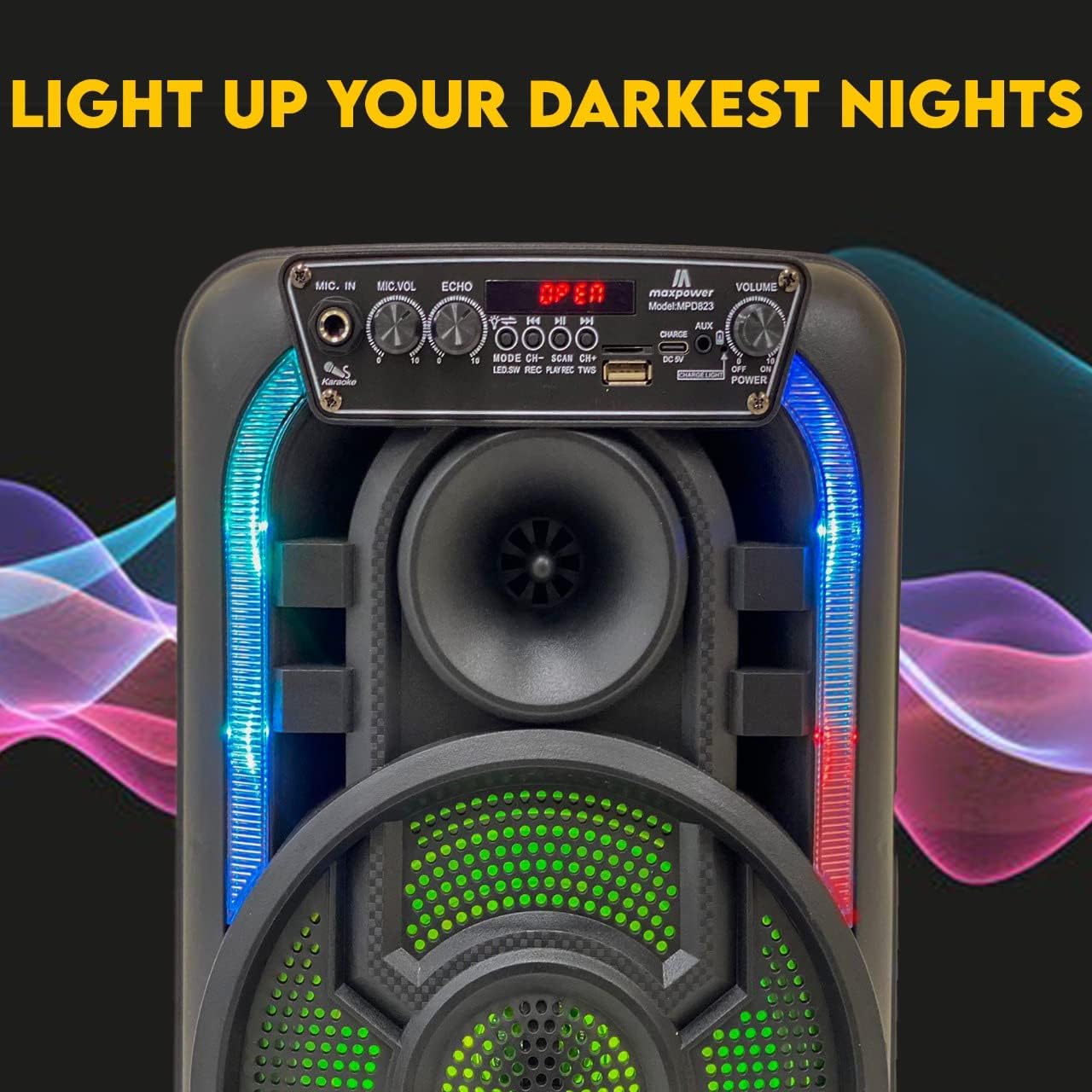
Figure 4: The speaker with its dynamic LED lights illuminated, creating an engaging visual effect.
5. Radio FM
The speaker includes a built-in FM radio with a digital LED display.
- Switch the speaker to FM radio mode.
- Use the control buttons (e.g., SCAN) to automatically search for and save available radio stations.
- Ngagunakeun éta CH+ jeung CH- tombol pikeun nganapigasi antara stasiun disimpen.
6. Volume Control
Atur volume sakabéhna nganggo VOLUME knob on the control panel.
Pangropéa
- beberesih: Anggo kaén anu garing sareng lemes pikeun ngabersihan bagian luar spéker. Ulah make cleaners abrasive atawa pangleyur.
- Panyimpenan: Simpen spéker di tempat anu tiis sareng garing jauh tina sinar panonpoé langsung sareng suhu anu ekstrim upami henteu dianggo kanggo waktos anu lami.
- Perawatan batré: Pikeun manjangkeun umur batré, ulah sering ngosongkeun batréna. Cas spiker sacara rutin, sanaos henteu dianggo terus-terusan.
- Paparan cai: Spiker ieu henteu tahan cai. Ulah kakeunaan cai atanapi kalembaban anu kaleuleuwihi.
Pamérésan masalah
| Masalah | Mungkin Cukang lantaranana | Solusi |
|---|---|---|
| Taya kakuatan | Batré lemah atawa paéh. | Ngecas spiker nganggo kabel ngecas nu disadiakeun. |
| Taya sora | Volume teuing low; modeu input salah; alat teu disambungkeun bener. | Increase volume; ensure correct input mode (Bluetooth, USB, AUX); re-pair Bluetooth device or re-connect cable. |
| Bluetooth teu nyambung | Speaker is out of range; Bluetooth not enabled on device; speaker not in pairing mode. | Move device closer to speaker (within 5-10 meters); enable Bluetooth on your device; ensure speaker is in Bluetooth mode. |
| Mikropon teu jalan | Microphone not plugged in correctly; MIC.VOL is too low. | Ensure microphone is fully inserted into the MIC.IN port; increase MIC.VOL. |
spésifikasi
| Fitur | Rincian |
|---|---|
| Nomer modél | MPD823 |
| Ukuran (L x W x H) | 9.4 x 6.3 x 14.2 inci |
| Item Beurat | 5.1 pon (2.32 Kilogram) |
| Sumber Daya | Batré Powered (1 batré Litium Ion kaasup) |
| Téhnologi konektipitas | Bluetooth, USB |
| Input Audio | USB, Bluetooth, Microphone, Aux (3.5mm) |
| Bahan | Polipropilén (PP) |
| Warna | Hideung |
| Tipe Pamasangan | Tabletop |
| Alat nu cocog | Laptop, Tablet, Smartphone |
| UPC | 761062717021 |

Figure 5: Dimensions of the Max Power Portable Speaker MPD823.
Émbaran jaminan
Max Power products are manufactured with high-quality materials and craftsmanship. For specific warranty details, please refer to the warranty card included with your purchase or visit the official Max Power websitus. Simpen resi pameseran anjeun salaku bukti pameseran pikeun klaim garansi.
Rojongan Palanggan
If you have any questions, require technical assistance, or encounter issues not covered in this manual, please contact Max Power customer support. Contact information can typically be found on the product packaging or the official Max Power websitus.


