
1. Bubuka
Hatur nuhun pikeun meuliasing the Kisonli L-8080 Wired Mini Speaker with RGB LED Light. This manual provides essential information for the safe and efficient operation of your new speaker system. Please read this manual thoroughly before use and retain it for future reference.
The Kisonli L-8080 is a compact wired speaker system designed for personal computers. It features vibrant RGB LED lighting and delivers clear audio. The speakers connect via USB and are suitable for tabletop placement.
2. Émbaran Kasalametan
- Do not expose the device to water or excessive moisture. This product is not water-resistant.
- Avoid placing the speaker near heat sources, such as radiators, heat registers, stoves, or other apparatus (including ampLiifiers) anu ngahasilkeun panas.
- Paké ngan kantétan / asesoris dieusian ku produsén.
- Cabut colokan alat ieu nalika badai kilat atanapi nalika henteu dianggo kanggo waktos anu lami.
- Entong nyobian ngalayanan produk ieu nyalira. Rujuk sadayana ngalayanan ka tanaga jasa anu mumpuni.
- Jauhkeun tina jangkauan barudak.
3. Eusi Paket
Mangga parios eusi pakét taliti. Upami aya barang anu leungit atanapi rusak, hubungi pangecér anjeun.
- Kisonli L-8080 Mini Speaker (2 units)
- Manual pamaké
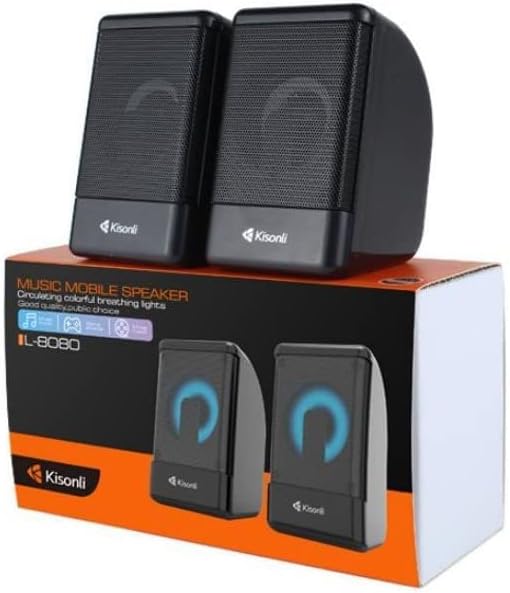
Image: Kisonli L-8080 speakers shown in their retail packaging, illustrating the product as it appears when unboxed.
4. Produk Langkungview
The Kisonli L-8080 speaker system consists of two compact speakers designed for desktop use. Each speaker features an integrated RGB LED light that provides a colorful visual effect. The speakers are connected via a single USB cable for both power and audio signal.
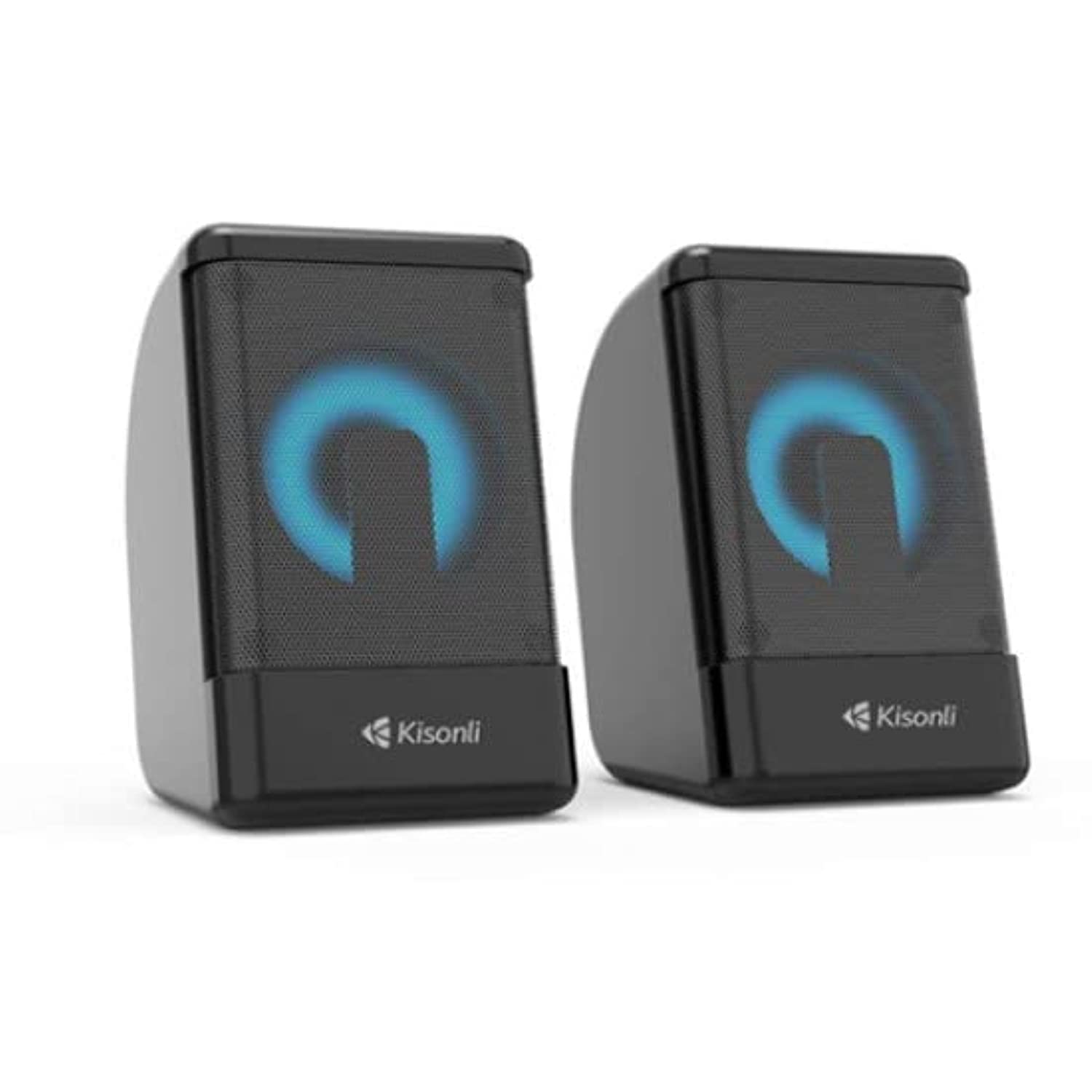
Gambar: Hareupeun view of the two Kisonli L-8080 speakers, one displaying a blue RGB light and the other a red RGB light.
Fitur konci:
- Compact design for desktop use.
- Wired USB connectivity for power and audio.
- Integrated RGB LED lighting.
- Tabletop mounting type.
5. Parentah Setup
Follow these steps to set up your Kisonli L-8080 speakers:
- panempatan: Place the two speakers on a stable, flat surface, such as your desk, ensuring they are positioned for optimal sound delivery.
- Sambungkeun kabel USB: Locate the integrated USB cable from the speaker system. Plug the USB connector into an available USB port on your personal computer or a compatible USB power adapter. This connection provides power to the speakers and transmits the audio signal.
- Pamilihan Kaluaran Audio: On your computer, ensure that the Kisonli L-8080 speakers are selected as the default audio output device. This can typically be done through your operating system's sound settings.
- Daya Hurung: The speakers will power on automatically once connected to a powered USB port. The RGB LED lights will illuminate.
6. Parentah Operasi
6.1 Playback audio
- Once connected and powered on, the speakers are ready to play audio from your connected computer.
- Control the volume directly from your computer's operating system or through the volume control integrated into the speaker cable (if present).
6.2 Lampu LED RGB
- The speakers feature automatic RGB LED lighting that cycles through various colors.
- The product specifications mention a "remote control" method. If your speaker cable includes an inline controller, use it to adjust lighting modes or turn the lights on/off. Refer to the specific controls on your speaker's cable.
7. Pangropéa
- beberesih: Use a soft, dry cloth to clean the exterior of the speakers. Do not use liquid cleaners or aerosol sprays.
- Panyimpenan: Upami henteu dianggo salami lami, simpen speaker di tempat anu tiis sareng garing, jauh tina sinar panonpoé langsung sareng suhu anu ekstrim.
- Perawatan kabel: Ulah ngabengkokkeun atanapi ngakrimp kabel USB kaleuleuwihi pikeun nyegah karusakan.
8. Cara ngungkulan
| Masalah | Mungkin Cukang lantaranana | Solusi |
|---|---|---|
| Taya sora tina speaker. |
|
|
| Lampu RGB teu jalan. |
|
|
| Kualitas sora goréng atawa menyimpang. |
|
|
9. Spésifikasi
| merek | Kisonli |
| Ngaran modél | L-8080 |
| Téhnologi konektipitas | Kabel (USB) |
| Alat nu cocog | Komputer Pribadi |
| Mode Kaluaran Audio | Sakuriling |
| Tipe Pamasangan | Tabletop |
| Sumber Daya | Kabel Listrik (ngaliwatan USB) |
| Ukuran Speaker | 1 inci |
| Métode kontrol | Remote (likely inline cable control) |
| Warna | Hideung |
| Ukuran (Pangiriman) | 20.5 x 11.4 x 7.3 cm |
| Beurat (Pangiriman) | 480 gram |
| Tahan cai | No |
10. Émbaran jaminan
The Kisonli L-8080 speaker comes with a jaminan kawates. Please refer to the warranty card included in your package for specific terms and conditions, including the duration and coverage details.
Extended warranty options may be available from your retailer. For details on extended protection plans, please contact your point of purchase.
11. Rojongan
For technical support, troubleshooting assistance, or warranty claims, please contact your retailer or the Kisonli customer service department.
Please have your product model number (L-8080) and proof of purchase ready when contacting support.


