1. Produk Langkungview
The STABILA LD220 is a compact and easy-to-use laser distance measuring tool designed for quick and accurate measurements. It features an impact-resistant housing with a shock-absorbent STABILA soft grip casing, ensuring durability in various working conditions. The large digits on the display facilitate easy reading of measurements.
Fitur konci:
- Compact, easy-to-use laser.
- 4 basic measuring functions: length, area, volume, and continuous measurement.
- Calculates measuring results quickly.
- Large digits for easy readability.
- Impact-resistant housing with shock-absorbent STABILA soft grip casing.
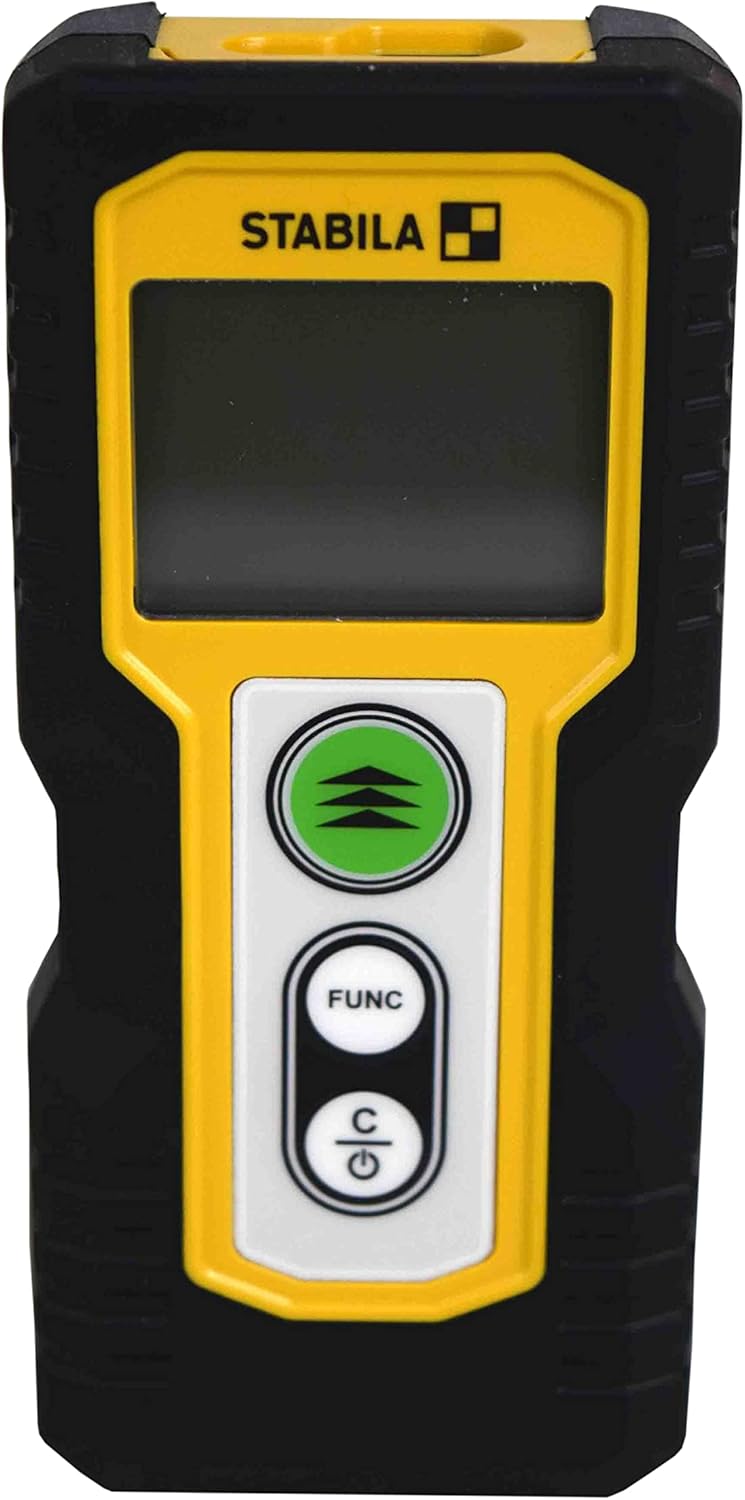
Gambar 1.1: Hareupeun view of the STABILA LD220 laser distance measuring tool, showcasing desain sareng tampilanna anu ringkes.
2. Ngamimitian
2.1 Eusi pakét
Pastikeun yén sadaya komponén aya:
- STABILA LD220 Laser Distance Measuring Tool
- Batteries (Alkaline, LR03/AAA type)
2.2 Pamasangan batré
The STABILA LD220 requires two AAA alkaline batteries for operation. Follow these steps to install them:
- Panggihan panutup kompartemen batré di bagian tukang alat.
- Geser panutup ka handap atawa dina arah nu dituduhkeun ku panah pikeun mukakeunana.
- Insert two AAA alkaline batteries, ensuring the correct polarity (+ and -) as marked inside the compartment.
- Tutup panutup kompartemen batré ku cara ngageser deui kana tempatna nepi ka klik aman.

Figure 2.1: The STABILA LD220 device shown alongside two AAA batteries, indicating the power source.

Gambar 2.2: A close-up view of the two AAA alkaline batteries, which power the device.
2.3 Powering on / Pareum
Pikeun mareuman alat, pencét tombol Power/Clear (C) kancing. Pikeun mareuman, pencét jeung tahan tombol Power/Clear (C) button for a few seconds, or the device will automatically shut off after a period of inactivity to conserve battery life.
3. Parentah Operasi
The STABILA LD220 offers four primary measuring functions. Familiarize yourself with the buttons:
- Measurement Button (Green, with three arrows): Initiates a measurement or activates continuous measurement.
- Function Button (FUNC): Cycles through different measurement modes (Length, Area, Volume, Continuous).
- Power/Clear Button (C): Powers the device on/off, clears the last measurement, or exits a function.

Gambar 3.1: A lengkep view of the STABILA LD220's control panel, highlighting the measurement, function, and power/clear buttons.
3.1 Pangukuran Panjang
This is the default mode for single distance measurements.
- Pastikeun alat diaktipkeun.
- Arah sinar laser dina beungeut target.
- Pencét éta Tombol Pangukuran once. The measured distance will appear on the display.
3.2 Pangukuran Terus-terusan (Tracking)
This mode allows for dynamic measurement, displaying real-time distance as you move the device.
- Pencét éta FUNC button until the continuous measurement icon (often a series of horizontal lines or a tracking symbol) appears on the display.
- Pencét éta Tombol Pangukuran pikeun ngamimitian pangukuran kontinyu.
- Move the device slowly towards or away from the target. The display will update the distance continuously.
- Pencét éta Tombol Pangukuran deui atawa teh C button to stop continuous measurement.
3.3 Pangukuran Wewengkon
To calculate the area of a rectangular space (Length x Width).
- Pencét éta FUNC button until the area measurement icon (a square or rectangle) appears.
- Measure the first side (e.g., length) by pointing the laser and pressing the Tombol Pangukuran.
- Measure the second side (e.g., width) by pointing the laser and pressing the Tombol Pangukuran deui.
- Alat éta bakal otomatis ngitung sareng nampilkeun daérah éta.
3.4 Pangukuran Volume
To calculate the volume of a rectangular space (Length x Width x Height).
- Pencét éta FUNC button until the volume measurement icon (a cube or rectangular prism) appears.
- Measure the first side (e.g., length) by pointing the laser and pressing the Tombol Pangukuran.
- Measure the second side (e.g., width) by pointing the laser and pressing the Tombol Pangukuran.
- Measure the third side (e.g., height) by pointing the laser and pressing the Tombol Pangukuran.
- Alat bakal otomatis ngitung sareng nampilkeun volume.

Figure 3.2: The product packaging illustrating the various measuring functions, including length, area, volume, and tracking.
4. Perawatan sareng Pangropéa
Proper care and maintenance will extend the life of your STABILA LD220.
- beberesih: Ngagunakeun lemes, damp cloth to clean the device. Do not use harsh chemicals, abrasive cleaners, or solvents. Ensure the laser lens and display are kept clean for accurate readings.
- Panyimpenan: Store the device in a dry, cool place, away from direct sunlight and extreme temperatures. If storing for an extended period, remove the batteries to prevent leakage.
- Penanganan: Although the device has an impact-resistant housing, avoid dropping it or subjecting it to severe shocks.
- Perawatan batré: Replace batteries when the low battery indicator appears on the display. Dispose of used batteries according to local regulations.
5. Cara ngungkulan
If you encounter issues with your STABILA LD220, refer to the following common problems and solutions:
| Masalah | Mungkin Cukang lantaranana | Solusi |
|---|---|---|
| Alat teu hurung. | Batré paéh atawa salah dipasang. | Pariksa polaritas batréna. Ganti ku batré alkali AAA anu énggal. |
| Pangukuran anu teu akurat. | Laser lens is dirty; target surface is too reflective/absorbent; device is unstable during measurement. | Clean the laser lens with a soft cloth. Use a target plate for difficult surfaces. Ensure the device is held steady. |
| Pintonan nunjukkeun pesen kasalahan. | Pangukuran di luar jangkauan; kasalahan internal. | Ensure target is within the 100ft (30m) range. Power off and restart the device. If the error persists, contact support. |
| Sinar laser teu katingali. | Cahaya sabudeureun nu caang; laser teu diaktipkeun. | Use in lower light conditions or use a laser target plate. Press the measurement button to activate the laser. |
6. Spésifikasi Téknis
Detailed specifications for the STABILA LD220 Laser Distance Measuring Tool:
| Spésifikasi | Nilai |
|---|---|
| Nomer modél | Stabila - 06220 |
| Rentang Ukur | Nepi ka 100 ft (30 m) |
| Fungsi Pangukuran | Length, Area, Volume, Continuous Measurement |
| Warna | Hideung |
| Bahan | palastik |
| Ukuran barang (L x W x H) | 8 x 5 x 2 inci |
| Item Beurat | 8 ons |
| Batré Diperlukeun | No (Included Components: Stabila - 06220, but requires 2x AAA Alkaline batteries for operation) |
| Jenis Batré | Alkaline (AAA) |
| Produsén | Stabila |
| Tanggal Kahiji Sadia | 17 Maret 2022 |

Gambar 6.1: Tukangeun view of the STABILA LD220, displaying the product label with model number, power requirements, and laser class information.
7. Garansi jeung Rojongan
For information regarding product warranty, returns, or technical support, please refer to the documentation included with your purchase or visit the official Stabila websitus. Sarat jeung kaayaan jaminan husus bisa rupa-rupa dumasar wewengkon sarta pangecér.


