
1. Bubuka
This manual provides instructions for the setup, operation, and maintenance of your Cuifati Bilingual Chinese English Wired Computer Keyboard. This full-sized 108-key keyboard features both Chinese and English characters, a USB wired connection, and is designed for general use in home, office, and gaming environments.

Image: Cuifati Wired Computer Keyboard overview.
2. Setélan
The Cuifati Wired Computer Keyboard is designed for simple plug-and-play functionality. No additional drivers or software are required for basic operation.
- Buka bungkus kibor: Cabut keyboard sacara saksama tina bungkusanna.
- Connect to your Device: Locate an available USB-A port on your computer (desktop or laptop). Insert the USB connector of the keyboard cable into the USB port.
- Pangenal Sistim: Your operating system should automatically detect and configure the keyboard. This process may take a few moments.
- Mimitian Paké: Sakali dipikawanoh, keyboard geus siap pikeun pamakéan langsung.

Image: Close-up of the USB-A connector for connection to a computer.
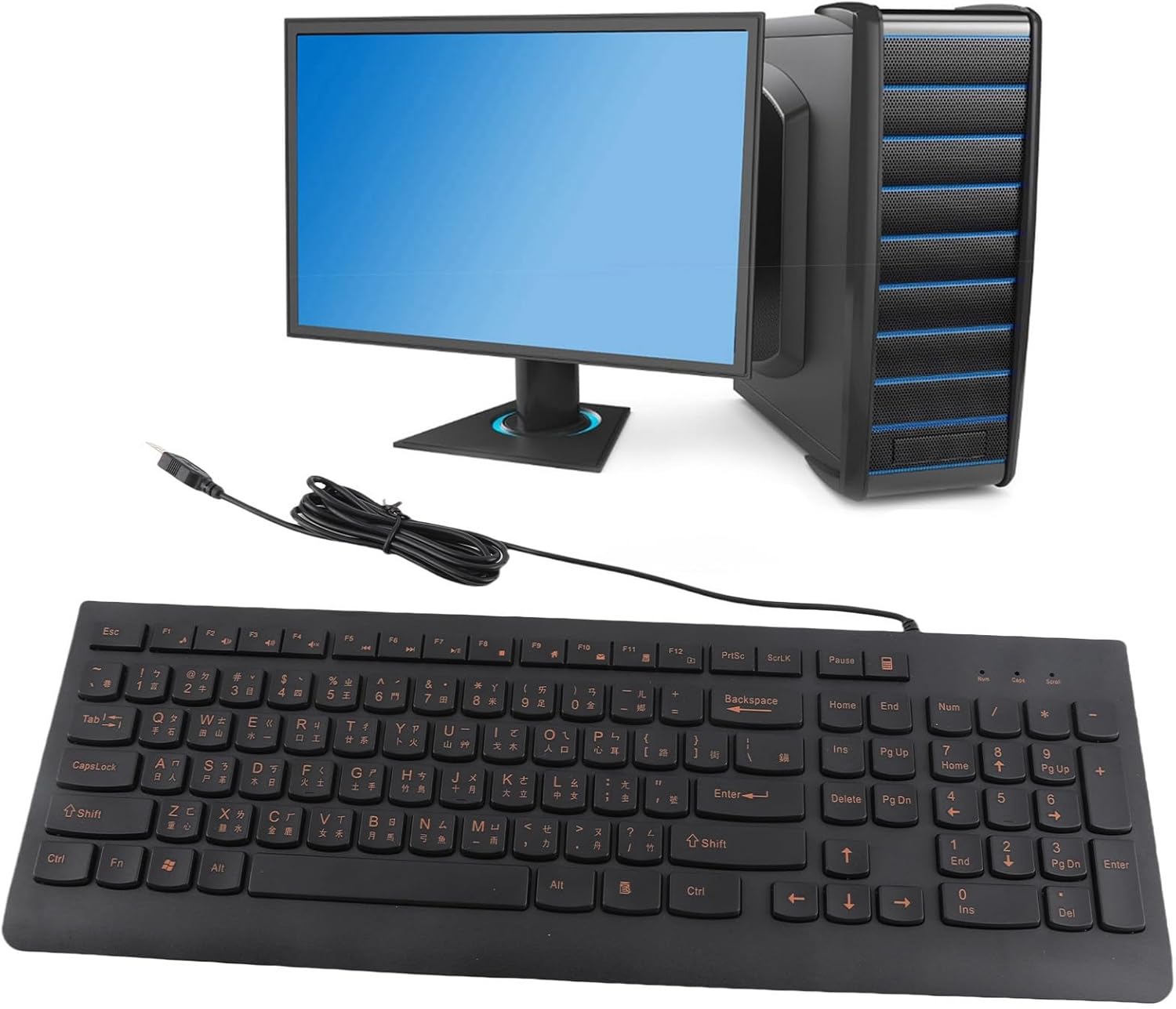
Image: The Cuifati keyboard connected to a desktop computer setup.
3. Parentah Operasi
3.1 Ngetik Umum
The keyboard features a standard 108-key layout with both English and Chinese characters printed on the keycaps. The keys are designed for silent typing and a comfortable hand feel.
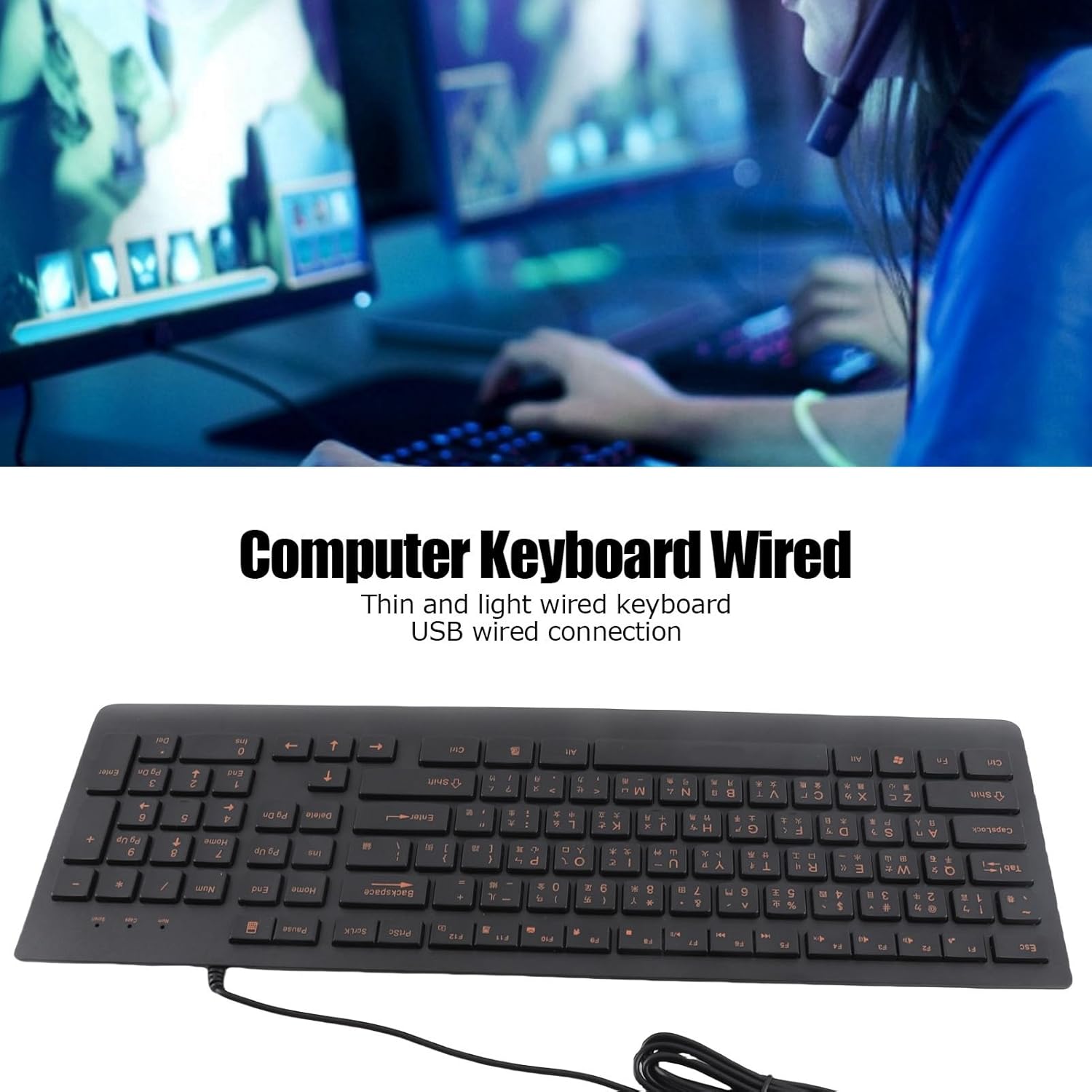
Gambar: Top view of the Cuifati Bilingual Chinese English Wired Computer Keyboard, showing the full 108-key layout with both character sets.
3.2 Multimedia Keys (Function Keys)
The keyboard includes multimedia shortcut keys (F1-F10) that can be activated by pressing the Fn key in combination with the desired function key. Some operating systems may require specific settings for these keys to function correctly.

Image: Detail of the keyboard highlighting the function keys (F1-F10) and the Fn key for multimedia shortcuts.
4. Pangropéa
To ensure the longevity and optimal performance of your Cuifati keyboard, follow these maintenance guidelines:
- beberesih: Disconnect the keyboard from your computer before cleaning. Use a soft, dry cloth to wipe the surface of the keyboard. For stubborn dirt, a slightly damp lawon jeung sabun hampang bisa dipaké, mastikeun euweuh cairan asup kana switch konci.
- Ngaleungitkeun lebu: Anggo hawa anu dikomprés pikeun miceun lebu sareng kokotor tina antara tutup tombol.
- Hindarkeun Cairan: Ulah ngabahekeun cairan dina kibor. Bisi tumpahan teu kahaja, geura pegatkeun sambungan keyboard sareng ngantepkeunana dugi ka garing sateuacan nyambungkeun deui.
- Panyimpenan: Simpen kibor di tempat anu tiis sareng garing jauh tina sinar panonpoé langsung sareng suhu anu ekstrim upami henteu dianggo kanggo waktos anu lami.
The engraved keycaps are designed for durability and wear resistance, maintaining their legibility over time.
5. Cara ngungkulan
If you encounter issues with your keyboard, please refer to the following common troubleshooting steps:
| Masalah | Mungkin Cukang lantaranana | Solusi |
|---|---|---|
| Keyboard teu ngabales | Loose USB connection, faulty USB port, system driver issue. |
|
| Konci caket atanapi henteu ngaréspon | Dirt or debris under keycaps, liquid damage. |
|
| Konci multimedia teu jalan | Operating system settings, incorrect key combination. |
|
6. Spésifikasi
| merek | Cuifati |
| Nomer modél | CUIFATI6m0w7ogh918078 |
| Téhnologi konektipitas | USB, USB-A (Kabel) |
| Jumlah konci | 108 |
| Tata perenah kibor | Bilingual Chinese/English, Full-Sized |
| Tipe Keycap | Diukir |
| Pindah Tipe | Taktil |
| Alat nu cocog | Laptop, Desktop PC |
| Item Beurat | 1.4 pon (kira-kira 0.64 kg) |
| Ukuran Paket | 18.4 x 6.5 x 1.55 inci (kira-kira 46.7 x 16.5 x 3.9 cm) |
| Komponén Kaasup | Wired computer keyboard |
7. Rojongan
For any questions regarding your Cuifati Bilingual Chinese English Wired Computer Keyboard, or if you are not satisfied with the product, please contact Cuifati customer service. We are committed to providing the best possible solution and ensuring your satisfaction.
Mangga tingali dokuméntasi pameseran anjeun atanapi ti padagang websitus kanggo inpormasi kontak khusus.