1. Bubuka
This manual provides detailed instructions for the setup, operation, and maintenance of your GardePro E8 WiFi Trail Camera. The GardePro E8 is designed for capturing wildlife images and videos, offering features such as Wi-Fi connectivity, high-resolution imaging, and robust night vision capabilities. Please read this manual thoroughly before using the camera to ensure proper functionality and longevity.
2. Produk Langkungview
2.1 Fitur konci
- Konektipitas Wi-Fi sareng Bluetooth: Connects to the GardePro Mobile app for camera operation within Wi-Fi signal range.
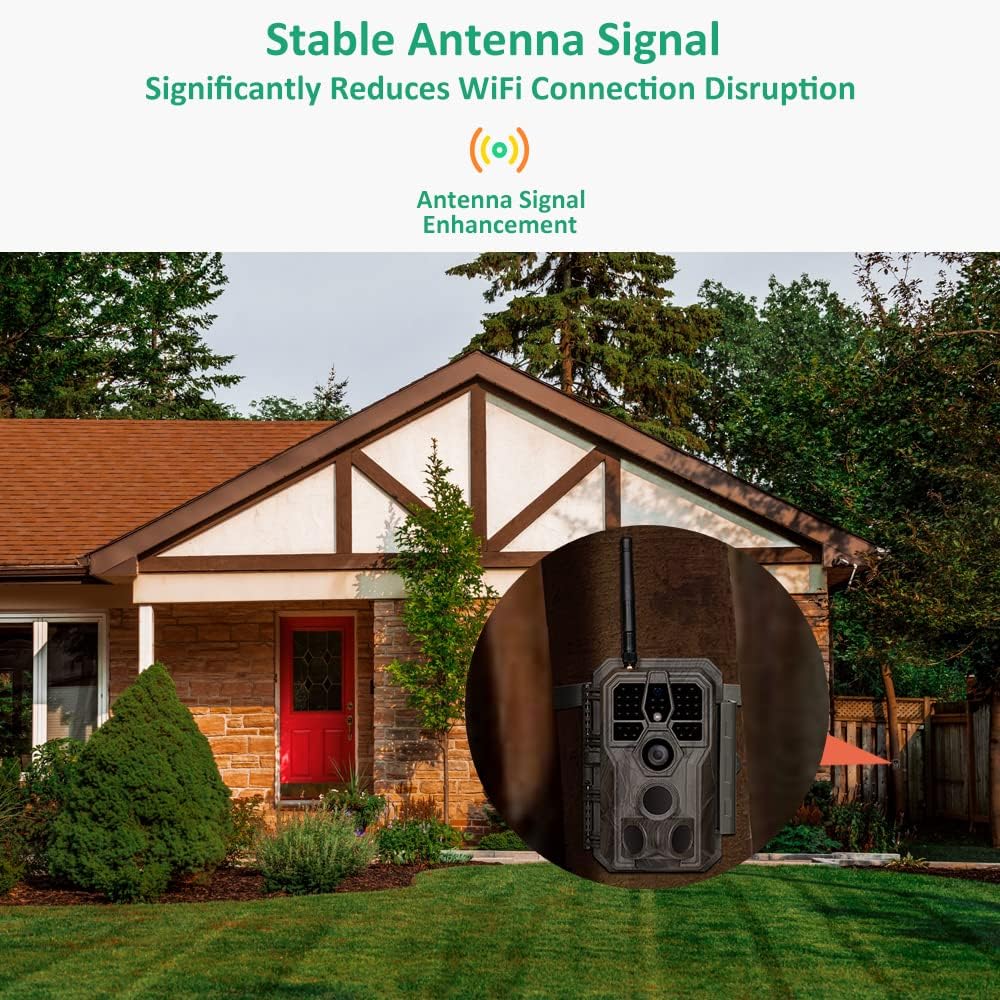
- Enhanced Wi-Fi Signal: Equipped with an antenna for stable Wi-Fi connection and data transmission.
- Advanced Video Recording: Records H.264 1296p or 1080p videos with sound, requiring less storage space. Allows seamless preview without prior download.
- Visi Peuting: Features 940nm infrared technology with adaptive illumination, providing night vision up to 100ft.
- Pencitraan Resolusi Tinggi: Captures up to 64MP pictures.
- Desain awét: rating waterproof IP66.
- Deteksi gerak: 0.1s motion detection with 3 detection zones.
2.2 Komponén kaméra
The GardePro E8 trail camera features a robust exterior and an intuitive internal interface.

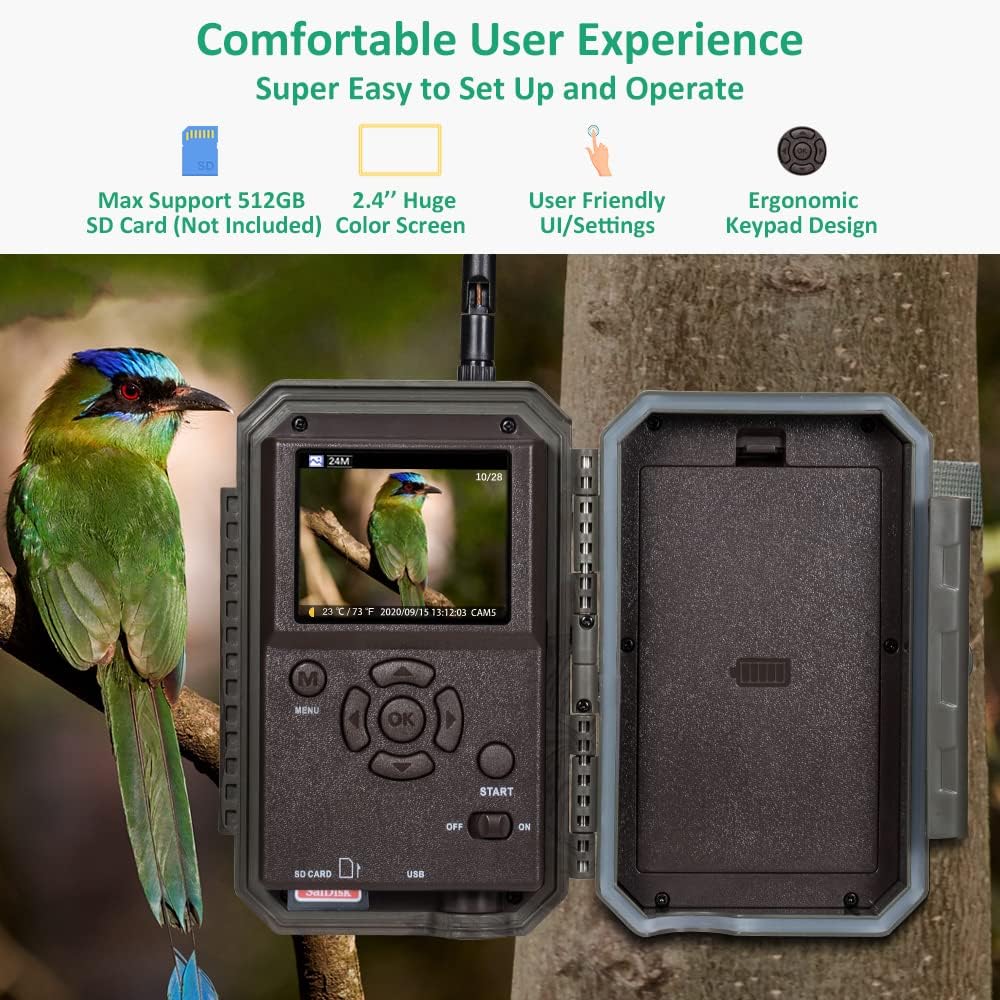
When opened, the camera reveals its control panel and screen.

3. Setélan
3.1 Pamasangan batré
- Buka wadah kaméra.
- Selapkeun 8 batré AA kana kompartemen batré, mastikeun polaritasna bener.
- Tutup perumahan kaméra sacara aman.
3.2 Pamasangan Kartu SD
- Locate the SD card slot inside the camera.
- Insert a compatible SD card (up to 512GB, not included) into the slot until it clicks into place.
- It is recommended to format the SD card using the camera's menu before first use.
3.3 Masang kaméra
The camera can be mounted using the included strap or a wall mount.

- Gunung Tangkal: Thread the provided strap through the slots on the back of the camera and secure it around a tree or pole. Adjust the camera angle as needed.
- Tembok Gunung: Use a compatible wall mount (sold separately) to attach the camera to a flat surface.
3.4 Pamasangan Aplikasi
- Download the 'GardePro Mobile' app from your device's app store (available for Android and iOS).
- Pasang aplikasi dina telepon pinter atanapi tablet anjeun.
4. Parentah Operasi
4.1 Powering on / Pareum
Locate the power switch inside the camera housing. Slide it to 'ON' to power on the camera or 'OFF' to power it off.
4.2 Setélan Dasar
Use the internal screen and navigation buttons to access the camera's menu. Set parameters such as date, time, capture mode (photo, video, or hybrid), and resolution.
4.3 Konéksi Wi-Fi sareng Kontrol Aplikasi
The GardePro E8 connects to your mobile device via Wi-Fi for remote control and file manajemén.
- Pastikeun kaméra diaktipkeun.
- Open the GardePro Mobile app on your device.
- Follow the app's instructions to connect to the camera's Wi-Fi network. The camera's antenna provides a reliable signal.
- Once connected, you can adjust settings, preview images/videos, and download filelangsung ka telepon anjeun.
4.4 Rékam pidéo
The camera records H.264 video files in 1296p or 1080p resolution with audio. This format optimizes storage space and allows for direct preview dina aplikasi.
4.5 Visi Peuting
The E8 camera utilizes 940nm infrared technology for night vision, providing clear images in low-light conditions up to 100 feet without visible flash.

4.6 Deteksi Gerak
The camera features a 0.1-second trigger speed and three motion detection zones to capture activity effectively.

5. Pangropéa
5.1 beberesih
- Gently clean the camera lens and IR LEDs with a soft, dry cloth.
- Lap wadah kaméra ku iklanamp lawon sakumaha diperyogikeun. Hindarkeun pembersih anu abrasif.
5.2 Ngagantian batré
Replace batteries when the low battery indicator appears on the screen or in the app to ensure continuous operation.
5.3 Manajemén Kartu SD
Format kartu SD sacara rutin pikeun ngajaga kinerja anu optimal sareng nyegah korupsi data. Cadangan penting files saméméh pormat.
5.4 Waterproofing
The camera has an IP66 waterproof rating, protecting it from dust and strong jets of water. Ensure the housing is securely latched to maintain its waterproof seal.
6. Cara ngungkulan
- Kaméra teu hurung: Pariksa pamasangan batré sareng pastikeun batréna dieusi.
- Masalah Sambungan Wi-Fi: Ensure you are within the camera's Wi-Fi range. Restart both the camera and your mobile device. Verify the GardePro Mobile app is up to date.
- Kualitas Gambar/Video Lemah: Clean the camera lens. Check settings for resolution and night vision modes. Ensure sufficient lighting for daytime captures.
- Deteksi Gerakan Teu Bisa Dipicu: Adjust motion sensor sensitivity in the camera settings. Ensure the camera's field of view geus beresih tina halangan.
- Kasalahan Kartu SD: Format the SD card using the camera's menu. If errors persist, try a different SD card.
7. Spésifikasi
| Fitur | Spésifikasi |
|---|---|
| Ngaran modél | GardePro E8 |
| Resolusi gambar | Nepi ka 64MP |
| Resolusi Video | 1296p, 1080p (H.264) |
| Wengi Sawangan Sawangan | 100 suku |
| Laju micu | 0.1s |
| Sudut deteksi | 120 degrees (total with preactivated zones) |
| Tahan cai | IP66 Waterproof |
| Konektipitas | Wi-Fi, Bluetooth |
| Panyimpenan | Kartu SD (nepi ka 512GB, henteu kalebet) |
| Sumber Daya | Battery Powered (8 AA batteries) or Solar Powered with SP350 Solar Panel (Sold Separately) |
| Tipe Pamasangan | Wall Mount, Tree Mount |
| Suhu Operasi | -20°C nepi ka 60°C (-4°F nepi ka 140°F) |
| Bahan | Acrylonitrile Butadiene Styrene (ABS) |
| Diménsi | 19.2 x 12.6 x 8.5 cm |
| Beurat | 520 g |
8. Garansi jeung Rojongan
The GardePro E8 WiFi Trail Camera typically includes a return policy of 30 days from the date of purchase. For specific warranty details, including duration and coverage, please refer to the product packaging or contact GardePro customer support directly. For technical assistance or further inquiries, please visit the official GardePro websitus atanapi ngahubungan tim rojongan maranéhanana.


