1. Parentah Kasalametan penting
Baca sagala parentah taliti saméméh ngagunakeun alat. Simpen manual ieu pikeun rujukan ka hareup.
Kasalametan Umum
- Ulah nyobian ngajalankeun oven ieu kalawan panto muka sabab ieu bisa ngakibatkeun paparan ngabahayakeun kana énergi gelombang mikro.
- Ulah nempatkeun sagala objék antara beungeut hareup oven jeung panto atawa ngidinan taneuh atawa résidu cleaner akumulasi dina surfaces sealing.
- Ulah ngajalankeun oven lamun geus ruksak. Ieu hususna penting yén panto oven nutup leres tur teu aya karuksakan kana: (1) Panto (ngagulung), (2) Hinges na latches (pegat atawa loosened), (3) segel panto na surfaces sealing.
- Oven teu kedah disaluyukeun atanapi repaired ku saha iwal tanaga jasa mumpuni leres.
- Perkakas ieu dimaksudkeun pikeun pamakéan rumah tangga wungkul.
- Entong nganggo bahan kimia korosif atanapi uap dina alat ieu.
- Ulah nyimpen alat ieu di luar. Ulah make produk ieu deukeut cai.
- Ulah neuleumkeun ari atawa nyolok kana cai.
- Tetep ari jauh ti surfaces dipanaskeun.
- Ulah ngantep tali ngagantung dina ujung méja atawa counter.
- Pikeun ngurangan résiko seuneu dina rohangan oven:
- Ulah overcook dahareun.
- Cabut kawat pulas-tali tina kertas atawa kantong plastik saméméh nempatkeun kantong dina oven.
- Upami bahan di jero oven kedah hurung, tutup panto oven, pareumkeun oven, teras cabut kabel listrik, atanapi pareumkeun listrik dina panel sekering atanapi pemutus sirkuit.
Kasalametan listrik
- Pastikeun catu daya cocog sareng voltage dieusian dina labél rating alat.
- Salawasna nyolok alat kana stop kontak grounded.
- Do not use extension cords unless absolutely necessary and ensure they are rated for the appliance's power consumption.
- Cabut alat tina outlet nalika henteu dianggo sareng sateuacan diberesihan.
2. Produk Langkungview
Familiarize yourself with the components and control panel of your SHARP YC-PS204AE-S microwave oven.
Komponén
- Rongga Oven: Rohangan jero tempat kadaharan diasakan.
- Méja puteran: Baki kaca anu tiasa diputer pikeun mastikeun masak anu rata.
- Turntable Ring: Ngarojong turntable.
- Panto: Dilengkepan sistem interlock kaamanan.
- Panél kontrol: Contains the display, buttons, and dial for operation.
- Lampu interior LED: Nyaangan rohangan oven nalika dioperasikeun.
Panel kontrol sareng tampilan
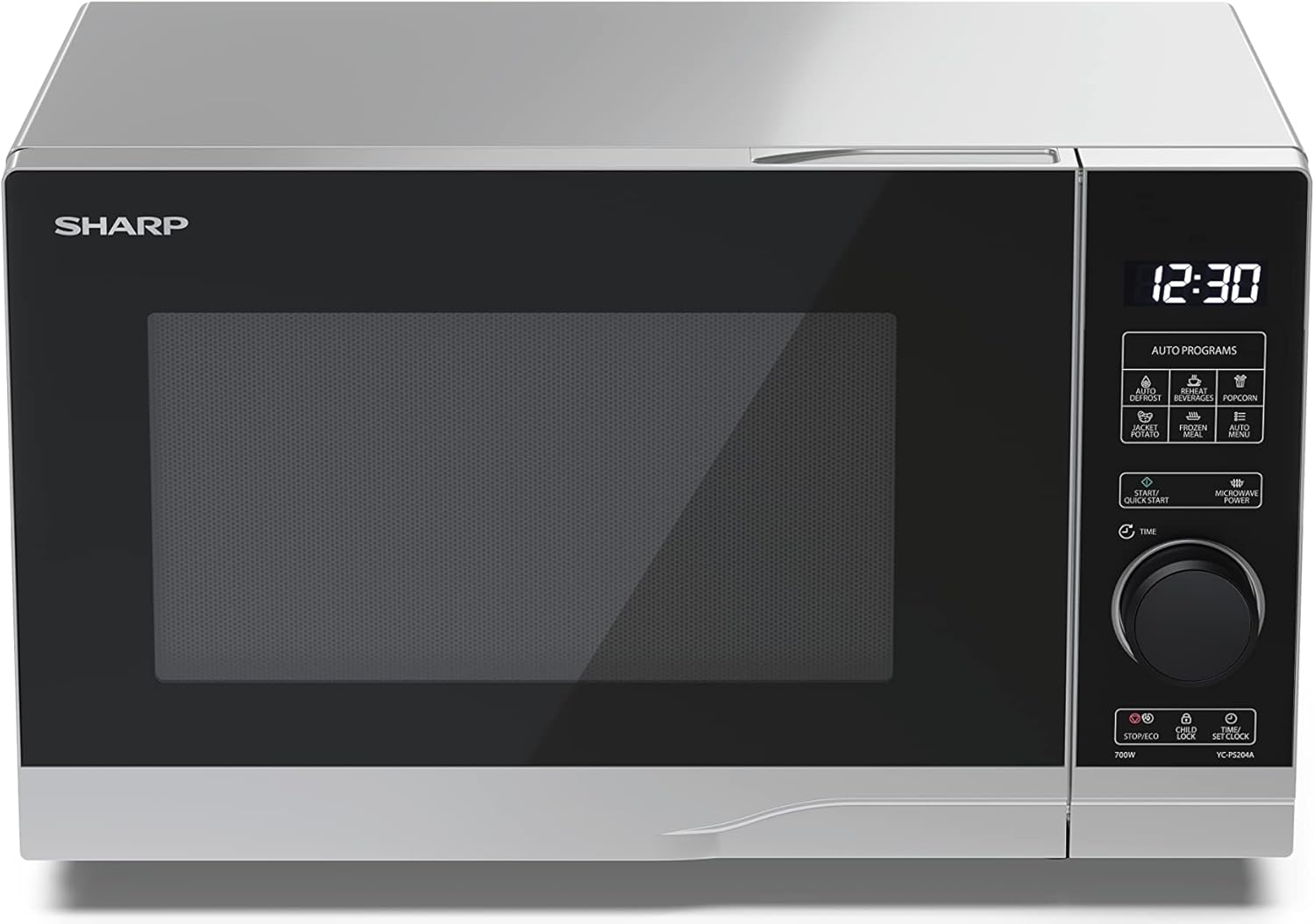
Gambar: Hareupeun view of the Sharp YC-PS204AE-S microwave oven, highlighting the semi-digital control panel on the right side. The display shows "88:88" and various auto program icons are visible above the main dial.
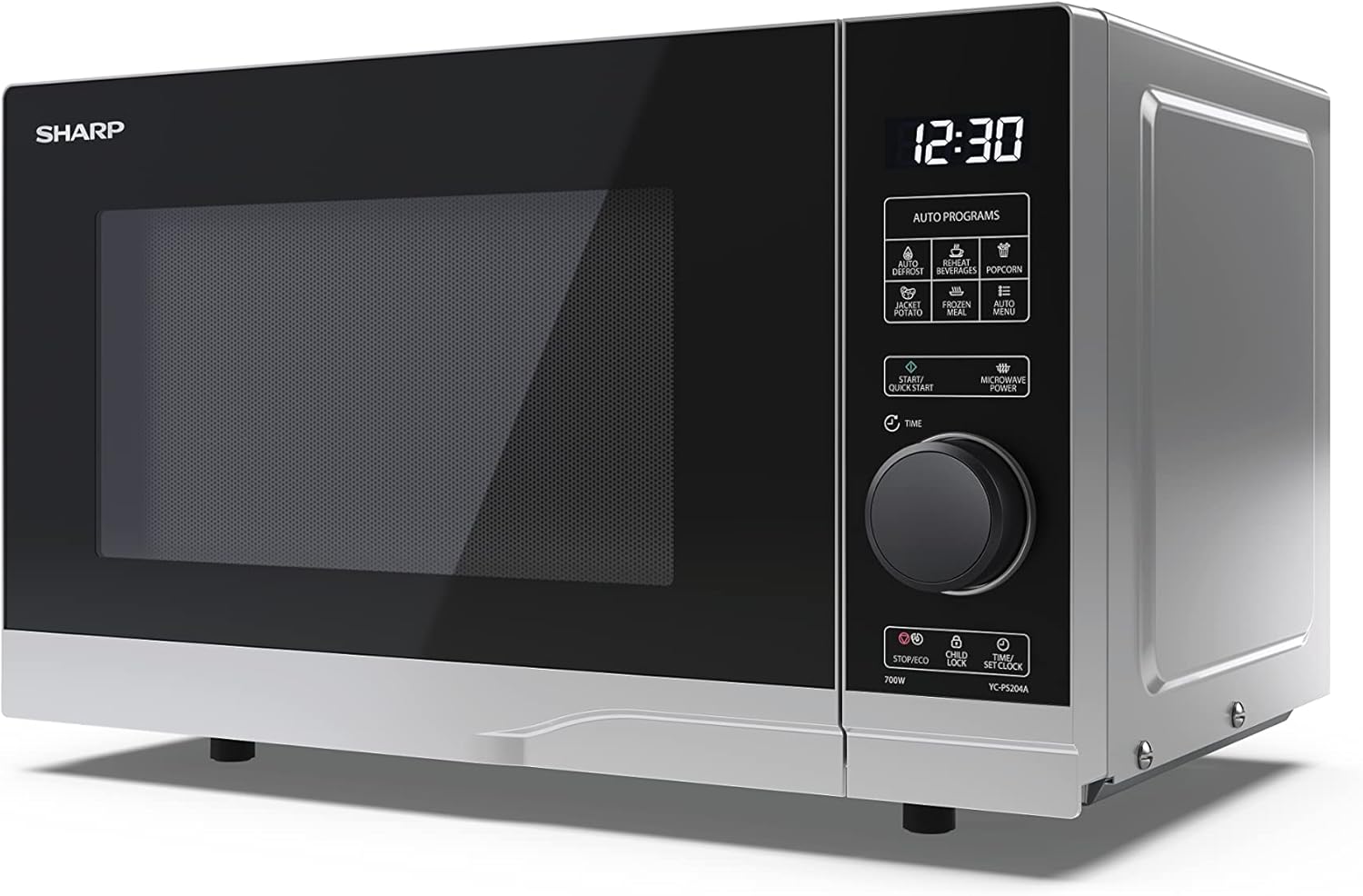
Gambar: Pahareup-hareup view of the Sharp YC-PS204AE-S microwave, showing the sleek silver and black design. The control panel is clearly visible with its digital display and rotary knob.
The control panel features a digital display, a rotary dial for setting time and power, and several touch buttons for various functions and automatic programs.
- tampilan: Shows time, cooking settings, and program indicators.
- Dial Rotary: Used to set cooking time, weight, and adjust clock.
- Program otomatis: Icons for Defrost, Reheat, Popcorn, Jacket Potato, Frozen Meal, Beverages, and Auto Menu.
- Tombol Mimitian/Mimiti Gancang: Initiates cooking or starts quick cooking.
- Microwave Power Button: Selects power levels.
- Stop/Eco Button: Stops cooking or activates ECO mode.
- Tombol Konci Budak: Ngaktipkeun/nonaktipkeun konci anak.
- Time/Set Clock Button: Sets the clock or adjusts time.
3. Setélan
Ngabongkar bungkusan
- Sacara saksama piceun oven microwave sareng sadaya bahan bungkusan tina karton.
- Pariksa oven pikeun sagala karuksakan, kayaning dents atawa panto misaligned. Ulah ngajalankeun oven lamun geus ruksak.
- Cabut pilem pelindung tina permukaan kabinet.
- Ensure all accessories are present: glass turntable, turntable ring, and instruction manual.

Gambar: The interior of the Sharp YC-PS204AE-S microwave oven with the door open, showing the glass turntable and the stainless steel interior. This view is useful for understanding how to place food and clean the cavity.
panempatan
- Teundeun oven dina datar, permukaan stabil nu bisa nahan beurat na jeung bahan kadaharan heaviest kamungkinan masak di jerona.
- Ensure adequate ventilation: leave a minimum of 20 cm (8 inches) of space above the oven, 10 cm (4 inches) at the rear, and 5 cm (2 inches) on each side.
- Ulah meungpeuk sagala bukaan ventilasi.
- Do not place the oven near heat sources such as radiators or stoves.
- Jauhkeun oven tina radio sareng TV kanggo ngahindarkeun gangguan.

Gambar: A diagram showing the dimensions of the Sharp YC-PS204AE-S microwave oven, with measurements for height (273 mm), width (455 mm), and depth (334 mm). This helps users ensure proper placement and ventilation space.
Setup Awal
- Colokkeun kabel listrik kana stop kontak listrik standar (230V, 50Hz).
- The display will show "0:00" or "12:00".
- Nyetél jam:
- Press the "Time/Set Clock" button once. The hour digits will flash.
- Turn the rotary dial to set the hour (0-23 for 24-hour format).
- Press "Time/Set Clock" again. The minute digits will flash.
- Turn the rotary dial to set the minutes (0-59).
- Press "Time/Set Clock" a third time to confirm. The clock is now set.
4. Parentah Operasi
Dasar Microwave Masak
- Teundeun dahareun dina wadah microwave-aman dina turntable nu.
- Tutup panto oven aman.
- Press the "Microwave Power" button repeatedly to select the desired power level (e.g., P100 for 100% power, P80 for 80%, etc. There are 10 levels).
- Puterkeun kenop nu bisa diputer pikeun nyetel waktu masak (dugi ka 95 menit).
- Press the "Start/Quick Start" button to begin cooking.
Fungsi Mimitian Gancang
- Press the "Start/Quick Start" button repeatedly to cook at 100% power for 30-second intervals. Each press adds 30 seconds.
- The maximum quick start time is 10 minutes.
Fungsi Defrost
This function allows you to defrost food by weight.
- Teundeun kadaharan beku dina turntable nu.
- Press the "Defrost" button (usually indicated by a snowflake icon). The display will show "dEF1" or "dEF2" depending on the defrost mode.
- Turn the rotary dial to select the weight of the food (e.g., 100g to 2000g).
- Press "Start/Quick Start" to begin defrosting.
Automatic Programs (Auto Menu)
The microwave has 8 pre-set automatic programs for common food items.
- Press the "Auto Menu" button (often labeled with "Auto Programs" or specific icons).
- Turn the rotary dial to select the desired program (e.g., Popcorn, Potato, Pizza, Beverage, etc.). The display will show the program number (e.g., A-1, A-2).
- Press "Auto Menu" again to confirm the program.
- Turn the rotary dial to select the weight or quantity (if applicable for the program).
- Press "Start/Quick Start" to begin.
Fungsi Konci budak
To prevent unintended operation, especially by children.
- Pikeun ngaktipkeun: Press and hold the "Child Lock" button (often combined with "Stop/Eco") for 3 seconds. A lock icon will appear on the display.
- Pareuman: Press and hold the "Child Lock" button for 3 seconds again. The lock icon will disappear.
Modeu ECO
To save energy, the display can be turned off when the oven is not in use.
- Pikeun ngaktipkeun: In standby mode, press the "Stop/Eco" button once. The display will turn off.
- Pareuman: Press any button or open the door to reactivate the display.
5. Pangropéa jeung beberesih
Bebersih sareng pangropéa teratur bakal mastikeun umur panjang sareng kinerja optimal tina oven microwave anjeun.
Ngabersihan Oven Interior
- Salawasna cabut oven saméméh beberesih.
- Ngusap rohangan interior saatos unggal dianggo nganggo iklanamp lawon jeung detergent hampang.
- For stubborn stains, place a bowl of water with lemon juice inside and heat for 2-3 minutes. The steam will loosen the residue.
- Ulah nganggo pembersih abrasif atanapi sikat logam, sabab tiasa ngaruksak permukaan interior.
Cleaning the Turntable and Ring
- The turntable kaca na turntable ring bisa dihapus pikeun beberesih.
- Ngumbah aranjeunna dina cai haneut, soapy atawa dishwasher nu.
- Pastikeun aranjeunna tos rengse garing saméméh nempatkeun deui dina oven.
Ngabersihan Luar
- Ngusap permukaan luar kalayan lemes, damp lawon.
- Hindarkeun cai kana liang ventilasi.
- Clean the door and door seals regularly to ensure proper closure and prevent microwave leakage.
6. Cara ngungkulan
Upami anjeun mendakan masalah sareng oven microwave anjeun, tingal masalah sareng solusi umum di handap ieu.
| Masalah | Mungkin Cukang lantaranana | Solusi |
|---|---|---|
| Oven henteu ngamimitian. | Kabel listrik henteu dipasang; Fuse ditiup atawa circuit breaker tripped; Panto henteu ditutup leres. | Colokkeun kana stop kontak; Ganti sekering atanapi reset circuit breaker; Tutup panto aman. |
| Dahareun teu masak merata. | Dahareun teu diaduk atawa ngancik; Turntable teu puteran. | Stir or turn food halfway through cooking; Ensure turntable and ring are correctly placed and clean. |
| Sparking jero oven. | Metal or foil in the oven; Dish not microwave-safe; Food residue. | Remove any metal; Use microwave-safe dishes; Clean oven cavity thoroughly. |
| Pintonan nunjukkeun kode kasalahan. | Gangguan internal. | Cabut colokan oven salami sababaraha menit, teras colokkeun deui. Upami kasalahan teras-terasan, hubungi layanan palanggan. |
| Lampu oven teu jalan. | Bohlam perlu diganti. | Kontak tanaga layanan mumpuni pikeun ngagantian bohlam. |
If the problem persists after trying these solutions, please contact SHARP customer support.
7. Spésifikasi
Technical specifications for the SHARP YC-PS204AE-S Microwave Oven.
| Fitur | Rincian |
|---|---|
| Nomer modél | YC-PS204AE-S |
| Kapasitas | 20 liter |
| Kaluaran kakuatan gelombang mikro | 700 Watt |
| Tingkat Kakuatan | 10 |
| Tipe Kontrol | Semi-digital |
| Diménsi Produk (W x H x D) | 45.5 cm x 27.4 cm x 33.4 cm |
| Beurat | 10.5 kg |
| Warna | pérak |
| Bahan interior | Beusi sténless |
| Diaméter turntable | 245 mm |
| Fitur husus | Child Lock, ECO Function, Defrost System, LED Interior Lighting, 8 Auto Programs |
| Sasayogian tanaga | 230 volt |
| Komponén Kaasup | 1x Microwave SHARP YC-PS204AE-S, Glass Turntable, Multilingual Operating Instructions, Warranty Card |
8. Garansi jeung Rojongan
SHARP provides a warranty for this product. Please refer to the warranty card included in the packaging for specific terms and conditions.
Rojongan Palanggan
For technical assistance, troubleshooting beyond this manual, or warranty claims, please contact SHARP customer service.
- Visit the official SHARP websitus pikeun inpormasi kontak dukungan di daérah anjeun.
- Have your model number (YC-PS204AE-S) and purchase date ready when contacting support.


