Bubuka
The Sony WF-C500 Truly Wireless in-Ear Bluetooth Earbud Headphones offer wireless connectivity with a compact design. These earbuds combine sound quality with extended battery life, personalization options, and IPX4 water resistance, making them suitable for various activities.
This manual provides essential information for setting up, operating, maintaining, and troubleshooting your WF-C500 earbuds.

Image: Sony WF-C500 Truly Wireless Earbuds (Black)
Disetél
1. Ngecas Awal
Before first use, fully charge the earbuds and the charging case. Place the earbuds into the charging case. Connect the charging case to a USB power source using the provided USB-C cable. The indicator light on the case will show charging status.
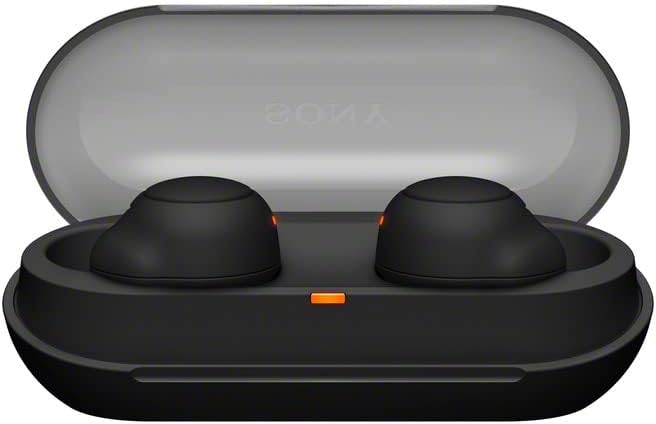
Image: Sony WF-C500 Earbuds in Charging Case
2. Papasangan Bluetooth
- Pastikeun duanana earbud aya dina wadah ngecas sareng tutupna dibuka.
- Dina alat Anjeun (smartphone, tablet, jsb), aktipkeun Bluetooth.
- Select "WF-C500" from the list of available Bluetooth devices.
- Sakali disambungkeun, ajakan sora bakal mastikeun papasangan suksés.
Parentah Operasi
Ngagem Earbuds
Insert the earbuds firmly into your ears. The ergonomic design ensures a snug fit for comfort and optimal sound performance. The earbuds are marked 'L' for left and 'R' for right.
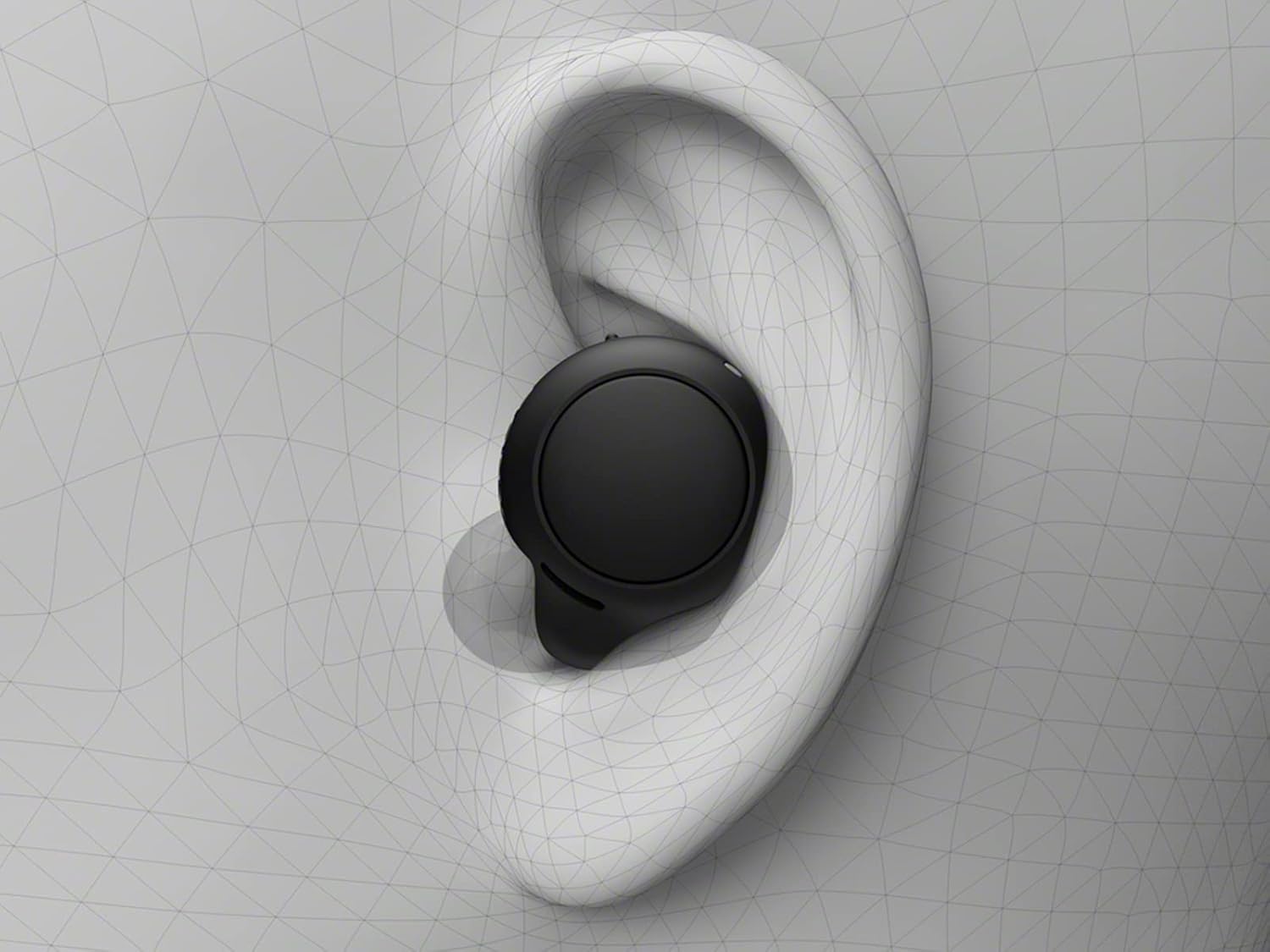
Image: Proper Earbud Placement
Kontrol Dasar (Toél)
- Puter / Reureuh: Ketok tunggal dina boh earbud.
- Lagu salajengna: Ketok dua kali dina earbud katuhu.
- Lagu Sateuacanna: Ketok dua kali dina earbud kénca.
- Ngajawab / mungkas Telepon: Ketok tunggal dina boh earbud nalika aya telepon asup.
- Nolak Telepon: Pencet jeung tahan boh earbud salila 2 detik dina mangsa telepon asup.
- Aktipkeun Asisten Sora: Ketok tilu kali dina boh earbud.
Leungeun-Free Telepon
The built-in microphone allows for clear hands-free calling. You can answer or end calls directly from the earbuds without needing to access your phone.
Guna Earbud Tunggal
The WF-C500 earbuds support optional use of a single earbud. Simply remove one earbud from the case and leave the other in, or put one away during use. The active earbud will automatically connect.
Hirup Batré & Ngecas
The earbuds provide up to 10 hours of listening time on a single charge. The compact charging case extends the total listening time to up to 20 hours.

Image: Battery Life and Quick Charging Information
Fitur Cas Gancang
A 10-minute quick charge provides up to an hour of additional playback time, ideal for when you're in a hurry.
Indikator Ngecas
The charging case features an LED indicator that shows the battery status. A red light typically indicates low battery or charging in progress, while a green light indicates a full charge.
Desain & Durability
The WF-C500 earbuds are designed to be small, lightweight, and comfortable for all-day wear. Their ergonomic surface design is crafted to fit most ear shapes securely.

Image: Single Sony WF-C500 Earbud
Tahan cai
With an IPX4 water resistance rating, these earbuds are protected against splashes and sweat. This makes them suitable for workouts and outdoor activities, but they are not designed for submersion in water.
Sound Quality & Features
The WF-C500 earbuds deliver high-quality audio with features designed to enhance your listening experience.
DSEE (Digital Sound Enhancement Engine)
DSEE technology restores high-frequency sounds lost in compression, providing a richer and more natural sound experience.

Image: DSEE Technology Logo
360 Realitas Audio
Immerse yourself in sound all around you with 360 Reality Audio. This feature creates an immersive audio experience, making music feel as real as if you were at a live concert or in a recording studio.
Sora customizable
Fine-tune your sound preferences using the Sony Headphones Connect app, which allows for sound customization and equalizer adjustments.
Video: Leuwihview of Sony WF-C500 Truly Wireless Earbuds features, including sound customization and design. (Source: Amazon Videos)
spésifikasi
| Fitur | Rincian |
|---|---|
| Ngaran modél | WFC500/B |
| Téhnologi konektipitas | Bluetooth 5.0 |
| Téknologi Komunikasi Nirkabel | Bluetooth |
| Kahirupan Batré (Earbuds) | Nepi ka 10 Jam |
| Total Kahirupan Batré (kalayan Case) | Nepi ka 20 Jam |
| Ngecas Gancang | 10 min charge for 1 hour playback |
| Tingkat Résistansi Cai | IPX4 (Splash-proof and sweat-resistant) |
| Métode kontrol | Toél |
| Mikropon | Included for hands-free calling |
| Panempatan Ceuli | Dina Ceuli |
| Faktor Bentuk | Dina Ceuli |
| Diménsi | 3.9 x 2.2 x 2.9 inci |
| Item Beurat | 1 pon |
| Komponén Kaasup | Headphones, Charging Case |
Pamérésan masalah
Teu Aya Sora atanapi Sambungan Peuting-peuting
- Pastikeun kadua earbuds dicas.
- Pariksa yén Bluetooth diaktipkeun dina alat anjeun sareng earbud parantos dipilih.
- Move your device closer to the earbuds to avoid interference.
- Cobi pegatkeun sambungan sareng pasangkeun deui earbud sareng alat anjeun.
- Balikan deui alat sareng earbud anjeun.
Masalah Ngecas
- Pastikeun kabel USB-C parantos nyambung kalayan pageuh kana wadah ngecas sareng sumber daya.
- Pastikeun sumber kakuatan aktip.
- Clean the charging contacts on both the earbuds and inside the case with a dry, soft cloth.
- If the charging indicator light is not behaving as expected, refer to the full product manual for specific light patterns.
Garansi & Rojongan
This product is a Certified Refurbished item. It is manufacturer refurbished, shows limited or no wear, and includes all original accessories. It comes with a 90-day limited hardware warranty.
For further support, please refer to the official Sony support websitus atanapi ngahubungan pangecér Anjeun.