
1. Produk Langkungview
The Cuifati 6.8-inch Portable DVD Player is a versatile high-definition playback device designed for various environments, including home, office, and car use. It combines a DVD player, TV player, FM radio receiver, card reader, and game console into one compact unit. Featuring a rechargeable lithium battery, it offers extended playback time for portable convenience.

Image: The Cuifati 6.8-inch Portable DVD Player in its open position, showcasing the screen and control panel. The device features a blue base and a black frame around the screen, presented against a stylized blue background.
Eusi pakét:
- Cuifati 6.8-Inch Portable DVD Player
- Remote Control (kalebet 1 batré AAA)
- Adaptor Daya AC (110-240V)
- Adaptor Daya Mobil
- Kabel Audio/Video (AV)
- Kaulinan Controller
- anteneu éksternal
- Manual pangguna (dokumén ieu)

Gambar: A komprehensif view of the Cuifati 6.8-inch Portable DVD Player along with all its included accessories, such as the remote control, AC power adapter, car charger, AV cable, game controller, and external antenna.
2. Setélan
2.1 Ngecas Alat
Before initial use, fully charge the built-in lithium battery. Connect the provided AC power adapter to the player's power input and then to a standard wall outlet (110-240V). The device can also be charged using the car power adapter for in-vehicle use. A full charge provides approximately 30-60 minutes of continuous playback.

Image: Illustration of the Cuifati Portable DVD Player's power options, highlighting its compatibility with car chargers, AC power, and its integrated 1500mAh lithium battery.
2.2 Pamasangan Batré Remote Control
The remote control requires one AAA battery, which is included. Open the battery compartment on the back of the remote and insert the AAA battery, ensuring correct polarity.

Gambar: A lengkep view of the remote control for the Cuifati Portable DVD Player, displaying its array of buttons for power, menu navigation, volume control, and media playback.
2.3 Connecting the External Antenna (for TV Function)
To use the TV function, connect the external antenna to the designated antenna input port on the side of the DVD player. Extend the antenna for optimal signal reception.

Image: The external antenna provided with the Cuifati Portable DVD Player, consisting of a black telescopic rod and a magnetic base for stable placement, connected by a cable.
3. Parentah Operasi
3.1 Powering on / Pareum
Pencét éta POWER button on the device or the remote control to turn the player on or off.
3.2 Ngamuat Disk
- Buka panutup baki disc.
- penting: Ensure to remove any protective card or sticker from the disc tray before inserting a disc.
- Place the DVD or CD onto the spindle with the label side facing up.
- Gently pencét disc ka handap nepi ka clicks kana tempat.
- Close the disc tray cover. The player will automatically begin reading the disc.

Gambar: A close-up view of the disc tray on the Cuifati Portable DVD Player, highlighting a yellow warning label that advises users to remove the protective card before attempting to play a disc.
3.3 Basic Playback Functions
- Puter / Reureuh: Pencét éta MUTER / Reureuh kancing.
- Eureun: Pencét éta EUREUN kancing.
- Maju gancang / Mundur: Ngagunakeun éta FF / REW kancing.
- Lagu Salajengna / Saméméhna: Ngagunakeun éta SUSUSUNYA / Sateuacanna kancing.
- Kontrol volume: Ngagunakeun éta VOL+ jeung VOL- kancing.
The player supports DVD, DVD±R, DVD±RW, CD-R, and VCD formats.

Image: An illustration demonstrating the wide range of DVD formats supported by the Cuifati Portable DVD Player, including CD, DVD, CD-R/RW, DVD+R/RW, VCD, and SVCD.
3.4 Using the TV Function
After connecting the external antenna, switch the player to TV mode. Use the MENU button to access TV settings and perform an auto-scan for available channels. The player supports PAL/NTSC/SECAM full system TV standards.
3.5 Media Playback from USB/SD/MMC Cards
Insert a USB drive into the USB port or an SD/MMC card into the card reader slot. The player will automatically detect the media. Use the SUMBER or MODÉ button to select the appropriate input (USB/SD/MMC) and navigate through your movies, music, or photos.
3.6 Game Function
Connect the included game controller to the player. Switch to game mode (refer to the on-screen menu if available) to access the built-in selection of 300 games.

Image: Two children are shown enjoying video games on the Cuifati Portable DVD Player, utilizing the provided game controller for interaction.
3.7 Rotasi layar
The HD LCD widescreen display can rotate up to 270 degrees, allowing for various viewing angles and environments. Gently adjust the screen to your desired position.

Image: A visual representation of the Cuifati Portable DVD Player's screen, demonstrating its ability to rotate 180 and 270 degrees for versatile viewdina sudut.
3.8 Connecting to an External Display
Use the included Audio/Video (AV) cable to connect the portable DVD player to a larger screen, such as a television. Connect one end of the AV cable to the player's AV output and the other end to the AV input ports on your external display. Select the correct input source on your television to view eusi.
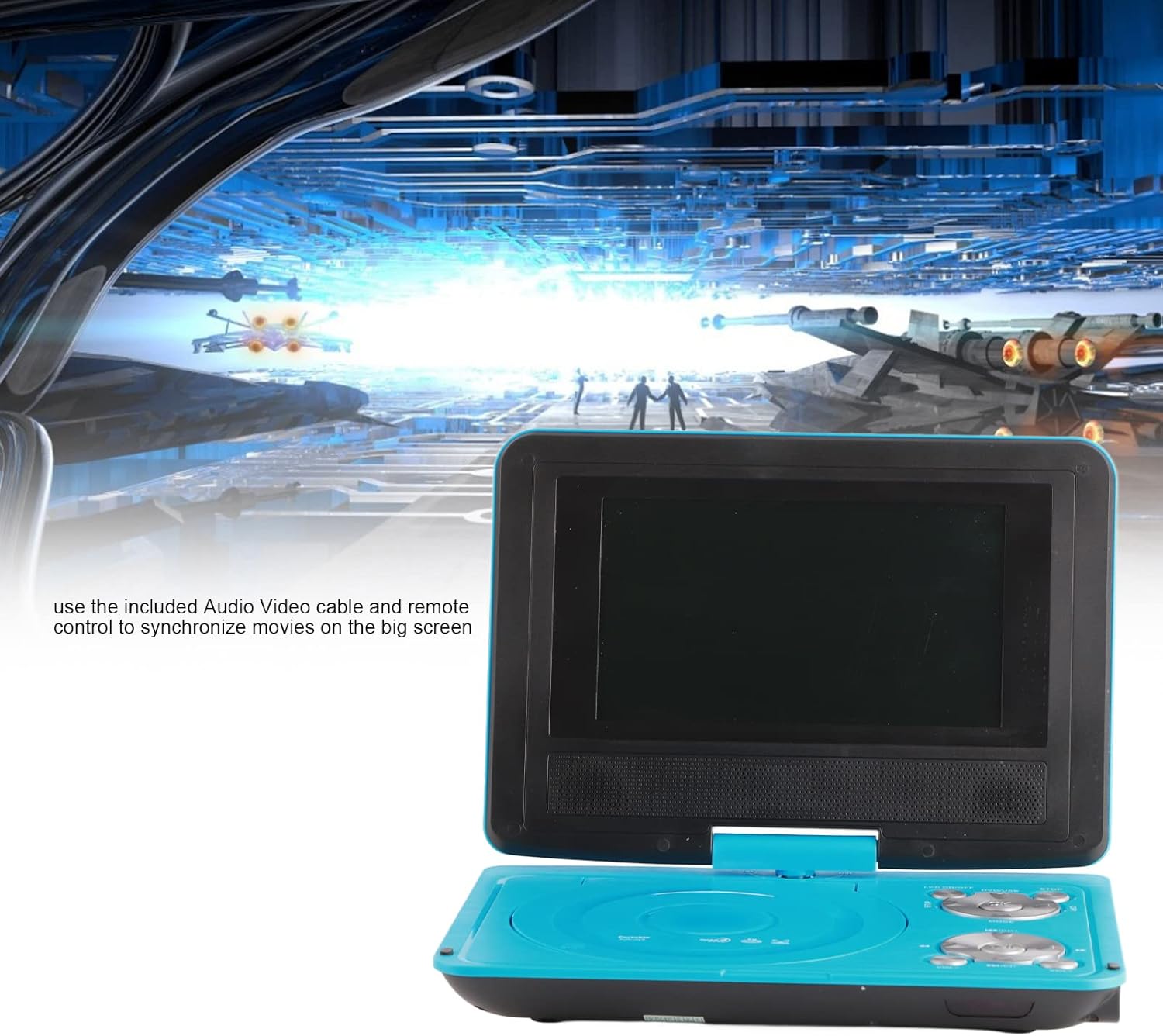
Image: The Cuifati Portable DVD Player displayed with text explaining how to use the included Audio/Video cable and remote control to connect and synchronize movies with a larger external screen.
3.9 Fungsi Mémori Pareum
The player features an intelligent power-off memory function. If the device is turned off during disc playback, it will automatically resume from the last played position when powered on again, eliminating the need to manually search for your previous spot.
4. Pangropéa
- Ngabersihan layar: Use a soft, lint-free cloth to gently wipe the LCD screen. Do not use abrasive cleaners or solvents.
- Ngabersihan Player: Wipe the exterior of the player with a soft, dry cloth. Avoid getting liquids into any openings.
- Perawatan Cakram: Handle discs by their edges. Keep them clean and free from scratches to ensure optimal playback. Store discs in their cases when not in use.
- Perawatan batré: For prolonged storage, charge the battery periodically to maintain its health. Avoid exposing the device to extreme temperatures.
5. Cara ngungkulan
- Henteu aya kakuatan:
- Pastikeun adaptor kakuatan disambungkeun sacara aman ka pamuter sareng stopkontak listrik anu tiasa dianggo.
- Pariksa naha batré anu dipasang parantos dicas.
- Verify the remote control battery is correctly installed and not depleted.
- No Disc Playback:
- Pastikeun piringan diselapkeun leres kalayan labél sisi ka luhur.
- Pariksa naha cakramna bersih sareng bébas tina goresan atanapi kokotor.
- Verify the disc format is supported (DVD, DVD±R, DVD±RW, CD-R, VCD).
- Make sure any protective card or sticker has been removed from the disc tray.
- No TV Signal:
- Ensure the external antenna is securely connected and fully extended.
- Perform an auto-scan for channels in the TV settings menu.
- Adjust the antenna position for better reception.
- Henteu aya sora:
- Ningkatkeun volume nganggo VOL+ kancing.
- Check if headphones are connected, which may mute the internal speakers.
- If connected to an external display, ensure the TV's volume is up and the correct input is selected.
- Picture Distorted/No Picture:
- If using an external display, ensure the AV cable is correctly connected and the TV's input source is set to AV.
- For TV function, adjust the antenna or try rescanning channels.
6. Spésifikasi
| merek | Cuifati |
| Modél | 6.8-Inch Portable DVD Player (ASIN: B09RZRK8KX) |
| Ukuran layar | 6.8 inci |
| Tipe tampilan | LCD |
| Rotasi layar | Nepi ka 270 ° |
| Jinis Média Dirojong | DVD, DVD±R, DVD±RW, CD-R, VCD |
| Sistem TV | PAL/NTSC/SECAM |
| Pamaca Kartu | Supports SD/MMC cards |
| Port USB | Sumuhun |
| Batré diwangun-di | Rechargeable Lithium Battery (approx. 30-60 min playback) |
| Input kakuatan | AC 110-240V, Car 12V |
| Batré Kadali Jauh | 1 x AAA (kaasup) |
| Item Beurat | 2.53 pon |
| Ukuran Paket | 13.98 x 8.11 x 2.91 inci |
7. Garansi jeung Rojongan
For warranty information and technical support, please refer to the documentation provided with your purchase or contact the seller directly. Specific warranty terms and conditions may vary.