1. Parentah Kasalametan penting
Please read all instructions carefully before using the Baseus A7 Handheld Vacuum. Keep this manual for future reference.
- Ulah nganggo vacuum cleaner caket cai atanapi dina kaayaan baseuh.
- Ulah nyedot debu kana bahan anu gampang kaduruk atanapi gampang kaduruk, lebu panas, atanapi barang seukeut.
- Jauhkeun rambut, pakean longgar, ramo, sareng sadaya bagian awak tina bukaan sareng bagian anu obah.
- Anggo ngan ukur kabel ngecas anu disayogikeun ku produsén.
- Ulah ngoperasikeun vakum nganggo kabel atanapi colokan anu rusak.
- Pastikeun saringan parantos dipasang kalayan leres sateuacan dianggo.
- Alat ieu henteu dimaksudkeun pikeun dianggo ku jalma (kalebet murangkalih) anu ngirangan kamampuan fisik, indrawi atanapi mental, atanapi kirang pangalaman sareng pangaweruh, kecuali aranjeunna dipasihan pangawasan atanapi petunjuk ngeunaan panggunaan alat ku jalma anu tanggung jawab kana kasalametanana.
- Barudak kedah diawaskeun pikeun mastikeun yén aranjeunna henteu maén sareng alatna.
2. Eusi Paket
Pastikeun yén sadaya item aya dina bungkusan:

angka 2.1: komponén kaasup
- Baseus A7 Handheld Vacuum Cleaner
- Flagship Flexible Extender Tube
- Silicone Brush / Precision Extensions (2-in-1 Crevice Tool)
- Kabel Ngecas USB-C
- Storage Cloth Bag
- Saringan HEPA (tos dipasang atanapi cadangan)
- Manual pamaké
- Kartu Garansi
3. Produk Langkungview
The Baseus A7 is a portable, cordless handheld vacuum designed for efficient cleaning in various environments, including cars, carpets, and other small areas. It features two suction levels and a USB-C rechargeable battery.

Figure 3.1: Suction Power and Runtime
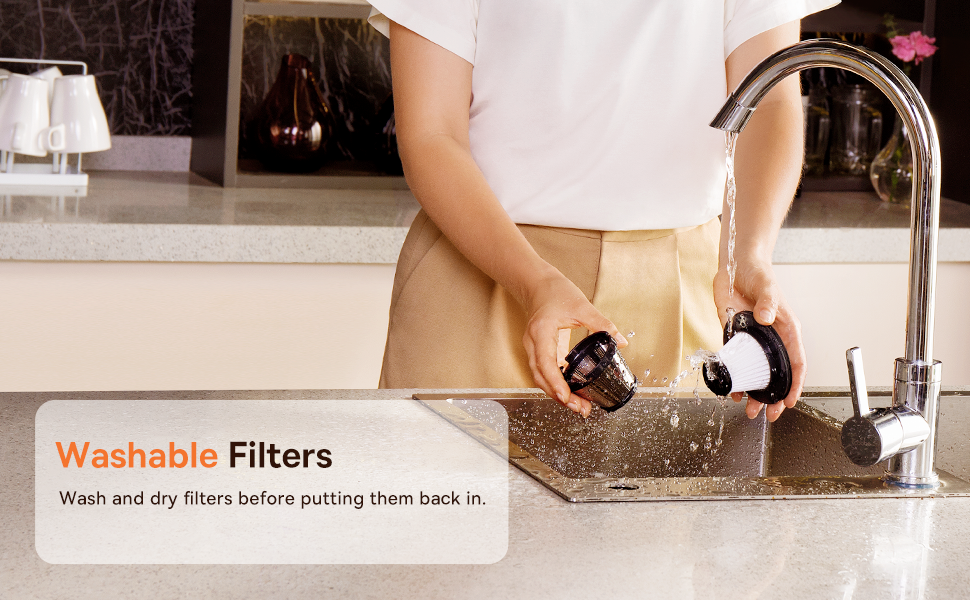
Figure 3.2: Powerful and Portable Design
Fitur konci:
- Tanpa kabel sareng Portabel: Designed for easy handling and use in various locations.
- Dua tingkat nyeuseup: Standard (4500PA) for general cleaning and High (8000PA) for tougher debris.
- USB-C Rechargeable: Convenient charging with a modern USB-C port.
- Saringan HEPA: Nangkep lebu lemes sareng alérgén.
- 500ml Dust Box: kapasitas badag pikeun sési beberesih nambahan.
4. Setup jeung Ngecas
4.1 Muatan Awal
Before first use, fully charge the vacuum cleaner. The charging time is approximately 3 to 3.5 hours.
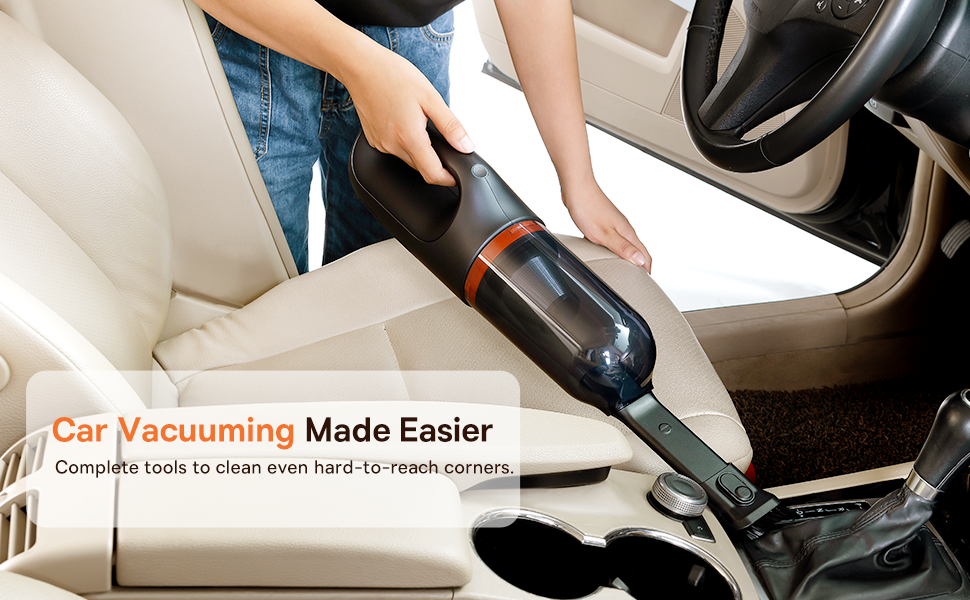
Figure 4.1: USB-C Charging
- Sambungkeun kabel ngecas USB-C anu disayogikeun kana port ngecas dina vacuum cleaner.
- Colokkeun tungtung kabel anu sanés ka adaptor kakuatan USB anu cocog (teu kalebet) atanapi port USB.
- The indicator light will show charging status (refer to the device for specific light patterns).
- Sakali dicas pinuh, cabut panyedot debu tina sumber listrik.
4.2 Ngalampirkeun Asesoris
Select the appropriate attachment for your cleaning task and firmly attach it to the vacuum's suction inlet.
- Flexible Extender Tube: For reaching deep or awkward spaces.
- 2-in-1 Crevice Tool (Silicone Brush/Precision Extensions): Use the narrow end for tight corners and crevices, or slide the brush attachment forward for delicate surfaces.
5. Parentah Operasi
5.1 Power On/Off and Suction Levels
- To turn on the vacuum, press the power button. It will start in Standard suction mode (4500PA).
- Press the power button again to switch to High suction mode (8000PA).
- Pencét tombol daya katilu kalina pikeun mareuman vakum.
5.2 Aplikasi beberesih
The Baseus A7 is versatile for various cleaning tasks:

Figure 5.1: Versatile Cleanups

Figure 5.2: Car Vacuuming Made Easier
- Interior mobil: Use the crevice tool for tight spots between seats and the flexible tube for under seats.
- Household Surfaces: Effective for quick cleanups on tables, countertops, and furniture.
- Bulu Piaraan: Can be used for light pet hair removal on upholstery.
- Keyboards and Electronics: Use the brush attachment for delicate cleaning.
For optimal performance, ensure the dust box is not overfilled and the filter is clean.
6. Pangropéa
6.1 Ngosongkeun Kotak Lebu
Empty the dust box regularly to maintain suction power and prevent blockages.
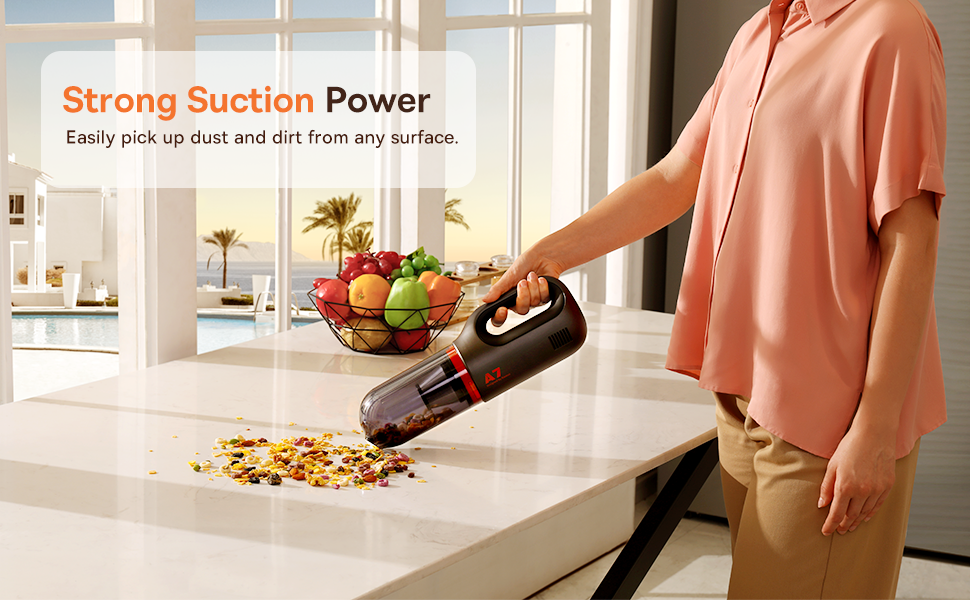
Figure 6.1: Easy to Empty Dust Box
- Pastikeun vakum dipareuman.
- Twist or unlatch the dust box from the main body of the vacuum (refer to device for specific mechanism).
- Buang runtah anu dikumpulkeun kalayan ati-ati kana wadah runtah.
- Reattach the dust box securely.
6.2 Ngabersihan Filter
The HEPA filter is washable and should be cleaned periodically to ensure efficient filtration and suction.

Figure 6.2: Washing the HEPA Filter
- Remove the dust box and then carefully remove the HEPA filter.
- Rinse the filter under cool, running water until clean. Do not use detergents.
- Keunkeun saringan nepi ka garing sagemblengna sahenteuna 24 jam sateuacan dipasangkeun deui kana vacuum. Ulah dianggo vacuum nalika saringan baseuh.
- Ensure the filter is fully dry and properly seated before reassembling the vacuum.
7. Cara ngungkulan
If you encounter issues with your Baseus A7 vacuum, refer to the following common problems and solutions:
| Masalah | Mungkin Cukang lantaranana | Solusi |
|---|---|---|
| Teu aya listrik / Teu hurung | Batré béak. | Charge the vacuum fully (approx. 3-3.5 hours). |
| Daya nyeuseup lemah | Lebu kotak pinuh. Saringan mampet. Attachment is not properly sealed. | Kosong kana kotak lebu. Clean and dry the HEPA filter. Ensure attachments are firmly connected. |
| Vakum eureun teu disangka-sangka | Batré lemah. Perlindungan overheating diaktipkeun. | Ngecas batré. Turn off the vacuum and let it cool down for 30 minutes before resuming use. |
| Indikator ngecas teu jalan | Masalah kabel ngecas atanapi adaptor. Masalah port ngecas. | Try a different USB-C cable and power adapter. Ensure the cable is fully inserted. If the issue persists, contact customer support. |
If the problem persists after trying these solutions, please contact Baseus customer support.
8. Spésifikasi
| Fitur | Rincian |
|---|---|
| merek | Baseus |
| Ngaran modél | A7 |
| Fitur husus | HEPA, Portable |
| Jenis Filter | Cartridge (HEPA) |
| Tanpa kabel | Sumuhun |
| Kapasitas | 500 mililiter |
| Wattage | 120 watt |
| Waktu Ngecas | 3 - 3.5 Jam |
| Dianjurkeun Mangpaat | Car, Carpet, Household |
| Faktor Bentuk | Dicekel |
| Warna | Hideung |
| Dimensi produk | 4 "L x 3" W x 13" H |
| Jenis Batré | Litium-Ion (2 batré kaasup) |
| Tingkat Noise | 75 desibel |
| Ampumur | 1.4 Amps |
| Jumlah Speeds | 2 |
| Item Beurat | 3.43 pon |
| Sumber Daya | Batré Powered |
9. Garansi jeung Rojongan
The Baseus A7 Handheld Vacuum comes with a warranty to ensure your satisfaction.
- Garansi: Includes a 1-year warranty card and a 3-year guarantee. Please refer to the warranty card included in your package for specific terms and conditions.
- Rojongan Palanggan: For any questions, technical assistance, or warranty claims, please contact Baseus customer support through their official websitus atawa informasi kontak disadiakeun dina kartu jaminan Anjeun.
10. Video produk
Watch the official product video for a visual guide on the Baseus A7 Handheld Vacuum's features and usage.
Video 10.1: Baseus A7 Handheld Vacuum Overview and Demonstration. This video showcases the vacuum's design, suction capabilities, and how to use its various attachments for different cleaning scenarios.


