1. Bubuka
This manual provides essential information for the setup, operation, maintenance, and troubleshooting of your LG B2 Series 55-Inch Class OLED Smart TV (Model: OLED55B2PUA). Please read this manual thoroughly before using your television to ensure proper and safe operation.

Gambar 1: Hareupeun view of the LG B2 Series 55-Inch Class OLED Smart TV.
2. Setélan
2.1 Naon dina Box
- LG B2 Series 55-Inch Class OLED Smart TV
- Jauh Sihir
- Remote Control Batteries (AA)
- Kabel Daya
- TV Stand (sold separately, or included depending on package)
- Gancang Mimitian Guide
2.2 Physical Setup (Stand/Mount)
The TV can be placed on a stand or wall-mounted. If using the included stand, ensure it is securely attached according to the Quick Start Guide. If wall-mounting, a 300 x 200 VESA mount (sold separately) is required. Ensure the wall mount is appropriate for the TV's weight (approximately 56.3 pounds).

Figure 2: TV dimensions and included accessories for the LG B2 Series OLED TV.
2.3 Nyambungkeun Alat
Your LG OLED TV features multiple connectivity options for various devices.
- Port HDMI 2.1: Four HDMI 2.1 connections are available for high-bandwidth devices like gaming consoles and PCs, supporting features like 4K@120Hz, VRR, and ALLM.
- Port USB: Sambungkeun alat panyimpenan USB pikeun playback media.
- Optik Digital Audio Out: Pikeun nyambungkeun kana sistem sora éksternal.
- Port Ethernet: Pikeun sambungan internét kabel.
- Wifi: Built-in Wi-Fi for wireless internet access.

Gambar 3: Tukangeun view of the LG B2 Series TV, illustrating the various input and output ports for connecting external devices.
2.4 Daya Awal Hurung sareng Setup Jaringan
After connecting the power cable, press the power button on the remote control. Follow the on-screen instructions to complete the initial setup, including language selection, time zone, and network connection (Wi-Fi or Ethernet).
3. Ngoperasikeun TV
3.1 Magic Jauh Control
The included Magic Remote allows for intuitive control of your TV. It features a pointer function, scroll wheel, and dedicated buttons for popular streaming services and voice assistants.
Video 1: Demonstration of the LG Magic Remote's functionality and ease of use with the smart TV interface.
3.2 WebOS Smart Platform
Your LG Smart TV runs on the WebOS platform, providing a user-friendly interface for accessing apps, live TV, and connected devices. The home screen offers quick access to various content categories and settings.

Figure 4: The intuitive WebOS home screen, showcasing various streaming applications and content categories.
3.3 Streaming Services and LG Channels
Access popular streaming services like Netflix, Prime Video, Apple TV app, Disney+, and HBO Max directly from the WebOS home screen. Additionally, enjoy over 300+ free LG Channels covering a wide range of content.

Figure 5: A selection of popular streaming service logos available on the LG Smart TV.
3.4 Kontrol sora
The TV supports intelligent voice recognition and has Amazon Alexa built-in. It also works with Google Assistant, Apple AirPlay2, and HomeKit, allowing you to control your TV and connected smart home devices using voice commands.

Figure 6: Supported voice assistants and smart home integration platforms.
4. Kualitas Gambar
The LG B2 Series OLED TV delivers exceptional picture quality thanks to its advanced display technology and processing.
4.1 OLED Self-Lit Pixels
Experience vivid visuals with 8 million self-lit OLED pixels, providing infinite contrast, deep blacks, and over a billion colors. Each pixel can turn on and off independently, resulting in unparalleled picture precision.

Figure 7: The LG OLED TV showcasing vibrant colors and deep blacks in a home entertainment setting.

Figure 8: An image demonstrating the infinite contrast capabilities of LG OLED technology.
Prosesor AI 4.2 α7 Gen5 4K
The advanced α7 Gen5 AI Processor 4K algorithmically adapts and adjusts picture and sound quality in real-time for a lifelike viewing experience with enhanced depth and rich color.

Figure 9: A visual comparison illustrating the enhancements provided by the α7 Gen5 AI Processor 4K.
4.3 Dynamic Tone Mapping
Dynamic Tone Mapping processes HDR content frame by frame, optimizing contrast and color for each scene to deliver a more impactful and detailed image.

Figure 10: A side-by-side comparison demonstrating the benefits of Dynamic Tone Mapping for HDR content.
Video 2: A demonstration highlighting the excellent picture quality of the LG OLED TV.
5. Kualitas Sora
The LG B2 Series OLED TV offers enhanced audio experiences to complement its stunning visuals.
5.1 AI Sora Pro
The AI Sound Pro feature analyzes audio content and optimizes sound settings to deliver a more immersive and clear listening experience, creating a virtual surround sound effect.

Figure 11: An illustration depicting how AI Sound Pro enhances audio to create an immersive soundscape.
5.2 Dolby Vision IQ & Dolby Atmos
With Dolby Vision IQ, picture settings are intelligently adjusted based on content genre and ambient lighting. Dolby Atmos provides multi-dimensional sound that moves around you, creating a truly cinematic audio experience.

Figure 12: An illustration of Dolby Vision IQ and Dolby Atmos enhancing the home theater experience.
6. Fitur kaulinan
The LG B2 Series OLED TV is optimized for gaming, offering features that provide a smooth and responsive experience.
- Laju Refresh 120Hz: An impressive 120Hz refresh rate ensures smooth motion for fast-paced games.
- NVIDIA G-SYNC, FreeSync Premium, and VRR: These technologies reduce screen tearing and stuttering, providing fluid gameplay.
- Pangoptimal Kaulinan LG: Access a dedicated menu to quickly adjust game-specific settings for optimal performance.
- Opat Port HDMI 2.1: Connect multiple next-gen consoles and gaming PCs with full support for advanced gaming features.
- Cloud Gaming Support: Stream games with cloud gaming services like GEFORCE Now.

Figure 13: Key gaming features of the LG OLED TV, including G-SYNC, FreeSync Premium, and Dolby Vision.
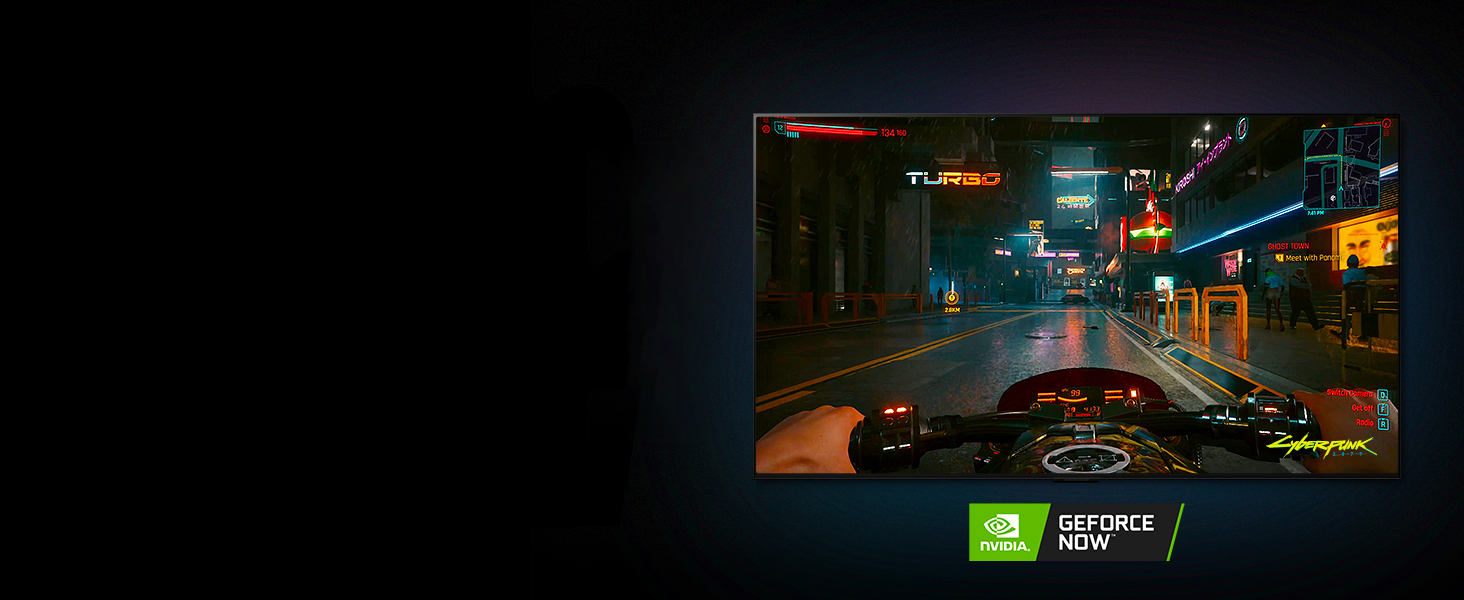
Figure 14: The LG OLED TV supporting cloud gaming services like GEFORCE Now.
7. Pangropéa
7.1 beberesih layar
Pikeun ngabersihan layar, usap lembut nganggo kaen microfiber anu lemes sareng garing. Pikeun smudges nekad, enteng dampen the cloth with water or a screen-specific cleaning solution (avoiding harsh chemicals or abrasive materials). Do not spray liquid directly onto the screen.
7.2 Perawatan Umum
Keep the TV in a well-ventilated area. Avoid exposing the TV to direct sunlight, high humidity, or extreme temperatures. Ensure all cables are securely connected and not under strain. Regularly check for software updates to ensure optimal performance and access to the latest features.
8. Cara ngungkulan
If you encounter issues with your LG OLED TV, refer to the following common troubleshooting steps:
- Henteu aya kakuatan: Pastikeun yén kabel listrik dicolokkeun sacara aman kana TV sareng stopkontak listrik anu tiasa dianggo. Coba outlet béda.
- Taya Gambar/Sora: Check all cable connections (HDMI, optical, etc.) to external devices. Ensure the correct input source is selected on the TV.
- Kualitas Gambar goréng: Adjust picture settings (brightness, contrast, sharpness) via the TV menu. Ensure the content source is high quality (e.g., 4K content for 4K resolution).
- Jauh Teu Gawé: Ngaganti accu dina Jauh Magic. Pastikeun teu aya halangan antara remote sareng TV.
- Masalah Sambungan Jaringan: Balikan deui router sareng modem anjeun. Sambungkeun deui TV ka jaringan Wi-Fi anjeun atanapi cobian sambungan Ethernet kabel.
- Gangguan parangkat lunak: Perform a soft reset by unplugging the TV from the power outlet for a few minutes, then plugging it back in. If issues persist, consider a factory reset (refer to the on-screen settings for this option).
9. Spésifikasi
| Fitur | Spésifikasi |
|---|---|
| merek | LG |
| Nomer modél | OLED55B2PUA |
| Ukuran layar | 55 inci |
| Téknologi tampilan | OLED |
| Resolusi | 4K (3840 x 2160) |
| Refresh Laju | 120 Hz |
| Prosesor | α7 Gen5 Prosesor AI 4K |
| Fitur husus | Intelligent Voice Recognition, NVIDIA G-SYNC, FreeSync Premium, VRR, LG Game Optimizer, Alexa Built-in |
| Téhnologi konektipitas | Wi-Fi, Bluetooth 5.0 |
| Palabuhan HDMI | 4 (HDMI 2.1) |
| Ukuran produk (tanpa stand) | 48.3 "D x 1.8" W x 27.9" H |
| Ukuran produk (kalayan stand) | 48.3 "D x 9.7" W x 29.3" H |
| Item Beurat | 56.3 pon |
| Sasayogian tanaga | AC 120V, 50/60Hz |
| Wattage | 100 watt |
10. Garansi jeung Rojongan
10.1 Émbaran jaminan
Your LG B2 Series OLED Smart TV comes with a limited manufacturer's warranty. Please refer to the warranty card included in your product packaging or visit the official LG websitus pikeun istilah sareng kaayaan anu lengkep ngeunaan cakupan jaminan, durasi, sareng prosedur jasa.
10.2 Rojongan Palanggan
For technical assistance, troubleshooting, or service inquiries, please contact LG Customer Support. You can find contact information (phone numbers, online chat, and support resources) on the official LG websitus atanapi dina Panduan Mimitian Gancang anu disayogikeun sareng TV anjeun.
Online resources and FAQs are also available on the LG support portal to help resolve common issues.