
1. Bubuka
This manual provides essential information for the proper installation, configuration, and operation of your Hikvision Turbo HD DVR 8-Channel, model DS-7108HGHI-K1(S). Please read this manual thoroughly before using the device to ensure safe and efficient operation. Keep this manual for future reference.
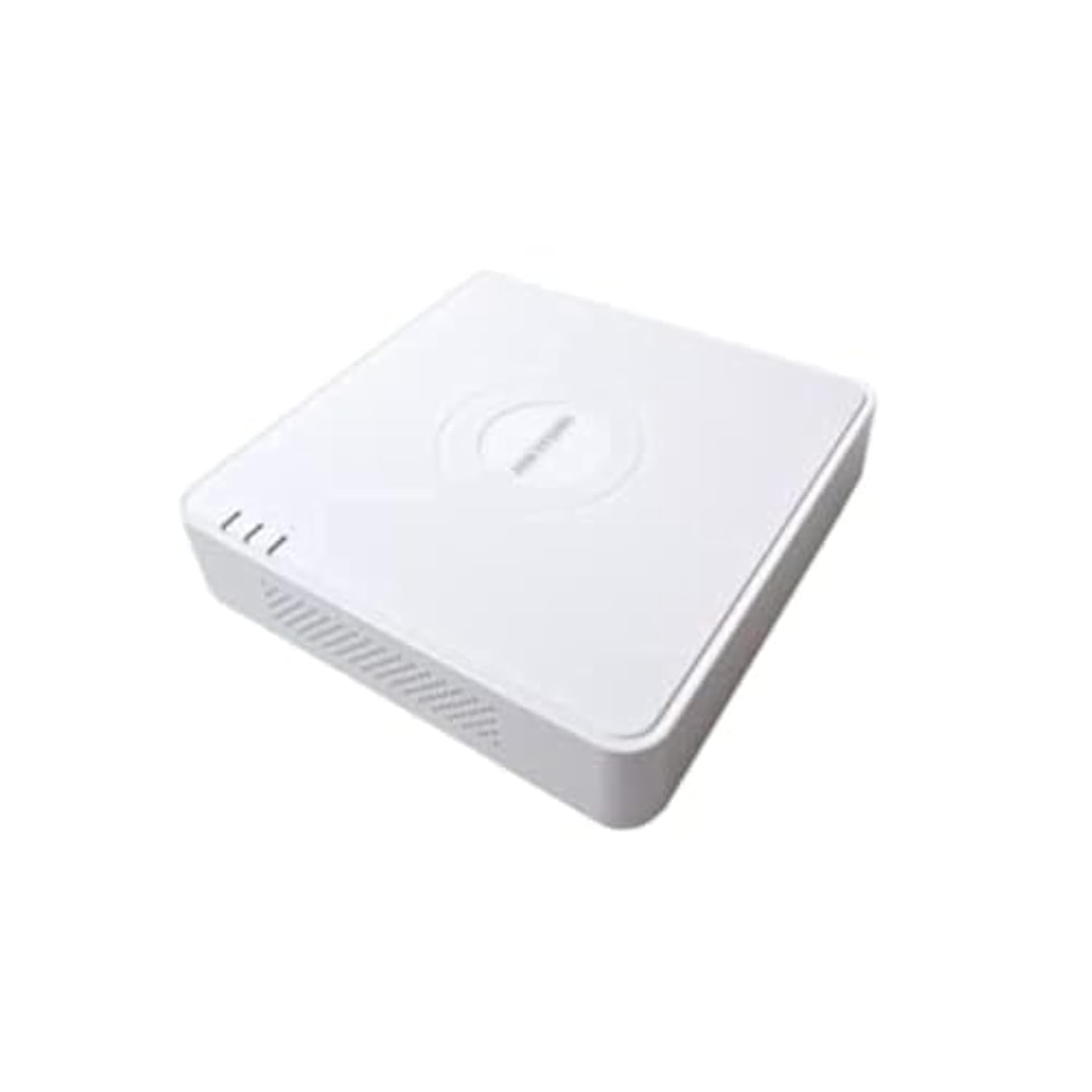
This image shows the Hikvision Turbo HD DVR unit from a front-side perspective, highlighting its compact design, ventilation grilles, and status indicator lights.
2. Fitur Produk
- High-definition 8-channel Turbo HD DVR
- Supports audio transmission over coaxial cable
- Equipped with one SATA interface for storage
- Plastik awét casing for protection
- Video encoding capabilities up to 1080p Lite at 15 frames per second
- Advanced video compression: H.265 Pro+/H.265 Pro/H.265
3. Setup Guide
3.1 Ngabongkar sareng Inspeksi
Carefully unpack the DVR and all accessories. Verify that all components are present and undamaged. If any items are missing or damaged, contact your supplier immediately.
3.2 Nyambungkeun DVR
- Connect Hard Drive (if not pre-installed): Open the DVR casing, connect the SATA data and power cables to the hard drive, and secure the drive.
- Sambungkeun kaméra: Connect your Turbo HD cameras to the BNC video input ports on the rear panel.
- Sambungkeun Monitor: Use an HDMI or VGA cable to connect a monitor to the corresponding output port on the DVR.
- Sambungkeun Mouse: Colokkeun beurit USB kana port USB dina DVR.
- Sambungkeun Jaringan: Connect an Ethernet cable from your router/switch to the LAN port on the DVR for network access and remote viewing.
- Sambungkeun Kakuatan: Connect the power adapter to the DVR's power input and then to a power outlet. The DVR will power on automatically.
3.3 Konfigurasi Awal
Upon first power-on, the DVR will guide you through an initial setup wizard. This includes setting up a strong password, configuring network settings, and initializing the hard drive. Follow the on-screen prompts to complete the setup.
4. Parentah Operasi
4.1 Hirup View
Saatos setelan awal, DVR bakal nampilkeun siaran langsung view from all connected cameras on the monitor. You can switch between single-camera view jeung multi-kaméra grid view ngagunakeun kadali dina layar atawa beurit.
4.2 Ngarékam
The DVR is typically configured for continuous recording by default. You can access the recording schedule settings via the main menu to customize recording modes (e.g., motion detection, scheduled recording) for each channel.
4.3 Playback
Pikeun ulangview dirékam footage, navigate to the Playback menu. Select the desired camera(s) and time range. You can use the timeline and playback controls to fast forward, rewind, or pause the video.
4.4 Aksés Jauh
Pikeun jauh viewing on a mobile device or computer, ensure the DVR is connected to the internet. Download the official Hik-Connect app (or client software) and follow the instructions to add your DVR using its serial number or QR code. This allows you to view siaran langsung sareng rékaman puter balik ti mana waé anu aya sambungan internét.
5. Pangropéa
5.1 Ngabersihan Biasa
Keep the DVR clean by wiping its exterior with a soft, dry cloth. Ensure ventilation openings are free from dust and obstructions to prevent overheating.
5.2 Apdet firmware
Pariksa périodik resmi Hikvision website for firmware updates. Keeping your DVR's firmware up-to-date ensures optimal performance, security, and access to new features. Follow the provided instructions carefully when performing updates.
5.3 Nyadangkeun Data
Rutin nyadangkeun video foo pentingtage to an external USB drive or network storage. This helps prevent data loss in case of hard drive failure or other unforeseen issues.
6. Cara ngungkulan
6.1 Taya Kaluaran Video
- Check all video cable connections (BNC, HDMI, VGA) to ensure they are secure.
- Pastikeun monitor dihurungkeun tur disetel ka sumber input nu bener.
- Ensure cameras are powered and functioning correctly.
6.2 Masalah Sambungan Jaringan
- Confirm the Ethernet cable is properly connected to both the DVR and the router/switch.
- Check network settings in the DVR menu (IP address, gateway, DNS). Ensure they are correct for your network.
- Restart your router/switch and the DVR.
6.3 Masalah Ngarékam
- Verify that a hard drive is installed and properly initialized.
- Check the recording schedule and settings for the affected channels.
- Ensure there is sufficient free space on the hard drive.
7. Spésifikasi
| Fitur | Rincian |
|---|---|
| Produsén | Hikvision |
| Nomer modél | DS-7108HGHI-K1(S) |
| Diménsi Produk (W x D x H) | 10 x 10 x 3 cm (approximate, based on video) |
| Item Beurat | 1000 gram (1 kg) |
| Téhnologi konektipitas | Ethernet |
| Alat nu cocog | Kaméra |
| Kapasitas Panyimpenan Mémori | 4 Terabytes (HDD not included) |
| Ukuran Hard Disk | 4 Terabytes (Maximum supported) |
| Konsumsi Daya | 17 Watt |
| Jumlah Saluran | 8 |
| Format Média Video Digital | MP4 |
8. Garansi jeung Rojongan
For specific warranty terms and conditions, please refer to the documentation provided with your purchase or contact Hikvision directly. Technical support may be available through the Hikvision official websitus atanapi dealer resmi anjeun.