
Bubuka
Thank you for choosing the Edifier Hecate GT4 Gaming Earbuds. These true wireless earbuds are designed to provide a low-latency audio experience for gaming across multiple platforms, including PS5, PS4, Nintendo Switch, mobile phones, and PCs. Featuring Bluetooth 5.2 connectivity, an IP55 rating for dust and splash resistance, and customizable RGB lighting, the GT4 earbuds offer both performance and convenience. Please read this manual thoroughly to ensure proper use and optimal performance of your new earbuds.
Eusi pakét
Pastikeun yén sadaya item anu didaptarkeun di handap aya dina pakét anjeun:
- Edifier Hecate GT4 Gaming Earbuds (Left and Right)
- Ngecas Case
- Kabel Ngecas USB-C
- Sababaraha Ukuran Eartip (Leutik, Sedeng, Ageung)
- Manual pamaké

Image: The Edifier Hecate GT4 earbuds, charging case, USB-C cable, and extra eartips are shown, representing the package contents.
Disetél
1. Ngecas Earbuds jeung Case
Before first use, fully charge the earbuds and charging case. Place the earbuds into the charging case. Connect the USB-C charging cable to the charging port on the case and the other end to a USB power adapter (not included) or a computer's USB port. The indicator lights on the case will show charging status.
- Waktu Ngecas: Kurang leuwih 1.5 jam pikeun ngecas pinuh.
- Kahirupan batré: Up to 7 hours of playback on a single charge, with an additional 21 hours provided by the charging case.
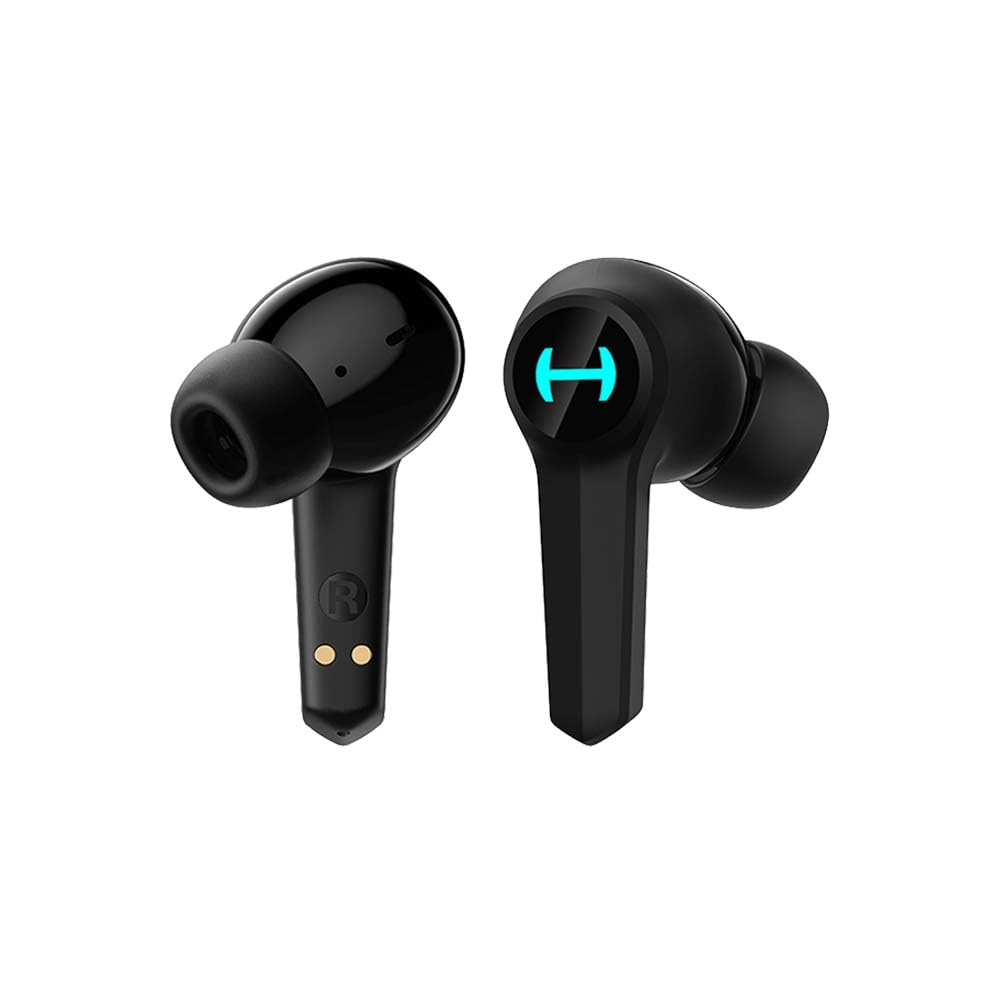
Image: The Edifier Hecate GT4 earbuds are shown inside their open charging case, with the case's RGB lights illuminated.
2. Papasangan Bluetooth
- Pastikeun yén earbuds dieusi.
- Buka wadah pangisi daya. Earbud bakal otomatis asup kana modeu pairing, dituduhkeun ku lampu kedip-kedip.
- On your device (phone, PC, console), enable Bluetooth and search for new devices.
- Select "EDIFIER HECATE GT4" from the list of available devices to connect.
- Once connected, the earbud lights will stop flashing or show a steady light.
The earbuds support Bluetooth 5.2 for a stable and efficient connection.
Parentah Operasi
1. Daya Hurung / Pareum
- Daya Hurung: Buka wadah ngecas, atanapi cabut earbud tina wadahna. Éta bakal otomatis hurung.
- Pareum listrik: Teundeun earbuds deui kana wadah ngecas sareng tutup tutupna. Aranjeunna bakal pareum otomatis.
2. Toél Kontrol
The Edifier Hecate GT4 earbuds feature touch-sensitive controls on each earbud. Refer to the diagram below for touch panel location.

Image: A finger is shown touching the outer surface of an earbud, indicating the smart touch control area.
| Aksi | Earbud kénca (L) | Earbud katuhu (R) |
|---|---|---|
| Play / Reureuh | Ketok dua kali | Ketok dua kali |
| Lagu salajengna | Ketuk tilu kali | Ketuk tilu kali |
| Ngajawab / mungkas Telepon | Ketok dua kali | Ketok dua kali |
| Nolak Telepon | Pencét panjang (2s) | Pencét panjang (2s) |
| Aktipkeun Game Mode | Pencét panjang (2s) | Pencét panjang (2s) |
| Deactivate Game Mode | Pencét panjang (2s) | Pencét panjang (2s) |
Note: Volume control may need to be adjusted directly on your connected device.
3. Game Mode (45ms Low-Latency)
The Edifier Hecate GT4 features a dedicated Game Mode to reduce audio latency to as low as 45ms, providing a synchronized audio-visual experience crucial for gaming. To activate or deactivate Game Mode, long press either earbud for 2 seconds. You will hear an audio prompt indicating the mode change.

Image: An illustration depicting the low latency feature of the earbuds, highlighting the 45ms response time.
Video: Hiji acara video produk resmicasing the features of the EDIFIER HECATE GT4 Gaming Earbuds, including low latency and ergonomic design.
4. Lampu RGB
The charging case and earbuds feature RGB lighting. The lighting indicates various statuses such as charging, pairing, and game mode activation. The specific patterns and colors are pre-set and provide visual feedback on the earbuds' operational status.

Image: The Edifier Hecate GT4 charging case is shown with its red RGB lighting illuminated, indicating its gaming aesthetic.
Pangropéa
- beberesih: Use a soft, dry cloth to clean the earbuds and charging case. Do not use liquid cleaners or abrasive materials.
- Tahan cai: The earbuds have an IP55 rating, meaning they are protected against dust and low-pressure water jets. Avoid submerging them in water or exposing them to heavy rain. Dry them thoroughly if they get wet.
- Panyimpenan: Nalika henteu dianggo, simpen earbuds dina wadah ngecasna pikeun ngajagi sareng tetep dicas. Nyimpen dina tiis, tempat garing jauh ti suhu ekstrim.

Image: An Edifier Hecate GT4 earbud is shown with water splashing around it, illustrating its water-resistant feature.
Pamérésan masalah
| Masalah | Mungkin Cukang lantaranana | Solusi |
|---|---|---|
| Earbuds teu hurung. | batré lemah. | Ngecas earbuds sareng eusian wadah pinuh. |
| Teu tiasa dipasangkeun sareng alat. | Bluetooth not enabled, earbuds not in pairing mode, or device too far. | Ensure Bluetooth is enabled on your device. Place earbuds in case, close, then open to re-enter pairing mode. Keep devices within 10 meters. |
| Teu aya sora atawa sora nu pareum-pareum. | Earbuds not properly connected, low battery, or interference. | Check Bluetooth connection. Recharge earbuds. Move away from sources of interference (e.g., Wi-Fi routers). |
| Hiji earbud teu aya sora. | Individual earbud connection issue. | Place both earbuds back into the charging case, close the lid, then open it again to reset the connection. Re-pair if necessary. |
| Low latency mode not working. | Game Mode not activated. | Long press either earbud for 2 seconds to activate Game Mode. Listen for the audio prompt. |
| Cannot connect to PS4/PS5/Switch. | Console limitations or specific pairing requirements. | Some consoles may require a separate Bluetooth adapter for full compatibility or specific pairing steps. Refer to your console's manual for Bluetooth audio device connection instructions. |
spésifikasi
| Fitur | Rincian |
|---|---|
| Nomer modél | GT4-BK |
| merek | Edifier |
| Téhnologi konektipitas | Nirkabel (Bluetooth) |
| Vérsi Bluetooth | 5.2 |
| Panempatan Ceuli | Dina Ceuli |
| Tipe Supir Audio | Dynamic Driver (10mm Composite Diaphragm Unit) |
| Rentang Frékuénsi | 20Hz-20kHz |
| Latency Lemah | 45ms (Modeu Kaulinan) |
| Kahirupan Batré (Earbuds) | Nepi ka 7 jam |
| Total Kahirupan Batré (kalayan Case) | Nepi ka 28 jam (7 + 21 jam) |
| Waktu Ngeusi batre | Kira-kira. 1.5 jam |
| Métode kontrol | Toél |
| Tingkat Résistansi Cai | IP55 (Tahan Lebu sareng Cipratan) |
| Alat nu cocog | PS5, PS4, Nintendo Switch, Phone (Android, iOS), PC |
| Bahan | palastik |
| Item Beurat | 0.12 kg |
Garansi sareng Rojongan
Edifier products are designed and manufactured to the highest quality standards. For information regarding warranty coverage, please refer to the warranty card included in your product packaging or visit the official Edifier website. If you encounter any issues or have questions about your Edifier Hecate GT4 Gaming Earbuds, please contact Edifier customer support through their official channels for assistance.
Edifier resmi Websitus: www.edifier.com


