
1. Produk Langkungview
The LENRUE TouchGo F4 is a compact, portable Bluetooth speaker designed for clear audio and ease of use. It features touch controls, Bluetooth 5.0 connectivity, and supports TWS (True Wireless Stereo) pairing for an enhanced audio experience. The speaker comes with a hard EVA travel case for protection and portability.

Figure 1: LENRUE TouchGo F4 Bluetooth Speaker.
2. Eusi Paket
Mangga parios pakét kanggo barang-barang ieu:
- LENRUE TouchGo F4 Bluetooth Speaker
- Hard EVA Travel Case
- TYPE-C ngecas Cable
- Manual pamaké
3. Setélan
3.1 Ngecas Awal
Before first use, fully charge the speaker. Connect the provided TYPE-C charging cable to the speaker's charging port and a compatible USB power adapter (not included). The charging indicator light will show the charging status. A full charge typically takes approximately 4 hours.
3.2 Powering on / Pareum
- Pikeun Ngahurungkeun: Press and hold the power button (usually the central play/pause button) for a few seconds until you hear an audible prompt and the indicator light illuminates.
- Pikeun mareuman: Press and hold the power button again for a few seconds until you hear an audible prompt and the indicator light turns off.
3.3 Nyapasangkeun Bluetooth
To connect the speaker to your device:
- Ensure the speaker is powered on and in pairing mode (the indicator light will typically flash blue).
- Dina alat anjeun (smartphone, tablet, jsb.), aktipkeun Bluetooth sareng milarian alat anu sayogi.
- Select "ToughGo" or "LENRUE TouchGo" from the list of devices.
- Once connected, you will hear a confirmation sound, and the indicator light will turn solid blue.
Spiker bakal otomatis nyambung deui ka alat anu terakhir dipasangkeun nalika dihurungkeun, upami alatna aya dina jangkauan sareng Bluetooth diaktipkeun.

Figure 2: Speaker with touch controls for sensitive and elegant operation.
3.4 TWS Wireless Pairing (Connect Two Speakers)
To achieve dual-channel stereo sound, you can pair two TouchGo F4 speakers together:
- Power on both TouchGo F4 speakers.
- Ensure both speakers are disconnected from any other Bluetooth devices.
- On hiji of the speakers, press and hold the "+" button until you hear a prompt indicating TWS pairing mode.
- The two speakers will automatically pair with each other. You will hear a "beep" sound upon successful TWS pairing.
- Now, connect your device's Bluetooth to the device name "ToughGo". Both speakers will play audio in stereo.
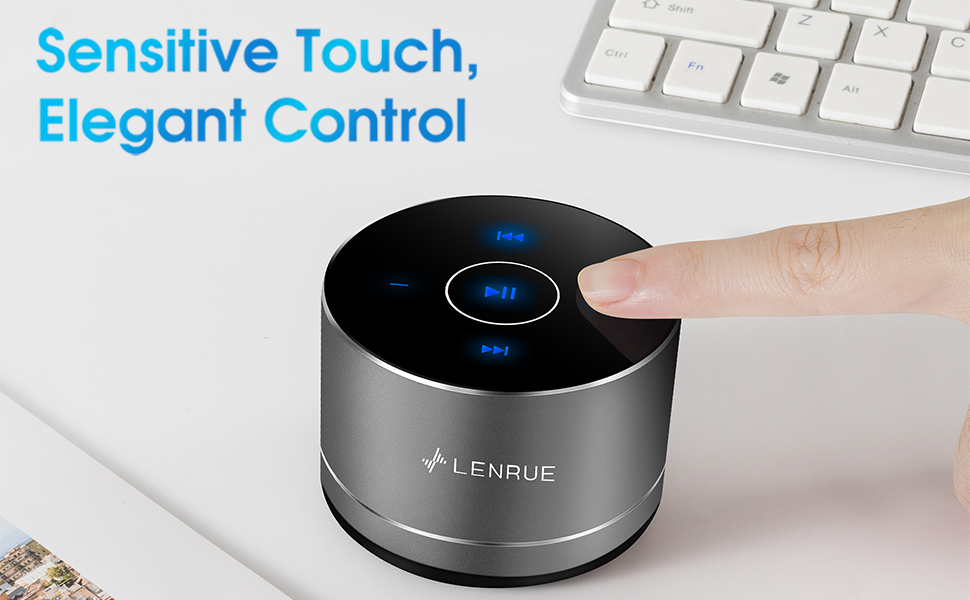
Figure 3: Two speakers connected for TWS wireless stereo pairing.
4. Parentah Operasi
4.1 Kontrol Toél
The speaker features intuitive touch controls located on the top surface:
- Puter / Reureuh: Tap the central button once to play or pause music.
- Volume Up: Tap the "+" button to increase volume.
- Volume Turun: Tap the "-" button to decrease volume.
- Lagu salajengna: Tap the ">>" button to skip to the next song.
- Lagu Sateuacanna: Tap the "<<" button to go to the previous song.
4.2 Telepon bebas leungeun
The speaker includes a built-in microphone for hands-free calls:
- Ngajawab Telepon: When a call comes in, tap the central button once to answer.
- Tungtung Telepon: During a call, tap the central button once to end the call.
- Nolak Telepon: Pencét jeung tahan tombol sentral salila kurang leuwih 2 detik pikeun nolak telepon asup.
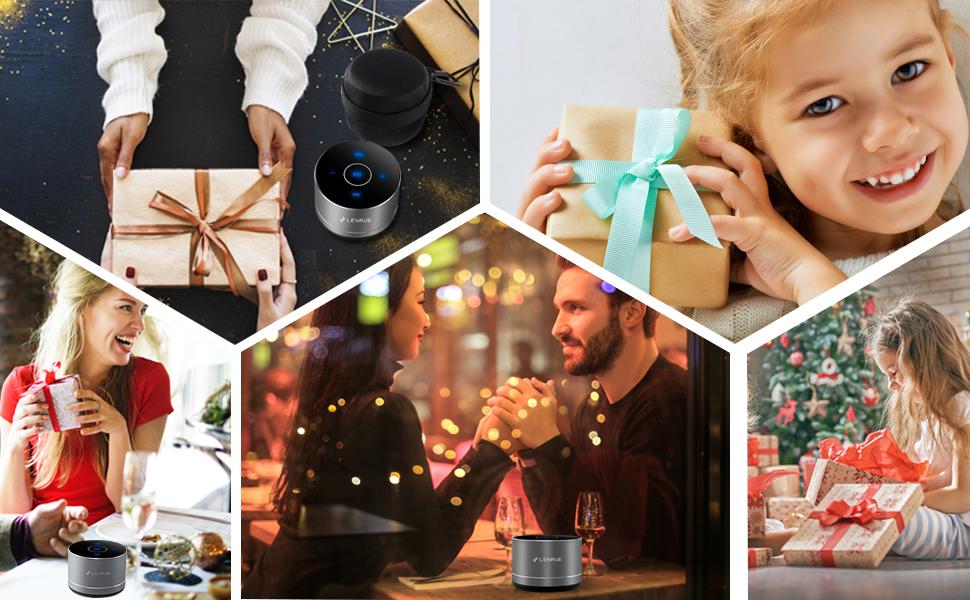
Figure 4: Speaker with hands-free calling capability.
4.3 Daya Tahan Batré sareng Panghematan Daya
The speaker is equipped with a 1200mAh lithium-ion battery, providing 6-15 hours of music playback at 2/3 volume. To conserve power, the speaker will automatically shut down if Bluetooth is disconnected for 30 minutes.
5. Pangropéa
5.1 beberesih
To clean the speaker, use a soft, dry cloth. Do not use abrasive cleaners, solvents, or immerse the speaker in water.
5.2 Panyimpenan
When not in use for extended periods, store the speaker in its hard EVA travel case in a cool, dry place. Avoid extreme temperatures and direct sunlight.
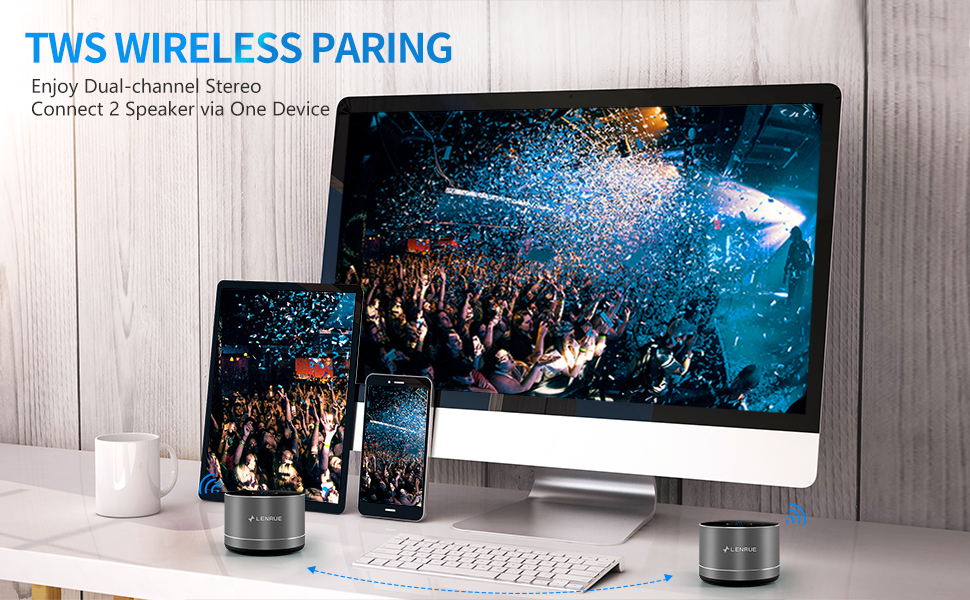
Figure 5: Speaker with its protective hard EVA travel case.
6. Cara ngungkulan
| Masalah | Mungkin Cukang lantaranana | Solusi |
|---|---|---|
| Speaker teu hurung. | batré lemah; Tombol daya teu dipencet leres. | Cas speaker pinuh; Pencét terus tahan tombol daya salami sababaraha detik. |
| Teu tiasa dipasangkeun sareng alat Bluetooth. | Speaker henteu dina mode papasangan; Alat Bluetooth pareum; Speaker geus disambungkeun ka alat sejen. | Ensure speaker is in pairing mode (flashing blue light); Turn on Bluetooth on your device; Disconnect from other devices and try again. |
| Poor sound quality / Muffled sound. | Speaker placement; Obstructions; Low volume. | Ensure the speaker is placed on a flat, open surface, ideally not directly on its bottom where the speaker grille is located. Try placing it on its side for clearer sound. Remove any obstructions; Adjust volume on both speaker and device. |
| Papasangan TWS gagal. | Speakers already paired to a device; Incorrect pairing procedure. | Ensure both speakers are disconnected from any Bluetooth devices before initiating TWS pairing. Follow the TWS pairing steps precisely. |
| Taya sora. | Volume too low; Paused playback; Device not connected. | Increase volume on both speaker and device; Press play; Verify Bluetooth connection. |
7. Spésifikasi
| Fitur | Rincian |
|---|---|
| Nomer modél | F4 |
| Téhnologi konektipitas | Bluetooth 5.0 |
| Speaker Maksimum Kaluaran Power | 5 Watt |
| Sumber Daya | Batré Powered (1 batré Litium Ion kaasup) |
| Kapasitas batré | 1200 mah |
| Waktu maén | 6-15 hours (at 2/3 volume) |
| Waktu Ngecas | Kurang leuwih 4 jam |
| Métode kontrol | Toél |
| Dimensi produk | 3.15 x 3.15 x 1.18 inci |
| Item Beurat | 9 ons |
| Fitur husus | Portable, Hands-Free Calling, TWS Pairing |
8. Garansi jeung Rojongan
For warranty information and customer support, please refer to the documentation included with your purchase or contact LENRUE customer service directly. Contact details can typically be found on the official LENRUE websitus atawa ngaliwatan pangecér Anjeun.