Bubuka
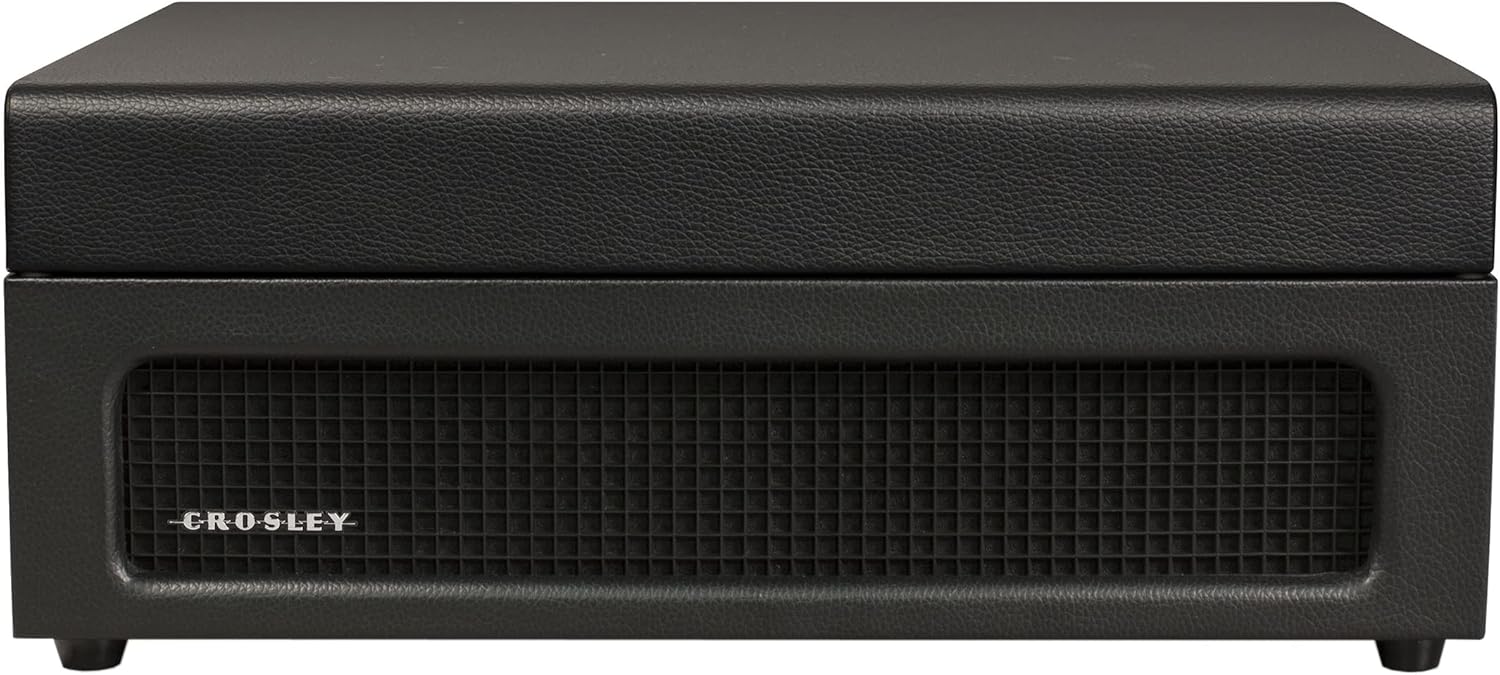
The Crosley Voyager Record Player is designed to combine classic vinyl listening with modern audio technology. This portable turntable supports multiple record speeds and features built-in speakers, Bluetooth connectivity for both input and output, and various audio ports for versatile use. This manual provides essential information for setting up, operating, and maintaining your record player.
Naon dina Box
- CR8017B-BK Turntable Unit
- 45 RPM Adaptor
- Adaptor kakuatan
Fitur produk
- Three-Speed Belt-Drive Turntable: Maénkeun rékaman 33 1/3, 45, sareng 78 RPM.
- Kontrol pitch adjustable: Fine-tune playback speed.
- Lever Panyekel: Gently lowers and raises the needle.
- Bluetooth In: Stream digital music from your device to the turntable's built-in speakers.
- Bluetooth kaluar: Connect the turntable wirelessly to external Bluetooth speakers.
- Built-in Dynamic Full-Range Stereo Speakers: Kaluaran audio anu terintegrasi.
- Input bantu: Connect external audio sources via a 3.5mm audio cable.
- Kaluaran RCA: Connect to an external stereo system for enhanced audio.
- Jack headphone: Pikeun déngékeun pribadi.
- Desain Koper Portabel: Compact and easy to transport with a carry handle.

Image: Key features of the Crosley Voyager turntable, highlighting the 3-speed selector, compact and portable design, and built-in stereo speakers.
Disetél
- Buka bungkus Turntable: Carefully remove all components from the packaging. Ensure all packing materials are removed from the turntable platter and tonearm.
- Place the Turntable: Position the turntable on a flat, stable surface away from direct sunlight, heat sources, or excessive vibration.
- Sambungkeun Kakuatan: Insert the power adaptor into the DC 12V input jack on the back of the turntable, then plug the adaptor into a wall outlet.
- Cabut Pelindung Stylus: Gently remove the white plastic stylus protector from the needle.
- Daya mimiti Hurung: Puterkeun kenop POWER/VOLUME searah jarum jam pikeun ngahurungkeun unit. Lampu indikator daya bakal hurung.

Image: Rear panel of the turntable, displaying the DC 12V power input, RCA Line Out, and Aux In ports for external connections.
Parentah Operasi
Maénkeun rékaman
- Pilih Speed: Set the speed selector switch (33, 45, or 78 RPM) to match the record you are playing. Use the included 45 RPM adapter for 7-inch records with large center holes.
- Rékam tempat: Teundeun catetan dina piring turntable.
- Buka konci Tonearm: Release the tonearm clip.
- Raise Tonearm: Lift the cueing lever to raise the tonearm.
- Posisi Tonearm: Manually move the tonearm over the desired track of the record.
- Tonearm handap: Gently lower the cueing lever to place the stylus on the record. The platter will begin to spin.
- Saluyukeun Volume: Rotate the POWER/VOLUME knob to adjust the sound level.
- Saluyukeun Nada: Use the PITCH control knob to fine-tune the playback speed if needed.
- Tungtung Playback: When the record finishes, the tonearm will automatically return to its rest position (if auto-stop is enabled). Lift the tonearm, return it to the rest, and secure the clip.
Gambar: luhur-handap view of the turntable with a record spinning, illustrating the tonearm in position and the control panel.
Input Bluetooth (Streaming ka Turntable)
- Pilih Mode Bluetooth: Slide the PHONO/BT switch to the BT position. The Bluetooth indicator light will flash blue.
- Pasangkeun Alat: On your Bluetooth-enabled device (e.g., smartphone, tablet), search for "Crosley Voyager" in the Bluetooth settings and pair. Once connected, the indicator light will glow solid blue.
- Puter Musik: Start playing music on your device. The audio will stream through the turntable's built-in speakers.
- Saluyukeun Volume: Control the volume using both your device and the turntable's POWER/VOLUME knob.
Image: The turntable with a smartphone icon and Bluetooth logo, indicating the ability to stream digital music through its built-in speakers.
Kaluaran Bluetooth (Streaming tina Turntable)
- Enable Pairing on External Speaker: Asupkeun spiker Bluetooth éksternal anjeun kana modeu papasangan.
- Select Bluetooth Output Mode: Slide the PHONO/BT switch to the BT position. The Bluetooth indicator light will flash blue.
- Mimitian pasangan: The turntable will automatically search for and connect to the nearest Bluetooth speaker in pairing mode. Once connected, the indicator light will glow solid blue.
- Rékaman Maén: Place a record and begin playback as described above. The audio will now stream to your external Bluetooth speaker.

Image: The turntable with a Bluetooth logo, illustrating its capability to stream vinyl audio to external Bluetooth speakers (speaker not included).
Using Aux Input or Headphone Jack
- Input bantu: Connect an external audio device (e.g., MP3 player) to the AUX IN port on the back of the turntable using a 3.5mm audio cable. The audio will play through the turntable's speakers.
- Jack headphone: For private listening, plug headphones into the headphone jack on the front panel. The built-in speakers will be muted.
Pangropéa
- Ngabersihan Stylus: Use a soft brush to gently clean the stylus (needle) from back to front. Avoid touching the stylus with your fingers.
- Ngabersihan Turntable: Wipe the turntable cabinet with a soft, dry cloth. Do not use harsh chemicals or abrasive cleaners.
- Perawatan rékaman: Jaga rékaman tetep bersih sareng bébas tina lebu. Simpen sacara vertikal dina leungeun bajuna supados henteu bengkok.
- Ngagantian Stylus: The stylus has a limited lifespan. If sound quality deteriorates, replace the stylus. Consult Crosley support for compatible replacement styli.
Pamérésan masalah
If you experience issues with your Crosley Voyager turntable, please refer to the following common solutions:
- Henteu aya kakuatan: Ensure the power adaptor is securely connected to both the turntable and a working wall outlet. Check if the POWER/VOLUME knob is turned on.
- Henteu aya sora:
- Check the POWER/VOLUME knob and turn it up.
- If using Bluetooth output, ensure the external speaker is powered on and paired correctly.
- If using RCA output, verify connections to your stereo system and its input selection.
- Upami nganggo headphone, pastikeun éta dipasang kalayan leres.
- Ensure the stylus protector has been removed.
- Skipping atawa Sora Distorted:
- Bersihkeun piringan hitam sareng stylusna.
- Pastikeun yén turntable aya dina permukaan datar anu stabil.
- Check if the record is warped or damaged.
- Verify the correct speed setting (33 1/3, 45, or 78 RPM) is selected.
- Masalah Nyapasangkeun Bluetooth:
- Ensure the turntable is in the correct Bluetooth mode (input or output).
- Make sure your device or external speaker is in pairing mode and within range.
- Try restarting both the turntable and the Bluetooth device.
spésifikasi
| Ukuran produk: | 12 x 14.5 x 6 inci |
| Beurat barang: | 7.25 pon |
| Laju Rotasi Maksimum: | 78 rpm |
| Bahan: | palastik |
| Gaya: | Bluetooth In/Out |
| warna: | Hideung |
| Ngaran modél: | Voyager |
| Alat anu cocog: | Spéker, Headphone |

Image: Detailed diagram illustrating the overall dimensions of the Crosley Voyager turntable.
Video Produk Resmi
Video: Hiji acara video produk resmicasing the Crosley CR8017B-BK Voyager Record Player, highlighting its design and features.
Garansi sareng Rojongan
Crosley products are proudly designed in the USA and come with USA-based customer support. For warranty information, technical assistance, or replacement parts, please visit the official Crosley websitus atanapi ngahubungan departemén layanan palanggan maranéhna. Simpen resi pameseran anjeun pikeun klaim jaminan.
Proposisi 65 Peringatan: Produk ieu tiasa ngandung bahan kimia anu dipikanyaho ku Nagara California pikeun nyababkeun kanker sareng cacad kalahiran atanapi cilaka réproduktif sanés. Kanggo inpo nu leuwih lengkep, buka www.P65Warnings.ca.gov.


