
1. Bubuka
Hatur nuhun pikeun meuliasing the Audizio Monza DAB+ FM Radio with Bluetooth. This manual provides essential information for the safe and correct operation of your device. Please read it thoroughly before use and retain it for future reference.
The Audizio Monza is a versatile portable radio offering DAB+ digital radio, FM radio, and Bluetooth connectivity for wireless audio streaming. It features a 2.4-inch full-color display, alarm functions, and a universal headphone output.
2. Parentah Kasalametan
- Ulah ngalaan unit ka hujan atawa Uap pikeun nyegah shock listrik.
- Ulah muka wadahna; teu aya bagian anu tiasa diservis ku pangguna di jerona.
- Ngan ukur nganggo adaptor kakuatan anu disayogikeun.
- Jauhkeun unit tina sumber panas sareng sinar panonpoé langsung.
- Pastikeun ventilasi nyukupan di sabudeureun unit.
- Ngabersihan ngan ku kaén garing.
3. Eusi Paket
- Audizio Monza DAB+ FM Radio
- Adaptor kakuatan
- Manual pangguna (dokumén ieu)
4. Produk Langkungview
4.1 Kadali Panel hareup
The front panel features a 2.4-inch full-color display, control buttons, and a central rotary knob for navigation and volume control.

A hareup jelas view of the Audizio Monza radio, showing the digital radio display tuned to 'NPO Radio 2' with current time and signal strength indicator. The control knobs and buttons are visible.
4.2 Sambungan Panel Rear
The rear panel includes the power input and a headphone jack.

The back panel of the Audizio Monza radio, indicating the DC 9V power input and a 3.5mm headphone jack. This illustrates the universal headphone output feature, which mutes the speakers when headphones are connected.
5. Setélan
5.1 Sambungan Daya
- Connect the supplied power adapter to the DC 9V input on the rear of the radio.
- Colokkeun adaptor kakuatan kana stop kontak témbok nu cocog.
5.2 Ngahurungkeun Mimiti sareng Pilihan Basa
- Pencét tombol Daya (U) pikeun ngahurungkeun radio.
- The display will prompt you to select a language. Use the rotary knob to navigate and press OK pikeun mastikeun pilihan Anjeun.
5.3 Adjustment anteneu
Panjangkeun anteneu teleskopik sapinuhna pikeun panarimaan radio DAB+ sareng FM anu optimal. Saluyukeun posisina pikeun kualitas sinyal anu pangsaéna.
6. Parentah Operasi
6.1 Pamilihan Mode
Pencét éta MODÉ button to switch between DAB+ Radio, FM Radio, and Bluetooth modes.
6.2 Operasi Radio DAB +
- Select DAB+ Radio mode using the MODÉ kancing.
- The radio will automatically perform a full scan for available DAB+ stations upon first use or if no stations are found. To initiate a scan manually, press the SCAN kancing.
- Use the rotary knob to browse through the list of available stations. Press OK pikeun milih stasiun.
- Pikeun nyimpen stasiun salaku prasetél, pencét terus tahan tombol PRESET button. Use the rotary knob to select a preset number (1-10) and press OK pikeun mastikeun.
- Pikeun ngelingan stasiun prasetél, pencét sakeudeung PRESET button, then use the rotary knob to select the desired preset and press OK.
6.3 Operasi Radio FM
- Pilih modeu Radio FM nganggo MODÉ kancing.
- To automatically scan for the next available station, press the SCAN kancing.
- To manually tune, rotate the rotary knob.
- Saving and recalling FM presets follows the same procedure as DAB+ presets (see 6.2).
6.4 Operasi Bluetooth
- Pilih mode Bluetooth nganggo MODÉ button. The display will show "Bluetooth Connected" or "Bluetooth Pairing".
- On your Bluetooth-enabled device (e.g., smartphone, MP3 player, laptop), enable Bluetooth and search for available devices.
- Select "Audizio Monza" from the list of devices.
- Saatos dipasangkeun, anjeun tiasa ngalirkeun audio tina alat anjeun ka radio.
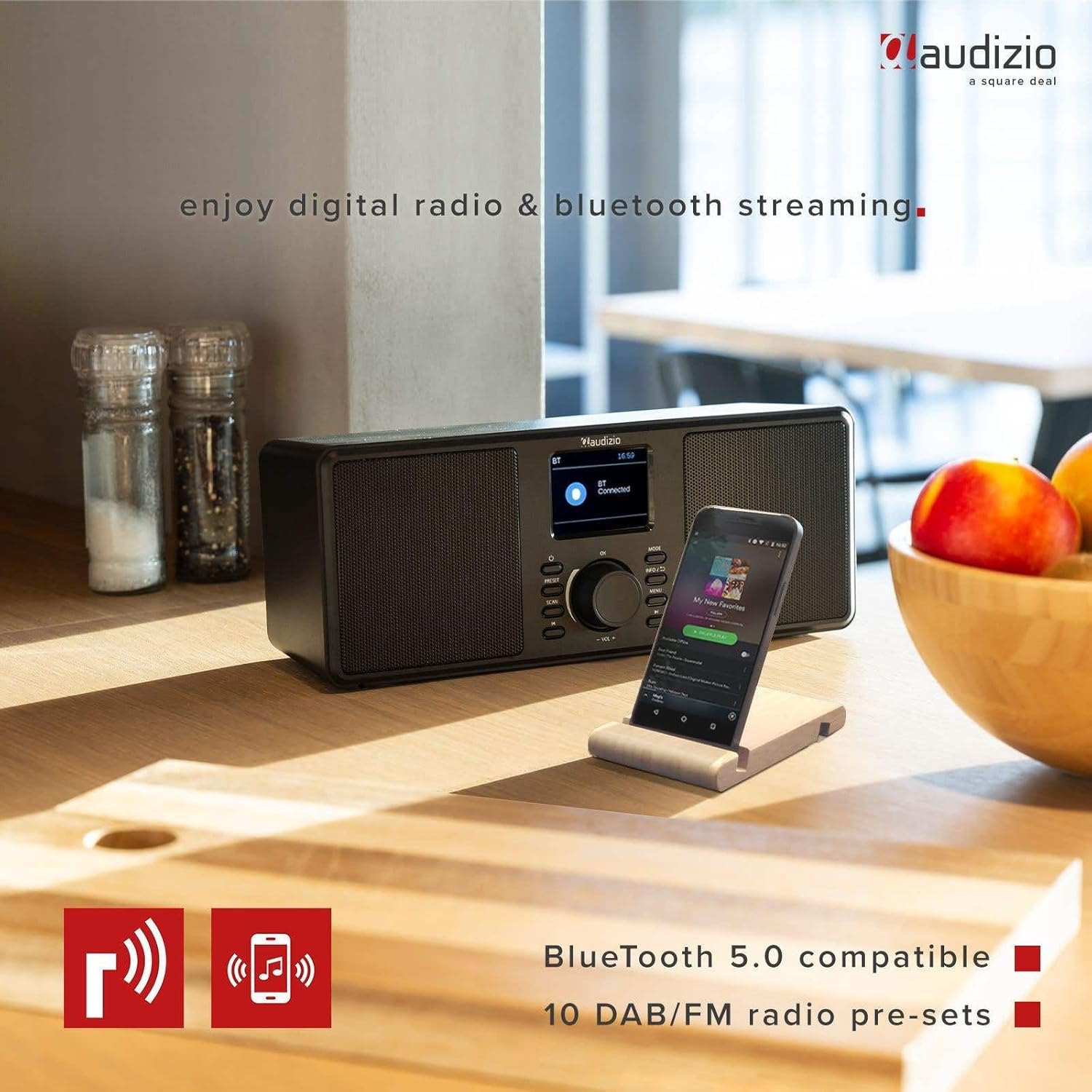
The Audizio Monza radio shown next to a smartphone, illustrating its Bluetooth streaming capability for playing music from mobile devices. The image highlights Bluetooth 5.0 compatibility and 10 DAB/FM radio pre-sets.
6.5 Alarm jeung Fungsi Snooze
The radio includes an alarm function with DAB/FM/buzzer wake-up options.

A close-up of the radio's screen displaying detailed alarm settings, including Alarm 2 status (Off), frequency (Daily), wake-up time (06:00), source (Digital Radio), preset (Last Listened), and duration (60 minutes).
- Pencét éta MENU button and navigate to the Alarm settings.
- Follow the on-screen prompts to set the alarm time, source (DAB, FM, or Buzzer), frequency (Daily, Weekdays, Weekends, Once), and duration.
- Nalika alarm disada, pencét éta SNOOZE button (often integrated with the OK tombol atawa tombol husus) pikeun mareumanana samentawis.
- Pikeun mareuman alarm, pencét tombol POWER kancing.
6.6 Headphone Usage
Connect 3.5mm headphones to the headphone jack on the rear panel. The radio's speakers will automatically mute when headphones are connected.
7. Pangropéa
7.1 beberesih
Wipe the radio's surface with a soft, dry, lint-free cloth. Do not use abrasive cleaners, waxes, or solvents as they may damage the finish.
7.2 Panyimpenan
If storing the radio for an extended period, disconnect it from the power outlet and store it in a cool, dry place away from direct sunlight and extreme temperatures.
8. Cara ngungkulan
| Masalah | Mungkin Cukang lantaranana | Solusi |
|---|---|---|
| Taya kakuatan | Adaptor listrik teu nyambung atanapi lepat. | Pastikeun adaptor kakuatan disambungkeun sacara aman ka radio sareng stopkontak listrik anu tiasa dianggo. |
| No radio reception / Poor sound quality | Antenna not extended or poorly positioned. Weak signal. | Pinuh manjangkeun tur saluyukeun anteneu telescopic. Coba pindahkeun radio ka lokasi anu béda. Laksanakeun scan stasion énggal. |
| Bluetooth teu nyambung | Radio not in Bluetooth mode. Device not in pairing mode or out of range. | Ensure the radio is in Bluetooth mode. Make sure your device's Bluetooth is on and in pairing mode. Move your device closer to the radio. |
| Teu aya sora ti panyatur | Volume too low. Headphones connected. | Increase the volume. Disconnect headphones if not in use. |
| Radio presets not saving | Prosedur nyimpen salah. | Ensure you press and hold the PRESET button to save, and then press OK to confirm the preset number. |
9. Spésifikasi
| Fitur | Spésifikasi |
|---|---|
| merek | Audizio |
| Modél | Monza (102.420) |
| Ukuran (L x W x H) | 36 x 14.5 x 15.5 cm |
| Beurat | 1.4 kg |
| Ukuran tampilan | 2.4 inci |
| Téhnologi Tuner | DAB+, FM |
| Band Radio Dirojong | VHF II (87.5-108 MHz), VHF III (174-240 MHz) |
| Téhnologi konektipitas | Bluetooth |
| Panganteur Hardware | 3.5mm Audio |
| Speaker Output Power (Max) | 50 Watt |
| Sumber Daya | Battery (external power adapter required) |
| Frékuénsi | 60 Hz |
| Fitur husus | Portabel |
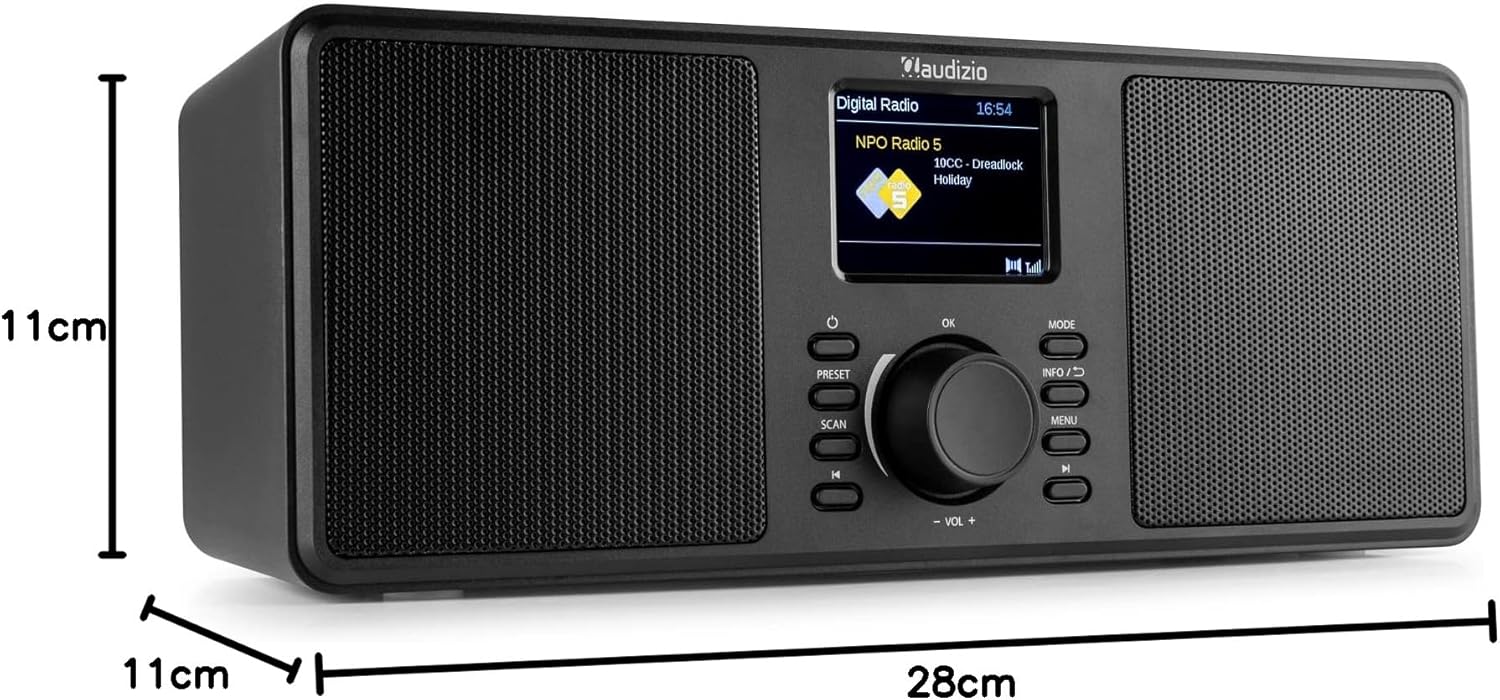
An image illustrating the physical dimensions of the Audizio Monza radio: 28cm width, 11cm height, and 11cm depth.
10. Garansi jeung Rojongan
10.1 Émbaran jaminan
Warranty terms and conditions are typically provided with your purchase documentation or can be found on the official Audizio websitus. Punten tahan bukti pameseran anjeun pikeun klaim garansi.
10.2 Rojongan Palanggan
For technical support or service inquiries, please refer to the contact information provided in your purchase documentation or visit the official Audizio website for their customer service details.