
LENRUE A52
LENRUE A52 Portabel Bluetooth Speaker Pamaké Manual
Modél: A52
1. Bubuka
Thank you for choosing the LENRUE A52 Portable Bluetooth Speaker. This manual provides essential information for setting up, operating, and maintaining your speaker to ensure optimal performance and longevity. Please read it carefully before use.

Image 1.1: The LENRUE A52 Portable Bluetooth Speaker in Powder Blue.
2. Naon dina Box
Saatos ngabongkar bungkusan, mangga pastikeun sadaya barang anu didaptarkeun di handap ieu aya:
- 1 x LENRUE A52 Bluetooth Speaker
- 1 x Kabel Ngecas USB
- 1 x Manual Pamaké

Image 2.1: The LENRUE A52 speaker, charging cable, and user manual as included in the package.
3. Kontrol jeung Indikator
Familiarize yourself with the speaker's buttons and ports for easy operation.
3.1 Top Panel Buttons
Image 3.1: Top panel buttons including Power, Volume Down, Volume Up, and Play/Pause/Answer Call.
- Tombol Daya (⏻): Long press to power on/off. Short press for other functions (e.g., mode switch).
- Volume Turun (-): Short press to decrease volume. Long press for previous track.
- Volume Naik (+): Short press to increase volume. Long press for next track.
- Play/Pause/Answer Call (▶/❚❚): Short press to play/pause music. Short press to answer/end a call. Long press to reject a call.
3.2 palabuhan pungkur
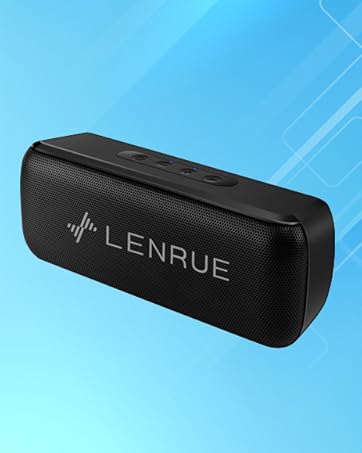
Image 3.2: Rear ports for USB, TF card, and DC 5V charging.
- Port USB: For USB flash drive playback.
- Slot Kartu TF: For Micro SD card playback (supports up to 32GB).
- DC 5V ngecas Port: For charging the speaker using the provided USB cable.
4. Setélan
4.1 Ngecas Speaker
- Connect the small end of the USB charging cable to the DC 5V port on the speaker.
- Sambungkeun tungtung kabel USB anu langkung ageung ka adaptor kakuatan USB (teu kalebet) atanapi port USB komputer.
- Lampu indikator ngecas bakal hurung. Sakali dicas pinuh, lampu tiasa robih warna atanapi pareum, gumantung kana modélna.
- Ngecas pinuh nyadiakeun kira-kira 16-24 jam waktos maén.
4.2 Powering on / Pareum
- Pikeun Kakuatan: Long press the Power button (⏻) until you hear an audible prompt or see an indicator light.
- Pikeun Pareum: Long press the Power button (⏻) again until you hear an audible prompt or the indicator light turns off.
5. Parentah Operasi
5.1 Nyapasangkeun Bluetooth
Pikeun nyambungkeun speaker anjeun ka alat nu diaktipkeun Bluetooth:
- Ensure the speaker is powered on and in Bluetooth mode (it usually defaults to Bluetooth mode upon power-on). The indicator light will flash, indicating it's ready for pairing.
- Dina alat anjeun (smartphone, tablet, jsb.), aktipkeun Bluetooth sareng milarian alat anu sayogi.
- Select "Soundmate" from the list of found devices.
- Once connected, the speaker will provide an audible confirmation, and the indicator light will stop flashing and remain solid.
5.2 Sambungan TWS (Stereo Nirkabel Leres)
You can pair two LENRUE A52 speakers together for a stereo sound experience.
Image 5.1: Visual representation of two speakers establishing a TWS connection.
- Turn on both LENRUE A52 speakers. Ensure they are not currently connected to any other Bluetooth devices.
- Double-click the Power button (⏻) on hiji of the speakers. This speaker will initiate TWS pairing.
- The speakers will automatically connect to each other, indicated by an audible "beep" sound.
- Now, on your device, search for Bluetooth devices and select "Soundmate". Only one "Soundmate" will appear.
- Once connected, audio will play through both speakers in stereo.
5.3 Sababaraha Mode Playback
The speaker supports various audio sources:
- Mode Bluetooth: Connect wirelessly to your device as described above.
- Puterkeun USB Flash Drive: Insert a USB flash drive containing MP3 audio filekana port USB. Spiker bakal otomatis pindah ka modeu USB sareng ngamimitian muterkeun.
- Puterkeun Kartu SD Mikro: Insert a Micro SD card (up to 32GB) containing MP3 audio files kana slot kartu TF. Speaker bakal otomatis pindah ka modeu kartu TF tur mimitian playback.
5.4 Nelepon Bebas Tangan
Upami disambungkeun ka smartphone anjeun via Bluetooth, speaker ieu tiasa dianggo pikeun nelepon tanpa nganggo handsfree.
- Ngajawab Telepon: When an incoming call rings, short press the Play/Pause/Answer Call button (▶/❚❚) to answer.
- Tungtung Telepon: During a call, short press the Play/Pause/Answer Call button (▶/❚❚) to end the call.
- Nolak Telepon: When an incoming call rings, long press the Play/Pause/Answer Call button (▶/❚❚) to reject the call.

Image 5.2: The LENRUE A52 speaker in an outdoor setting, demonstrating its portability.
6. Pangropéa
6.1 beberesih
- Ngusap spéker nganggo lawon anu lemes sareng garing.
- Ulah make cleaners abrasive, alkohol, atawa pangleyur kimiawi, sabab ieu bisa ngaruksak beungeut cai.
6.2 Perawatan Batré
- To prolong battery life, fully charge the speaker before first use.
- Hindarkeun ngalaan spéker ka suhu anu ekstrim (panas atanapi tiis).
- Upami spiker moal dianggo dina waktos anu lami, ngecas sahenteuna unggal tilu bulan sakali.
6.3 Panyimpenan
- Simpen speaker di tempat anu tiis, garing, sareng jauh tina sinar panonpoé langsung.
7. Cara ngungkulan
If you encounter issues with your LENRUE A52 speaker, refer to the following common problems and solutions:
Q1: How to use two speakers in Bluetooth mode at the same time (TWS)?
jawaban:
- Turn on both speakers and ensure they are disconnected from all other devices.
- Double-click the power button on either of the two speakers to initiate TWS pairing.
- TWS pairing will automatically complete after a "beep" sound.
- Select the device name "Soundmate" on your phone's Bluetooth settings to pair with your speakers.
- You can now play music with double surround stereo sound.
Q2: How does the microphone work?
jawaban: The microphone functions only in Bluetooth mode. When a call comes in, press the Play/Pause/Answer Call button (▶/❚❚) to answer the call through the speaker.
8. Spésifikasi
Detailed technical specifications for the LENRUE A52 Portable Bluetooth Speaker:
Image 8.1: Dimensions of the LENRUE A52 Portable Bluetooth Speaker.
| Fitur | Rincian |
|---|---|
| Ngaran modél | A52 |
| merek | LENRUE |
| Téhnologi konektipitas | Bluetooth 5.0 |
| Tipe Speaker | Speaker Bluetooth portabel |
| Fitur husus | Stereo Pairing (TWS) |
| Sumber Daya | Batré Powered |
| Kapasitas batré | 1500 mAh (1.6E+3 Miliamp Jam) |
| Waktu maén | 16-24 Jam |
| Waktu Ngecas | Approximately 16 Hours (initial charge) |
| Speaker Maksimum Kaluaran Power | 8 Watt |
| Réspon Frékuénsi | 20 Hz |
| Dimensi produk | 1.7 "D x 6" W x 2.25" H |
| Item Beurat | 9.2 ons |
| Alat nu cocog | Alat ios sareng Android |
| Modeu Playback | Bluetooth, USB Flash Disk, Micro SD Card |
| Tahan cai | No |
9. Garansi
The LENRUE A52 Portable Bluetooth Speaker comes with a Limited Warranty. Please refer to the warranty card included in your package or contact customer support for details regarding warranty terms and conditions.
10. Rojongan
For further assistance, technical support, or inquiries not covered in this manual, please contact LENRUE customer service through the retailer where you purchased the product or visit the official LENRUE websitus.
Ask a question about this manual
Ask about setup, troubleshooting, compatibility, parts, safety, or missing instructions. Manuals+ will review the question and use this page’s manual context to help answer it.