
1. Bubuka
Thank you for choosing the Attoe Ergonomic Rechargeable Small Vertical Wireless Mouse. This mouse is designed to provide a more natural hand position, reducing strain on your wrist and hand during extended use. Its vertical design promotes comfort and efficiency.
This manual will guide you through the setup, operation, and maintenance of your new mouse to ensure optimal performance and longevity.
2. Eusi Paket
- Vertical Mouse x 1
- Panarima USB x 1
- Kabel Ngecas USB x 1
- Instructions x 1 (This document)
3. Sarat Sistim
- IBM atawa komputer cocog
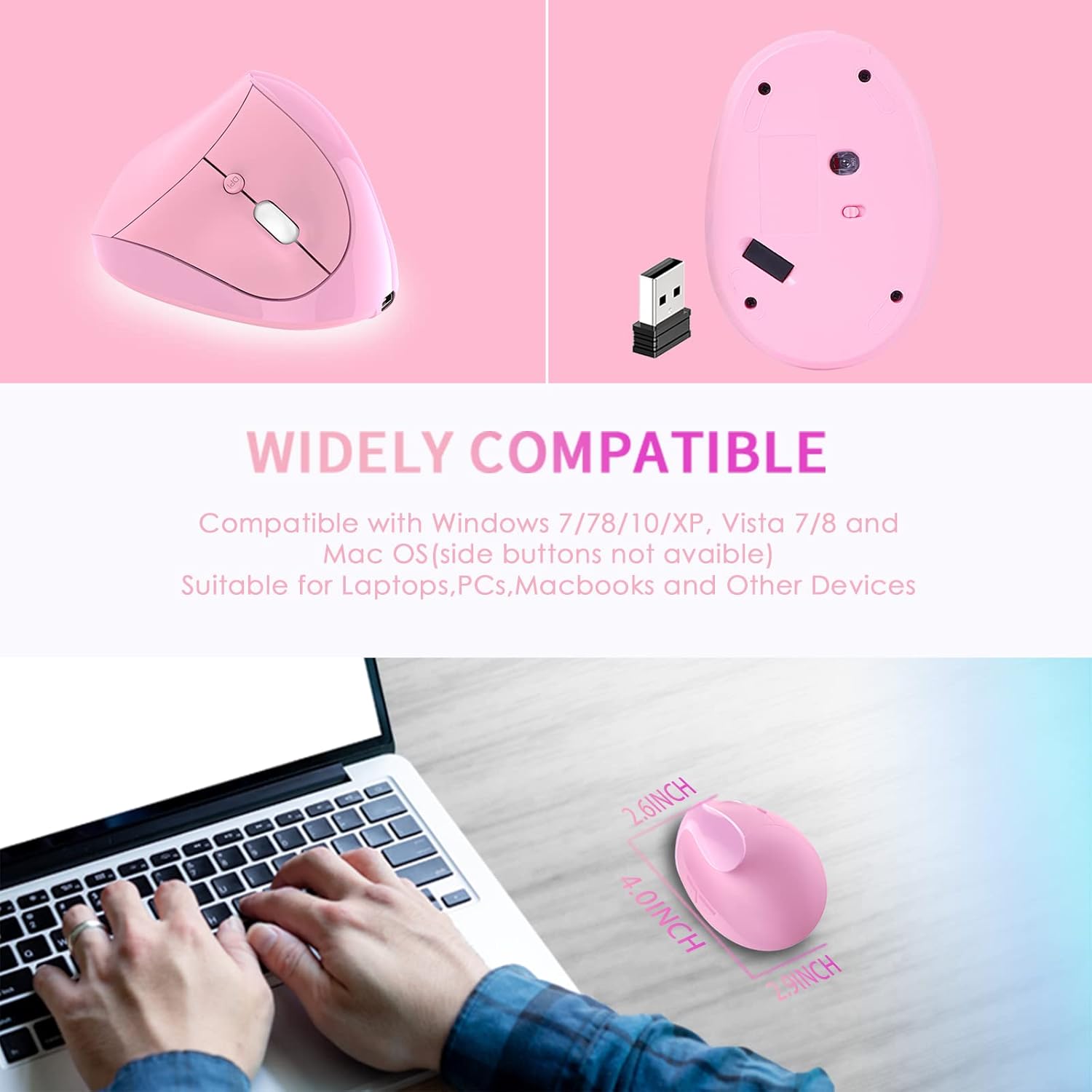
- Operating Systems: Windows 2000/ME/XP (x64)/Vista/7/8/10, Mac OS X (over V10.4), Linux
- Hiji port USB sadia
4. Setup Guide
- Install USB Receiver: Selapkeun panarima USB kana port USB sadia dina komputer Anjeun.
- Pangenal Sistim: Wait for your computer to recognize and install the necessary drivers for the USB receiver. This usually happens automatically.
- Power On Mouse: Locate the power switch on the bottom of the mouse and slide it to the "ON" position.
- Fungsi Uji: The mouse should now be operational. Move the mouse and click buttons to confirm it is working correctly.

5. Parentah Operasi
The Attoe Ergonomic Vertical Wireless Mouse features 6 buttons for enhanced productivity:
- Tombol Klik Kénca: Standard selection function.
- Tombol Klik katuhu: Aksés ménu kontekstual.
- Gulung kabayang: Dokumén gulungan sareng web kaca. Ogé bisa diklik pikeun fungsi-klik tengah.
- Tombol Penyesuaian DPI: Ngaganti setélan DPI (800/1200/1600).
- Tombol Maju: Navigates ka hareup web browser atawa file explorers. (Note: Not recognized on Mac OS.)
- Tombol Mundur: Navigates ka tukang web browser atawa file explorers. (Note: Not recognized on Mac OS.)

Adjustment DPI
Press the DPI button, usually located near the scroll wheel, to cycle through the available sensitivity settings: 800 DPI, 1200 DPI, and 1600 DPI. Choose the setting that best suits your preference and task.
Mangpaat Desain Ergonomis
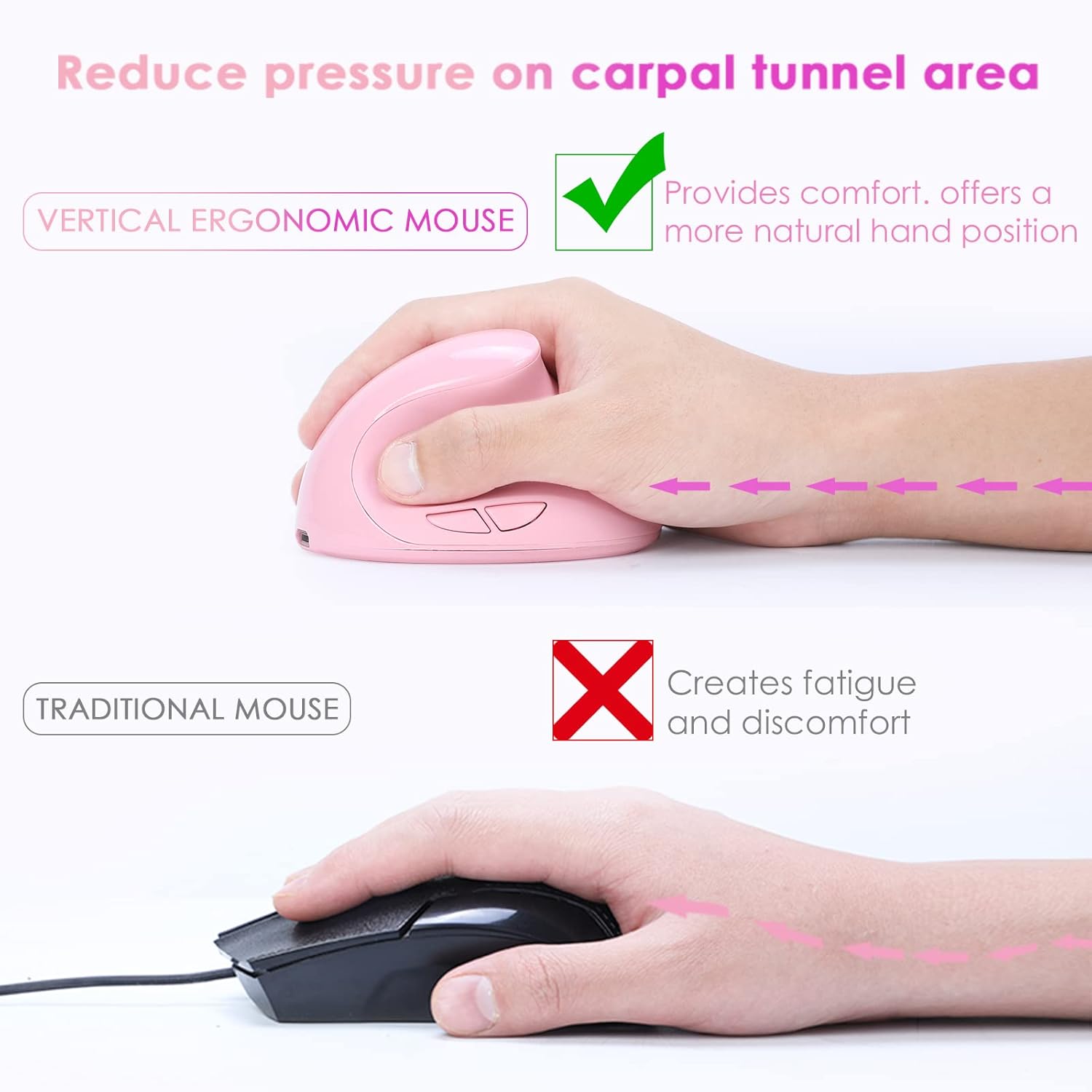
The vertical design of this mouse positions your hand in a natural handshake posture, which helps to alleviate wrist pronation and reduce pressure on the carpal tunnel area, promoting comfort during prolonged use.
Operasi sepi
The mouse features whisper-quiet clicks, allowing you to work without disturbing others in quiet environments.

6. Ngecas
This mouse is rechargeable. When the battery is low, connect the provided USB charging cable to the mouse's charging port and to a USB power source (e.g., computer USB port, USB wall adapter). The mouse can be used while charging.

7. Pangropéa
To ensure the longevity and appearance of your mouse, please note the following:
- The surface of the mouse's grip is sprayed with rubber oil. Prolonged use, especially with uncleaned hands or exposure to sweat, can cause this surface to blacken or corrode.
- Regularly clean the mouse with a soft, dry cloth. Avoid harsh chemicals or abrasive cleaners.
8. Cara ngungkulan
Mouse Has No Response
If your mouse is not responding, try the following steps:
- Ngecas mouse: Connect the mouse to a power source using the USB charging cable.
- Pariksa Panarima USB: Coba colokkeun panarima USB kana port USB anu béda dina komputer anjeun.
- Pariksa Power Switch: Pastikeun saklar daya di handapeun beurit aya dina posisi "ON".
- Balikan deui Komputer: Restart your computer to refresh the USB connections and drivers.
If the issue persists after trying these steps, please contact customer support for technical assistance.
9. Spésifikasi
| Fitur | Rincian |
|---|---|
| Nomer Tombol | 6 kancing |
| Sistim nyukcruk | Optik |
| Frékuénsi | 2405MHz-2476MHz |
| Jarak épéktip | 10 méter (33 suku) |
| Gawé Voltage / Ayeuna | 3V/4mA |
| Tombol Kahirupan | 5 juta kali |
| Roller Life | 1.2 million turns |
| Dimensi produk | 4.0 (L) * 2.9 (W) * 2.6 (H) inches |
| Beurat produk | 200 ± 5g (0.44 lbs) |
| Resolusi (DPI) | 800 / 1200 / 1600 (Tiasa disaluyukeun) |
| Laju mulang | 250Hz |
| Orientasi leungeun | Leres |
10. Garansi jeung Rojongan
The Attoe Ergonomic Rechargeable Small Vertical Wireless Mouse comes with a garansi 1 taun ti tanggal beuli.
For technical assistance, troubleshooting, or warranty claims, please contact Attoe customer support. Refer to your purchase documentation or the official Attoe websitus pikeun inpo kontak.