1. Parentah Kasalametan
Salawasna perhatikeun tindakan pencegahan kaamanan dasar nalika nganggo alat listrik pikeun ngirangan résiko kahuruan, sengatan listrik, sareng tatu pribadi. Baca sadaya pitunjuk sateuacan ngoperasikeun alat ieu.
Peringatan Kasalametan Alat Daya Umum
- Kasalametan Area Gawé: Tetep wewengkon gawé beresih jeung cahayana alus. Wewengkon nu pabalatak atawa poek ngocorkeun kacilakaan. Ulah ngajalankeun parabot kakuatan dina atmosfir ngabeledug, kayaning ku ayana cairan kaduruk, gas atawa lebu. Alat-alat listrik nyiptakeun percikan api anu tiasa nyababkeun lebu atanapi haseup. Jauhkeun murangkalih sareng jalma-jalma nalika ngajalankeun alat listrik. Distractions bisa ngabalukarkeun anjeun leungit kontrol.
- Kasalametan listrik: Colokan pakakas listrik kudu cocog jeung stop kontakna. Ulah ngarobah colokanna ku cara naon waé. Ulah make colokan adaptor naon waé jeung pakakas listrik nu dibumikeun (diground). Colokan nu teu dimodifikasi jeung stop kontak nu cocog bakal ngurangan résiko sengatan listrik. Hindarkeun kontak awak jeung permukaan nu dibumikeun atawa digroundkeun, saperti pipa, radiator, kompor, jeung kulkas. Aya résiko sengatan listrik nu ningkat lamun awak anjeun dibumikeun atawa digroundkeun. Ulah ngalaan pakakas listrik kana hujan atawa kaayaan baseuh. Cai nu asup kana pakakas listrik bakal ningkatkeun résiko sengatan listrik. Ulah ngagunakeu kabelna sacara salah. Ulah make kabelna pikeun mawa, narik, atawa nyabut kabel pakakas listrik. Jauhkeun kabelna tina panas, oli, sisi seukeut, atawa bagian nu obah. Kabel nu ruksak atawa nyangkut ningkatkeun résiko sengatan listrik.
- Kasalametan Pribadi: Stay alert, watch what you are doing and use common sense when operating a power tool. Do not use a power tool while you are tired or under the influence of drugs, alcohol or medication. A moment of inattention while operating power tools may result in serious personal injury. Use personal protective equipment. Always wear eye protection. Protective equipment such as dust mask, non-skid safety shoes, hard hat, or hearing protection used for appropriate conditions will reduce personal injuries. Prevent unintentional starting. Ensure the switch is in the off-position before connecting to power source, picking up or carrying the tool. Carrying power tools with your finger on the switch or energising power tools that have the switch on invites accidents. Remove any adjusting key or wrench before turning the power tool on. A wrench or a key left attached to a rotating part of the power tool may result in personal injury. Do not overreach. Keep proper footing and balance at all times. This enables better control of the power tool in unexpected situations. Dress properly. Do not wear loose clothing or jewellery. Keep your hair and clothing away from moving parts. Loose clothes, jewellery or long hair can be caught in moving parts. If devices are provided for the connection of dust extraction and collection facilities, ensure these are connected and properly used. Use of dust collection can reduce dust-related hazards.
- Pamakéan sareng Perawatan Alat Daya: Do not force the power tool. Use the correct power tool for your application. The correct power tool will do the job better and safer at the rate for which it was designed. Do not use the power tool if the switch does not turn it on and off. Any power tool that cannot be controlled with the switch is dangerous and must be repaired. Disconnect the plug from the power source and/or the battery pack from the power tool before making any adjustments, changing accessories, or storing power tools. Such preventive safety measures reduce the risk of starting the power tool accidentally. Store idle power tools out of the reach of children and do not allow persons unfamiliar with the power tool or these instructions to operate the power tool. Power tools are dangerous in the hands of untrained users. Maintain power tools and accessories. Check for misalignment or binding of moving parts, breakage of parts and any other condition that may affect the power tool’s operation. If damaged, have the power tool repaired before use. Many accidents are caused by poorly maintained power tools. Keep cutting tools sharp and clean. Properly maintained cutting tools with sharp cutting edges are less likely to bind and are easier to control. Use the power tool, accessories and tool bits etc. in accordance with these instructions, taking into account the working conditions and the work to be performed. Use of the power tool for operations different from those intended could result in a hazardous situation.
- Pamakéan sareng Perawatan Alat Batré: Ngecas ukur nganggo carjer anu ditunjuk ku produsén. Pangecas anu cocog pikeun hiji jinis pak batré tiasa nyababkeun résiko seuneu nalika dianggo sareng pak batré anu sanés. Anggo alat listrik ngan nganggo bungkus batré anu ditunjuk sacara khusus. Pamakéan bungkusan batré anu sanés tiasa nyababkeun résiko tatu sareng seuneu. Lamun pak batré teu dipake, jauhkeun tina objék logam lianna, kawas klip kertas, koin, kenop, paku, screws atawa objék logam leutik lianna, nu bisa nyieun sambungan ti hiji terminal ka nu sejen. Kosot terminal batré babarengan bisa ngabalukarkeun kaduruk atawa seuneu. Dina kaayaan kasar, cairan bisa dikaluarkeun tina batréna; nyingkahan kontak. Upami kontak teu kahaja, siram ku cai. Lamun cairan kontak panon, tambahan neangan pitulung médis. Cairan anu dikaluarkeun tina batré tiasa nyababkeun iritasi atanapi kaduruk.
- jasa: Gaduh alat listrik anjeun dilayanan ku jalma perbaikan anu mumpuni ngan ukur nganggo suku cadang anu sami. Ieu bakal mastikeun yén kasalametan alat kakuatan dijaga.
2. Produk Langkungview
The POWERPLUS POWDP15200 is a versatile 20V cordless impact drill driver designed for various drilling and screwing applications. It is part of the Dual Power range, meaning its battery and charger (sold separately) are compatible with other Dual Power tools.
Fitur konci:
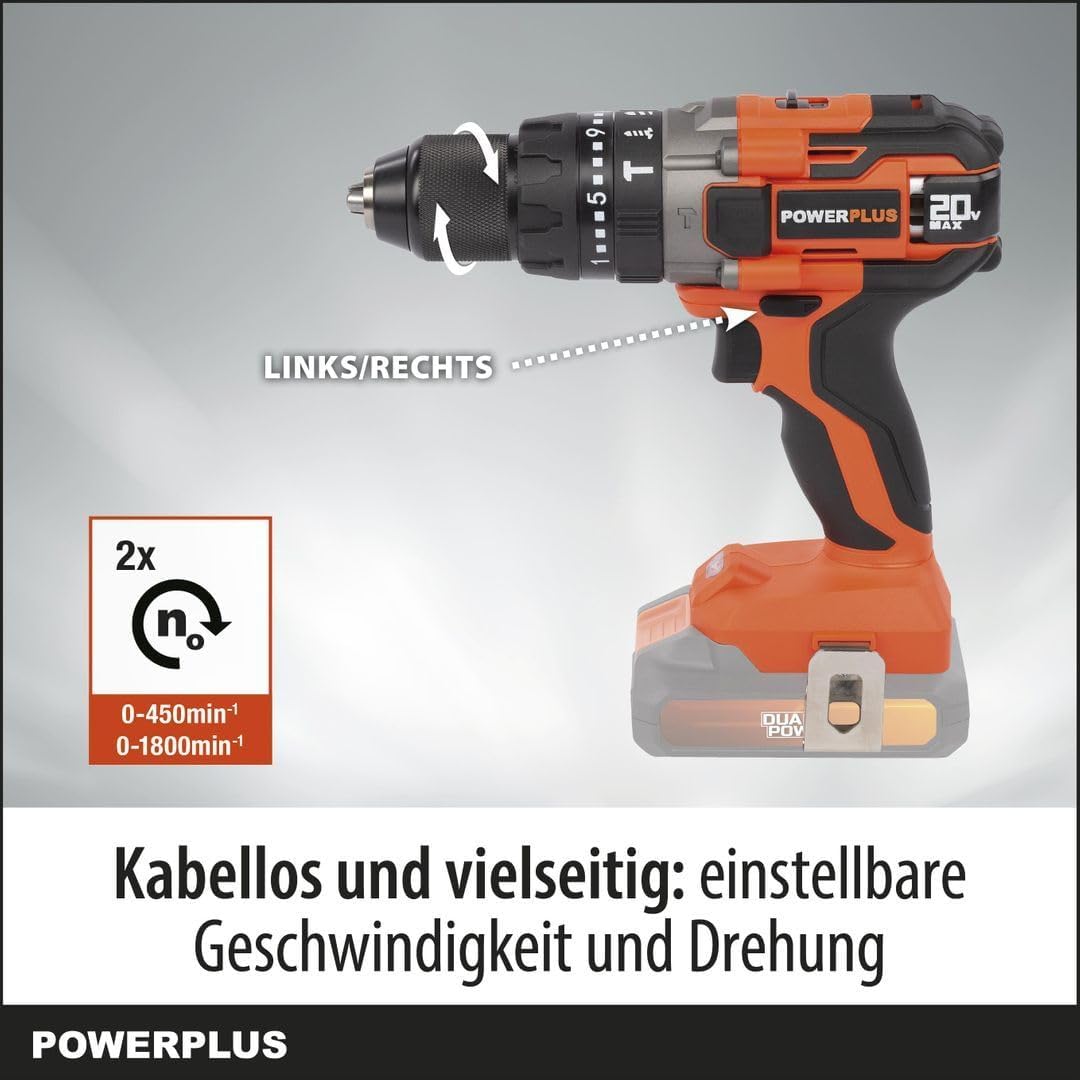
- Adjustable Speed and Rotation: Two-speed gearbox (0-450 min-1 / 0-1800 min-1) and a forward/reverse switch for optimal control.
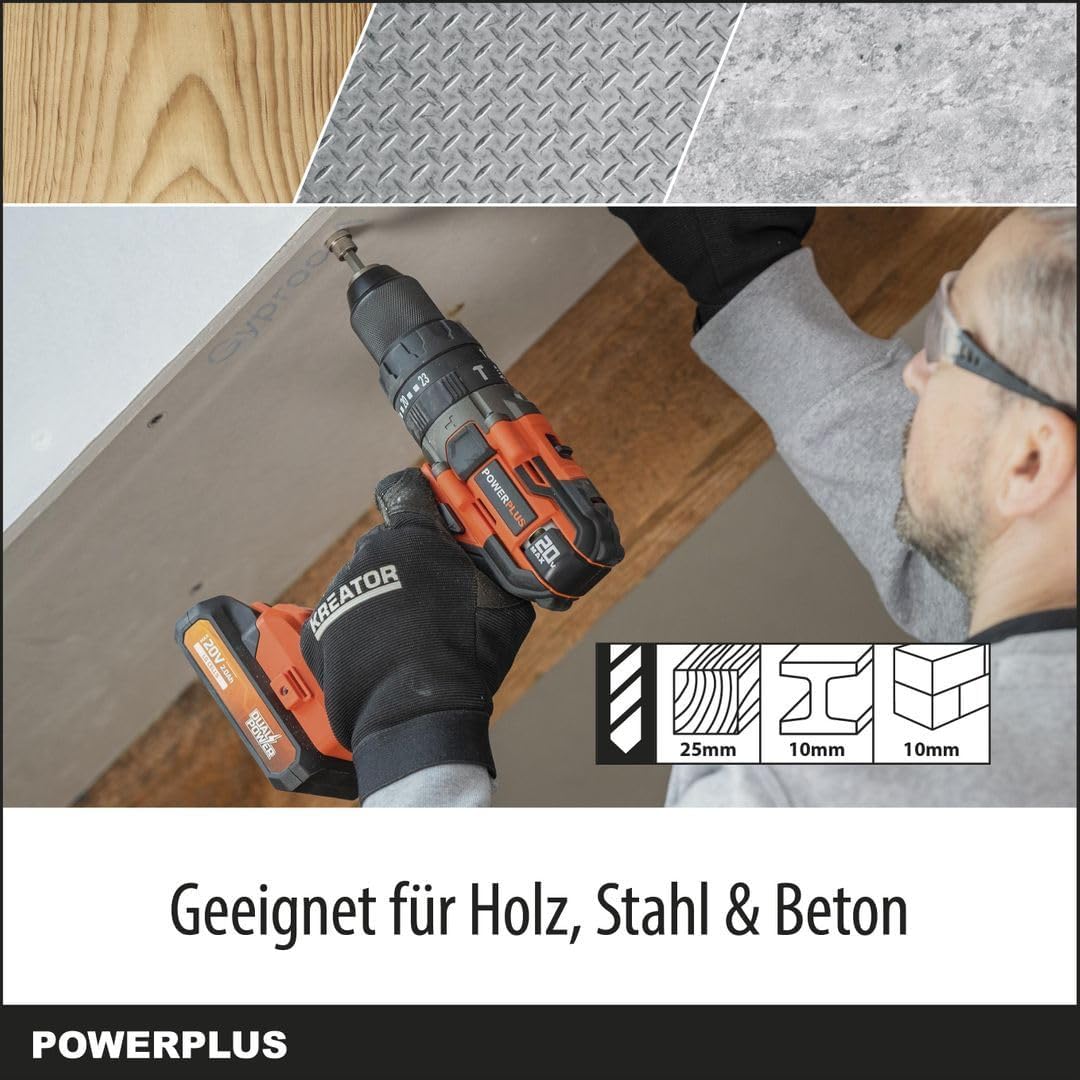
- Multi-Material Capability: Drills up to 25 mm in wood, 10 mm in steel, and 10 mm in concrete.
- Fungsi 3-in-1: Offers screwing, drilling, and impact drilling modes with 23+2 torque settings.
- Kinerja anu kuat: Delivers up to 50 Nm of torque and an impact rate of 7200-28800 strokes per minute.
- Ningkatkeun Visibilitas: Integrated LED work light illuminates the work area.
- Mékanisme kaamanan: Features soft start, quick stop, and overload protection.
- Quick Accessory Change: Spindle lock for easy chuck and bit changes.
Gambar 2.1: Hareupeun view of the POWERPLUS POWDP15200 Cordless Impact Drill Driver. This image shows the overall design of the tool, including the chuck, speed selector, and handle.
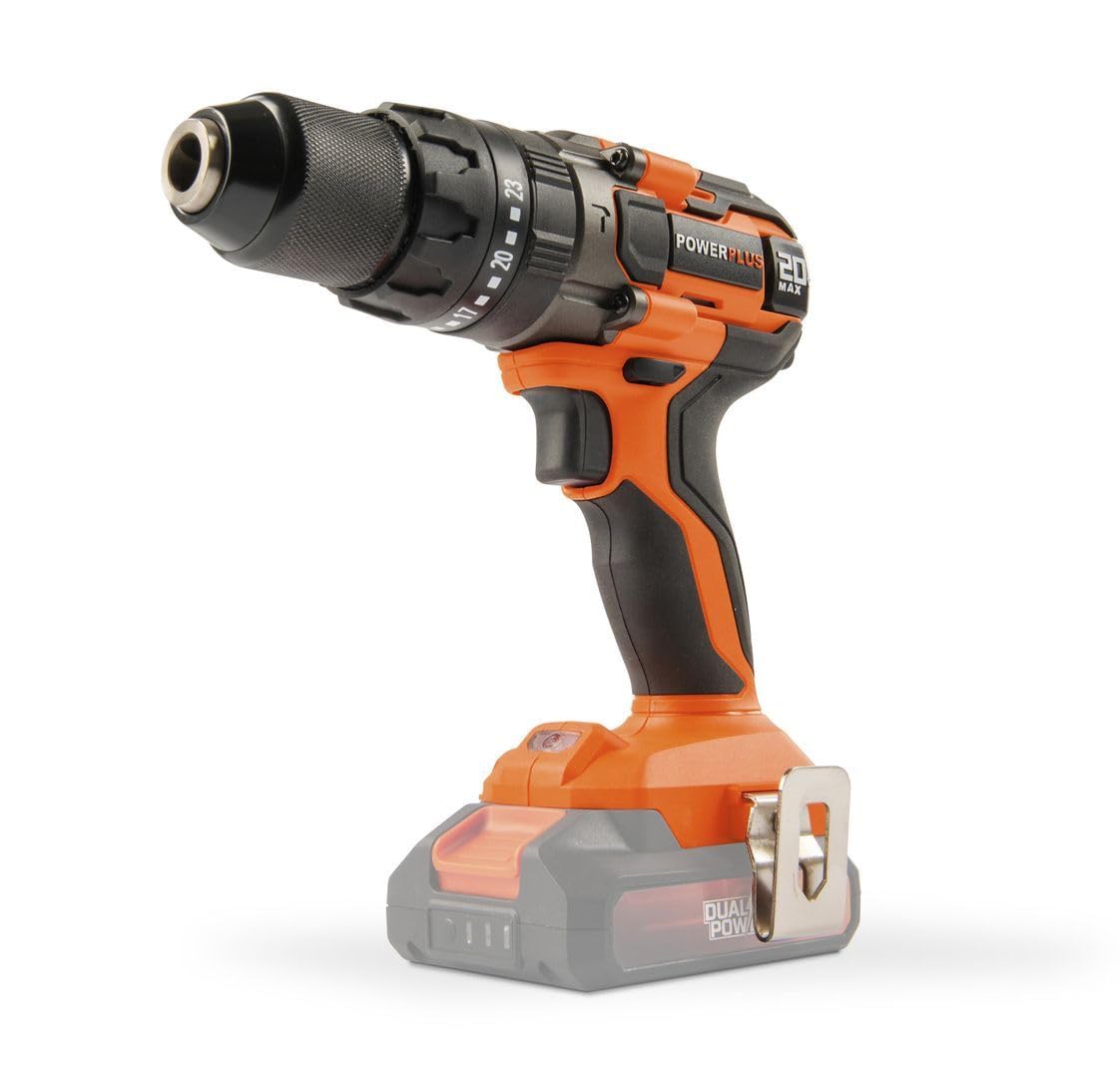
Figure 2.2: The POWERPLUS POWDP15200 drill driver with a compatible Dual Power battery attached. Note that the battery and charger are sold separately.
3. Setélan
3.1. Pamasangan Batré sareng Ngecas
This tool requires a 20V Dual Power battery and a compatible charger, which are not included and must be purchased separately. Ensure the battery is fully charged before first use.
- To install the battery, align the battery pack with the slot in the base of the drill handle.
- Geser batré kana tempatna nepi ka ngaklik aman.
- To remove the battery, press the release button(s) on the sides of the battery pack and slide it out.

Gambar 3.1: Tukangeun view of the drill driver, showing the battery compartment where the Dual Power battery slides in.
Gambar 3.2: Sisi view of the drill driver, illustrating the ergonomic handle and the battery interface.

Figure 3.3: Close-up of the drill chuck and torque adjustment ring. This ring allows selection of 23 torque settings for screwing, a drill mode, and an impact drill mode.
3.2. Masang Mata Bor atawa Mata Obeng
- Pastikeun alatna dipareuman sareng batréna dicabut pikeun kaamanan.
- Puterkeun cuk counter-jarum jam pikeun muka rahang.
- Insert the desired drill bit or screwdriver bit into the chuck. Ensure the bit is centered and fully inserted.
- Rotate the chuck clockwise to tighten the jaws firmly around the bit. The spindle lock feature assists in holding the chuck steady during this process.
- Pull on the bit to ensure it is securely fastened.
4. Operasi
4.1. Selecting Speed and Rotation Direction
The drill driver features a two-speed gearbox and a forward/reverse selector.
- Pamilih laju: Use the switch on top of the drill to select between two speeds:
- Position 1 (Low Speed): 0-450 min-1, ideal for screwing and larger drilling diameters.
- Position 2 (High Speed): 0-1800 min-1, suitable for smaller drilling diameters and faster work.
- Saklar Maju/Mundur: Located above the trigger, this switch controls the rotation direction.
- Push left for forward rotation (screwing in, drilling).
- Push right for reverse rotation (unscrewing, removing bits).
- Posisi tengah ngunci picu pikeun kaamanan salami panyimpenan atanapi nalika ngarobih mata bor.

Figure 4.1: Illustration of the speed selector (2x n0) and the forward/reverse switch (LINKS/RECHTS). The image highlights the two speed ranges: 0-450 min-1 and 0-1800 min-1.
4.2. Adjusting Torque and Mode
The torque adjustment ring allows you to select the appropriate torque for screwing or switch to drilling or impact drilling modes.
- Modeu Ngasekrup: Rotate the ring to select one of the 23 torque settings. Lower numbers are for smaller screws and softer materials, higher numbers for larger screws and harder materials. This prevents over-tightening and stripping screw heads.
- Modeu Pangeboran (Drill Bit Icon): Select this mode for general drilling without impact. The clutch will not engage, providing full power.
- Modeu Pangeboran Dampak (Hammer Drill Icon): Select this mode for drilling into masonry or concrete. This mode combines rotation with a hammering action.
Figure 4.2: Close-up of the chuck and torque adjustment ring, showing the 23 torque settings, drill icon, and impact drill icon.
4.3. Ngahurungkeun sareng Ngeureunkeun Pakakas
- To start the tool, press the trigger switch. The tool features a soft start mechanism for controlled acceleration.
- The integrated LED work light will illuminate when the trigger is pressed, providing visibility to the work area.
- To stop the tool, release the trigger switch. The quick stop feature will rapidly halt the chuck's rotation.
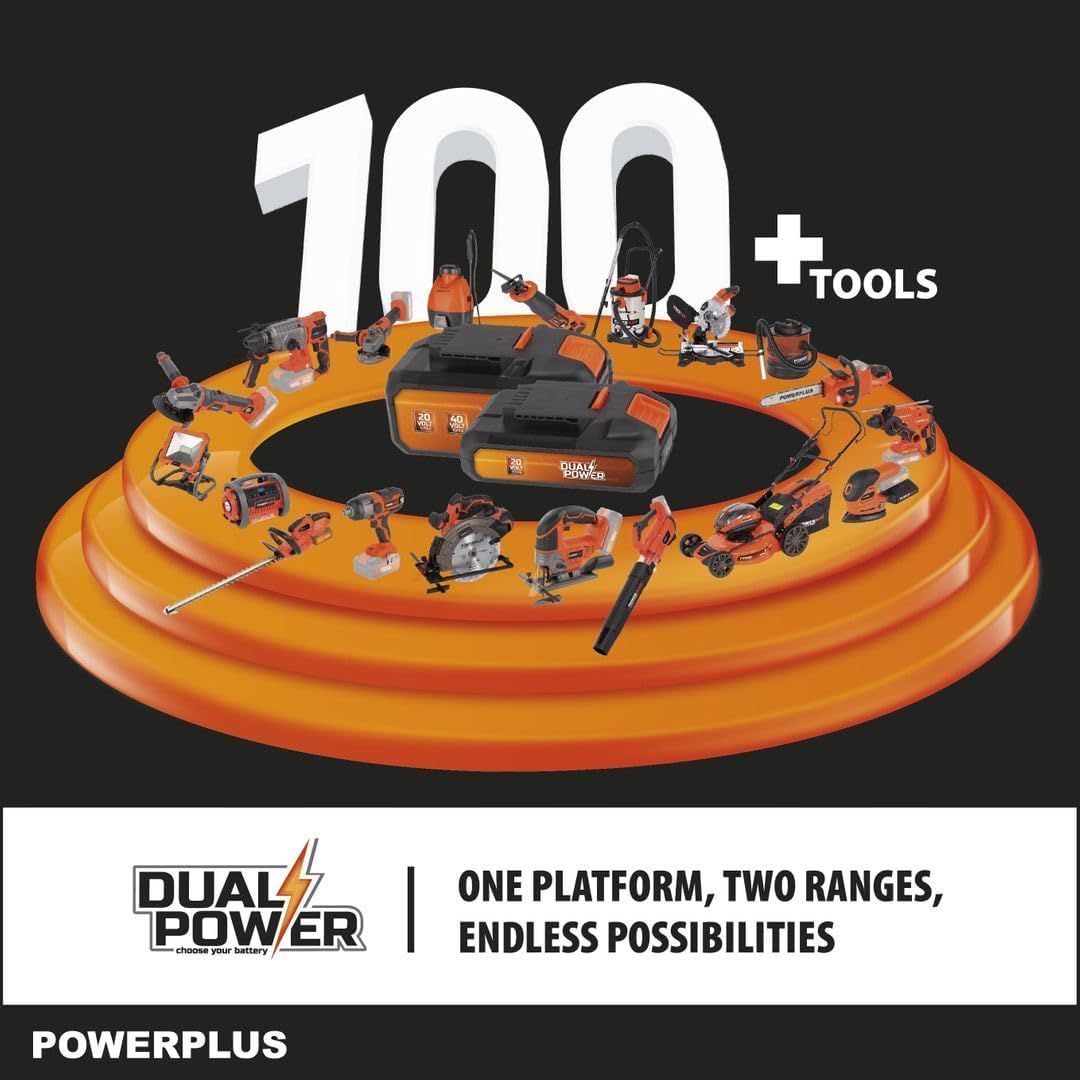
Figure 4.3: The drill driver with its LED work light activated, illuminating the area in front of the chuck for improved visibility.
4.4. Drilling and Screwing Tips
- Always use sharp, appropriate bits for the material and task.
- For drilling, apply steady, even pressure. Do not force the tool.
- For screwing, start with a lower torque setting and increase if necessary to avoid stripping screw heads.
- When drilling into hard materials or concrete, use the impact drilling mode and ensure the bit is designed for impact use.
- The tool is suitable for drilling up to 25mm in wood, 10mm in steel, and 10mm in concrete.

Figure 4.4: The drill driver being used to drill into a wooden surface, demonstrating its capability for wood applications up to 25mm.

Figure 4.5: The drill driver in operation, illustrating its powerful 50 Nm torque and controlled performance for various tasks.
5. Pangropéa
Regular maintenance ensures the longevity and optimal performance of your POWERPLUS POWDP15200 drill driver.
5.1. beberesih
- Sok pegatkeun sambungan batré saméméh beberesih.
- Keep the ventilation openings clean to prevent overheating. Use a soft brush or compressed air to clear dust and debris.
- Ngusap perumahan alat ku lemes, damp lawon. Ulah make bahan kimia kasar atawa cleaners abrasive.
- Ngabersihan rahang cuk sacara teratur pikeun mastikeun cengkraman anu pas dina bit.
5.2. Panyimpenan
- Simpen alat dina tempat anu garing, aman, jauh tina jangkauan barudak.
- Remove the battery from the tool before storing for extended periods.
- Simpen batré di tempat anu tiis, garing, jauh tina sinar panonpoé langsung sareng suhu anu ekstrim.
6. Cara ngungkulan
Upami anjeun mendakan masalah sareng supir bor anjeun, tingal masalah sareng solusi umum ieu:
| Masalah | Mungkin Cukang lantaranana | Solusi |
|---|---|---|
| Alat henteu ngamimitian. | Batréna teu dipasang kalawan bener atawa teu kosong. Konci picu napel. | Ensure battery is fully charged and properly inserted. Check that the forward/reverse switch is not in the center (locked) position. |
| Daya ngurangan atanapi eureun nalika operasi. | Batré lemah. Protéksi kaleuwihan beban diaktipkeun. | Recharge the battery. Reduce pressure on the tool or use a lower speed/torque setting. Allow the tool to cool down if it has overheated. |
| Bit slips dina chuck. | Chuck teu tightened cukup. Bit shank kotor atawa ruksak. | Tighten the chuck firmly. Clean the bit shank or replace damaged bits. |
| Geter kaleuleuwihan atawa noise. | ruksak bit. Komponén leupas. | Replace the bit. Check for any loose parts. If the problem persists, contact customer support. |
7. Spésifikasi
| Fitur | Spésifikasi |
|---|---|
| Nomer modél | POWDP15200 |
| merek | POWERPLUS |
| Nominal Voltage | 20 V |
| Max. Torsi | 50 Nm |
| Laju tanpa beban (Gear 1) | 0 - 450 min-1 |
| Laju tanpa beban (Gear 2) | 0 - 1800 min-1 |
| Impact Rate (Gear 1) | 0 - 7200 stroke/mnt |
| Impact Rate (Gear 2) | 0 - 28800 stroke/mnt |
| Kamampuh Chuck | Max. Ø 13 mm |
| Setélan torsi | 23 + 1 (Drill) + 1 (Impact Drill) |
| Kapasitas Pangeboran (Kayu) | 25 mm |
| Kapasitas Pangeboran (Baja) | 10 mm |
| Kapasitas Pangeboran (Beton) | 10 mm |
| Beurat (tanpa batré) | 1.36 kg |
| Ukuran (L x W x H) | 22 x 8 x 19.8 cm |
| Material (Motor winding) | Tambaga |
| Bahan (Perumahan) | PA6-GF30 |
| Material (Gear housing) | alumunium |
| Fitur husus | Automatic stop, Integrated LED work light, Soft start, Quick stop, Overload protection, Spindle lock |
| Komponén Kaasup | 1x belt clip, 1x instruction manual, 1x screw |
| Batré / Carjer | Not included, required (Dual Power compatible) |
8. Garansi jeung Rojongan
For warranty information, please refer to the documentation provided with your purchase or visit the official POWERPLUS websitus. Simpen bukti pameseran anjeun pikeun klaim garansi.
For technical support, spare parts, or service inquiries, please contact your local POWERPLUS dealer or authorized service center. Contact information can typically be found on the manufacturer's websitus atawa dina dokuméntasi kaasup.


