1. Bubuka
This manual provides essential information for the safe and efficient operation of your HKS 2.2KW (3HP) 220V Variable Frequency Drive (VFD). This device is designed to control the speed of three-phase AC motors, commonly used in applications such as CNC routers, spindle motors, grinders, mixers, conveyors, treadmills, centrifugals, elevators, lathes, and extruders. Please read this manual thoroughly before installation and operation.
Key features of this VFD include:
- Intuitive Display and Buttons: The VFD features a user-friendly display and control buttons for quick setup and operation. The control panel can be detached for remote control applications.
- Perlindungan komprehensif: Equipped with multiple protection mechanisms including overload, fuse, overvoltage, undervoltage, restart, stall, short circuit, and overheat protection.
- Operasi Low Noise: Advanced PWM control technology and optimized component design contribute to reduced noise and electromagnetic interference, enhancing product longevity.
- Input / Kaluaran Serbaguna: Supports single-phase or three-phase 220V input and provides three-phase 0-400Hz output.
2. Émbaran Kasalametan
PERHATOSAN: Improper installation or operation can result in serious injury or death. Always follow safety precautions.
- Ensure all power is disconnected before installation, wiring, or maintenance.
- Ngan tanaga anu mumpuni anu kedah masang sareng ngalayanan alat ieu.
- Pariksa input voltage matches the VFD's specifications (AC 220V, 180-250V).
- Do not connect the VFD output to a single-phase motor directly. This VFD is designed for three-phase motors.
- Mastikeun grounding ditangtoskeun tina VFD jeung motor.
- Avoid touching internal components immediately after power-off, as residual voltage tiasa hadir.
- Ulah ngoperasikeun VFD nganggo kabel anu ruksak atanapi upami kabelna rusakasing dibuka.
- External resistance is not supported. Adjust parameters for similar functionality.
- For heavy-duty motors, consider a higher power VFD.
- Delta (Δ) connection is recommended for the motor.
3. Produk Langkungview
The HKS VFD-2200 is a compact and robust variable frequency drive. It features a digital display and a control panel for easy interaction.

Gambar 3.1: Hareupeun view of the HKS VFD-2200. This image shows the main unit with its digital display, control buttons, and adjustment knob.
3.1 Panel kontrol jeung tampilan
The VFD's control panel provides visual feedback and allows for parameter adjustments. It can be detached for remote operation.

Gambar 3.2: The detachable control panel of the VFD. This feature allows for flexible installation and remote control capabilities.

Gambar 3.3: Diwincik view of the control panel buttons and their functions. This includes RUN/STOP, SET, JOG, REV/FWD, and the adjustment knob, along with indicators for ERROR, FWD, REV, ANALOG, SEGMENT, and PANEL.
| Tombol | Katerangan |
|---|---|
| Lumpat / STOP | Starts the inverter when idle, stops the inverter when running. |
| STOP / RESET | Stops the inverter if running; resets the inverter if a fault occurs; returns to the parent menu when navigating menus. |
| REV / FWD | Changes the inverter's direction (clockwise/counter-clockwise rotation). Operates during runtime. |
| SET | Enters the menu setting. In the sub-menu, saves the parameter and moves to the next item. |
| ▲ / ▼ | Menu item selection and sub-item data modification. |
| ◀ / ▶ | Menu item content modification selection or inverter jogging button. |
| kenop adjustment | Controls the output frequency. |
| Indikator | Katerangan |
|---|---|
| ERROR | Indikator kasalahan. |
| FWD | Indikator rotasi saarah jarum jam. |
| REV | Anti-clockwise rotation indicator. |
| ANALOG | Indikator frékuénsi input analog. |
| SEGMEN | Indikator frékuénsi input segmen. |
| PANEL | Indikator frékuénsi input panel. |
| LCD Digital | Inverter runtime frequency. If inverter stops, it flashes. The display data is given by "Pn01" data. |
4. Spésifikasi
| Parameter | Nilai |
|---|---|
| Nomer modél | VFD-2200 |
| Kakuatan | 2.2 KW (3 HP) |
| Masukan Voltage | AC 220V (180-250V) |
| Kaluaran Voltage | 220V |
| Input Ayeuna | 10A |
| Kaluaran Ayeuna | 15A |
| Frékuénsi Input | 40-60Hz |
| Frékuénsi Kaluaran | 0-400Hz |
| Fase Input | Single-phase or Three-phase |
| Fase Kaluaran | tilu-fase |
| Item Beurat | 2.35 pon |
| Ukuran Paket | 7.48 x 7.24 x 5.43 inci |

Gambar 4.1: Physical dimensions of the HKS VFD-2200, showing approximate measurements of 5.5 inches in height, 4.4 inches in width, and 3.3 inches in depth.
5. Setup jeung Wiring
Proper wiring is critical for the safe and correct operation of the VFD. Ensure all power is off before proceeding.
5.1 Basic Connection Diagram
The VFD supports both single-phase and three-phase 220V input. The output is always three-phase for motor control.

Gambar 5.1: Simplified wiring diagram showing the connection from a circuit breaker to the VFD (R, S, T terminals) and then from the VFD (U, V, W terminals) to a three-phase motor. This illustrates a typical setup for connecting the VFD to power and a motor.

Gambar 5.2: Detailed basic connection diagram for the HKS VFD. This schematic shows connections for single-phase 220V (R, T) or three-phase 220V (R, S, T) input, and three-phase output (U, V, W) to the motor. It also illustrates control terminals for FWD/STOP, REV/STOP, RESET, multi-speed inputs, digital frequency up/down, and external analog signal input (0-5V, 0-10V, 0-20mA) for frequency control via an external potentiometer.
- Input Power (R, S, T): Connect your 220V AC power supply. For single-phase input, connect to R and T terminals. For three-phase input, connect to R, S, and T terminals.
- Kaluaran Motor (U, V, W): Connect these terminals to your three-phase motor. Ensure the motor is rated for 220V three-phase operation.
- Grounding: Always connect the ground terminal of the VFD to a reliable earth ground.
- Terminal kontrol: The VFD provides various control terminals for external start/stop, reverse, reset, multi-speed settings, and analog input for frequency control (e.g., with an external potentiometer). Refer to the detailed wiring diagram (Figure 5.2) for specific connections.
5.2 Initial Parameter Settings
After wiring, it is essential to configure basic parameters. Consult the full parameter list in the comprehensive manual for detailed settings. Common initial settings include:
- PN02: Set maximum output frequency (e.g., 50Hz or 60Hz depending on region).
- PN10: Set motor rated frequency.
- PN12: Set motor rated voltage.
- PN08 & PN09: Adjust acceleration and deceleration times. Default is 10 seconds.
If using an external potentiometer for frequency control, ensure the corresponding analog input parameters are correctly configured.
6. Parentah Operasi
Once the VFD is correctly wired and initial parameters are set, you can begin operation.
6.1 Operasi Dasar
- Daya Hurung: Apply power to the VFD. The digital display will illuminate.
- Setel Frékuénsi: Use the adjustment knob on the control panel to set the desired output frequency. Alternatively, use the ▲/▼ buttons or an external analog input if configured.
- Mimitian Motor: Pencét éta lumpat button. The FWD or REV indicator will light up, and the motor will start accelerating to the set frequency.
- Robah Arah: Pencét éta REV / FWD button during operation to change the motor's rotation direction.
- Motor eureun: Pencét éta STOP / RESET kancing. Motor bakal ngalambatkeun sareng eureun.
6.2 Operasi canggih
The VFD supports various advanced functions accessible through parameter settings. These include multi-speed operation, PID control, and more. Refer to the detailed parameter manual for specific configurations.
7. Pangropéa
Regular maintenance ensures the longevity and reliable operation of your VFD.
- beberesih: Periodically clean the VFD's exterior and cooling vents to prevent dust accumulation, which can hinder heat dissipation. Use a soft, dry cloth. Do not use liquid cleaners.
- Cooling: Ensure adequate airflow around the VFD. The design incorporates multiple holes and sufficient space between components for effective cooling.
- Sambungan: Periodically check all wiring connections for tightness and signs of corrosion or damage. Loose connections can lead to poor performance or faults.
- Kaayaan Lingkungan: Operate the VFD within its specified environmental limits (temperature, humidity, vibration).

Gambar 7.1: Illustration of the VFD's cooling system, showing the internal fan and airflow paths designed to maintain optimal operating temperatures and ensure low noise operation.
8. Cara ngungkulan
This section addresses common issues and their potential solutions. The VFD is equipped with various protection features that may trigger an error state.
8.1 Kasalahan umum sareng Solusi
- Perlindungan Overload: If the motor draws excessive current, the VFD will trip. Check the motor load, ensure the motor is not jammed, and verify VFD power rating matches the motor.
- Overvoltage Protection (DC voltage > 400V): Occurs if the input voltage is too high or during rapid deceleration of a high-inertia load. Check input voltage and consider increasing deceleration time (PN09).
- Low Voltage Protection (DC voltage < 200V): Occurs if the input voltage drops below the acceptable range. Check input power supply.
- Perlindungan sirkuit pondok: Indicates a short circuit in the motor or output wiring. Disconnect power and inspect motor and wiring for damage.
- Perlindungan overheat: The VFD's internal temperature is too high. Check for blocked cooling vents, ensure proper ambient temperature, and verify the cooling fan is operational.
- Protéksi lapak: The motor is unable to rotate or is heavily loaded. Reduce load or check for mechanical issues with the motor.
- Instantaneous Start / Overcurrent Error with External Switch: Some users have reported that when the VFD is set for start/stop by an external switch, the acceleration time parameter (PN08) may be ignored, leading to an instantaneous start and potential overcurrent errors. If this occurs, verify parameter settings and consider using panel control or consulting technical support for advanced configurations.
If a fault occurs, the ERROR indicator will illuminate. Press the STOP / RESET button to clear the fault after addressing the underlying issue.
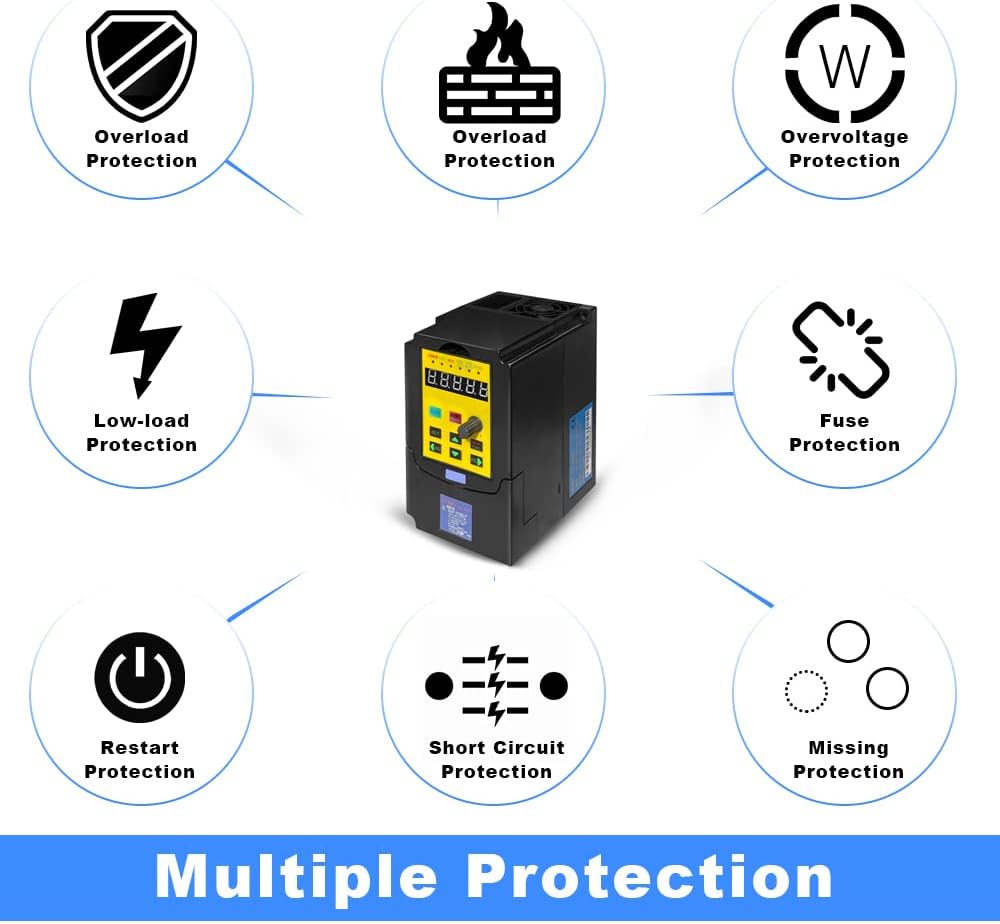
Gambar 8.1: Diagram illustrating the various protection features of the HKS VFD, including overload, overvoltage, low-load, fuse, restart, stall, short circuit, and overheat protection.
9. Garansi jeung Rojongan
For warranty information and technical support, please contact the seller or manufacturer directly. It is recommended to provide details of your setup, including pictures of the load equipment parameters (e.g., motor nameplate), when seeking assistance.
Optional protection plans may be available for extended coverage. Please refer to your purchase documentation for details.


