Bubuka
Welcome to the user manual for your T'nB iClick KBWIN Bluetooth Rechargeable Aluminum Keyboard. This guide provides essential information on setting up, operating, maintaining, and troubleshooting your new keyboard. Designed for Windows users, this slim and sleek wireless aluminum keyboard offers a comfortable typing experience and seamless connectivity.
Eusi pakét
- T'nB iClick KBWIN Bluetooth Rechargeable Aluminum Keyboard
- Kabel Ngecas USB
- Manual pangguna (dokumén ieu)
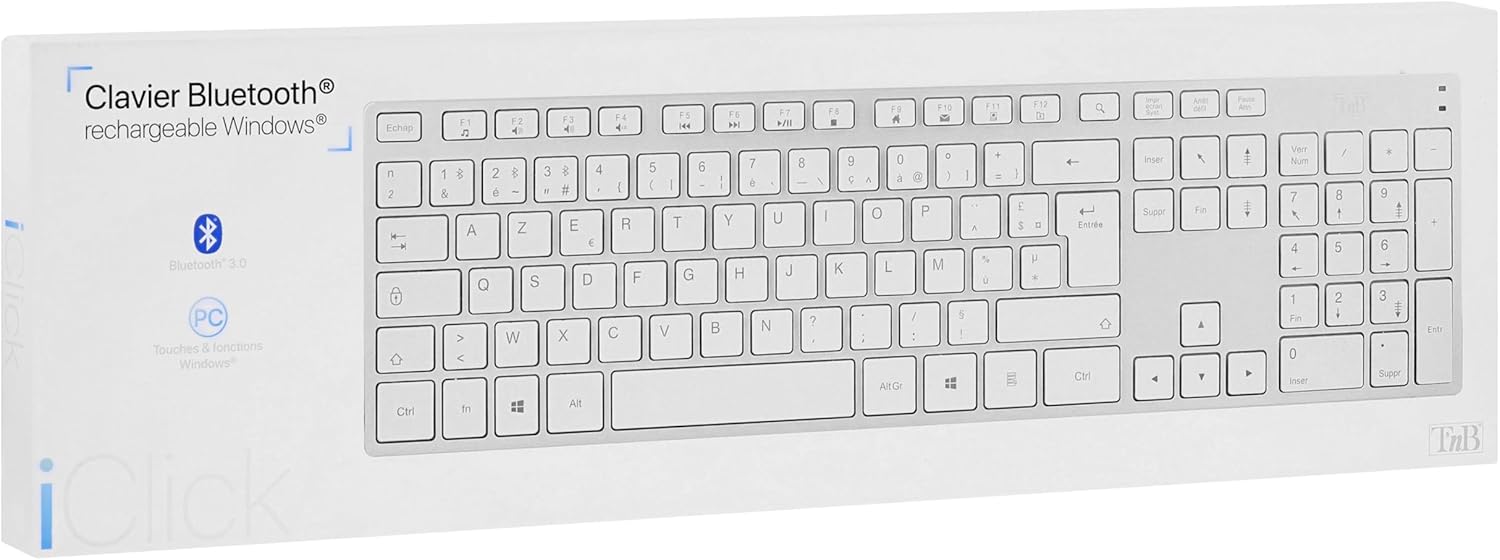
Produk Leuwihview
The T'nB iClick KBWIN keyboard features a slim, elegant aluminum design that complements any modern workspace. It is equipped with a full set of Windows function keys and 15 multimedia shortcuts to enhance your productivity. The integrated lithium battery provides up to 120 hours of continuous use, ensuring long-lasting performance.

Disetél
Ngecas kibor
Before first use, fully charge your keyboard. Connect the provided USB charging cable to the keyboard's charging port and plug the other end into a USB power source (e.g., computer USB port, USB wall adapter). The charging indicator light will illuminate during charging and turn off when fully charged. A full charge provides approximately 120 hours of continuous use.
Ngahurungkeun/Pareuman
Locate the power switch on the keyboard. Slide the switch to the 'ON' position to power on the keyboard. Slide it to the 'OFF' position when not in use to conserve battery life.
Parentah Operasi
Sambungan Bluetooth
To connect your T'nB iClick KBWIN keyboard via Bluetooth:
- Pastikeun keyboard diaktipkeun.
- Activate Bluetooth on your device (computer, tablet, smartphone).
- Pencét éta Nyambung button on the keyboard (refer to the keyboard layout for exact location, usually a small button or a function key combination). The Bluetooth indicator light will start blinking, indicating it is in pairing mode.
- Dina alat Anjeun, teangan alat Bluetooth nu sadia.
- Select "T'nB iClick KBWIN" or a similar name from the list of found devices.
- Follow any on-screen prompts to complete the pairing process. Once connected, the Bluetooth indicator light on the keyboard will stop blinking and remain solid or turn off.
Kasaluyuan Sistim
The T'nB iClick KBWIN keyboard is compatible with:
- Sistem operasi Windows
- alat ios
- alat Android
Using Function Keys and Shortcuts
The keyboard includes standard Windows function keys (F1-F12) and 15 dedicated multimedia shortcuts. These shortcuts allow quick access to functions like volume control, media playback, and more. Refer to the key labels for specific shortcut functions.
Pangropéa
beberesih
Pikeun ngabersihan keyboard Anjeun, gently ngusap beungeut jeung lemes, damp cloth. Avoid using harsh chemicals or abrasive cleaners, as these can damage the finish. Ensure the keyboard is powered off before cleaning.
Panyimpenan
When not in use for extended periods, store the keyboard in a cool, dry place. It is recommended to fully charge the keyboard before storing and to recharge it every few months to maintain battery health.
Pamérésan masalah
- Kibor teu nyambung via Bluetooth:
Ensure the keyboard is charged and powered on. Make sure Bluetooth is enabled on your device and the keyboard is in pairing mode. Try restarting both the keyboard and your device. - Konci henteu ngabales:
Check if the keyboard is powered on and connected. If the battery is low, recharge the keyboard. If the issue persists, try re-pairing the keyboard with your device. - hirup batré pondok:
Ensure the keyboard is fully charged before use. Battery life can vary based on usage patterns. If battery life significantly decreases, contact customer support.
spésifikasi
| Nomer modél | KBWIN |
| Konektipitas | Bluetooth (Wireless) |
| Rentang Frékuénsi | 2.4 GHz |
| Rentang Operasi | Nepi ka 10 méter |
| Sumber Daya | Integrated Lithium Battery (3.7V - 350 mAh) |
| Kahirupan batré | Kira-kira. 120 jam pamakéan kontinyu |
| Kasaluyuan | Windows, ios, Android |
| Bahan | alumunium |
| Komponén Kaasup | Kabel USB |
Garansi sareng Rojongan
Garansi Produsén
This T'nB product is covered by a manufacturer's warranty of 2 years from the date of purchase. Please retain your proof of purchase for warranty claims. The warranty covers defects in materials and workmanship under normal use.
Rojongan Palanggan
For technical assistance, troubleshooting, or warranty inquiries, please contact T'nB customer support. Refer to the T'nB official websitus atanapi bungkusan produk pikeun inpormasi kontak anu paling anyar.


