
1. Bubuka
This manual provides essential instructions for the safe and efficient use of your Andoer NP-FV5 Battery Charger and NP-FV5 Plus rechargeable batteries. Please read this manual thoroughly before using the product and retain it for future reference.

Image 1.1: Andoer NP-FV5 Battery Charger Kit Components
2. Émbaran Kasalametan
To prevent injury or damage to your product, observe the following safety precautions:
- Ulah ngabongkar, muka, atawa ngaruksak pak batré.
- Ulah ngalaan accu ka panas atawa seuneu. Hindarkeun panyimpen dina sinar panonpoé langsung.
- Ulah short-circuit batré. Ulah nyimpen accu sembarangan dina kotak atawa laci dimana aranjeunna bisa short-circuit silih atawa jadi pondok-circuited ku objék logam lianna.
- Ulah tunduk batré ka shock mékanis.
- Upami batréna bocor, ulah ngantep cairan éta némpél kulit atanapi panon. Upami aya anu kakeunaan, kumbah daérah anu kapangaruhan ku cai anu seueur sareng milari naséhat médis.
- Tetep batré beresih jeung garing.
- Entong nganggo pangecas naon waé salian ti anu disayogikeun khusus pikeun dianggo sareng alat.
- Do not leave a battery on charge when not in use.
- Do not immerse the charger or batteries in water or other liquids.
- Jauhkeun tina jangkauan barudak.
3. Eusi Paket
Pastikeun yén sadaya item aya dina pakét anjeun:
- 1 x Andoer NP-FV5 Battery Charger
- 2 x Andoer NP-FV5 Plus 3.7V 1000mAh Lithium-ion Polymer Batteries
- 1 x USB Charging Cable (Micro USB)
4. Produk Langkungview
The Andoer NP-FV5 Battery Charger is designed to charge NP-FV5 series batteries efficiently. It features a compact design and an LED indicator for charging status.
4.1. Charger Components
- Slot batré: Area where the battery is inserted for charging.
- Ngecas Kontak: Metal pins inside the slot that connect to the battery.
- Port USB Mikro: Input for the USB charging cable.
- Lampu Indikator LED: Mintonkeun status ngecas.

Image 4.1: Charger Battery Slot and Contacts

Image 4.2: Charger with USB Port and LED
4.2. Batré Leuwihview
The NP-FV5 Plus batteries are 3.7V 1000mAh Lithium-ion Polymer batteries, providing reliable power for compatible devices.
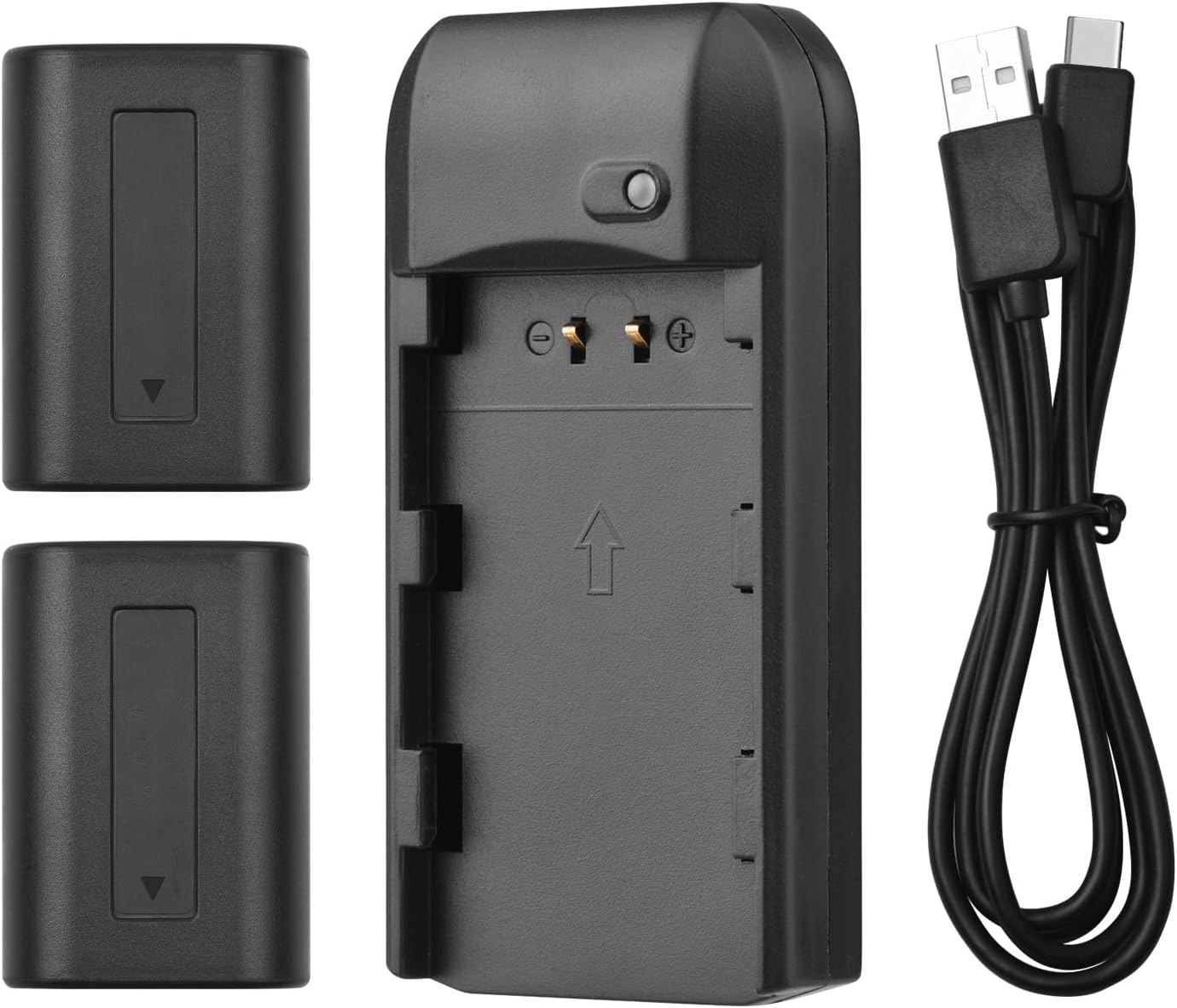
Image 4.3: All Kit Components
5. Setup jeung Ngecas
Follow these steps to set up your charger and begin charging the batteries:
- Sambungkeun carjer: Insert the Micro USB end of the provided USB charging cable into the charger's Micro USB port.
- Nyambung kana Sumber Daya: Connect the standard USB-A end of the cable to a compatible 5V 1A USB power source. This can be a laptop, a USB wall adapter, or a power bank.
- Selapkeun Batré: Carefully align the NP-FV5 battery with the charger's battery slot and gently push it in until it clicks into place. Ensure the battery contacts align with the charger's pins.
- Monitor Status Ngecas: The LED indicator light on the charger will show the charging status:
- Lampu Beureum: Nunjukkeun batréna ayeuna keur dicas.
- Lampu héjo: Nunjukkeun batréna tos dieusi pinuh.
- Cabut Batré: Once the LED turns green, the battery is fully charged. Gently pull the battery out of the charger.

Image 5.1: LED Indicator Light Status
6. Parentah Operasi
The charger operates automatically once a battery is inserted and power is connected. No manual intervention is required during the charging process.
- Always ensure the charger is connected to a stable 5V 1A power source.
- Only charge NP-FV5 series batteries with this charger.
- Do not cover the charger during operation to ensure proper ventilation.
7. Pangropéa sareng Panyimpenan
Proper maintenance ensures the longevity of your charger and batteries:
- beberesih: Use a soft, dry cloth to clean the charger and batteries. Do not use liquid cleaners or solvents.
- Panyimpenan: Simpen carjer sareng batréna di tempat anu tiis, garing, sareng jauh tina sinar panonpoé langsung sareng suhu anu ekstrim.
- Perawatan batré: For long-term storage, it is recommended to charge batteries to approximately 50% capacity. Avoid storing fully charged or completely depleted batteries for extended periods.
- Perawatan kabel: Hindarkeun ngabengkokkeun atanapi ngabengkokkeun kabel USB kaleuleuwihi.
8. Cara ngungkulan
Upami anjeun mendakan masalah, tingal masalah sareng solusi umum ieu:
| Masalah | Mungkin Cukang lantaranana | Solusi |
|---|---|---|
| Indikator LED teu hurung. | No power supply, faulty cable, or incorrect battery insertion. |
|
| Battery does not charge (LED remains red indefinitely or doesn't change). | Battery fault, charger fault, or insufficient power input. |
|
| Carjer atawa batré jadi panas teuing nalika ngecas. | Overload, faulty battery, or poor ventilation. |
|
9. Spésifikasi
Technical details for the Andoer NP-FV5 Battery Charger and NP-FV5 Plus Batteries:
| komponén | Spésifikasi |
|---|---|
| Input carjer | DC 5V 1A |
| Kaluaran carjer | DC 4.2V, 400mA |
| Port ngecas | Micro USB |
| Jenis Batré | Litium-ion Polimér |
| Batré Voltage | 3.7V |
| Kapasitas batré | 1000 mah |
| Ukuran Charger | 6.5 x 3.3 x 1.5 cm (2.6 x 1.3 x 0.6 inci) |
| Beurat carjer | 11g (0.4 oz) |
| Nomer modél | XCW2361199610991EL (Charger) / NP-FV5 (Batteries) |

Image 9.1: Charger Dimensions

Image 9.2: Charger Label with Specifications
10. Garansi jeung Rojongan
Kanggo inpormasi garansi sareng dukungan palanggan, mangga tingali dokuméntasi anu disayogikeun nalika mésér atanapi hubungi pangecér anjeun. Simpen bukti pameseran anjeun kanggo klaim garansi.
For further assistance, you may visit the official Andoer websitus atanapi ngahubungan departemén layanan palanggan maranéhna.