REOLINK RLN8-410 8-Channel 4K PoE NVR Security System User Manual
Models: RLN8-410 NVR, RLC-810A Camera, RLC-811A Camera
1. Bubuka
This manual provides comprehensive instructions for the installation, operation, and maintenance of your REOLINK RLN8-410 8-Channel 4K PoE NVR Security System. This system includes the RLN8-410 Network Video Recorder, RLC-810A 4K PoE cameras, and RLC-811A 4K PoE cameras with 5X optical zoom and motion spotlight. Please read this manual thoroughly before using the product to ensure proper setup and functionality.
2. Naon dina Box
Pastikeun yén sadaya komponén aya dina pakét anjeun:
- 1x REOLINK RLN8-410 NVR with pre-installed 2TB HDD and accessories (power adapter, USB mouse, HDMI cable, network cable).
- 1x REOLINK RLC-810A 4K PoE Camera with accessories (mounting template, screws, waterproof lid, 1m Ethernet cable).
- 1x REOLINK RLC-811A 4K PoE Camera with 5X Optical Zoom and Motion Spotlight, with accessories (mounting template, screws, waterproof lid, 1m Ethernet cable).
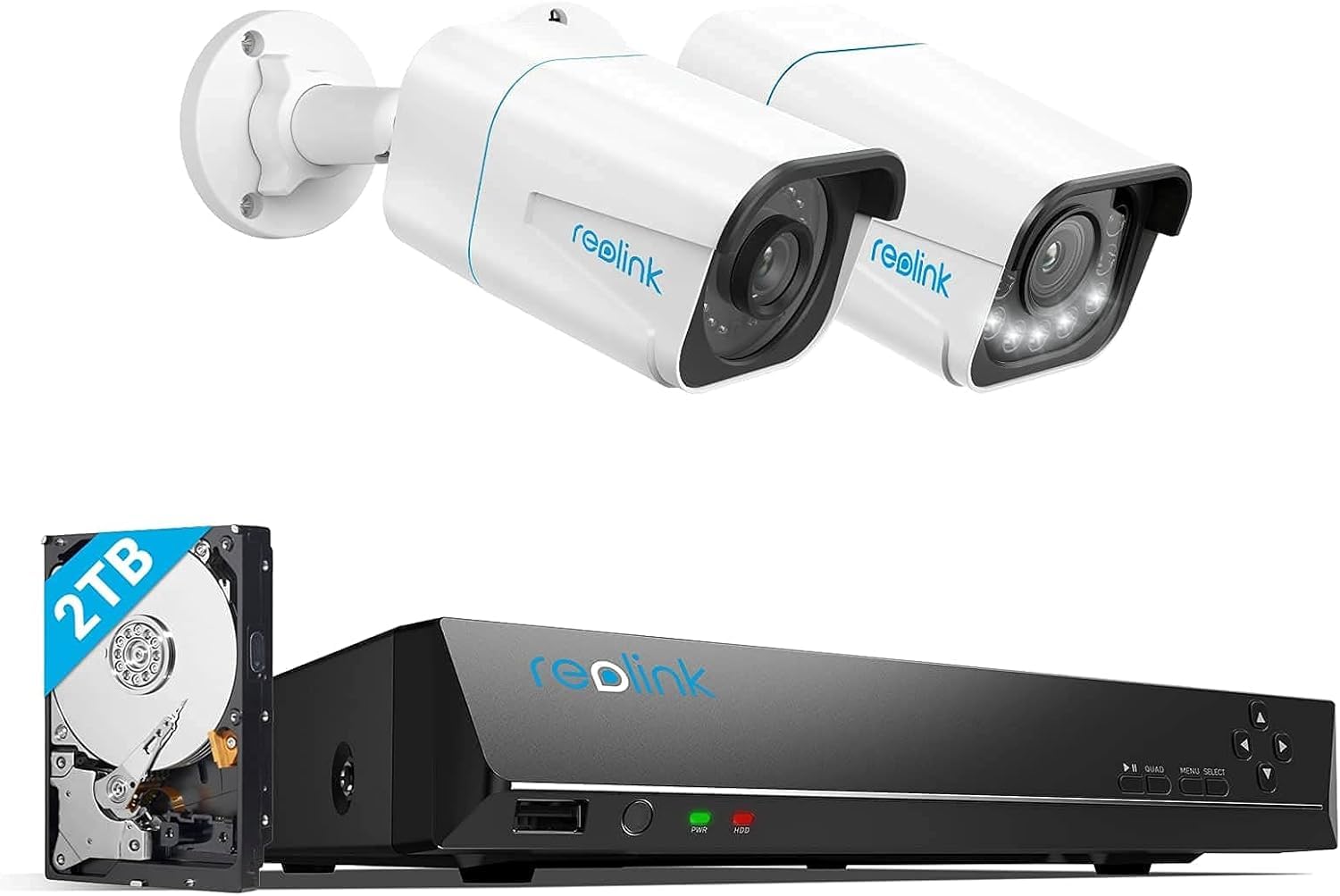
Image 2.1: REOLINK RLN8-410 NVR unit. This image shows the front and side view of the black NVR unit with the Reolink logo, power and HDD indicator lights, and USB port.
3. Produk Langkungview
3.1 RLN8-410 NVR
The RLN8-410 is an 8-channel Network Video Recorder designed to manage and record video streams from up to 8 PoE IP cameras. It features a pre-installed 2TB hard disk drive for continuous recording and supports 4K Ultra HD video output.

Image 3.1: NVR system displaying multiple camera feeds on a monitor. This image illustrates the NVR's capability for all-in-one security management with 24/7 recording, showing four camera views on a screen connected to the NVR.
3.2 RLC-810A 4K PoE Camera
The RLC-810A is a 4K Ultra HD PoE bullet camera designed for outdoor use. It features smart detection capabilities for persons and vehicles, and provides clear night vision.

Image 3.2: REOLINK RLC-810A 4K PoE Bullet Camera. This image shows a white bullet-style camera with a black lens housing and multiple infrared LEDs, designed for outdoor surveillance.
3.3 RLC-811A 4K PoE Camera
The RLC-811A is an advanced 4K Ultra HD PoE bullet camera featuring 5X optical zoom, smart detection for persons, vehicles, and pets, and a motion-activated spotlight for enhanced night vision and deterrence.

Image 3.3: REOLINK RLC-811A 4K PoE Camera with Spotlight. This image displays a white bullet-style camera with a black lens housing, featuring multiple bright LED spotlights around the lens, suitable for outdoor installation.
4. Parentah Setup
4.1 Sambungan NVR
- Connect the NVR to a monitor using the provided HDMI cable.
- Sambungkeun beurit USB ka port USB NVR.
- Sambungkeun NVR ka router anjeun nganggo kabel Ethernet pikeun aksés jaringan.
- Sambungkeun adaptor daya ka NVR teras colokkeun kana stop kontak. NVR bakal otomatis hurung.
4.2 Pamasangan Kaméra
- Choose a suitable location for each camera, ensuring good coverage and a stable mounting surface.
- Use the mounting template to drill holes and secure the camera base with screws.
- Connect each camera to an available PoE port on the NVR using an Ethernet cable. The NVR will provide power and data to the cameras.
- Saluyukeun sudut kaméra pikeun optimal viewing.
- For outdoor installations, ensure the waterproof lid is properly installed over the Ethernet connection.

Image 4.1: REOLINK camera mounted on a wooden wall. This image shows a white bullet camera securely mounted on the exterior of a building, illustrating a typical installation scenario.
5. Parentah Operasi
5.1 Wizard Setup Awal
Upon first power-on, the NVR will guide you through an initial setup wizard to configure basic settings such as language, date/time, and password. Follow the on-screen prompts.
5.2 Ngaksés Sistem
- Aksés Lokal: Use the connected monitor and USB mouse to navigate the NVR interface.
- Aksés Jauh: Download the REOLINK App (for mobile devices) or REOLINK Client (for PC/Mac) from the official REOLINK website or app stores. Add your NVR to the app/client using its UID or IP address.

Image 5.1: Remote access to REOLINK cameras. This image shows a person viewing live camera feeds on a smartphone, laptop, and desktop monitor, demonstrating the system's remote access capabilities.
5.3 Hirup View jeung Rékam
From the NVR interface or remote app/client, you can view live feeds from all connected cameras. The system is configured for 24/7 continuous recording to the 2TB HDD by default. You can also configure motion-triggered recording or scheduled recording.
5.4 Playback
Aksés ménu playback pikeun ulangview dirékam footage. You can search by date, time, and event type (e.g., motion detection, person/vehicle detection).
5.5 Deteksi Pinter
The RLC-810A and RLC-811A cameras feature intelligent detection capabilities:
- Deteksi Jalma: Identifies human shapes, reducing false alarms from other movements.
- Deteksi Kandaraan: Identifies vehicles, useful for monitoring driveways or parking areas.
- Pet Detection (RLC-811A only): Identifies pets, allowing for specific alerts.

Image 5.2: Smart detection in action. This image shows a camera view of a dog in a yard, with an overlay indicating 'Person/Vehicle/Pet Detection', highlighting the camera's ability to identify specific objects.
5.6 5X Optical Zoom (RLC-811A only)
The RLC-811A camera allows for 5X optical zoom, enabling you to zoom in on distant objects without losing image quality. This feature can be controlled via the NVR interface or the REOLINK App/Client.

Image 5.3: 5X Optical Zoom capability. This image illustrates the RLC-811A's 5X optical zoom, showing a wide view of a house and a zoomed-in detail of a house number, demonstrating the ability to capture fine details.
5.7 Night Vision and Spotlight (RLC-811A only)
Both cameras provide clear night vision. The RLC-811A additionally features a motion-activated spotlight that can illuminate the area and deter intruders, providing color night vision when activated.

Image 5.4: 4K Ultra HD visual quality. This image shows a wide, clear view of an outdoor patio and garden, demonstrating the 4K Ultra HD resolution for home security.
6. Pangropéa
6.1 Manajemén hard drive
The NVR comes with a 2TB HDD. When the hard drive is full, the system will automatically overwrite the oldest recordings. You can configure recording schedules and motion detection sensitivity to optimize storage usage. Regularly back up important footage lamun diperlukeun.
6.2 Apdet firmware
Periodically check the REOLINK official website for firmware updates for both the NVR and cameras. Keeping your firmware updated ensures optimal performance, security, and access to new features. Follow the instructions provided with the firmware update files taliti.
6.3 beberesih
Wipe the camera lenses and NVR exterior with a soft, dry cloth. Avoid using harsh chemicals or abrasive materials that could damage the surfaces. Ensure no dust or debris obstructs the camera's view or the NVR's ventilation openings.
7. Cara ngungkulan
7.1 Teu Aya Tampilan Video
- Check if the NVR is powered on and the power indicator light is green.
- Ensure the HDMI cable is securely connected between the NVR and the monitor.
- Verify the monitor input source is set correctly (e.g., HDMI1, HDMI2).
- For individual cameras, check the Ethernet cable connection to both the camera and the NVR PoE port.
7.2 Masalah Aksés Jarak Jauh
- Ensure the NVR is connected to the internet via an Ethernet cable to your router.
- Verify your mobile device or computer has a stable internet connection.
- Check if the NVR's network settings are correctly configured (DHCP enabled or static IP set).
- Ensure the UID is correctly entered in the REOLINK App/Client.
7.3 Masalah Ngarékam
- Check the NVR's HDD status in the system settings to ensure it is detected and functioning.
- Pariksa jadwal rekaman sareng setelan deteksi gerak dikonpigurasikeun sakumaha dipikahoyongna.
- Ensure there is sufficient free space on the HDD.
8. Spésifikasi
| Fitur | Spésifikasi |
|---|---|
| merek | REOLINK |
| Modél NVR | RLN8-410 |
| Modél kaméra | RLC-810A, RLC-811A |
| Téhnologi konektipitas | Kabel (PoE) |
| Resolusi Capture Video | 2160p (4K Ultra HD) |
| Fitur husus | Night Vision, Weatherproof, Motion Sensor, Image Sensor, High Efficiency Video Coding, Smart Detection (Person/Vehicle/Pet), 5X Optical Zoom (RLC-811A), Motion Spotlight (RLC-811A) |
| Jumlah Saluran | 8 |
| Kapasitas Panyimpenan Mémori | 2 TB HDD (Pre-installed) |
| Sumber Daya | Kabel Listrik |
| Sistem operasi | Linux-Based System |
| Laju pigura | 24-30 fps |
| Panganteur Hardware | Ethernet |
| Input Video | RJ45 |
9. Garansi jeung Rojongan
REOLINK products typically come with a limited warranty. Please refer to the warranty card included in your package or visit the official REOLINK website for detailed warranty terms and conditions. For technical support, troubleshooting assistance, or further inquiries, please contact REOLINK customer service through their official webbagian rojongan situs urang.


