
Bubuka
Thank you for choosing PureGear PureBoom Wired Earbuds. These in-ear stereo headphones are designed for clear audio and convenient communication across a wide range of devices. This manual provides essential information for setup, operation, maintenance, and troubleshooting to ensure optimal performance and longevity of your earbuds.

Gambar: Leuwihview of PureGear PureBoom wired earbuds, showing the earbud, in-line microphone, and 3.5mm audio jack.
Eusi pakét
- PureGear PureBoom Wired Earbuds
- Multiple sizes of ear tips (Ear Cushions)

Image: PureBoom earbuds displayed with a selection of ear tips for customized fit.
Disetél
1. Milih Tips Ceuli
For optimal sound quality and comfort, choose the ear tips that best fit your ears. Experiment with the different sizes provided to find a secure and comfortable seal. A good seal helps improve bass response and noise isolation.
2. Nyambungkeun ka Alat Anjeun
- Identify the 3.5mm audio jack on your device (e.g., smartphone, tablet, laptop, computer).
- Insert the 3.5mm plug of the PureBoom earbuds firmly into the device's audio jack.
- Ensure the connection is secure for uninterrupted audio.

Gambar: Detil view of the 3.5mm audio jack for connection.
The PureBoom earbuds are compatible with any device featuring a standard 3.5mm audio port, including Apple iPhone (with adapter, if needed), Android smartphones, iPads, laptops, desktop computers, and more.

Image: A user wearing the earbuds, highlighting their universal compatibility with various devices.
Parentah Operasi
Using the In-line Microphone and Control Button
Your PureBoom earbuds feature an integrated in-line microphone and a multi-function control button for convenient management of calls and audio playback.
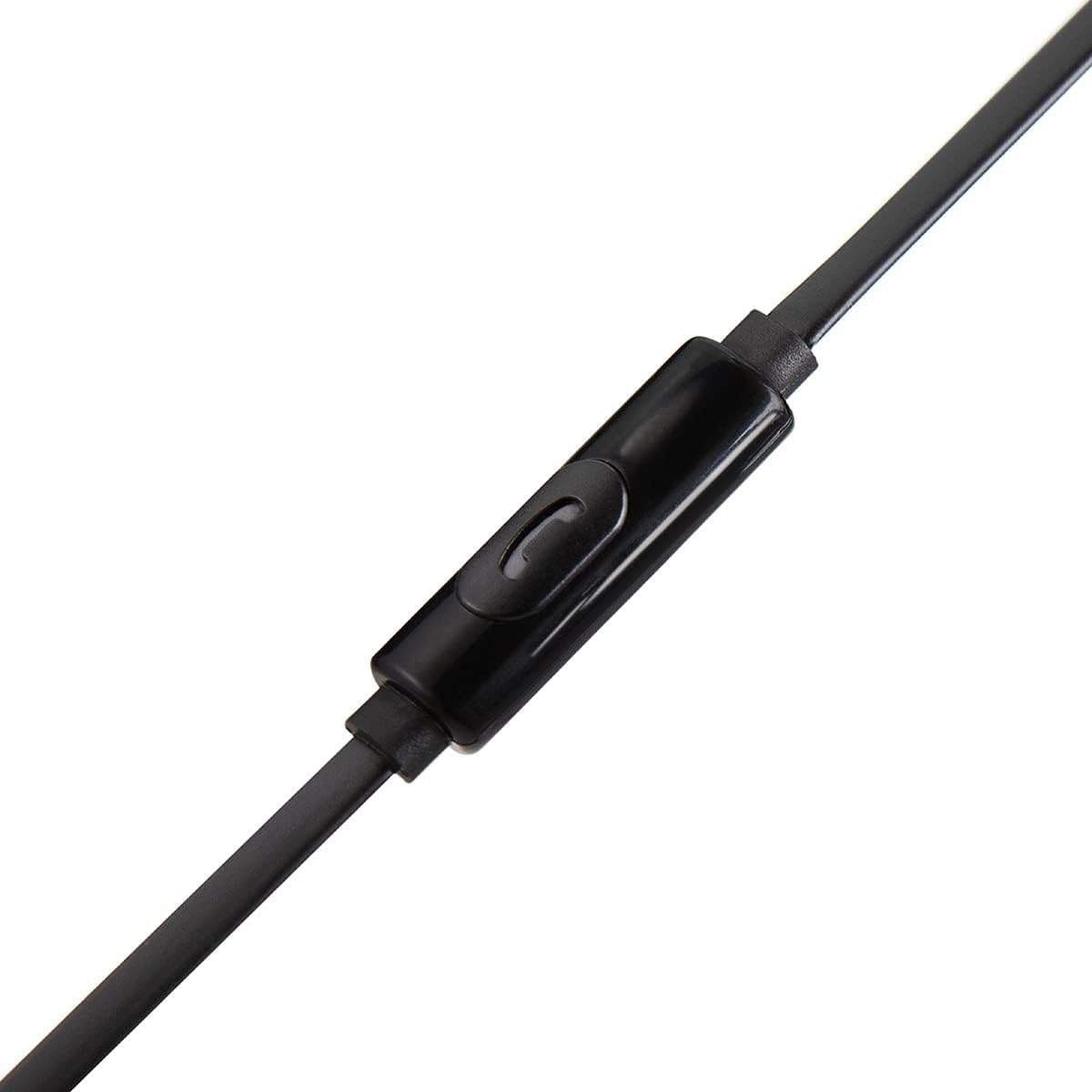
Gambar: Detil view of the in-line microphone and control button.
- Maénkeun/Pareuman Audio: Pencét tombol kontrol sakali.
- Ngajawab / mungkas Telepon: Press the control button once during an incoming call or an active call.
- Nolak Telepon: Pencét terus tahan tombol kontrol salila kurang leuwih 2 detik salami aya telepon asup.
- Lagu salajengna: Pencét tombol kontrol dua kali gancang.
- Lagu Sateuacanna: Pencét tombol kontrol tilu kali gancang.
The high-grade built-in microphone allows for clear, hands-free communication during calls.
Pangropéa sareng Perawatan
- beberesih: Gently wipe the earbuds and cable with a soft, dry cloth. Do not use harsh chemicals or abrasive materials. Remove ear tips periodically and clean them with mild soap and water, ensuring they are completely dry before reattaching.
- Panyimpenan: When not in use, store your earbuds in a clean, dry place. Avoid extreme temperatures.
- Perawatan kabel: The PureBoom earbuds feature a tangle-free flat cable. While designed for durability, avoid excessive pulling, twisting, or sharp bends to prevent damage.
- Tahan cai: These earbuds are sweat-resistant for sports activities but are henteu tahan cai. Avoid submerging them in water or exposing them to heavy rain.
Pamérésan masalah
| Masalah | Solusi |
|---|---|
| Teu aya sora atanapi volume handap |
|
| Mikropon teu jalan |
|
| Earbuds feel uncomfortable or fall out |
|
spésifikasi
| Fitur | Rincian |
|---|---|
| merek | PureGear |
| Ngaran modél | PureBoom InEar_3.5mm_HeadPhone |
| Téhnologi konektipitas | Kabel (Jack 3.5mm) |
| Panempatan Ceuli | Dina Ceuli |
| Fitur kabel | Gratis kusut |
| Diwangun-di Mikropon | Sumuhun |
| Tipe Kontrol | Media Control (Single Button) |
| Bahan | Polikarbonat (PC) |
| Kasaluyuan | Devices with 3.5mm audio port (e.g., iPhone, Android, iPad, Laptops, Computers) |
| Tingkat Résistansi Cai | Sweat Resistant (Not Water Resistant) |
Émbaran jaminan
PureGear PureBoom Wired Earbuds come with a Garansi Sataun from the date of purchase. This warranty covers manufacturing defects. It does not cover damage caused by misuse, accidents, unauthorized modifications, or normal wear and tear. Please retain your proof of purchase for warranty claims.
Ngarojong
For further assistance, technical support, or warranty inquiries, please visit the official PureGear website or contact their customer service department. Refer to the packaging or the PureGear websitus pikeun inpo kontak panganyarna.
Sumberdaya Online: www.pure-gear.com