Bubuka
This manual provides essential instructions for the safe and efficient use of your T'nB XCLUSIV Wireless Bluetooth Headphones, Model EBXCLUSIVVT. Please read this guide thoroughly before operating the device and retain it for future reference.
Produk Leuwihview
The T'nB XCLUSIV Wireless Bluetooth Headphones offer a true wireless audio experience with an ergonomic half in-ear design. They come with a portable charging case featuring a distinctive Amazonia design.
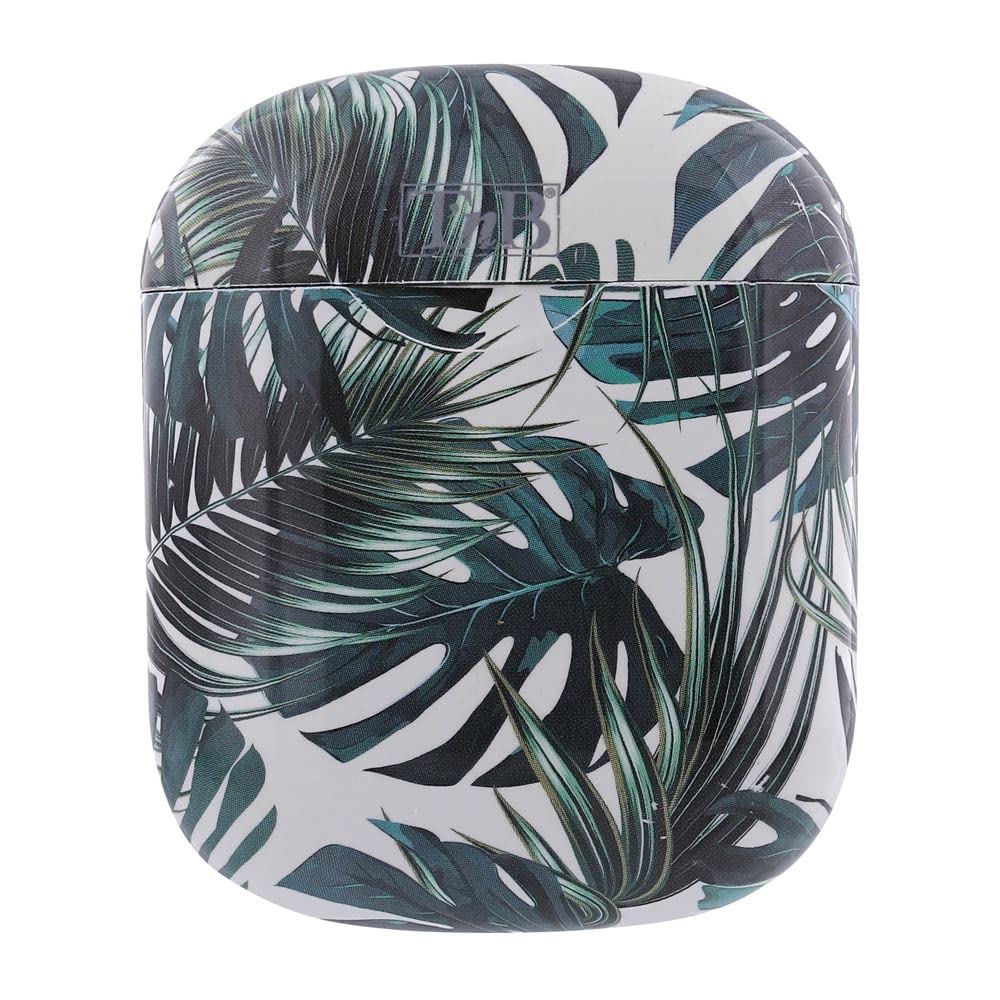
Image showing the two white T'nB XCLUSIV wireless earbuds above their open charging case, which features a vibrant green and white Amazonia leaf pattern.
Disetél
1. Ngecas Alat
- Ngeusi batre Case: Connect the provided micro USB charging cable to the charging port on the case and the other end to a USB power source (e.g., computer, wall adapter). The indicator light on the case will show charging status.
- Ngeusi batre headphone: Place the headphones into the charging case. Ensure they are correctly seated. The headphones will begin charging automatically.
- Ngidinan waktos anu cekap pikeun ngecas pinuh sateuacan dianggo heula.
2. Papasangan awal
- Daya Hurung: Remove both headphones from the charging case. They will automatically power on and attempt to pair with each other.
- Aktipkeun Bluetooth: On your mobile device, navigate to the Bluetooth settings and ensure Bluetooth is enabled.
- Pilih Alat: Look for "T'nB XCLUSIV" or a similar name in the list of available Bluetooth devices and select it to pair.
- Konfirmasi: Once paired, you will hear an audio confirmation, and the indicator lights on the headphones will change.
Parentah Operasi
Daya Hurung/Pareuman
- Daya Hurung: Remove headphones from the charging case. They will power on automatically. Alternatively, press and hold the multi-function button on each earbud for approximately 3 seconds.
- Pareum listrik: Place headphones back into the charging case. They will power off automatically. Alternatively, press and hold the multi-function button on each earbud for approximately 5 seconds.
Sambungan Bluetooth
- Once paired, the headphones will automatically connect to the last paired device when powered on and within range.
- If connection fails, ensure Bluetooth is active on your device and the headphones are charged.
Kadali dasar
The headphones feature a multi-function touch control area on each earbud for various operations:
- Puter / Reureuh: Ketok sakali dina earbud boh.
- Lagu salajengna: Ketok dua kali earbud katuhu.
- Lagu Sateuacanna: Ketok dua kali earbud kénca.
- Ngajawab / mungkas Telepon: Tap once on either earbud during an incoming call or an active call.
- Nolak Telepon: Pencet jeung tahan boh earbud salila 2 detik dina mangsa telepon asup.
- Aktipkeun Asisten Sora: Triple-tap either earbud (functionality depends on your connected device).
Ngagunakeun Mikropon
The built-in universal microphone allows for hands-free calling. Ensure the headphones are connected to your device for microphone functionality.
Pangropéa
- beberesih: Anggo lawon anu lemes, garing, sareng henteu ngaganggu pikeun ngabersihkeun headphone sareng wadah ngecas. Entong nganggo pembersih anu abrasif, alkohol, atanapi pangleyur kimia.
- Panyimpenan: Nalika teu dianggo, simpen headphone dina wadah ngecasna pikeun ngajaga sareng ngajaga daya tetep dicas. Simpen di tempat anu tiis, garing, sareng jauh tina sinar panonpoé langsung sareng suhu anu ekstrim.
- Perawatan batré: To prolong battery life, avoid fully discharging the headphones and charging case frequently. Charge them regularly, even if not used for extended periods.
- Tahan cai: The headphones are water-resistant. Avoid submerging them in water or exposing them to heavy rain. Dry them thoroughly if they get wet.
Pamérésan masalah
- Headphones not pairing with each other:
Ensure both headphones are charged. Place them back in the charging case, close the lid, wait a few seconds, then remove them again to re-initiate the pairing process.
- Headphones not connecting to device:
Check if Bluetooth is enabled on your device. Ensure the headphones are charged and within range. Try forgetting the device in your phone's Bluetooth settings and re-pairing.
- Henteu aya sora atanapi volume rendah:
Adjust the volume on both your device and the headphones. Ensure the headphones are properly seated in your ears. Check if the headphones are connected to the correct audio output on your device.
- Kasus ngecas teu ngecas:
Verify the micro USB cable is securely connected to both the case and the power source. Try a different cable or power adapter.
- Hiji earbud teu jalan:
Ensure both earbuds are charged. Try placing both earbuds back in the case, closing it, and then removing them to reset the connection.
spésifikasi
| Nomer modél | EBXCLUSIVVT |
| Téhnologi konektipitas | Nirkabel (Bluetooth 5.0) |
| Jenis headphone | Satengah di jero ceuli |
| Kahirupan batré | Nepi ka 10 jam |
| Sensitipitas | 96 dB |
| Impedansi | 32 ohm |
| Mikropon | Built-in universal microphone |
| Tingkat Résistansi Cai | Tahan cai |
| Item Beurat | 0.13 kg |
| Komponén Kaasup | 2 x headphones, 1 x charging box, 1 x micro USB charging cable, 1 x user manual |
Garansi sareng Rojongan
For warranty information or technical support, please refer to the documentation provided with your purchase or visit the official T'nB websitus. Simpen bukti pameseran anjeun pikeun klaim garansi.


