Bubuka
The boAt Rockerz 335 Pro is a wireless neckband designed to provide a high-quality audio experience. It incorporates advanced audio technologies and user-friendly features for convenience and durability.
Fitur konci
- Qualcomm aptX & aptX HD Audio Technology: Ensures seamless reproduction of immersive sound.
- Qualcomm cVc Noise Cancellation: Captures your voice clearly during calls by reducing background noise.
- Playback ngalegaan: Offers up to 50 hours of playback on a single full charge.
- ASAP Charge Technology: Provides up to 10 hours of playtime with just 10 minutes of charging.
- boAt Signature Sound: Delivers an enhanced audio experience for your playlists.
- Power-Sensitive Smartbuds: Simplifies power management; separate earbuds to power on, unite them to power off.
- Tahan cai IPX5: Protects the neckband from splashes and sweat, suitable for active use.
- Bluetooth v5.0 & Dual Pairing: Ensures instant connectivity to media devices and allows simultaneous connection to two devices.
- Rojongan Asisten Sora: Access Google Assistant or Siri with a single press.
- Tipe-C Port: Provides a convenient and seamless charging experience.
Naon dina Box
Upon unboxing your boAt Rockerz 335 Pro, you should find the following items:
- 1 x boAt Rockerz 335 Pro Neckband
- 1 x Additional Earbuds (pairs of different sizes)
- 1 x Kabel Ngecas (Tipe-C)
- 1 x Manual Pamaké
Produk Leuwihview
Familiarize yourself with the components of your boAt Rockerz 335 Pro neckband.

Gambar: Leuwihview of the boAt Rockerz 335 Pro highlighting its key features and design elements.
Kontrol jeung Indikator
- Metal Control Board: Houses the buttons for playback, volume, and call management.
- Power-Sensitive Smartbuds: Magnetic earbuds that automatically power the device on when separated and off when united.
- Indikator LED: Displays charging status, pairing mode, and power status.
- Port Ngecas Tipe-C: Located on the control board for convenient charging.

Image: Detail of the power-sensitive smartbuds, illustrating how separating them powers the device on and uniting them powers it off.
Parentah Setup
1. Ngecas Beuheung
Before initial use, fully charge your Rockerz 335 Pro.
- Connect the Type-C charging cable to the charging port on the neckband.
- Colokkeun tungtung kabel anu sanés ka adaptor kakuatan USB (teu kalebet) atanapi port USB komputer.
- Indikator LED bakal nembongkeun status ngecas (misalna beureum keur ngecas, biru keur dicas pinuh).
The neckband features Biaya ASAP, providing 10 hours of playback with just 10 minutes of charging. A full charge offers up to 50 hours of playback.
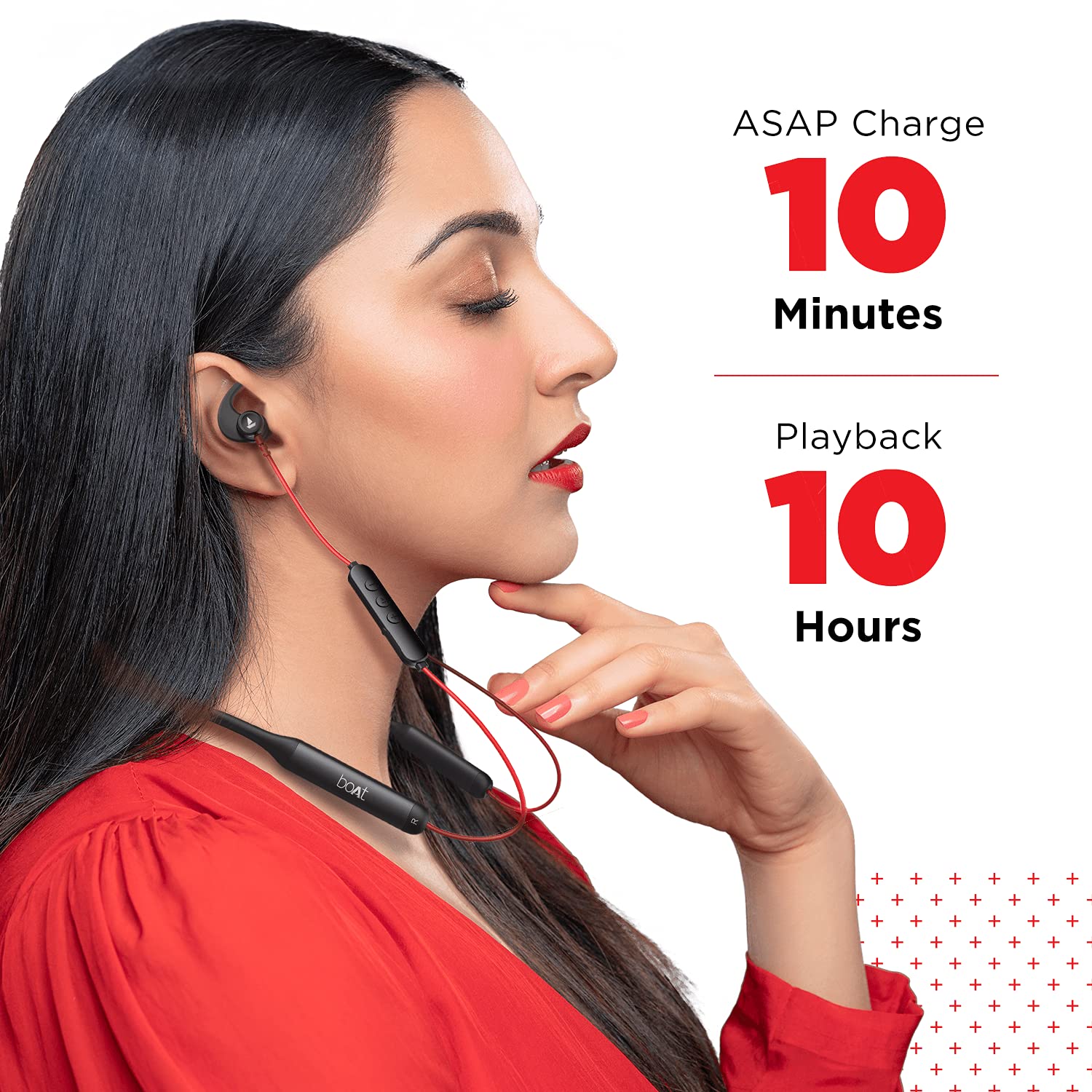
Image: Demonstrates the ASAP Charge feature, highlighting quick charging for extended playback.

Image: Illustrates the impressive 50-hour total playback time of the neckband.
2. Nyapasangkeun sareng Alat
The Rockerz 335 Pro uses Bluetooth v5.0 for wireless connectivity.
- Daya Hurung: Separate the magnetic earbuds to power on the neckband. The LED indicator will flash, indicating pairing mode.
- Aktipkeun Bluetooth: Dina smartphone, tablet, atanapi laptop anjeun, aktipkeun Bluetooth.
- Pilih Alat: In your device's Bluetooth settings, search for and select "boAt Rockerz 335 Pro".
- Konfirmasi: Once connected, the LED indicator will change, and you may hear an audio prompt.
Pasangan Ganda: The neckband supports dual pairing, allowing you to connect to two devices simultaneously. After pairing with the first device, disable its Bluetooth, pair with the second device, then re-enable Bluetooth on the first device. The neckband will connect to both.
Parentah Operasi
Daya Hurung/Pareuman
- Daya Hurung: Separate the magnetic earbuds.
- Pareum listrik: Unite the magnetic earbuds.
Puterkeun Musik
- Puter / Reureuh: Pencét Tombol Multi-fungsi (MFB) sakali.
- Lagu salajengna: Pencét lila tombol "+".
- Lagu Sateuacanna: Pencét lila tombol "-".
- Volume Up: Pencét pondok tombol "+".
- Volume Turun: Pencét pondok tombol "-".
Manajemén Telepon
- Ngajawab / mungkas Telepon: Pencét MFB sakali.
- Nolak Telepon: Pencét lila MFB.
- Daptar ulang: Pencét dua kali MFB.
Asisten sora
Activate your device's voice assistant (Google Assistant or Siri) with a single press of the dedicated Voice Assistant button on the control board.

Image: Highlights the Qualcomm aptX audio technology for superior sound and cVc noise cancellation for clear calls.
Pangropéa
Tahan cai (IPX5)
The boAt Rockerz 335 Pro is rated IPX5, meaning it is resistant to splashes and sweat. This makes it suitable for workouts and light rain. However, it is not designed for submersion in water. Avoid exposing the charging port to moisture.
beberesih
Pikeun ngajaga kinerja sareng kabersihan anu optimal:
- Wipe the neckband and earbuds with a soft, dry cloth.
- Ulah make cleaners abrasive atawa pangleyur.
- Pastikeun port ngecas beresih jeung garing saméméh ngecas.
Pamérésan masalah
If you encounter issues with your boAt Rockerz 335 Pro, refer to the following common solutions:
| Masalah | Solusi anu mungkin |
|---|---|
| Teu tiasa hurung | Ensure earbuds are separated. Charge the device fully. |
| Teu tiasa dipasangkeun sareng alat | Ensure Bluetooth is enabled on your device. Make sure the neckband is in pairing mode (LED flashing). Forget the device in your phone's Bluetooth settings and try pairing again. |
| Teu aya sora atanapi volume handap | Check volume levels on both the neckband and your connected device. Ensure the neckband is properly connected. Try re-pairing. |
| Masalah kualitas telepon | Ensure the microphone is not obstructed. Move closer to your connected device. Check for environmental noise. |
| ASAP Charge not working | Ensure you are using a compatible Type-C cable and power adapter. Check the charging port for debris. |
spésifikasi
Detailed technical specifications for the boAt Rockerz 335 Pro:
- Ngaran modél: Rockerz 335 Pro
- Téknologi konektipitas: Nirkabel
- Téknologi Komunikasi Nirkabel: Bluetooth v5.0
- Jenis Supir Audio: Supir dinamis
- Kahirupan batré: Nepi ka 50 Jam
- Waktu Ngecas: 10 Minutes (for 10 hours playback via ASAP Charge)
- Port ngecas: Tipe-C
- Tingkat tahan cai: IPX5 (Tahan Cai)
- Bahan: Metal (Control Board)
- Beurat barang: 50 gram
- Tipe Kontrol: Kontrol sora
- Fitur husus: Ngecas Gancang, Mikropon Kaasup, Tahan Késang
- Fitur Kontrol Noise: Noise Cancellation (cVc)
- Alat anu cocog: Handphone, Tablet, Laptop
- Platform Hardware: Smartphone
- Batré: 2 batré Litium Ion diperlukeun (kaasup)
- Ukuran produk: 17 x 13 x 13 cm
Garansi sareng Rojongan
Your boAt Rockerz 335 Pro comes with a 1-Taun Garansi from the date of purchase. For any product-related issues, service requests, or further assistance, please refer to the official boAt customer support channels.
For detailed information on warranty claims, service centers, or to register a complaint, please visit the official boAt support portal. You can also track the status of your service requests online.
Video: video ieu nyadiakeun leuwihview of the boAt Rockerz 335 Pro Wireless Neckband, covering its key features, design, and battery life. It also includes a segment on how to utilize the boAt customer support portal for service requests and product replacements.


