1. Bubuka
Thank you for choosing the MoKo Foldable Bluetooth Keyboard. This ultra-slim, portable keyboard is designed for seamless compatibility across iOS, Android, and Windows devices, offering an ergonomic and efficient typing experience on the go. This manual provides detailed instructions for setup, operation, maintenance, and troubleshooting to ensure optimal performance of your device.
2. Naon dina Box
- Kibor Bluetooth Lipet MoKo
- Kabel USB
3. Setélan
3.1 Daya Hurung/Pareuman
The keyboard features an innovative magnetic switch for easy power management:
- Pikeun Ngahurungkeun: Simply unfold the keyboard. It will automatically turn on.
- Pikeun mareuman: Fold the keyboard. It will automatically turn off.

Image: The keyboard automatically powers on when unfolded and off when folded, thanks to its magnetic switch.
3.2 Nyapasangkeun Bluetooth
Follow these steps to pair your MoKo Foldable Bluetooth Keyboard with your device:
- Buka kibor pikeun ngahurungkeunana.
- Pencét jeung tahan tombol FN + T keys simultaneously to enter pairing mode. The blue LED indicator on the keyboard will blink.
- On your device (tablet, smartphone, laptop), navigate to the Bluetooth settings and turn on the Bluetooth switch.
- Milarian pikeun "Foldable Bluetooth Keyboard" in the list of available devices and select it.
- Wait until your device indicates "Connected".
Video: This video demonstrates the setup process, including powering on, entering pairing mode, and connecting to a device via Bluetooth.

Image: The keyboard connected to a tablet, illustrating how to find and connect the keyboard in your device's Bluetooth settings.
3.3 Sistim kasaluyuan switching
The keyboard is compatible with multiple operating systems. Use the following key combinations to switch between modes for optimal performance:
- Pikeun Android alat-alat: Pencét FN + Q
- Pikeun Windows alat-alat: Pencét FN + W
- Pikeun ios alat-alat: Pencét FN + E.

Image: The keyboard supports a wide range of devices running Windows, iOS, and Android operating systems.
4. Parentah Operasi
4.1 Portability and Design
The MoKo Foldable Bluetooth Keyboard is designed for maximum portability and convenience:
- Ultra-Thin and Lightweight: When folded, its dimensions are approximately 6.37" x 3.8" x 0.4", and it weighs only 4.9 ounces (138.8g).
- Desain kompak: The innovative folding design allows it to easily fit into a purse, bag, or pocket, making it ideal for travel and mobile work.

Image: The keyboard's compact size and lightweight design make it highly portable for use on the go.
4.2 Ergonomic Typing Experience
The keyboard features an ergonomic design for comfortable typing:
- V-shaped Frosting Surface: Provides an excellent sense of touch.
- 166-degree Innovative Design: Contributes to a comfortable typing posture, reducing wrist strain.
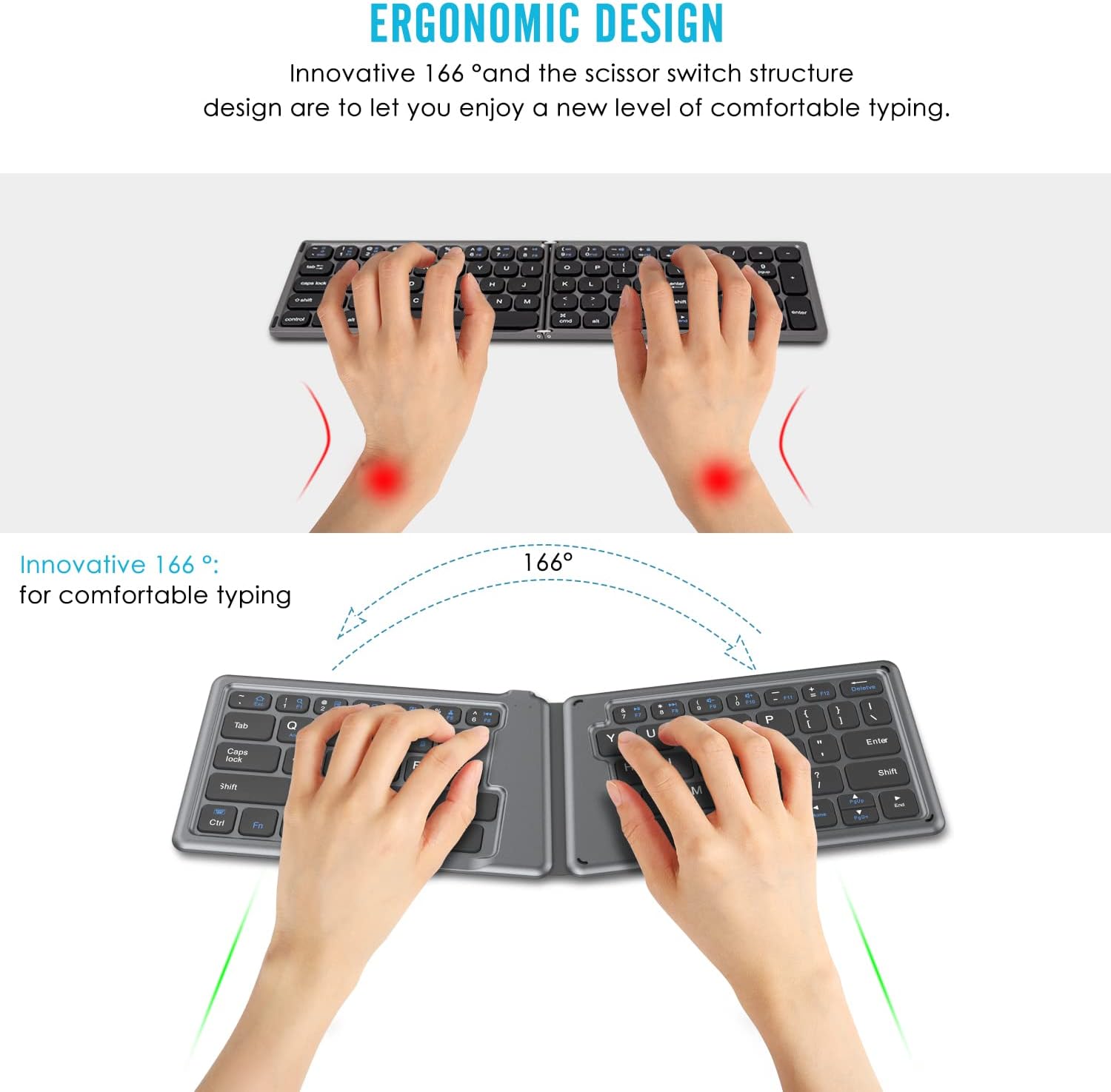
Image: The ergonomic design with a 166-degree angle promotes comfortable and natural hand positioning during typing.
4.3 Batré Rechargeable
The keyboard is equipped with a built-in rechargeable battery:
- Waktu Gawé Terus-terusan: Supports up to 40 hours of continuous use on a single charge.
- Waktu sayaga: Dugi ka 30 dinten.
- Ngecas: Can be charged from any USB port using the included USB cable.

Image: The keyboard offers excellent battery life with long working and standby times, and quick charging.
5. Pangropéa
To ensure the longevity and optimal performance of your MoKo Foldable Bluetooth Keyboard, follow these maintenance guidelines:
- beberesih: Anggo lawon anu lemes sareng garing pikeun ngusap permukaan kibor. Pikeun kokotor anu bandel, usap sakedikampen lawon ku cai atawa solusi beberesih hampang. Hindarkeun bahan kimia anu kasar atanapi bahan abrasive.
- Panyimpenan: When not in use, fold the keyboard to protect the keys and conserve battery. Store it in a cool, dry place away from direct sunlight, extreme temperatures, and humidity.
- Hindarkeun Cairan: Do not expose the keyboard to liquids. In case of accidental spills, immediately power off the keyboard and allow it to dry completely before attempting to use it again.
- Nanganan kalayan ati-ati: Avoid dropping the keyboard or subjecting it to strong impacts, as this can damage internal components.
6. Cara ngungkulan
If you encounter issues with your MoKo Foldable Bluetooth Keyboard, refer to the following common problems and solutions:
6.1 Kibor Teu Nyapasangkeun / Nyambungkeun
- Ensure Keyboard is On: Unfold the keyboard completely to ensure it is powered on.
- Pariksa batré: Ensure the keyboard has sufficient battery charge. Connect it to a power source using the USB cable if needed.
- Lebet deui ka Modeu Pasangan: Pencét FN + T to put the keyboard back into pairing mode (blue LED blinking).
- Alat Bluetooth: Pastikeun Bluetooth diaktipkeun dina alat anjeun sareng tiasa kapanggih.
- Poho Alat: If previously paired, try
Dokumén Patali - P840034677294

Kibor Bluetooth Lipet Universal MoKo (HB188) - Buku Panduan Pangguna
Buku pituduh lengkep pikeun Kibor Bluetooth Lipat Universal MoKo (Modél HB188). Diajar kumaha nyetél, masangkeun, sareng nganggo kibor nirkabel portabel ieu sareng alat iOS, Android, sareng Windows. Ngawengku spésifikasi, fungsi konci, sareng tip ngungkulan masalah.
MOKO H3 Bluetooth Beacon: Lembar Data sareng Spésifikasi Téknis
Lembar data lengkep pikeun MOKO H3 Bluetooth Beacon, anu nampilkeun akselerometer 3-sumbu, kompatibilitas iBeacon/Eddystone, umur batré anu panjang, sareng parameter anu tiasa dikonfigurasi pikeun aplikasi IoT. Ngawengku karakteristik fisik, pernyataan FCC, sareng dukungan téknis.
MOKO MK01-KIT Evaluasi Board Guide pamaké
User guide for the MOKO MK01-KIT evaluation board, detailing its features, circuit design, functional blocks, power supply options, pin assignments, switch configurations, and package contents. Supports MOKO MK01 series Bluetooth modules.
Spésifikasi Produk MOKO L03 Anchor Pro Bluetooth Beacon
Spésifikasi produk lengkep pikeun suar Bluetooth MOKO L03 Anchor Pro, anu ngajelaskeun sacara rinci inpormasi perangkat keras, pamasangan, operasi, sareng pakét pikeun alat pelacak lokasi IoT MOKO.
MOKO LW007-PIR APP Guide: Configuration and Usage
Comprehensive guide to configuring the MOKO LW007-PIR LoRaWAN PIR motion detector using the MKLoRa mobile application. Covers device connection, parameter settings, and configuration examples for various scenarios.
Pituduh Pangguna LW008-MTE - MOKO TECHNOLOGY LTD.
Pituduh pangguna anu lengkep pikeun MOKO LW008-MTE LoRaWAN Tracker. Diajar ngeunaan fitur produk, spésifikasi, pamasangan, konfigurasi aplikasi, protokol komunikasi, sareng ngungkulan masalah.