1. Bubuka
Hatur nuhun pikeun meuliasing the I-STAR Projection Alarm Clock Radio. This device combines a digital alarm clock with a ceiling projection feature, FM radio, and a convenient USB charging port. Designed for ease of use and optimal visibility, it ensures you wake up refreshed and your devices are charged.
Fitur konci:
- Large 1.2-inch LED display with 2-level dimmable brightness.
- Time projection onto the ceiling with 180° rotation for easy viewing.
- Dual alarm function to set two different wake-up times.
- FM radio with up to 10 preset stations and sleep timer function.
- Integrated 1A USB output port for charging smartphones.
- Large, easy-to-reach snooze button for extra rest.
- Battery backup (CR2032, not included) for time and alarm settings during power outages.
2. Setup Guide
2.1 Eusi Paket:
Mangga cék kotak pikeun item di handap ieu:
- 1 x I-STAR Digital Projection Alarm Clock
- 1 x 5V DC Power adaptor
- 1 x Pituduh Pamaké
2.2 Powering On:
Connect the provided 5V DC power adapter to the DC IN port on the back of the alarm clock and plug it into a standard wall outlet. The display will light up.
For battery backup, insert one CR2032 cell battery (not included) into the battery compartment on the bottom of the unit. This battery will preserve time and alarm settings in case of a power interruption.
2.3 Initial Time Setting:
Upon first power-on or after a power reset without battery backup, the time may need to be set. Refer to the "Setting Time and Date" section in Operating Instructions for detailed steps.
3. Parentah Operasi
3.1 Nyetél Waktos sareng Tanggal:
- Pencét jeung tahan tombol MEM/M+/DATE tombol pikeun asup kana mode setelan waktos.
- Ngagunakeun éta < jeung > tombol pikeun nyaluyukeun jam, teras pencét MEM/M+/DATE pikeun mastikeun.
- Repeat the process for minutes, year, month, and day.
- Pencét MEM/M+/DATE again to exit time setting.
3.2 Display and Brightness:
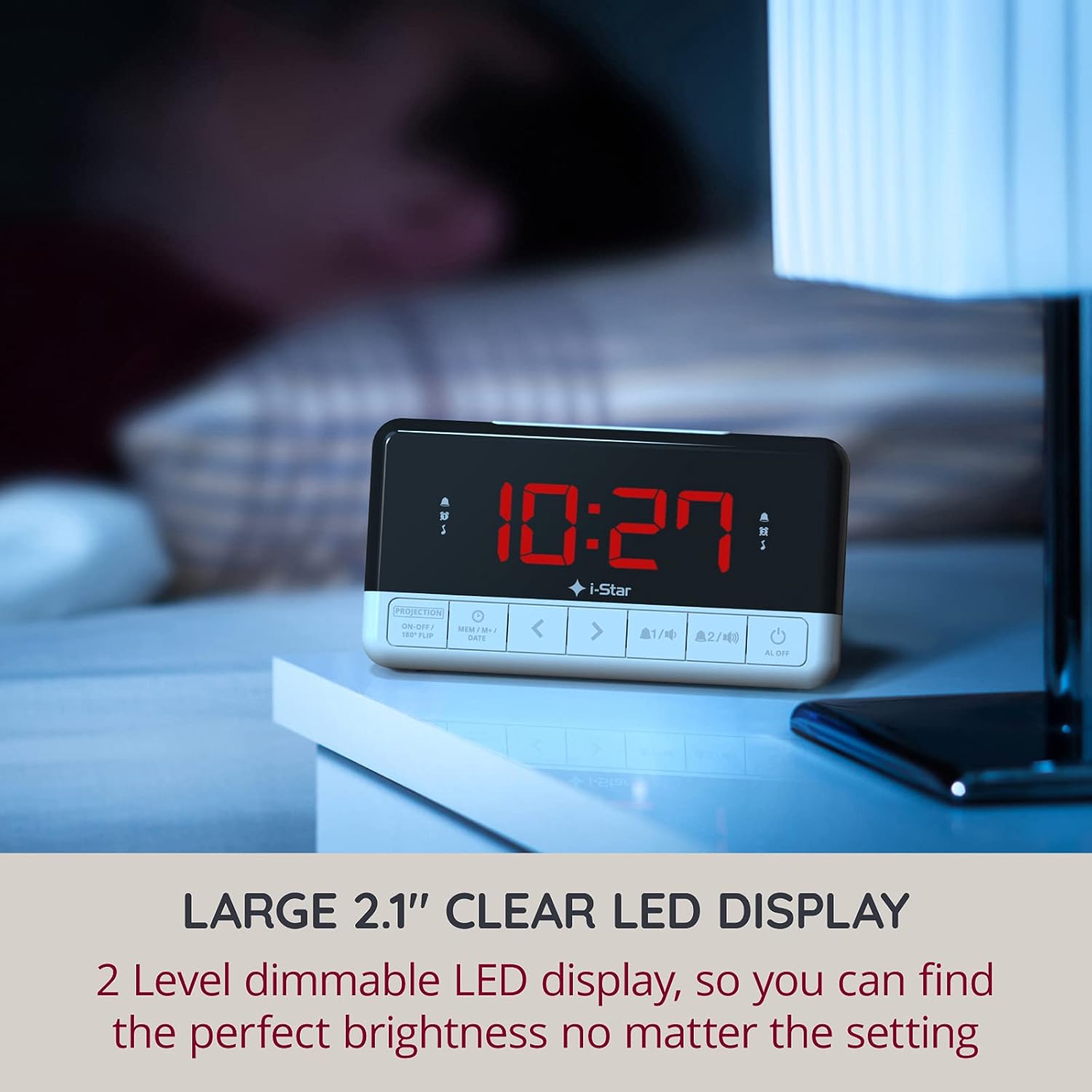
The clock features a large 1.2-inch LED display. To adjust the display brightness, press the SNOOZE / SARE / DIMMER button located on the top of the unit. There are two brightness levels to choose from, allowing you to find the perfect setting for day or night viewing.

Gambar 3.2.1: The large 1.2-inch LED display provides clear time visibility. Adjust brightness for optimal viewing.
3.3 Projection Feature:
The alarm clock can project the time onto your ceiling or wall in red digits. This allows for easy time checking without needing to turn on a light or strain your eyes.
- To activate or deactivate the projection, press the PROJECTION ON-OFF / 180° FLIP tombol dina panel payun.
- To rotate the projected image by 180 degrees, press and hold the PROJECTION ON-OFF / 180° FLIP button. This is useful if the projected time appears upside down.
- The projection angle can be physically adjusted by rotating the projector lens on the top of the unit.

Gambar 3.3.1: The clock projecting the time onto the ceiling, allowing for easy viewing from bed.
3.4 Setting Alarms:
The device features two independent alarms (Alarm 1 and Alarm 2).
- Pencét éta ALARMA 1 or ALARMA 2 button to select the desired alarm. The alarm icon will flash.
- Ngagunakeun éta < jeung > buttons to set the desired alarm time (hour and minute).
- Pencét éta ALARMA 1 or ALARMA 2 tombol deui pikeun ngonfirmasi waktos.
- Salajengna, nganggo < jeung > buttons to select the alarm source: Buzzer or FM Radio.
- Pencét éta ALARMA 1 or ALARMA 2 button one more time to confirm and activate the alarm. The corresponding alarm icon will appear on the display.
- Pikeun mareuman alarm aktip, pencét tombol AL OFF kancing.

Gambar 3.4.1: Set two independent alarms to wake up to your preferred time and sound.
3.5 FM Radio Operation:
Radio FM internal ngamungkinkeun anjeun ngadangukeun stasiun karesep anjeun.
- Pikeun ngahurungkeun radio, pencét tombol RADIO FM kancing.
- To automatically scan and save stations, press and hold the RADIO FM button. The clock can store up to 10 preset stations.
- Ngagunakeun éta < jeung > buttons to manually tune or cycle through preset stations.
- Adjust the volume using the volume control knob (if present, otherwise assume buttons).
- Pikeun mareuman radio, pencét tombol RADIO FM tombol deui.
3.6 Fungsi Tunda:
Lamun alarm disada, pencét badag SNOOZE / SARE / DIMMER button on top of the unit to temporarily silence the alarm for a few extra minutes of sleep. The alarm will sound again after the snooze period ends.
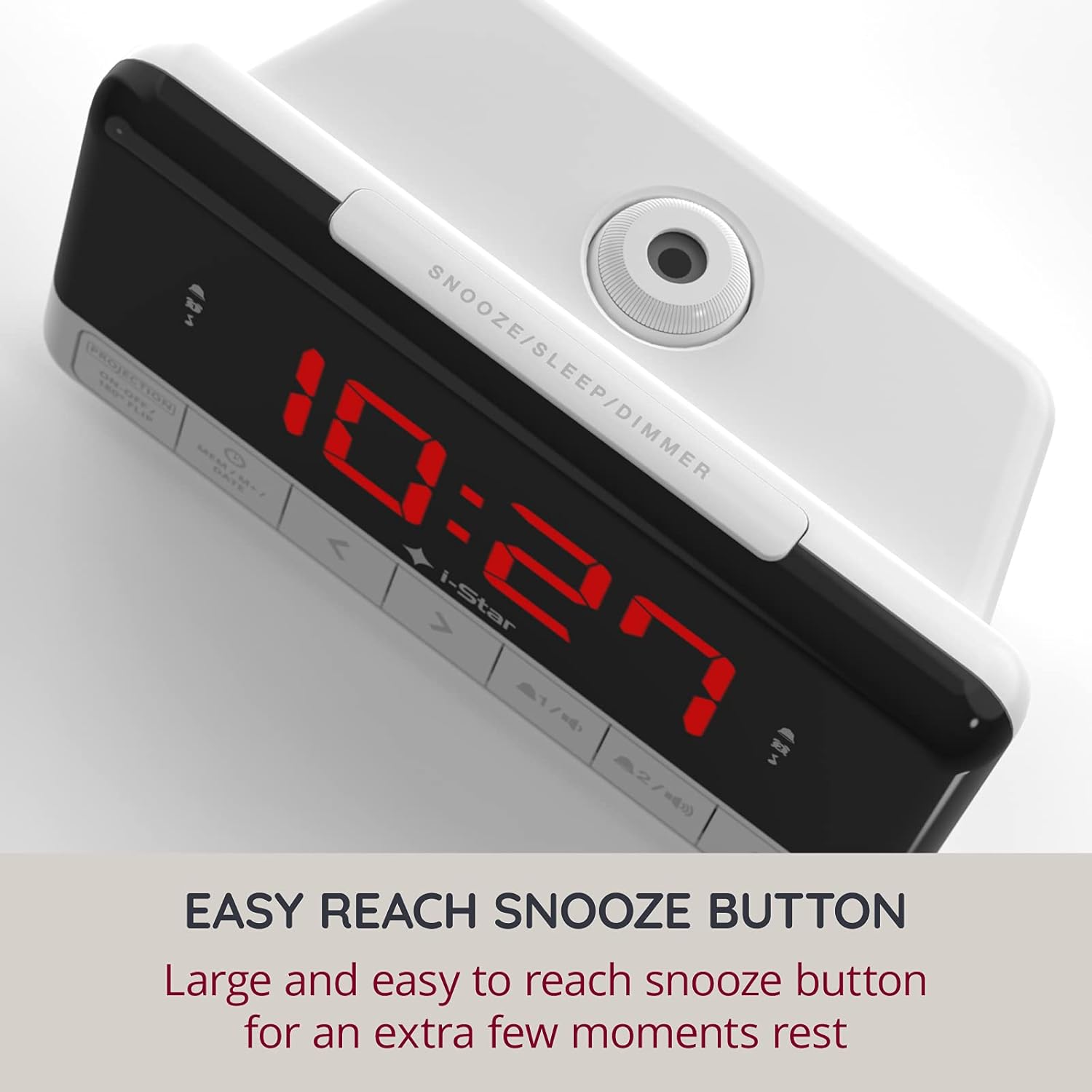
Gambar 3.6.1: The easily accessible snooze button provides a few extra moments of rest.
3.7 Sleep Timer Function:
Timer sare ngamungkinkeun radio pikeun muter pikeun durasi set sateuacan otomatis pareum.
- Nalika radio nuju diputer, pencét tombol SNOOZE / SARE / DIMMER button repeatedly to cycle through available sleep timer durations (e.g., 10, 20, 30, 60, 90 minutes, or OFF).
- Radio bakal otomatis pareum saatos waktos anu dipilih.
3.8 Port Ngecas USB:
The alarm clock is equipped with a 1A USB output port on the side, allowing you to conveniently charge your smartphone or other USB-powered devices overnight.
- Connect your device's USB charging cable to the USB output port on the alarm clock.
- Sambungkeun tungtung kabel anu sanésna kana alat anjeun. Ngecas bakal dimimitian sacara otomatis.
Gambar 3.8.1: The integrated USB port allows for convenient charging of your mobile devices.
4. Pangropéa
4.1 beberesih:
To clean the alarm clock, gently wipe the surface with a soft, dry cloth. Do not use abrasive cleaners, waxes, or solvents as they may damage the finish. Ensure the unit is unplugged before cleaning.
4.2 Battery Replacement (Backup):
The CR2032 backup battery (not included) should be replaced periodically, typically every 1-2 years, or if you notice that time and alarm settings are lost after a power outage. To replace:
- Unplug the alarm clock from the power outlet.
- Tangtukeun lokasi kompartemen batré dina handapeun unit.
- Open the compartment cover and remove the old CR2032 battery.
- Selapkeun batré CR2032 anyar kalayan sisi positif (+) nyanghareup ka luhur.
- Tutup panutup kompartemen batré aman.
- Plug the alarm clock back into the power outlet.
5. Cara ngungkulan
If you encounter any issues with your I-STAR Projection Alarm Clock Radio, please refer to the table below for common problems and their solutions.
| Masalah | Mungkin Cukang lantaranana | Solusi |
|---|---|---|
| Teu aya layar/Unit teu tiasa dihurungkeun. | Adaptor daya teu nyambung atawa stop kontak faulty. | Pastikeun adaptor daya dipasang pageuh kana jam sareng stop kontak anu tiasa dianggo. Cobi stop kontak anu sanés. |
| Alarm teu disada. | Alarm not set, alarm volume too low, or alarm deactivated. | Verify alarm time and source are correctly set. Ensure the alarm icon is visible on the display. Check radio volume if FM radio is selected as alarm source. |
| Projected time is upside down. | Projection orientation needs adjustment. | Pencét jeung tahan tombol PROJECTION ON-OFF / 180° FLIP button to flip the image. |
| panarimaan radio goréng. | Antena teu manjang atanapi aya gangguan. | Fully extend the FM antenna wire on the back of the unit. Reposition the clock to improve reception. Avoid placing near other electronic devices that may cause interference. |
| Radio volume is too high at minimum setting. | Ciri desain anu inheren. | This can be a common observation. Try adjusting the clock's position or consider placing a soft material over the speaker grille to slightly dampen the sound, if acceptable. |
| Waktos / setélan leungit sanggeus kakuatan outage. | Backup battery is missing or depleted. | Install a new CR2032 battery in the backup compartment. |
6. Spésifikasi
| Fitur | Rincian |
|---|---|
| merek | I-STAR |
| Nomer modél | 90085PI/18 |
| Warna | Bodas |
| Dimensi produk | 16 x 6.7 x 8.5 cm (kira-kira 6.3 x 2.6 x 3.3 inci) |
| Beurat | 370 g (kira-kira 0.82 lbs) |
| Bahan | palastik |
| Tipe tampilan | Digital LED (1.2-inch) |
| Fitur husus | Alarm, Projection, FM Radio, USB Charging Port, Dimmable Display, Snooze Function, Sleep Timer |
| Sumber Daya | AC Power Adapter (5V DC) with CR2032 Battery Backup (not included) |
7. Garansi jeung Rojongan
7.1 Émbaran Garansi:
I-STAR offers a 12-month hassle-free warranty with this product. This warranty covers manufacturing defects and ensures reliable operation under normal use. Please retain your proof of purchase for warranty claims.
7.2 Rojongan Palanggan:
For any questions, technical assistance, or warranty inquiries, please contact I-STAR customer service. Refer to the product packaging or the official I-STAR websitus pikeun inpo kontak paling up-to-date.


