1. Bubuka
The WiMiUS K1 Projector is an advanced 5G WiFi and Bluetooth 5.1 enabled projector designed for both home entertainment and small conference environments. It features native 1920x1080P resolution with 4K support, offering a bright and clear visual experience with a 20000:1 contrast ratio. Equipped with versatile connectivity options and user-friendly image adjustments, the K1 projector delivers a high-quality projection experience.
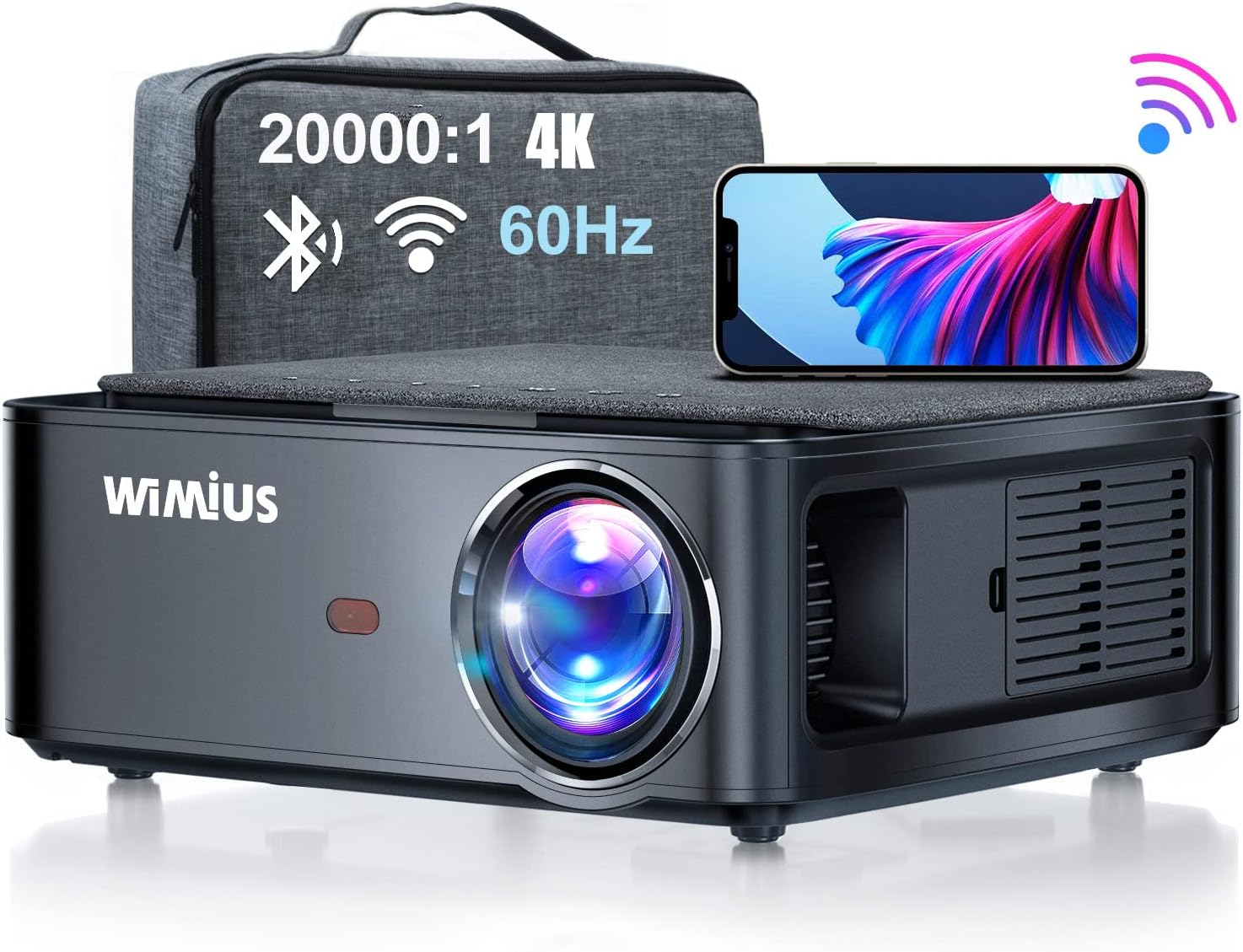
Image: The WiMiUS K1 Projector, showcasing its compact design alongside its dedicated carrying bag and a smartphone, highlighting its portability and wireless capabilities.

Gambar: Hiji leuwihview of the WiMiUS K1 Projector's key features, including 5G WiFi, Bluetooth, Full HD 1080P native resolution, 99% NTSC color gamut, 4D correction, PPT support, and a 200,000-hour LED lamp hirup.
2. Eusi Paket
Punten parios yén sadaya barang anu didaptarkeun di handap kalebet kana pakét anjeun:
- WiMiUS K1 Projector x 1
- Projector Case x 1
- Buku Panduan x 1
- Jauh Jauh x 1
- HDMI kabel x 1
- Kabel Daya x 1
- Kabel AV x 1
- Panutup lensa x 1
- Kain Lensa x 1

Image: A visual representation of all items included in the WiMiUS K1 Projector package, ensuring users can confirm they have received all components.
3. Setélan
3.1 Nempatkeun Projector
Position the projector on a stable, flat surface or mount it to the ceiling. Ensure there is adequate ventilation around the device. The optimal projection distance is approximately 3 meters (9.8 feet) for a clear image. The projector supports screen sizes from 50 to 300 inches, adjustable based on distance.

Image: Diagram illustrating various projection distances and corresponding screen sizes (50"-300") for the WiMiUS K1 Projector, with an optimal distance of 3m.
3.2 Nyambungkeun Alat
The K1 Projector offers multiple input options for various multimedia devices:
- Port HDMI (HDMI1, HDMI2): Connect devices such as PC, TV stick, PS3, PS4, PS5, Xbox, DVD players, and more using the provided HDMI cable.
- Port USB: Insert a USB stick to directly play movies, music, photos, or Office documents (Word, Excel, PowerPoint).
- Port AV: Use the AV cable to connect older devices with composite video and stereo audio outputs.

Gambar: A lengkep view of the WiMiUS K1 Projector's rear panel, showing its USB, HDMI, and AV ports, along with icons of compatible devices like phones, tablets, gaming consoles, and media players.
3.3 Kakuatan Hurung
Connect the power cable to the projector and a power outlet. Press the power button on the projector or the remote control to turn on the device. The blue indicator light will illuminate.
4. Parentah Operasi
4.1 Navigation and Source Selection
Use the remote control to navigate the projector's interface. Select the desired input source (HDMI1, HDMI2, USB, AV) from the main menu to display content from your connected device.
4.2 Konéktipitas Wireless
The K1 Projector supports advanced wireless features:
- Pangeunteungan Layar WiFi 5G: Connect your smartphone (iOS/Android) or iPad wirelessly to mirror your device's screen. This feature is significantly faster than standard WiFi connections.

Image: A smartphone wirelessly mirroring its screen to the WiMiUS K1 Projector, demonstrating the seamless 5G WiFi screen mirroring capability for iOS and Android devices.
- Bluetooth 5.1: Easily connect external Bluetooth speakers or headphones for enhanced audio experience.

Image: The WiMiUS K1 Projector connected wirelessly via Bluetooth to external speakers and headphones, illustrating its Bluetooth 5.1 capability for superior audio output.
4.3 adjustment Gambar
Atur gambar anu diproyeksikan pikeun optimal viewing:
- Koreksi Keystone 4-Poin: Correct image distortion from various projection angles (up to ±60°). Use the remote control to adjust horizontal and vertical keystone settings.
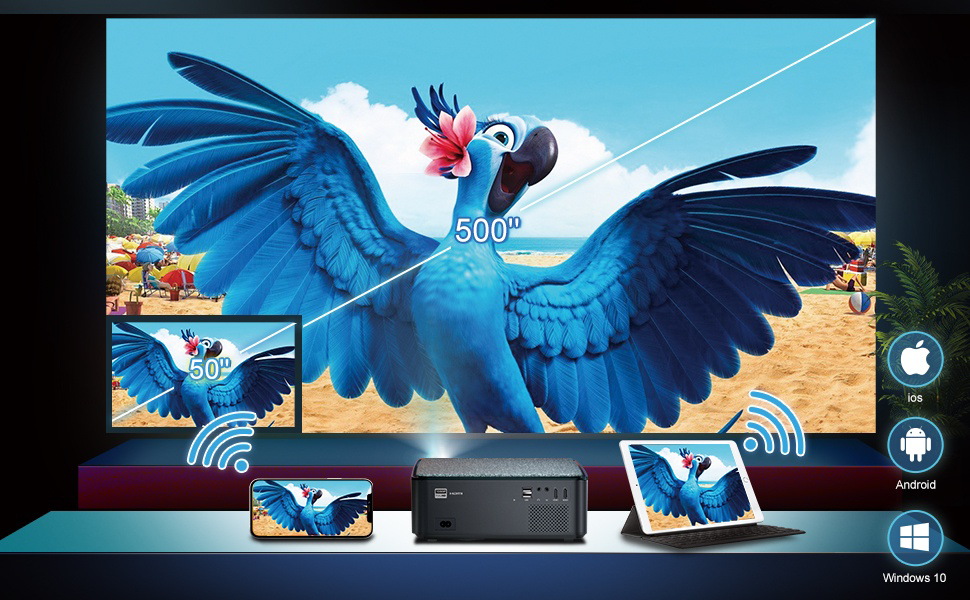
Image: A visual demonstration of the WiMiUS K1 Projector's 4D Digital Keystone Correction, showing how it can adjust the image up to ±50° horizontally and vertically to achieve a perfect rectangular display.
- Fungsi zum: Adjust the image size from 100% down to 50% directly from the remote control without moving the projector.

Image: This image highlights the WiMiUS K1 Projector's versatility, showing its compatibility with ceiling mounts, the 100%-50% zoom function for flexible image sizing, and the included projector case for portability and protection.
4.4 Video Produk Resmi
Video: Hiji acara video produk resmicasing the WiMiUS K1 5G WiFi Bluetooth Projector, demonstrating its features and capabilities.
5. Aplikasi
The WiMiUS K1 Projector is suitable for a variety of uses:
- Hiburan Bumi: Ideal for watching movies, playing video games, and enjoying parties with a large screen experience.
- Small Conferences: Directly read and project Office software files (Word, Excel, PowerPoint) from a USB stick, making it convenient for business presentations (suitable for 5-10 people).
- Pamakéan outdoor: Its portability and bright output make it suitable for outdoor movie nights or events.

Image: A collage demonstrating the diverse applications of the WiMiUS K1 Projector, including small conference presentations, home theater setups, courtyard entertainment, and gaming.
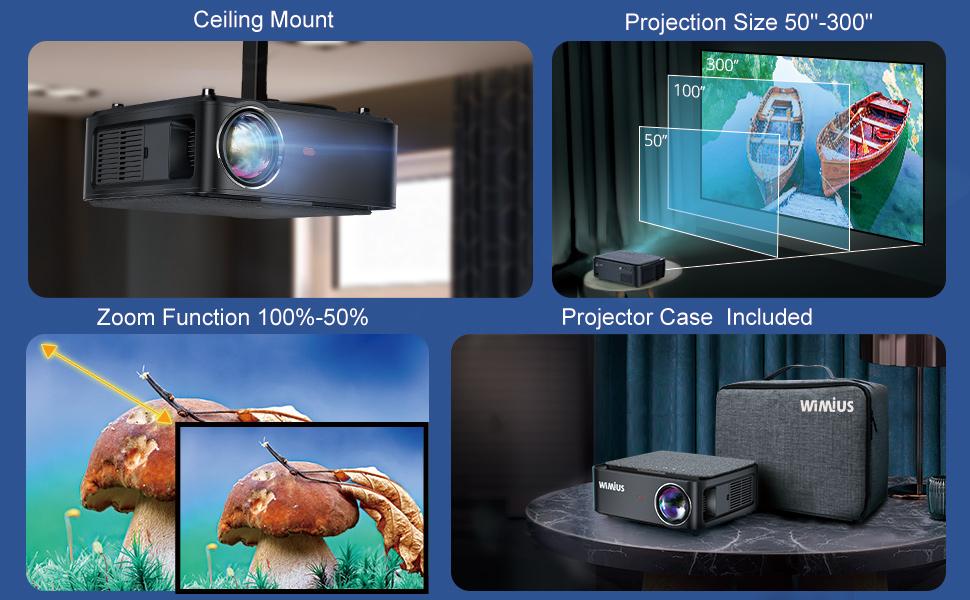
Image: The WiMiUS K1 Projector being used in various settings: for a home movie night, for video games, and for an outdoor projection, showcasing kamampuh adaptasina.
6. Pangropéa
6.1 Protection lebu
The projector is equipped with a double dust-proof filter to effectively protect internal components from dust accumulation. Regularly clean the exterior of the projector with a soft, dry cloth. Ensure the lens is free of dust and smudges using the provided lens cloth.
6.2 Lamp Hirup
The K1 Projector utilizes an LED lamp with a long operating life of over 200,000 hours, thanks to new LED technology and smart eco technology. This ensures many years of reliable use under normal operating conditions.
7. Cara ngungkulan
If you encounter issues with your WiMiUS K1 Projector, please refer to the following common solutions:
- Henteu aya kakuatan: Pastikeun kabel daya disambungkeun pageuh kana proyéktor sareng stop kontak anu tiasa dianggo. Cobi stop kontak anu sanés.
- Taya Gambar/Sinyal: Verify that the correct input source (HDMI1, HDMI2, USB, AV) is selected. Check all cable connections between the projector and the source device.
- Gambar kabur: Adjust the focus ring on the projector lens. Ensure the projection distance is within the recommended range. Use keystone correction for distorted images.
- Henteu aya Audio: Check the volume settings on both the projector and the connected source device. If using external speakers, ensure they are properly connected via Bluetooth or audio cable.
- Masalah Sambungan WiFi/Bluetooth: Ensure your device is within range. For WiFi, confirm the correct password is entered. For Bluetooth, ensure the external device is in pairing mode.
For more detailed troubleshooting steps or persistent issues, please consult the comprehensive user manual provided in the package or contact WiMiUS customer support.
8. Spésifikasi
| Fitur | Rincian |
|---|---|
| Ngaran Brand | WiMiUS |
| Nomer modél | K1 |
| Resolusi pribumi | 1920 x 1080P (Full HD) |
| Resolusi dirojong | 4K |
| Refresh Laju | 60Hz |
| Babandingan Kontras | 20000:1 |
| Téhnologi konektipitas | Bluetooth, USB, HDMI |
| Fitur nirkabel | 5G WiFi, Bluetooth 5.1 |
| Koréksi Keystone | 4-Point (up to ±60°) |
| Fungsi Zum | 60% |
| Lamp Hirup | 200,000 Hours (LED) |
| Fitur husus | Wireless, Portable, Built-In Wi-Fi, Dust Proof Filter |
| Item Beurat | 7.43 pon |
| Ukuran Paket | 15.24 x 11.22 x 6.3 inci |
9. Garansi jeung Rojongan
WiMiUS provides a comprehensive garansi 4 taun for the K1 Projector, offering double the assurance compared to many other products. The warranty coverage is as follows:
- Taun kahiji: Free replacement for any manufacturing defects or malfunctions.
- Remaining 3 Years: Free repair services for eligible issues.
To activate your warranty or for any technical support inquiries, please contact WiMiUS customer service through the contact information provided in your product packaging or on the official WiMiUS website. Please have your purchase details and product model number (K1) ready when contacting support.


