1. Bubuka
The BOGASING G4 is a powerful and versatile portable Bluetooth speaker designed to deliver high-quality audio with enhanced bass. Featuring a robust 50W output and advanced DSP technology, it ensures clear and balanced sound reproduction. Its durable, IPX7 waterproof design makes it ideal for various indoor and outdoor environments. With Bluetooth 5.3 and multiple playback modes, the G4 offers seamless connectivity and an immersive listening experience.
For an even more expansive sound, two G4 speakers can be paired together using the Wireless Stereo Function, creating a true surround sound experience with double the volume.

Image: The BOGASING G4 Bluetooth Speaker, a compact black rectangular device with a metal grille and gold accents, showcasing desainna anu kuat.
2. Eusi Paket
Mangga cék kotak pikeun item di handap ieu:
- 1x BOGASING G4 Speaker Unit
- 1x 3.5mm Kabel Audio
- 1x Kabel Ngecas USB-C
- 1x Pitunjuk Mimiti Gancang
3. Fitur Produk
- High-Quality 50W Audio: Equipped with two drivers and passive radiators, the G4 delivers powerful sound with a maximum output of 50W. It is tuned for balanced sound across all frequencies, from crisp highs to deep lows.
- Pangolahan Sinyal Digital (DSP): Integrated DSP algorithm ensures clear music reproduction that stays true to the original sound, minimizing distortion.
- Three Sound Effect Modes: Customize your listening experience with BOGASING's unique sound effect modes: 3D Stereo, Clear Vocal, and Enhanced Bass.
- IPX7 Waterproof & Durable Design: The G4 features an IPX7 waterproof rating, making it suitable for use near water, such as pools or during outdoor activities. Its exterior is covered with soft rubber material, enhancing shock resistance.
- Dipanjangkeun Waktu Playback: Enjoy up to approximately 24 hours of continuous music playback at moderate volume, ensuring your music lasts all day.
- Wireless Stereo Function (TWS): Pair two G4 speakers wirelessly to create a massive stereo soundstage with double the volume, providing an immersive surround sound experience.
- Multi-functional Playback Modes: Supports Bluetooth 5.3 for stable and efficient wireless connection. For non-Bluetooth devices, audio can be played via SD card, USB-C, or AUX IN cable.

Gambar: Hiji internal view of the BOGASING G4 speaker, highlighting its dual drivers and passive radiators, capable of delivering 50W of audio output.

Gambar: A cutaway view of the BOGASING G4 speaker, illustrating the internal circuitry and emphasizing the integrated DSP technology for enhanced sound quality.
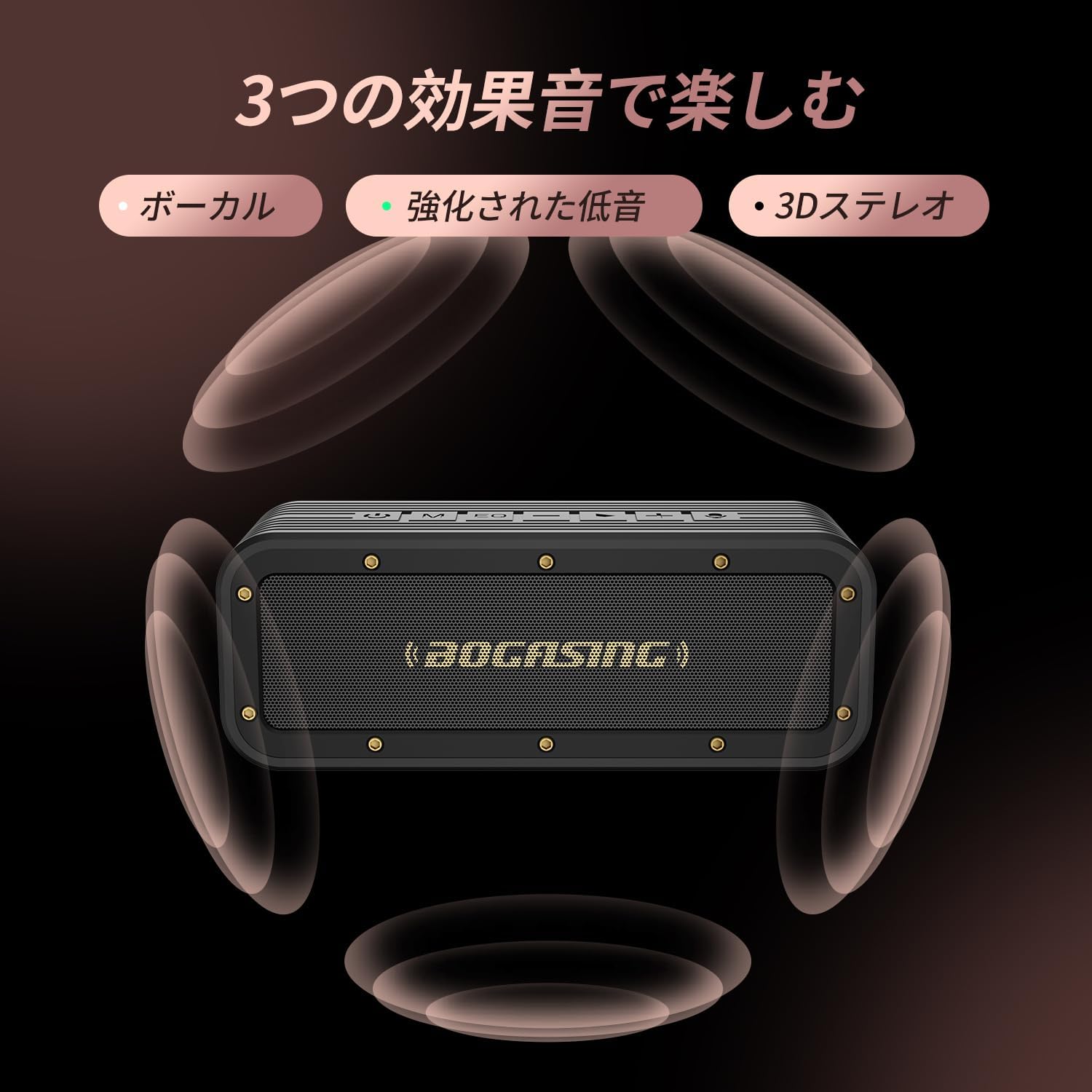
Image: The BOGASING G4 speaker surrounded by visual representations of sound waves, indicating its three distinct sound effect modes: Vocal, Enhanced Bass, and 3D Stereo.

Image: The BOGASING G4 speaker being splashed with water, visually demonstrating its IPX7 waterproof protection, suitable for various wet environments.
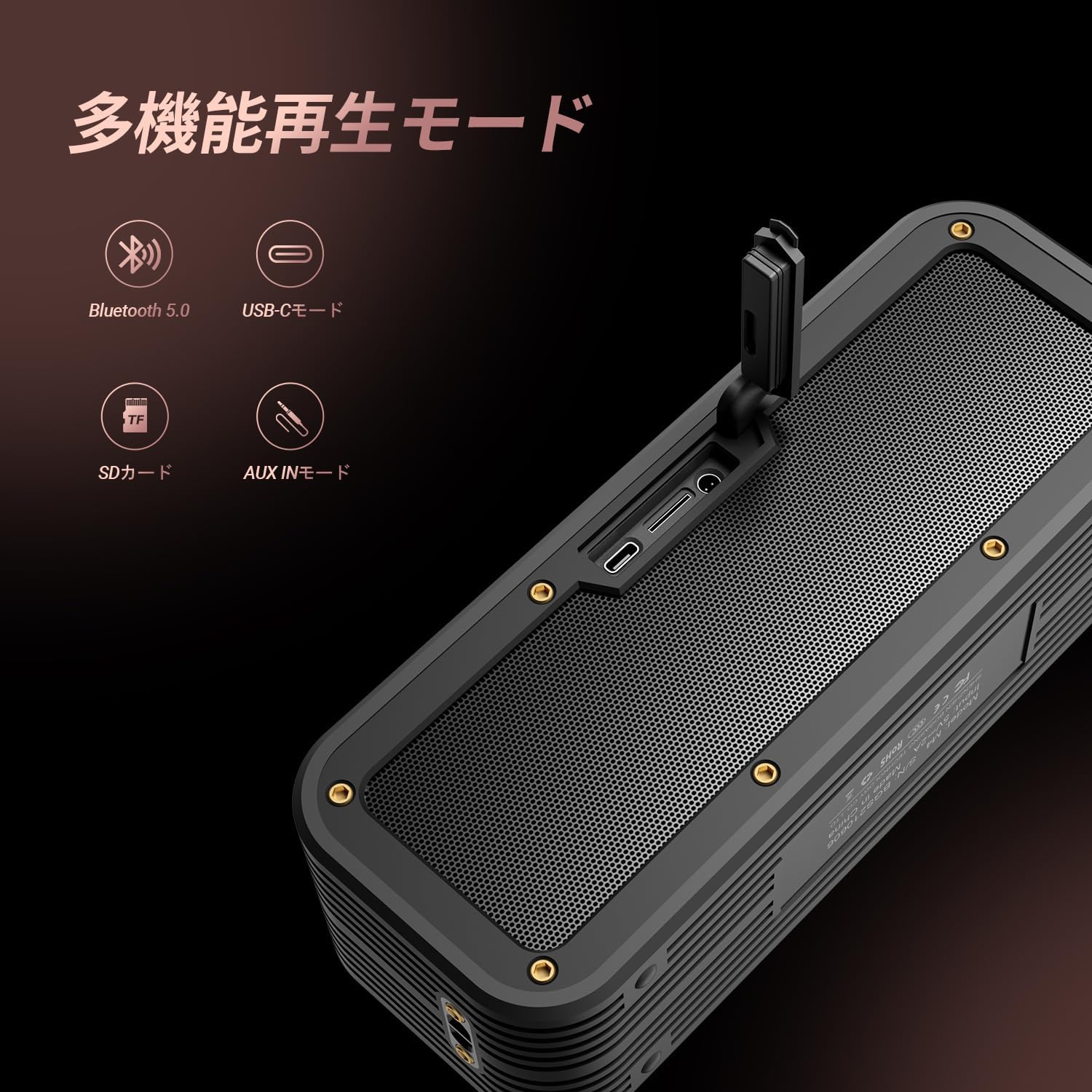
Image: The BOGASING G4 speaker with icons representing its various playback modes: Bluetooth 5.0, USB-C, SD Card, and AUX IN, highlighting its versatile connectivity.
4. Setélan
4.1 Ngecas Speaker
- Sambungkeun kabel ngecas USB-C anu disayogikeun ka port USB-C spiker.
- Sambungkeun tungtung kabel anu sanés ka adaptor kakuatan USB anu cocog (teu kalebet) atanapi port USB komputer.
- The charging indicator light will illuminate. Once fully charged, the light will change or turn off (refer to the Quick Start Guide for specific indicator behavior).
4.2 Powering on / Pareum
- Pikeun Ngahurungkeun: Pencét jeung tahan tombol Daya (⏻) for approximately 2-3 seconds until you hear an audible prompt and the indicator light turns on.
- Pikeun mareuman: Pencét jeung tahan tombol Daya (⏻) for approximately 2-3 seconds until you hear an audible prompt and the indicator light turns off.
4.3 Nyapasangkeun Bluetooth
- Ensure the speaker is powered on and in Bluetooth pairing mode (the Bluetooth indicator light will typically flash).
- Dina alat anjeun (smartphone, tablet, komputer), aktipkeun Bluetooth sareng milarian alat anu sayogi.
- Select "BOGASING G4" from the list of found devices.
- Once successfully paired, you will hear a confirmation sound, and the Bluetooth indicator light will become solid.
4.4 Wireless Stereo (TWS) Pairing
To pair two BOGASING G4 speakers for a stereo experience:
- Ensure both G4 speakers are powered on and not connected to any Bluetooth device.
- On one of the speakers (this will be the primary speaker), press the Power button twice quickly. You will hear a prompt indicating TWS pairing mode.
- The speakers will automatically search for and connect to each other. Once connected, you will hear a confirmation sound.
- Ayeuna, sambungkeun alat Anjeun ka speaker primér via Bluetooth sakumaha dijelaskeun dina bagian 4.3. Audio bakal diputer ngaliwatan duanana speaker dina stereo.
4.5 Connecting via AUX / USB-C / TF Card
- Mode AUX: Insert a 3.5mm audio cable into the AUX IN port on the speaker and connect the other end to your audio source's headphone jack. The speaker will automatically switch to AUX mode.
- USB-C Mode: Connect a USB-C cable to the speaker's USB-C port and to a compatible audio source (e.g., computer). The speaker may automatically switch to USB-C audio input.
- Mode Kartu TF: Selapkeun kartu TF (microSD) sareng audio filekana slot kartu TF. Spiker bakal otomatis ngadeteksi kartu sareng mimiti muterkeun musik.
5. Parentah Operasi
5.1 Fungsi Tombol
The BOGASING G4 features intuitive controls located on the top panel:
- Tombol Daya (⏻): Press and hold to power on/off. Double press for TWS pairing.
- Tombol Mode (M): Press to switch between Bluetooth, AUX, USB-C, and TF Card playback modes.
- EQ Button (EQ): Press to cycle through the three sound effect modes (3D Stereo, Clear Vocal, Enhanced Bass).
- Volume Turun (-): Pencét pikeun ngurangan volume. Pencét terus tahan pikeun muka lagu saméméhna.
- Tombol Puter/Reureuh (>): Press to play or pause music. Press to answer/end calls. Press and hold to reject calls.
- Volume Naik (+): Pencét pikeun ningkatkeun volume. Pencét terus tahan pikeun pindah ka lagu salajengna.
- Ikon Mikropon: Indicates the built-in microphone for hands-free calling.
5.2 Volume Control
Pencét éta + button to increase volume and the - tombol pikeun ngurangan polumeu.
5.3 Kontrol Trek
Pencét jeung tahan tombol + button for the next track. Press and hold the - tombol pikeun lagu saméméhna.
5.4 Télépon nanganan
Nalika aya telepon asup nalika nyambung via Bluetooth:
- Pencét éta Play / Reureuh tombol pikeun ngajawab telepon asup.
- Pencét éta Play / Reureuh tombol deui pikeun ngeureunkeun telepon.
- Pencét jeung tahan tombol Play / Reureuh tombol pikeun nolak telepon asup.
6. Pangropéa
- beberesih: Use a soft, dry cloth to clean the speaker's surface. Do not use abrasive cleaners, alcohol, or other chemical solvents, as they may damage the finish.
- Panyimpenan: Simpen spéker dina tempat anu tiis sareng garing jauh tina sinar panonpoé langsung sareng suhu anu ekstrim.
- Perawatan batré: To prolong battery life, fully charge the speaker before first use and at least once every three months if not used regularly. Avoid completely draining the battery frequently.
- Tahan cai: While the speaker is IPX7 waterproof, ensure the charging port and AUX port covers are securely closed before exposing it to water. Do not submerge the speaker for extended periods or expose it to saltwater or other chemicals. After exposure to water, wipe the speaker dry before charging.
7. Cara ngungkulan
If you encounter issues with your BOGASING G4 speaker, please refer to the following common problems and solutions:
| Masalah | Mungkin Cukang lantaranana | Solusi |
|---|---|---|
| Speaker teu hurung. | batré lemah; Tombol daya teu dipencet leres. | Cas speaker pinuh. Pencét terus tahan tombol Daya salami 2-3 detik. |
| Teu aya sora atanapi sora distorsi. | Volume too low; Incorrect mode selected; Device not connected properly; Audio file masalah. | Increase speaker and device volume. Ensure correct playback mode (Bluetooth, AUX, TF Card). Re-pair Bluetooth device. Try a different audio file. |
| Papasangan Bluetooth gagal. | Spiker teu dina modeu pasangan; Bluetooth Alat pareum; Jauh teuing ti spiker; Gangguan. | Ensure speaker is in pairing mode (flashing light). Turn device Bluetooth off/on. Move device closer to speaker. Avoid strong electromagnetic interference. |
| Papasangan TWS gagal. | Speakers already connected to other devices; Incorrect pairing procedure. | Pastikeun kadua spiker dipegatkeun tina alat anu sanés. Turutan léngkah-léngkah masangkeun TWS kalayan tepat (Bagian 4.4). |
| Speaker teu ngecas. | Kabel atanapi adaptor rusak; Masalah dina port ngecas. | Coba kabel USB-C sareng adaptor kakuatan anu béda. Pastikeun port ngecas beresih jeung bébas tina lebu. Upami masalahna tetep, hubungi dukungan palanggan. |
8. Spésifikasi
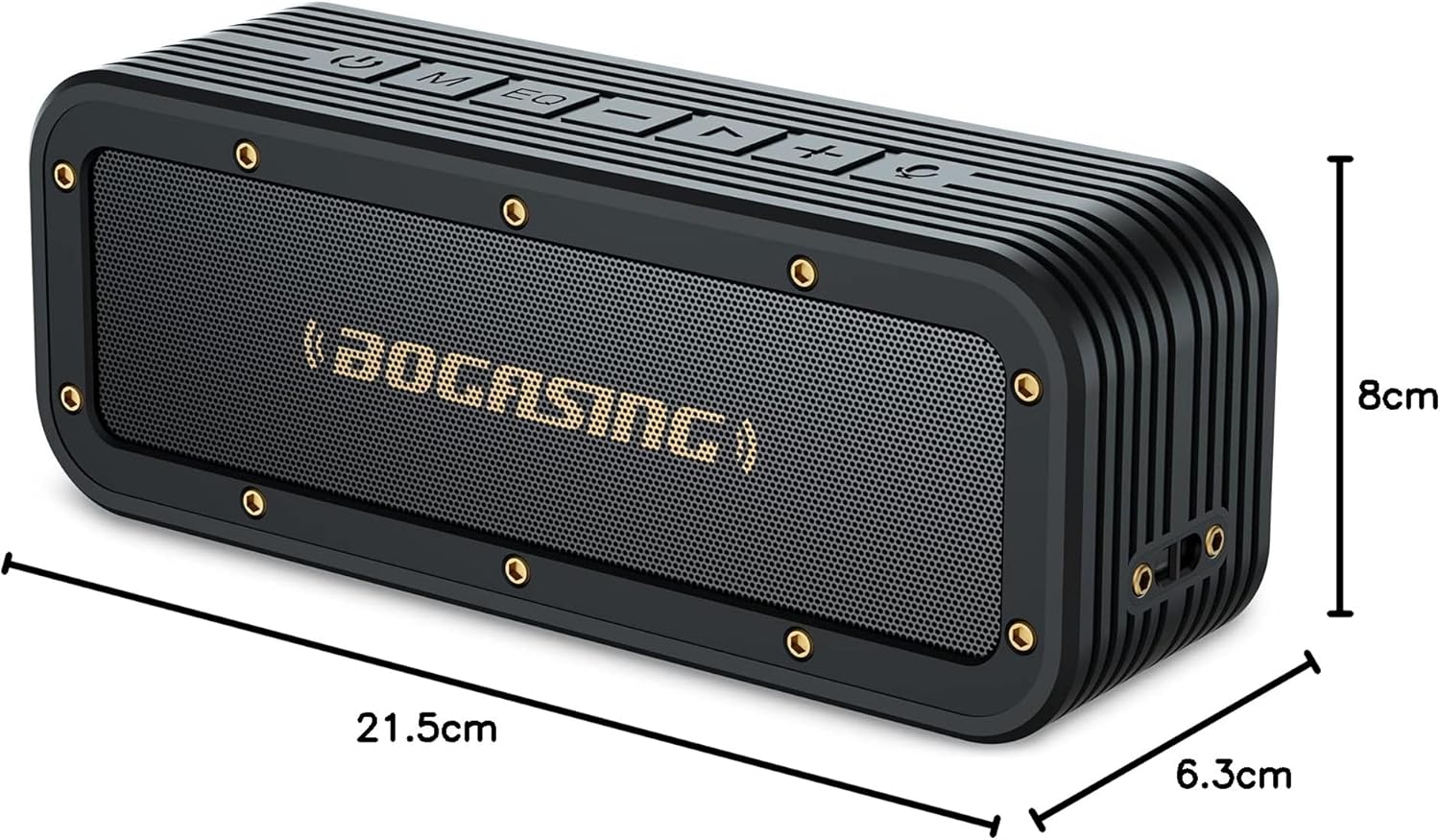
Image: The BOGASING G4 speaker with its dimensions clearly marked: 21.5cm length, 8cm height, and 6.3cm depth.
| Fitur | Rincian |
|---|---|
| merek | BOGASING |
| Ngaran modél | G4 |
| Jumlah modél produk | M4 |
| Tipe Speaker | Speaker Speaker |
| Speaker Format | Aktif |
| Kaluaran Maksimum Spiker | 50 Watts (Note: Some product descriptions may state 40W, but the feature bullet indicates 50W max output) |
| Wattage | 40 W |
| Téhnologi konektipitas | Bluetooth, AUX |
| Téknologi Komunikasi Nirkabel | Bluetooth |
| Vérsi Bluetooth | 5.3 |
| Sumber Daya | Batré |
| Jenis Batré | Litium Ion (kaasup 1 batré) |
| Peunteun waterproof | IPX7 |
| Dimensi produk | 22.8 x 8.6 x 6.4 cm (Panjang x Rubak x Jangkungna) |
| Beurat produk | 0.88 kg |
| Bahan | palastik |
| Warna | Hideung |
| Diaméter Subwoofer | 50.8 milimeter |
| Réspon Frékuénsi | 20 KHz |
| Dianjurkeun Paké | Gaming, TV |
| Alat nu cocog | Computer, iPhone, MacBook, Laptop |
| Tipe Pamasangan | Tabletop Gunung |
| Jumlah Item | 1 |
| Mode Kaluaran Audio | Stereo |
| Tanggal Sadia munggaran | 26 Juli 2021 |
9. Garansi jeung Rojongan
9.1 Garansi Produk
The BOGASING G4 Bluetooth Speaker comes with a 12-garansi sasih ti tanggal beuli. Garansi ieu nyertakeun cacad manufaktur sareng masalah anu timbul tina panggunaan normal. Punten tahan bukti pameseran anjeun pikeun klaim garansi.
9.2 Rojongan Palanggan
For any questions, technical assistance, or warranty claims, please contact BOGASING customer support through the retailer's platform where you purchased the product or visit the official BOGASING brand store online. Please have your product model number (M4) and purchase details ready when contacting support.
BOGASING Official Store: Visit BOGASING Store on Amazon.co.jp


