
Bubuka
Thank you for choosing the DOGNESS 9L Automatic Pet Feeder, Model F09. This device is designed to provide scheduled and portion-controlled meals for your pet, ensuring they are fed consistently even when you are away. Please read this manual thoroughly before use to ensure proper operation and maintenance.
Émbaran Kasalametan
- Use only dry pet food with kibble sizes between 0.2 and 0.6 inches (0.5 to 1.5 cm). Larger kibble may cause jamming.
- Do not use wet, canned, or moist pet food.
- Simpen wadahna di jero rohangan sareng jauh tina sinar panonpoé langsung atanapi kalembaban.
- Ensure the power adapter cable is not chewed by pets.
- Ulah neuleumkeun unit utama dina cai.
- Jauhkeun tina jangkauan barudak.
- Always unplug the feeder before cleaning.
Produk Leuwihview
Familiarize yourself with the components of your DOGNESS Automatic Pet Feeder.
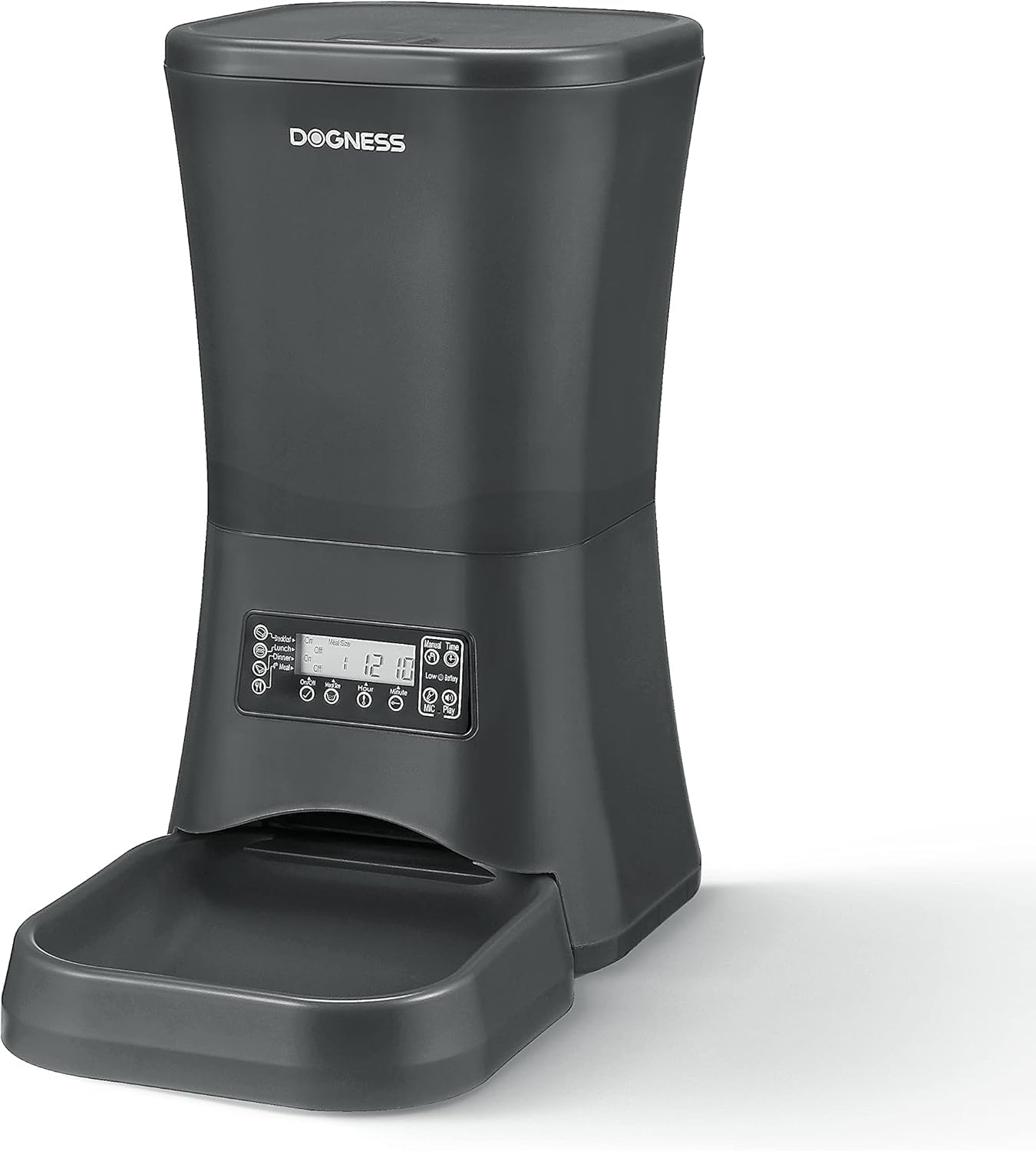
Image: The DOGNESS 9L Automatic Pet Feeder in black, with a dog eating kibble from its attached bowl. This image illustrates the feeder in use.
- Hopper dahareun: Large 9-liter capacity for dry pet food.
- tutup: Secures the food hopper.
- Panel Kontrol/Layar LCD: For programming meal times, portions, and voice recording.
- Gerai Kadaharan: Where food dispenses from the hopper.
- Food Tray/Bowl: Detachable bowl for pet to eat from.
- Palabuhan Daya: Pikeun nyambungkeun adaptor AC.
- Kompartemen batré: For backup battery power (batteries not included).
- Diwangun-di Speaker/Mikropon: For voice recording and playback.
Disetél
1. Unpacking jeung Majelis
- Cabut sadaya komponén tina bungkusan.
- Attach the food tray securely to the main feeder unit.
2. Power Supply
The feeder can be powered by the included AC adapter or by backup batteries (not included).
- Daya AC: Plug the AC adapter into the power port on the feeder and then into a standard wall outlet.
- Cadangan batré: Pikeun kakuatan anjeuntage protection, install 3 D-size alkaline batteries (not included) into the battery compartment at the bottom of the unit. The feeder will automatically switch to battery power during an outage.
3. Loading Pet Food

Gambar: A close-up view of the top of the DOGNESS 9L Automatic Pet Feeder, highlighting its large 9-liter capacity hopper filled with dry pet food.
- Buka tutup hopper dahareun.
- Pour dry pet food into the hopper. Ensure kibble size is between 0.2 and 0.6 inches (0.5 to 1.5 cm) to prevent jamming.
- Tutup tutupna aman.
Parentah Operasi
The control panel features an LCD screen and several buttons for programming.
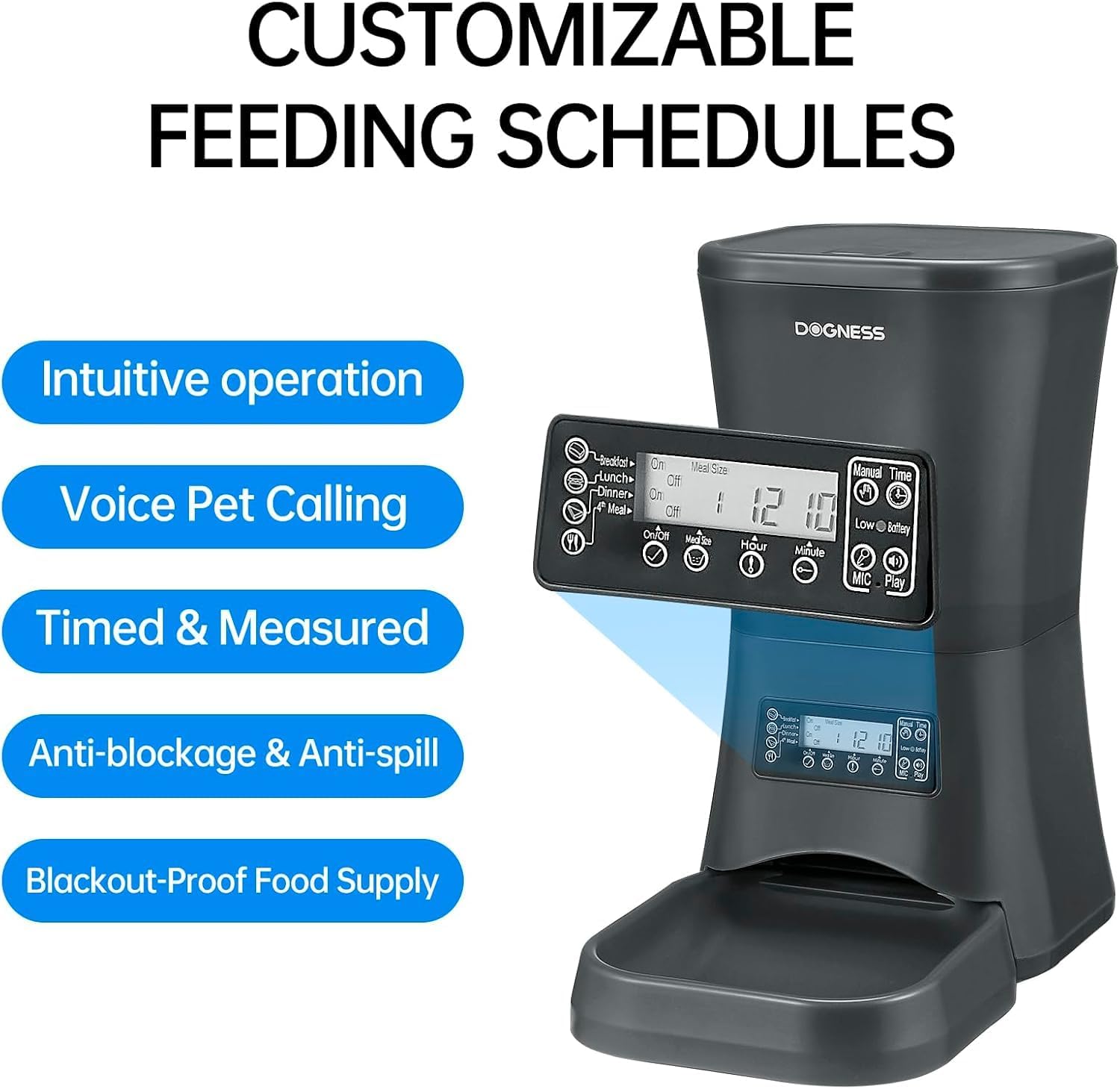
Gambar: A lengkep view of the control panel and LCD screen of the DOGNESS 9L Automatic Pet Feeder, illustrating the buttons for setting schedules, portions, and voice recording.
1. Nyetél Waktos Ayeuna
- Pencét éta "SET" button. The hour display will flash.
- Ngagunakeun éta "HOUR" jeung "MINUTE" tombol pikeun nyaluyukeun jam sareng menit ayeuna.
- Pencét "SET" deui pikeun mastikeun.
2. Ngatur Jadwal sareng Porsi Dahar
You can program up to 4 meals per day. Each meal can have a customizable portion size.
- Pencét éta "TUANG" button to cycle through Meal 1, Meal 2, Meal 3, and Meal 4 settings.
- When a meal number is flashing, press "SET". The hour display for that meal will flash.
- Paké "HOUR" jeung "MINUTE" buttons to set the desired feeding time for that meal.
- Pencét "SET" again. The portion size display will flash.
- Ngagunakeun éta "PORTION" button to adjust the number of servings for that meal. (Refer to your pet's food guidelines for appropriate serving sizes).
- Pencét "SET" to confirm the portion.
- Repeat for other meals as needed. To disable a meal, set its portion size to 0.
3. Rekaman Sora
Record a personalized message (up to 10 seconds) to alert your pet at meal times.
- Pencét jeung tahan tombol "REK" button. The microphone icon will appear on the LCD screen.
- Nyarita jelas kana mikropon.
- Ngaleupaskeun "REK" tombol nalika réngsé.
- To play back your recording, press the "MAÉN" kancing.
- The recorded message will play automatically three times before each scheduled meal.
4. Manual Dahar
To dispense food instantly, press the "MANUAL FEED" button. One serving will be dispensed.
Pangropéa
Ngabersihan Feeder
- Salawasna cabut colokan feeder sareng cabut batréna sateuacan dibersihkeun.
- Remove any remaining food from the hopper.
- The food tray can be detached and washed with mild soap and water. Rinse thoroughly and dry completely before reattaching.
- Wipe the main unit, including the hopper interior, with a damp lawon. Ulah make cleaners abrasive.
- Pastikeun sadaya bagian garing pisan sateuacan ngeusian deui ku dahareun atanapi nyambungkeun deui daya.
Pamérésan masalah
| Masalah | Mungkin Cukang lantaranana | Solusi |
|---|---|---|
| Panyeuseup teu ngaluarkeun dahareun. |
|
|
| Rekaman sora teu tiasa diputer. |
|
|
| Feeder teu hurung. |
|
|
spésifikasi
- model: F09
- Kapasitas: 9 Liters (approx. 5.7 lbs of dry food)
- Ukuran (L x W x H): 15 x 14 x 8 inci
- beurat: 5.69 pon
- Bahan: Bahan Kelas Pangan
- Ukuran Kibble: 0.2 - 0.6 inci (0.5 - 1.5 cm)
- kakuatan: AC Adapter (included) or 3 x D-size batteries (not included)
- Dahar per poé: Nepi ka 4
- Rékam sora: Nepi ka 10 detik

Image: The DOGNESS 9L Automatic Pet Feeder with its key dimensions (height, width, depth) clearly indicated.
Garansi sareng Rojongan
This product does not come with an explicit manufacturer's warranty description as per available information. For any product inquiries, technical assistance, or support, please contact DOGNESS customer service through their official channels or the retailer where the product was purchased.