
1. Bubuka
Thank you for choosing the i-box MiniGlow Alarm Clock Radio. This device combines a large LED display with dimmable brightness, dual alarms, a night light function, a USB charging port, FM radio, and a modern textile finish. Its compact design makes it ideal for bedside tables. This manual provides detailed instructions for setup, operation, and maintenance to ensure optimal performance and longevity of your device.
Punten baca manual ieu sacara saksama sateuacan dianggo sareng tahan pikeun rujukan ka hareup.
2. Eusi Paket
- i-box MiniGlow Alarm Clock Radio
- Adaptor kakuatan
- CR2025 Button Cell Battery (pre-installed for backup)
- Manual pamaké
3. Alat Leuwihview
Familiarize yourself with the main components and controls of your i-box MiniGlow.

Gambar: Hareupeun view of the i-box MiniGlow Alarm Clock Radio, showing the large LED display and top controls. This image provides a general overview tina penampilan produk.
Kontrol sareng palabuhan:
- Témbong LED: Nembongkeun waktu, status alarem, jeung frékuénsi radio.
- Tombol Luhur: For setting time, alarms, radio, night light, and sound modes.
- Kenop Volume/Panyetelan: Adjusts volume and tunes FM radio frequencies.
- Palabuhan Ngecas USB: Located on the side/back for charging external devices.
- Input kakuatan: Pikeun nyambungkeun adaptor kakuatan.
4. Setélan
4.1 Sambungan Daya
- Connect the provided power adapter to the DC input port on the back of the i-box MiniGlow.
- Plug the adapter into a standard wall outlet. The display will light up.
4.2 Batré Nyadangkeun
The device includes a pre-installed CR2025 button cell battery to maintain time and alarm settings during a power outage. No action is required for initial setup regarding this battery.
4.3 Nyetél Waktos
- Pencét jeung tahan tombol Waktos Set button (usually marked with a clock icon) until the hour digits flash.
- Ngagunakeun éta +/- buttons or the tuning knob to adjust the hour.
- Pencét éta Waktos Set button again to confirm the hour, and the minute digits will flash.
- Ngagunakeun éta +/- buttons or the tuning knob to adjust the minutes.
- Pencét éta Waktos Set button one last time to save the time.
5. Parentah Operasi
5.1 Setting Alarms (Dual Alarm Feature)
The i-box MiniGlow supports two independent alarms.
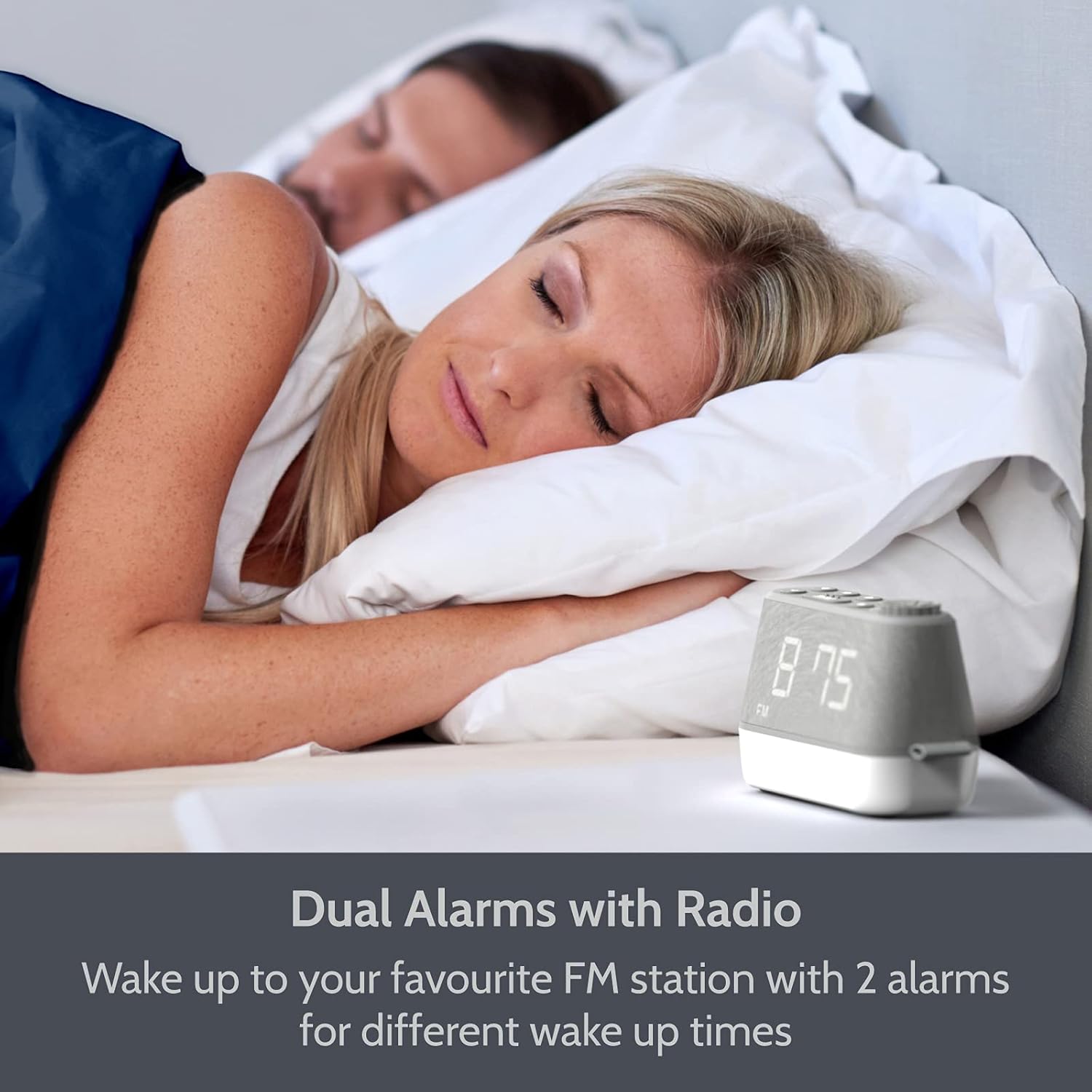
Gambar: The i-box MiniGlow on a bedside table, illustrating its dual alarm capability for different wake-up times. This image highlights the convenience of setting two separate alarms.
- Pencét jeung tahan tombol Alarem 1 or Alarem 2 tombol nepi ka waktu alarm hurung.
- Ngagunakeun éta +/- buttons or the tuning knob to set the desired hour. Press the alarm button again to confirm.
- Ngagunakeun éta +/- buttons or the tuning knob to set the desired minutes. Press the alarm button again to confirm.
- Select the alarm source (Buzzer, FM Radio, or White Noise/Nature Sound) using the +/- buttons. Press the alarm button again to confirm.
- To activate/deactivate an alarm, short press the corresponding Alarem 1 or Alarem 2 kancing. Ikon alarem bakal muncul / ngaleungit dina tampilan.
5.2 Operasi Radio FM
Enjoy your favorite FM radio stations with up to 10 presets.

Gambar: The i-box MiniGlow displaying an FM radio frequency, indicating its radio functionality. This image shows the device in a typical bedroom setting.
- Pencét éta FM tombol pikeun ngahurungkeun radio.
- Scan Otomatis: Pencét jeung tahan tombol FM tombol pikeun otomatis nyeken sareng nyimpen stasiun anu sayogi.
- Tuning Manual: Use the tuning knob to manually adjust the frequency.
- Nyimpen prasetél: While listening to a station, press and hold a Prasetél button (e.g., P1-P10) until the preset number flashes. Use the +/- buttons to select a preset number, then press the Prasetél tombol deui pikeun nyimpen.
- Nginget-nginget Préparasi: Pencét pondok Prasetél tombol pikeun ngagulung dina stasiun anu disimpen.
- Timer Saré: Nalika radio nuju diputer, pencét tombol Saré button repeatedly to set a sleep timer (e.g., 15, 30, 60, 90 minutes). The radio will turn off automatically after the set time.
5.3 Night Light and RGB Mood Lighting
The integrated night light offers adjustable brightness and multiple color options.

Gambar: Multiple i-box MiniGlow units displaying different RGB mood lighting colors. This image demonstrates the range of color options available for the night light.
- Pencét éta Caang tombol pikeun ngahurungkeun lampu peuting.
- Pencét éta Caang button repeatedly to cycle through 6 different RGB colors or a continuous color cycle.
- To select a static color during the color cycle, press the Caang button when the desired color is displayed.
- To adjust the brightness of the night light, use the Dimmer button (if available) or refer to the specific light control buttons.
- To turn off the night light, continue pressing the Caang tombol nepi ka pareum.
5.4 White Noise and Natural Sounds
Choose from 6 relaxing white noise and natural sound tracks to aid sleep.

Gambar: The i-box MiniGlow on a bedside table with a purple night light, suggesting its white noise and natural sounds feature for peaceful sleep. This image shows the device in a nighttime setting.
- Pencét éta Sora button (often marked with a musical note or wave icon) to activate the white noise/natural sound mode.
- Pencét éta Sora button repeatedly to cycle through the 6 available sound tracks.
- Saluyukeun polumeu nganggo Jilid kenop.
- To turn off the sound, press the Sora button until it stops, or use the Kakuatan kancing.
5.5 Palabuhan Ngecas USB
Charge your smartphone or smartwatch conveniently.

Gambar: The i-box MiniGlow on a bedside table with a smartphone connected to its built-in USB charging port. This image demonstrates the convenience of charging devices directly from the alarm clock.
Connect your device's USB charging cable to the USB output port on the i-box MiniGlow. The device will begin charging automatically. Ensure your i-box MiniGlow is connected to a power source for this function to work.
5.6 tampilan Dimmer
Adjust the brightness of the LED time display for comfortable viewdina kaayaan pencahayaan naon waé.
- Pencét éta Dimmer button (often marked with a sun icon) repeatedly to cycle through different brightness levels (e.g., High, Medium, Low, Off).
- Pilih tingkat kacaangan anu dipikahoyong.
6. Pangropéa
6.1 beberesih
- Sok cabut colokan alat tina stop kontak samemeh beberesih.
- Anggo kaén anu lembut sareng garing pikeun ngusap permukaan luar.
- Ulah nganggo pembersih cair, pembersih abrasif, atanapi semprotan, sabab ieu tiasa ngaruksak lapisan atanapi komponén internal.
6.2 Battery Replacement (Backup Battery)
The CR2025 backup battery typically lasts for several years. If you notice that time and alarm settings are lost after a power outage, batré cadangan panginten kedah digentos.
- Unplug the device from the main power supply.
- Tangtukeun lokasi kompartemen batré dina handapeun unit.
- Open the compartment and carefully remove the old CR2025 battery.
- Selapkeun batré CR2025 anyar kalawan polaritasna bener (+ sisi luhur).
- Close the battery compartment and reconnect the device to power.
7. Cara ngungkulan
| Masalah | Mungkin Cukang lantaranana | Solusi |
|---|---|---|
| Alat teu hurung. | Adaptor listrik teu nyambung atanapi lepat. | Ensure the power adapter is securely connected to the device and a working wall outlet. Try a different outlet. |
| Alarm teu disada. | Alarm teu diaktipkeun atawa volume teuing leutik. | Check if the alarm icon is displayed. Increase alarm volume. Verify alarm time is set correctly. |
| panarimaan radio FM goréng. | Sinyal lemah atanapi anteneu henteu diperpanjang. | Extend the FM antenna fully. Reposition the device for better reception. Perform an auto-scan again. |
| Ngecas USB teu jalan. | Device not powered or cable faulty. | Ensure the i-box MiniGlow is connected to main power. Try a different USB cable or device. |
| Waktos / setélan leungit sanggeus kakuatan outage. | Batré cadangan béak. | Replace the CR2025 backup battery as described in Section 6.2. |
8. Spésifikasi
| Fitur | Rincian |
|---|---|
| merek | abdi-kotak |
| Nomer modél | 79287PI/18 |
| Warna | kulawu |
| Tipe tampilan | LED digital |
| Fitur husus | Dual Alarm, Large Dimmable Display, FM Radio, Night Light, White Noise/Nature Sounds, USB Charging Port |
| Sumber Daya | Kabel Listrik |
| Batré Cadangan | 1 x CR2025 (kaasup) |
| Tipe Pamasangan | Tabletop |
| Bahan Pigura | Acrylonitrile Butadiene Styrene (ABS) |
| Produsén | Philex Electronic Ltd |
9. Garansi jeung Rojongan
The i-box MiniGlow Alarm Clock Radio comes with a 12-month limited warranty. Please retain your proof of purchase for warranty claims.
For technical support, troubleshooting assistance, or warranty inquiries, please refer to the contact information provided in your product packaging or visit the official i-box websitus.
Sumberdaya Online: Kanggo dukungan sareng FAQ tambahan, mangga buka i-box Brand Store.