1. Bubuka jeung Leuwihview
Thank you for choosing the Taurus Air Force 20-inch Industrial Fan. This manual provides essential information for the safe and efficient operation, assembly, maintenance, and troubleshooting of your new fan. Please read it thoroughly before use and retain it for future reference.
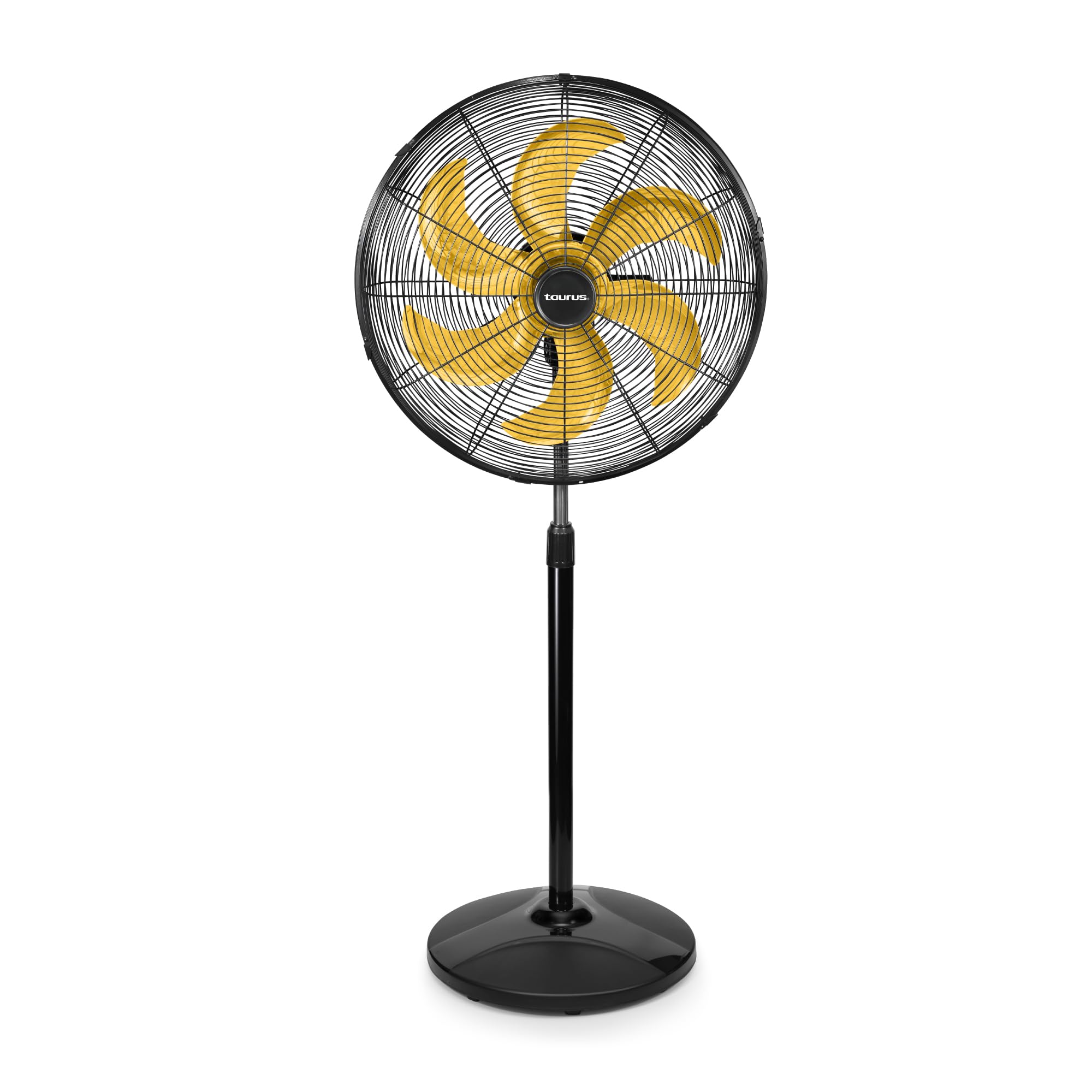
Gambar 1.1: Hareupeun view of the Taurus Air Force 20-inch Industrial Fan, featuring a black body and distinctive yellow metal blades.
Fitur konci:
- 20-inch Metal Grille and 6 Aerodynamic Yellow Blades: Designed for maximum airflow and instant cooling.
- 3 Setélan Speed: Allows for customized airflow intensity.
- Wide Horizontal Oscillation: Ensures uniform air distribution across a large area.
- Jangkungna adjustable: Can be adjusted up to 1.45 meters to suit various needs.
- Desain ramah lingkungan: Features a counterweight made from post-consumer recycled material.
- Konstruksi awét: Built with metallic components for industrial-grade performance.
2. Parentah Kasalametan
Pikeun ngurangan résiko seuneu, shock listrik, atawa tatu, salawasna turutan pancegahan kaamanan dasar ieu:
- Baca sadaya pitunjuk sateuacan nganggo kipas ieu.
- Pastikeun catu daya cocog sareng voltage dieusian dina labél rating kipas urang.
- Do not operate any fan with a damaged cord or plug. If the cord or plug is damaged, contact the manufacturer or a qualified service agent.
- Avoid placing the fan in areas where it may be easily knocked over. Always place it on a stable, level surface.
- Keep fingers, hair, and loose clothing away from the fan blades and grille during operation.
- Do not use the fan near water or in excessively humid environments (e.g., bathrooms, laundry areas).
- Cabut kipas tina stop kontak sateuacan beberesih, ngalakukeun pangropéa, atanapi nalika henteu dianggo.
- Ulah meungpeuk bukaan hawa.
- This fan is certified for operation in temperate and tropical climates.
- Entong nyobian ngalereskeun atanapi nyaluyukeun naon waé fungsi listrik atanapi mékanis dina unit ieu. Ngalakukeunana bakal batal jaminan.
3. Komponén produk
The Taurus Air Force Industrial Fan typically includes the following components:
- Fan Head (with grille and blades)
- Tiang Panyangga anu Bisa Disaluyukeun
- Base (containing recycled counterweight)
- Power Cable with Speed Control

Gambar 3.1: Deukeut view of the fan head, showing the metal grille and yellow blades.

Image 3.2: Detail of the fan's base, illustrating the eco-friendly recycled material used for the internal counterweight.
4. Setup jeung Majelis
While the product specifications indicate no assembly is required, some minimal setup steps are typically needed for floor fans to ensure stability and proper function. Please follow these general guidelines:
- Ngabongkar komponén: Cabut sadaya bagian tina bungkusna kalayan ati-ati. Pariksa yén sadaya komponén anu didaptarkeun aya.
- Attach Base to Stand Pole: Securely attach the stand pole to the fan base. Ensure it is firmly seated and tightened according to any provided fasteners.
- Attach Fan Head to Stand Pole: Mount the fan head assembly onto the top of the stand pole. Ensure it is securely fastened and stable.
- Posisi kipas: Place the assembled fan on a firm, level surface, away from curtains or other objects that could obstruct airflow or get caught in the blades.
- Sambungkeun Kakuatan: Colokkeun kabel listrik kana stop kontak listrik anu cocog.

Gambar 4.1: Sisi view of the fully assembled Taurus Air Force Industrial Fan, illustrating its stable floor-mount design.
5. Parentah Operasi
Follow these steps to operate your Taurus Air Force Industrial Fan:
- Power On/Speed Selection: Locate the speed control knob on the power cable. Turn the knob to select your desired speed setting (1, 2, or 3). Position '0' is off.
- Saluyukeun Jangkungna: To adjust the fan's height, loosen the height adjustment knob on the stand pole, raise or lower the pole to the desired position (up to 1.45 meters), and then securely tighten the knob.
- Aktipkeun osilasi: To enable the wide horizontal oscillation feature, locate the oscillation pin/button on the top or rear of the fan motor housing. Push it down to start oscillation, or pull it up to stop the fan from oscillating and direct airflow in a fixed direction.
- Saluyukeun Dengdekkeun: The fan head can be tilted vertically to direct airflow upwards or downwards. Loosen the tilt adjustment knob on the side of the fan head, adjust to the desired angle, and then tighten the knob.

Image 5.1: Speed control knob on the power cable, used to select one of the three fan speeds.

Image 5.2: Visual representation of the fan's wide horizontal oscillation, distributing air across a broad area.

Image 5.3: Illustration of the fan's adjustable height mechanism, allowing customization up to 1.45 meters.
6. Pangropéa sarta perawatan
Pembersih sareng pangropéa teratur bakal mastikeun umur panjang sareng kinerja optimal kipas anjeun.
- Sok cabut kipas angin ti stop kontak listrik saméméh beberesih.
- Ngabersihkeun Grille sareng Wilahna: The manufacturer recommends "hand wash" for care. This implies careful manual cleaning. Use a soft, damp cloth to wipe the exterior surfaces. For the blades and interior of the grille, you may need to remove the front grille (if detachable) to access them. Use a soft cloth or brush to remove dust and debris. Ensure all parts are completely dry before reassembling and operating the fan.
- Do not use abrasive cleaners, solvents, or harsh chemicals, as these can damage the fan's finish or components.
- Ulah neuleumkeun kipas dina cai atawa ngidinan cai netes kana perumahan motor.
- Simpen kipas dina tempat anu tiis sareng garing upami henteu dianggo kanggo waktos anu lami.
7. Cara ngungkulan
Upami anjeun ngalaman masalah sareng kipas anjeun, tingal masalah sareng solusi umum ieu:
| Masalah | Mungkin Cukang lantaranana | Solusi |
|---|---|---|
| Kipas angin teu hurung. | No power, loose plug, speed control set to '0'. | Check power outlet, ensure plug is fully inserted, turn speed control to 1, 2, or 3. |
| Aliran hawa handap. | Fan speed too low, grille/blades obstructed or dirty. | Increase speed setting, clean grille and blades (refer to Maintenance section). |
| Kipas angin ribut. | Loose parts, fan not on a level surface, debris in blades. | Check for loose screws, ensure fan is on a stable surface, clean blades. |
| Osilasi teu jalan. | Oscillation pin/button not engaged correctly. | Ensure the oscillation pin/button is pushed down to activate oscillation. |
Upami masalahna teras-terasan saatos nyobian solusi ieu, mangga ngahubungi dukungan palanggan Taurus kanggo kéngingkeun bantosan.
8. Spésifikasi
| merek | Kaurus |
| Modél | ANGKATAN UDARA |
| Item Beurat | 9.3 kg |
| Dimensi produk | 57.91 x 50.04 x 144.78 cm (L x W x H) |
| Tipe rengse | Metalik |
| Parentah perawatan | Hand wash (for cleaning grille/blades) |
| Majelis Diperlukeun | No (Minimal setup may be needed for stand and base) |
| Jumlah Potongan | 1 (Main unit) |
| Batré Diperlukeun | No |
| Komponén Kaasup | Fan Head, Stand Pole, Base, Power Cable with Control |
| Desain kipas listrik | Kipas Lantai |
| Sumber Daya | AC |
| Gaya | Industri |
| Fitur husus | Manual Controls, Adjustable Height, Oscillation |
| Dianjurkeun Mangpaat | Ventilasi |
| Tipe Pamasangan | Lantai Gunung |
| Bahan | Logam, Plastik |
| Warna | Black body with Yellow Metal Blades |
9. Garansi jeung Rojongan
Your Taurus Air Force Industrial Fan is backed by a comprehensive garansi pabrik lima taun. Garansi ieu nyertakeun cacad dina bahan sareng pagawean dina panggunaan normal.
For warranty claims, technical support, or any questions regarding your product, please contact Taurus customer service. Keep your proof of purchase for warranty validation.
For the most up-to-date contact information, please visit the official Taurus websitus atanapi tingal wincik kontak disadiakeun kalawan bungkusan produk Anjeun.